How to Integrate Physical Locks with Smart PDUs in Telecom Cabinets to Protect Against Unauthorized Operations

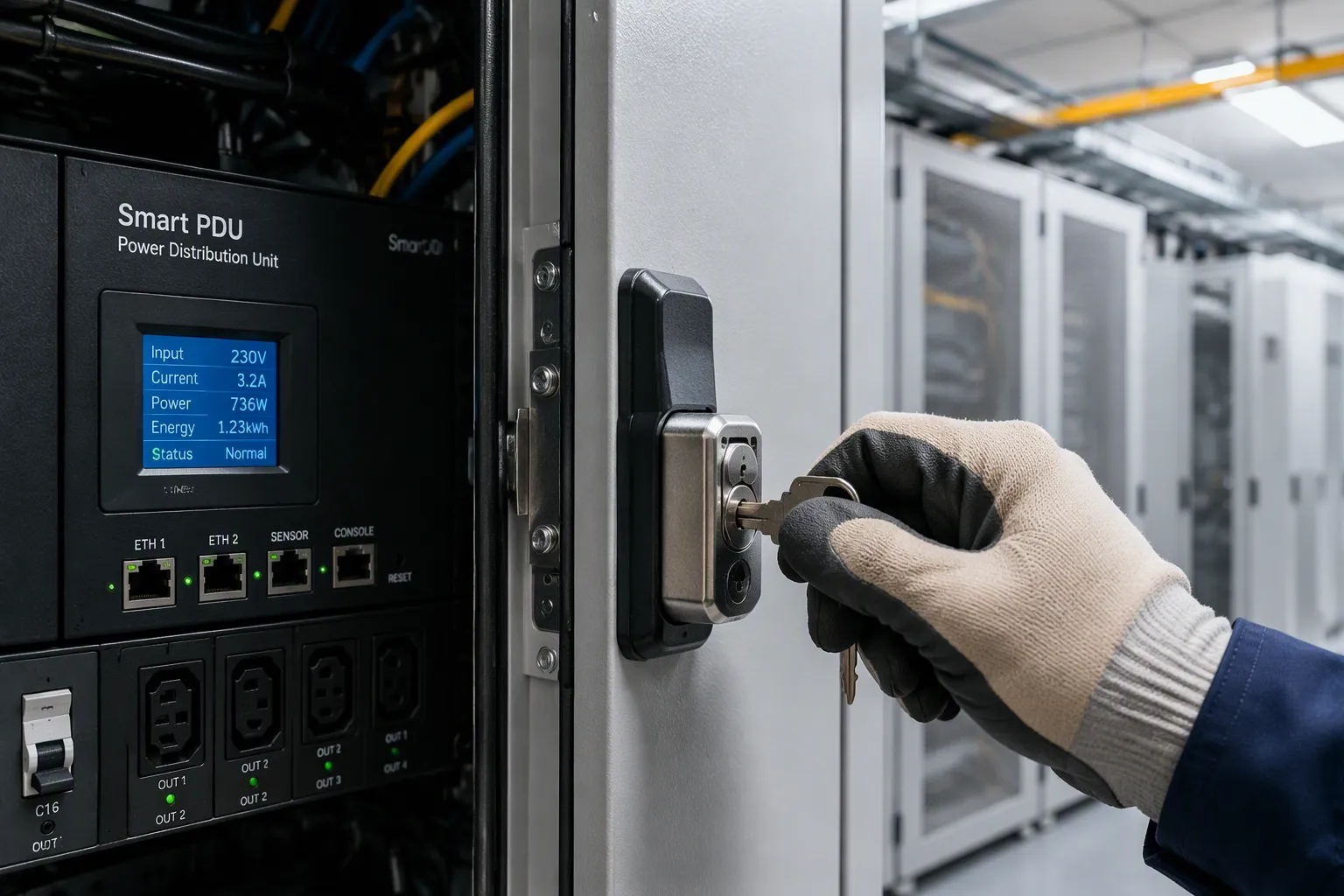
Pairing physical locks with a smart PDU creates a layered defense. Mechanical access control at the door blocks entry. Intelligent power monitoring at the outlet flags misuse. Together, these physical and digital security measures stop most unauthorized access before harm.
The stakes run high for telecom cabinets. One open cabinet panel invites service downtime, equipment damage, and safety risk. One layer rarely covers both threats. Strong physical security must stand beside power control, because software alone offers no security. Unauthorized power cycling can still disrupt a telecom site.
You will see the risks, device capabilities and limits, lock options, and integration steps. ESTEL's PDUs and cabinets serve as a reference throughout.
Key Takeaways
Combine physical locks and smart PDUs to create a strong defense against unauthorized access.
Understand the risks: physical tampering and remote power misuse can both disrupt telecom sites.
Choose the right lock for each site: mechanical for remote areas, smart for real-time monitoring.
Follow a clear integration plan: assess risks, select locks, mount PDUs, and test the system.
Start with a pilot cabinet to prove the setup works, then expand across your sites.
Unauthorized Access Risks in Telecom Cabinets
Physical Tampering and Theft
An open or poorly locked cabinet invites trouble fast. Attackers target copper and batteries because they know which sites hold valuable equipment. Many arrive with angle grinders and work on a tight budget of roughly 90 seconds per site. Others knock out external hinge pins in about 10 seconds. Riveted or screwed panel seams give way to prying, and hammer blows dent thin doors enough to break the seal. Some crews simply lift and carry off an entire unit when nobody anchors it.
These methods show why physical security must start at the enclosure itself. Welded seams resist prying better than riveted ones. Anchoring stops the lift-and-go attack. You also need door and intrusion detection to catch entry attempts early. Telecom cabinet sensors and door sensors turn a silent break-in into a logged event. That record matters when you review unauthorized activity later.
Remote and Insider Power Misuse
Not every threat comes through the door. A remote user with weak credentials can power-cycle equipment, switch outlets, or change loads without ever touching the site. An insider with legitimate access can do the same and leave little trace. These actions bypass the lock entirely and still cause outages.
This is where the risks of unauthorized access in telecom cabinets grow beyond mechanical defense. You cannot see a remote outlet toggle with your eyes. You can only catch it through monitoring. Smart PDUs log every switching event, so unusual patterns surface quickly. Pair that data with door sensors and telecom cabinet sensors, and you close the gap between physical entry and digital control. The next section covers what a smart PDU can and cannot do on its own.
Smart PDU Security Features and Limits

Remote Monitoring and Outlet Control
A smart PDU gives you eyes and hands at the rack. You can reboot equipment and switch outlets from anywhere. A smart power distribution unit also adds surge protection, LCD monitoring, and a dehumidifying function. Outlet counts run from 8 to 19, with 16A input and an IEC60309 plug. ESTEL's Smart Power Distribution Unit shows what a robust, remotely managed smart power distribution unit can do.
Security Feature | Description |
|---|---|
Load Monitoring | A smart power distribution unit integrates with DCIM software for outlet-level load tracking. |
Environmental Monitoring | Sensors report temperature and humidity inside the rack. |
Surge Protection | Breakers trip on overload or short circuit. |
Remote Power Management | You reboot devices without visiting the site. |
Proactive Alerting | Alerts arrive by SMS, SNMP trap, or email. |
These features protect the telecom cabinet's power systems. Intelligent PDUs also alarm when thresholds break. You gain control over power and a record of every switching event. Smart power distribution units therefore strengthen security at the outlet. A smart PDU and a smart power distribution unit work as one layer. Smart power distribution units and PDUs both log events, and PDUs feed your audit trail.
Where Software Alone Falls Short
A smart power distribution unit controls power, not the cabinet door. Digital controls cannot stop an intruder from reaching hardware. If someone bypasses your digital defenses, they can still tamper with equipment. Software alone leaves a protection gap. You need physical locks beside the smart power distribution unit to close it.
Combining physical locks with a Smart Power Distribution Unit creates multiple barriers: locks block direct cabinet access while the unit adds digital controls, remote monitoring, and tamper alerts, reducing the risk of accidental shutdowns, sabotage, and theft from both physical and cyber threats.
Manual inspection is slow and costly. Software has no eyes without hardware. It cannot see an open panel. Pair it with telecom cabinet sensors and locks. That pairing turns a smart power distribution unit into part of a layered defense against unauthorized access in telecom cabinets. Security improves when telecom cabinets pair locks with a smart power distribution unit, and telecom cabinet sensors complete the picture.
Physical Lock Options and Security Fit
Mechanical, Electronic, and Smart Locks
Each lock type fits a different site profile. Mechanical locks cost less per unit and need no power or network. They suit remote sites where connectivity is limited, and they last for decades. Electronic locks sit in the middle. They offer audit trails without a full network connection, and they cost less than smart locks. Smart locks connect over Wi-Fi, Bluetooth, or Z-Wave. They give you real-time event tracking and remote control, but they depend on internet and power.
Lock Type | Upfront Cost | Audit Capability | Remote Site Fit |
|---|---|---|---|
Mechanical | Lower per unit | No digital trail | Best fit, no power or network needed |
Electronic | Moderate | Manual or software-based, if supported | Reliable where connectivity is limited |
Smart | Higher per opening | Real-time logs and remote monitoring | Needs connectivity and IT resources |
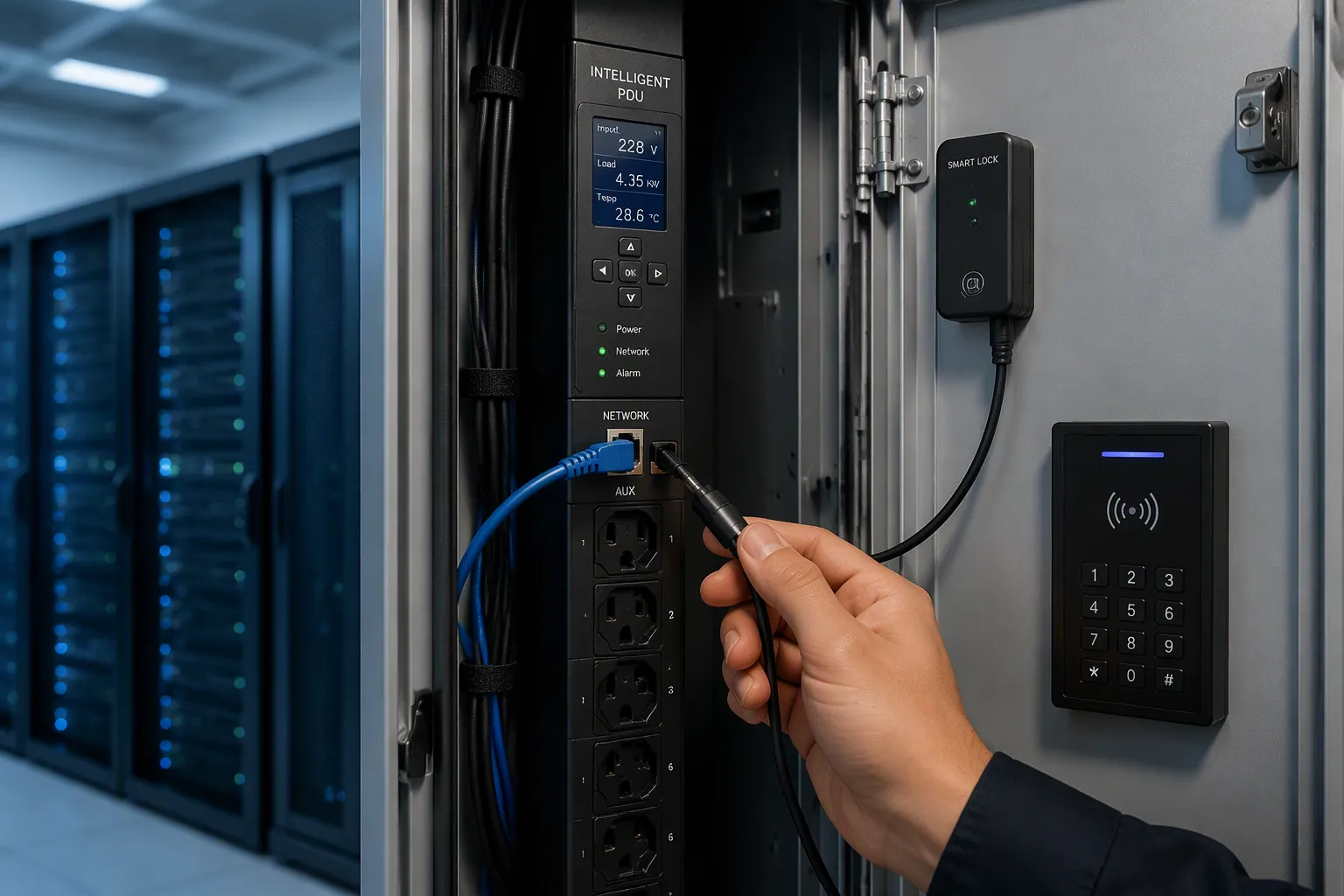
Electronic locks can draw power through auxiliary ports on the PDU. This removes the need for a dedicated lock controller. Smart locks can link to DCIM or BMS software for access logs and audit trails. Cable locks protect individual devices inside the cabinet.
Matching Locks to Site and Compliance
Start with power and network. No reliable network points you toward mechanical or electronic locks. Audit and compliance needs point you toward smart locks. Industrial and warehouse sites often do well with mechanical Grade 1 deadbolts. Electronic locks carry a higher cost than mechanical ones, and installation adds cost. They also rely on battery or AC power, so plan for outages.
Physical lock solutions for telecom cabinets should match the threat. ESTEL's outdoor telecom cabinets ship with anti-theft lock options as a practical example. Pair those locks with telecom cabinet sensors to catch intrusion at the door. This combination helps you control access and block unauthorized personnel. It also strengthens physical security across distributed telecom sites. Good physical security starts with the right lock for each cabinet.
Physical Lock Integration of Smart Power Distribution Units in Telecom Cabinets
Planning, Wiring, and Access Workflow
Physical lock integration of smart power distribution units in telecom cabinets follows a clear sequence. Work through these steps in order.
Evaluate each cabinet's risk level and operational needs. Identify sites that need advanced physical security.
Choose a lock type that matches your security policy. Mechanical, electronic, and anti-theft locks each fit different profiles.
Mount the smart PDU inside the cabinet. Connect it to the network for remote monitoring and control.
Configure access controls for both the lock and the PDU. Set user permissions with access codes, RFID cards, or biometric credentials.
Integrate the PDU with a central management platform. Enable real-time alerts for unauthorized access or abnormal power events.
Test and audit the system regularly. Review access logs and audit trails to verify compliance.
Plan the wiring before you mount anything. Electronic locks can draw power through auxiliary ports on the PDU. This removes the need for a dedicated lock controller. Route lock cables away from power feeds to reduce interference. Define the access workflow next. Decide who holds credentials, how visitors get temporary access, and how you revoke rights. Good physical security depends on clear rules, not just hardware.
Watch for common pitfalls during integration. Devices that do not fit the PDU cause last-minute delays. Adapters consume space, generate heat, and add failure points. Buying extra PDUs for different plugs raises cost and complexity. Reworking the layout adds time and higher downtime risk. More PDUs per cabinet mean more cabling, heat, and airflow restrictions. Power cords can disconnect in high-density racks. External locking clips add installation complexity and human error risk. Plan outlet counts and plug types early to avoid these problems.
Testing, Commissioning, and ESTEL Deployment
Commissioning proves the lock and the PDU work as one system. Verify lock-PDU event linkage first. Open the door and confirm the smart PDU logs the event. Confirm alerts fire on unauthorized attempts. Set thresholds, for example: alert if more than 5 failed logins from the same IP in 15 minutes. Test each notification channel, including email, SMS, and SIEM tools. Use simulation mode to mimic unauthorized attempts, then adjust sensitivity to avoid alert fatigue.
Validate audit logs before you sign off. Run analyses on old and new data sources in parallel during the concurrent logging period. Compare outputs to confirm the new analyses capture expected events. Verify that category-based filters give equivalent or better coverage than event-name filters. For SIEM users, confirm alerts fire correctly on the new data. Complete the cutover once coverage matches or improves.
ESTEL's Smart Power Distribution Unit pairs well with the company's cabinet portfolio. IP55 cabinets, rectifier systems, and anti-theft locks form a combined deployment option. This setup delivers physical and digital security measures from one supplier. You can lock down cabinets automatically through linked access rules. Intelligent PDUs and telecom cabinet sensors complete the defense. Door and intrusion detection closes the gap between the door and the outlet. This approach strengthens power safety management against unauthorized operations across your telecom sites.
Physical locks plus a smart power distribution unit give you defense in depth. The lock guards the door. The smart power distribution unit watches the outlet.
Assess the risk at each telecom cabinet. Choose the lock that fits the site. Link entry events to PDU monitoring. Validate the setup with testing.
Start with one pilot cabinet. Prove the lock and PDU work as one system. Then expand across your telecom sites. Every telecom cabinet deserves both layers. ESTEL supplies PDUs, telecom cabinets, and anti-theft locks for telecom deployments from one source. ESTEL is a practical partner for integrated rollouts. You block unauthorized access at the cabinet and catch misuse at the outlet.
FAQ
Why pair a physical lock with a smart PDU instead of choosing one?
Each layer covers a gap the other leaves open. The lock stops entry at the door. The PDU logs outlet switching and power events. Together they block unauthorized access at the cabinet and catch misuse at the outlet.
Can an electronic lock draw power from the PDU?
Yes. Electronic locks can use auxiliary ports on the PDU for power. This removes the need for a dedicated lock controller. You simplify wiring and cut the number of failure points inside the telecom cabinet.
How do I prove the lock and PDU work as one system?
Open the door and confirm the PDU logs the event. Trigger a failed login and check that alerts fire. Review the audit trail before sign-off. These checks confirm your telecom cabinet reacts to both physical and digital events.
Which lock suits a remote telecom site with no network?
Choose a mechanical lock for sites without reliable connectivity. It needs no power or network and lasts for decades. Add door sensors where you can, so entry attempts still reach your monitoring platform.
What PDU configuration fits a typical telecom cabinet?
Match outlet count and plug type to your load before mounting. ESTEL's Smart Power Distribution Unit offers 8 to 19 outlets, 16A input, and an IEC60309 plug. Plan early to avoid adapters and rework in the cabinet.
See Also
Effective Methods to Enhance Anti-Theft Features of Communication Cabinets
Ways to Safeguard Equipment Using Outdoor Telecom Cabinets
Professional Advice for Protecting Communication Cabinets in Dangerous Locations
Comprehending the Applications of Telecom Cabinets
Methods to Guarantee Consistent Power Supply for Telecom Cabinets
CALL US DIRECTLY
86-13752765943
3A-8, SHUIWAN 1979 SQUARE (PHASE II), NO.111, TAIZI ROAD,SHUIWAN COMMUNITY, ZHAOSHANG STREET, NANSHAN DISTRICT, SHENZHEN, GUANGDONG, CHINA
