Multilingual Interface of Smart PDUs in Telecom Cabinets: Localized Management for Cross-Border Facilities

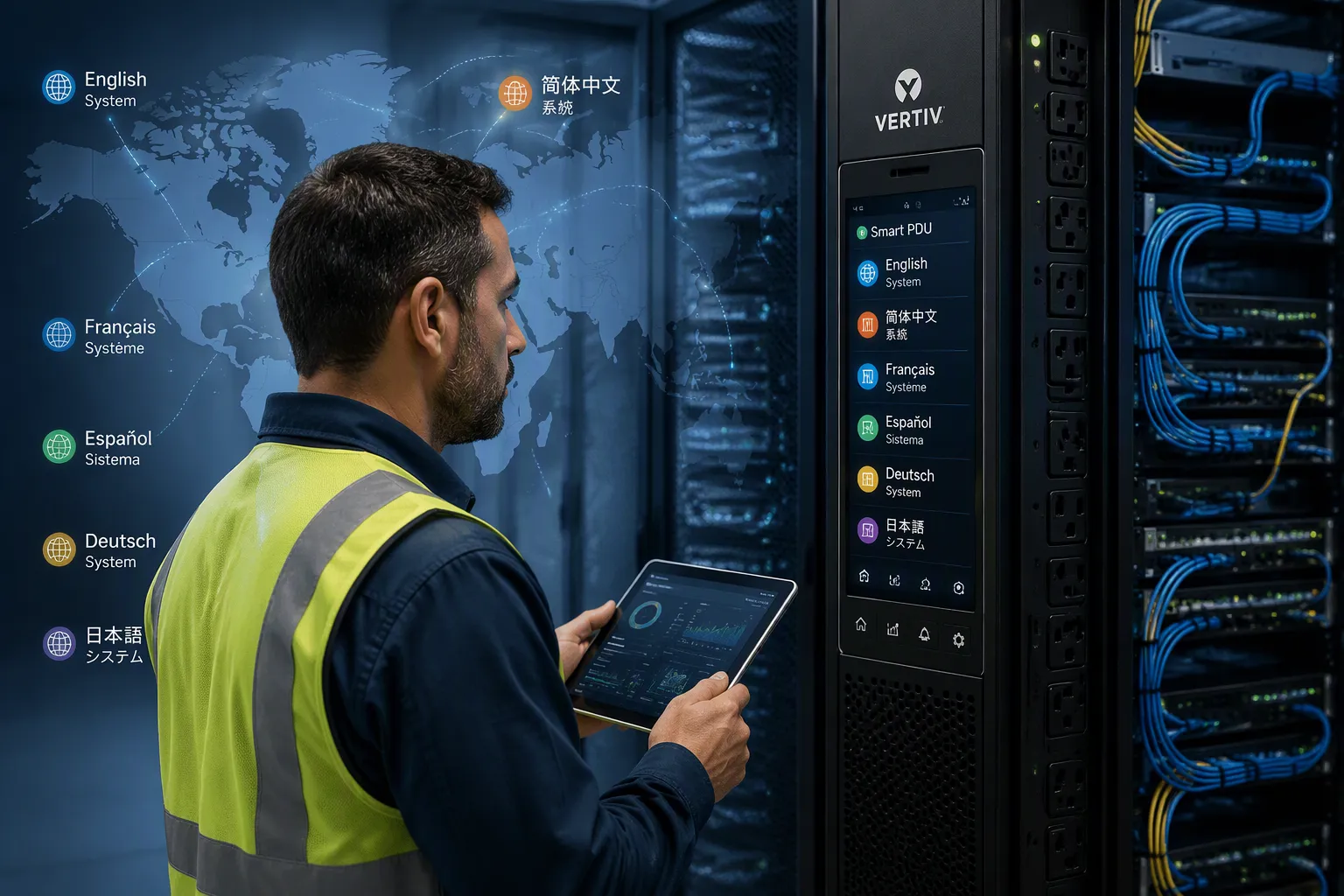
A multilingual interface turns a smart PDU into a tool your local technicians can trust. Staff read menus, alerts, and labels in their own language. They configure cabinet power faster and make fewer mistakes. Fewer errors mean less downtime at every site.
Now picture one operator running cabinets across many countries. Each site has its own language, and each on-site team works fastest in that native language. A single interface language forces translation on the spot, and small misreadings grow into real faults.
This post answers four practical questions. Why does language support matter? How does it improve localized management? What should you check technically and for compliance? How do cost and rollout factor in?
Key Takeaways
A multilingual interface lets technicians read menus and alerts in their own language, which speeds up work and reduces mistakes.
Choose a smart PDU with wide language coverage and regional power options to fit different countries easily.
Check local language rules and keep documents in each language to pass audits and inspections.
Save money on training and operations by using interfaces that match technicians' native languages.
Test language settings and firmware updates on one unit before rolling out to all sites.
Smart PDU Interface Performance
Usability and Screen Clarity
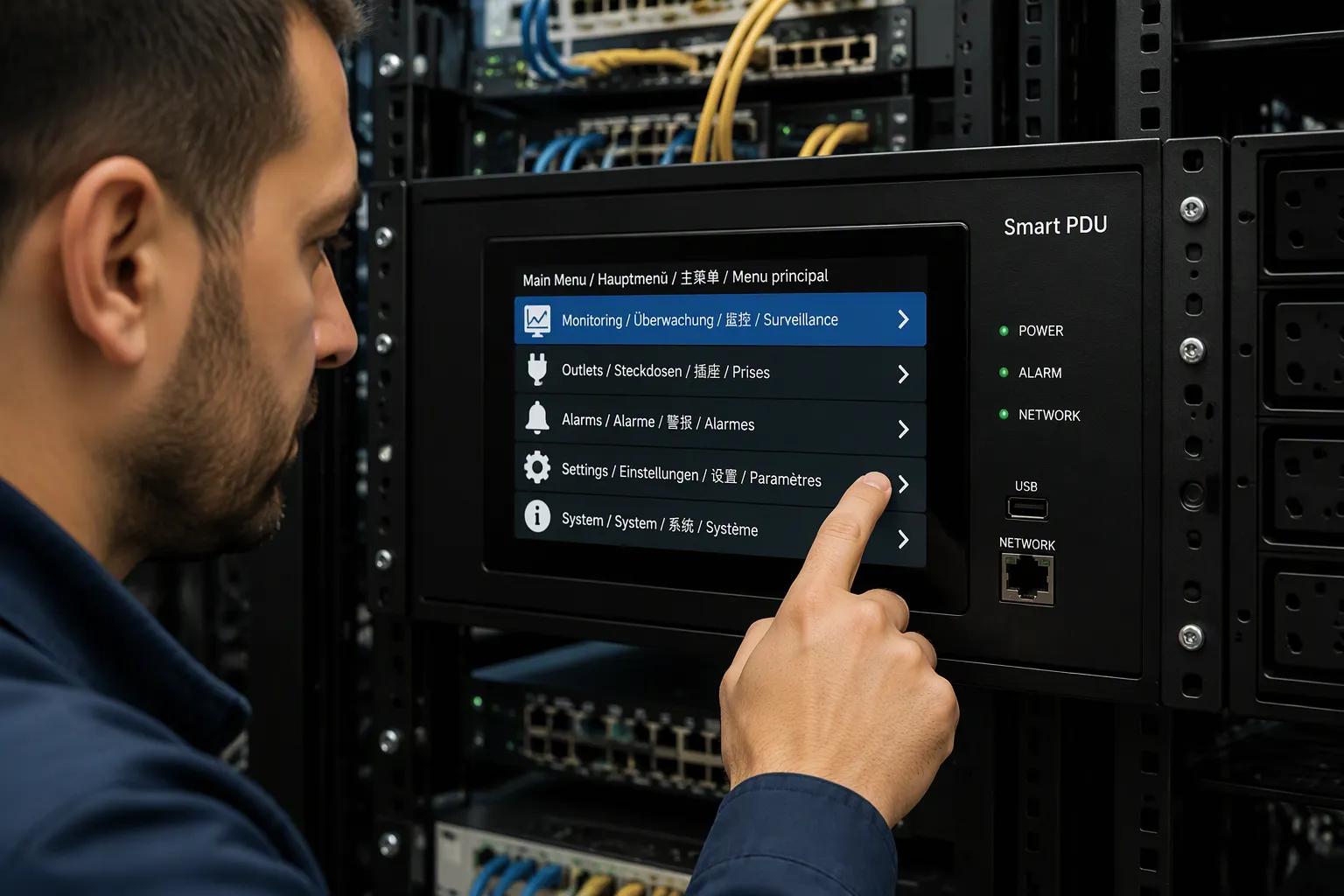
A cabinet screen is small, often only a few inches wide, and technicians read it at arm's length under poor light. Multilingual menus change how quickly a person finds the right setting. A clear hierarchy, short labels, and consistent icons matter as much as the language itself. When alert text appears in the technician's own language, the response time drops. A fault message that reads "overload on outlet 7" in plain words beats a coded error every time.
The ESTEL Smart Power Distribution Unit shows how interface clarity works in practice. Its LCD display presents real-time monitoring data in a readable layout. Remote management lets you check status from a distance, so on-site staff handle fewer screen interactions. Surge protection status appears as a simple indicator, not a hidden menu item. These features support fast decisions on a small cabinet screen.
Different interface options fit different sites. A local LCD panel suits cabinets where technicians work on site daily. A remote management interface fits distributed sites with central monitoring. A combined approach works for mixed fleets. Each option has a place, and the right choice depends on how your team works.
Real-Time Translation Accuracy
Translation accuracy decides whether a multilingual interface helps or misleads. A menu label translated word for word can confuse a technician. Terms like "load," "circuit," and "phase" carry technical meaning, and a poor translation changes the instruction. Real-time translation must keep technical terms stable across screens, alerts, and documentation. Consistency matters more than literary quality.
Test translation accuracy before rollout. Switch the interface to each target language and walk through common tasks: checking load, resetting an outlet, reading an alarm. Confirm that alert text matches the printed manual. Check that units and values stay correct after translation. A label that shifts meaning between firmware versions creates risk.
Interface performance also depends on how the system handles language switching. A Smart PDU that stores multiple languages locally responds faster than one that fetches translations remotely. Local storage also keeps the interface working when the network drops. Compare options on response speed, label consistency, and offline behavior. Show where each fits best: local storage for remote sites, remote translation for centrally managed fleets. Neither approach is wrong. Match the interface to your site conditions and your team's workflow.
Localized Fit for Cross-Border Sites
Local Language Coverage
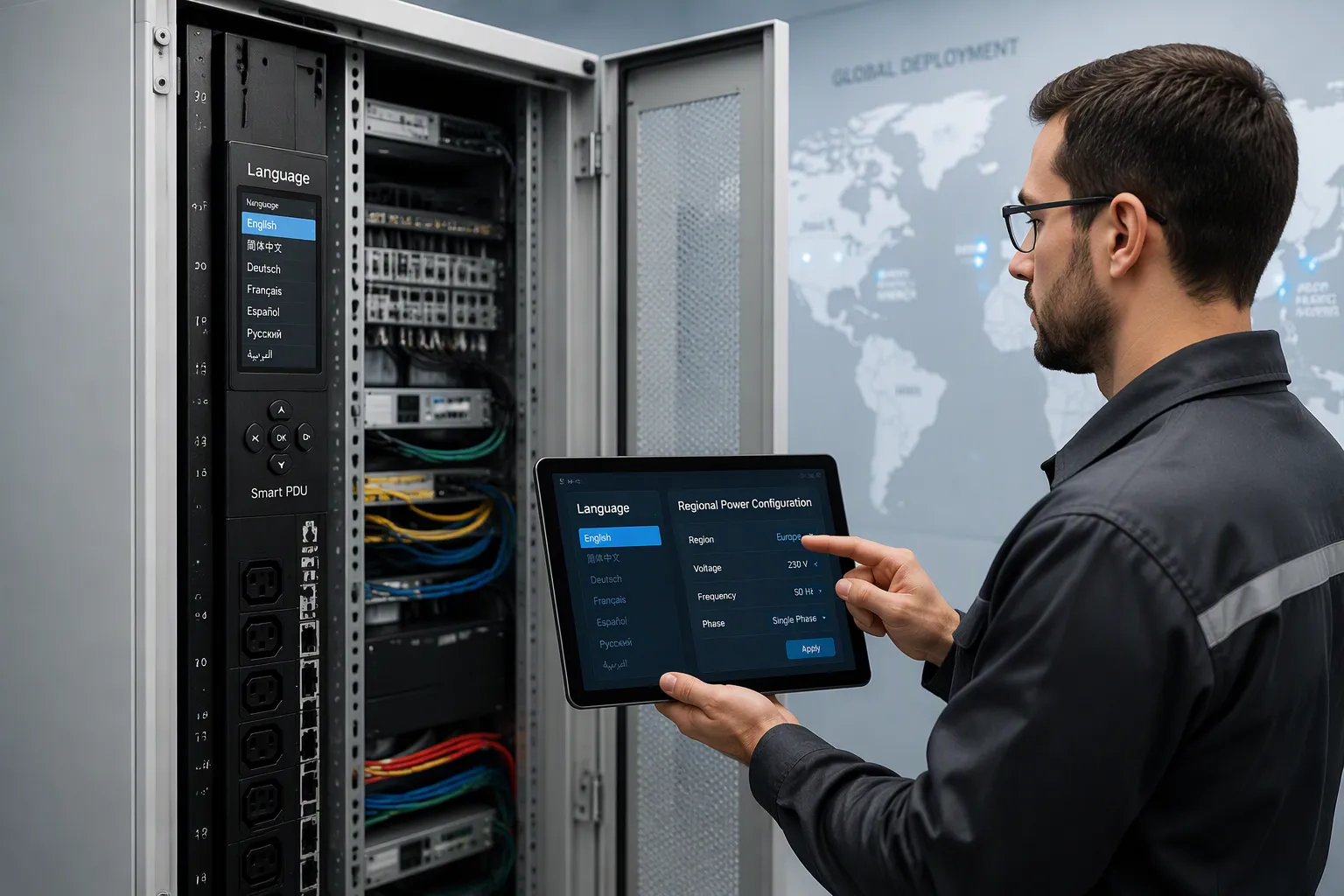
Language coverage decides whether your interface fits a site from day one. A cabinet in one country may need menus in the local language, while a neighboring site needs a different one. You should map each site to its required language before you order hardware. Check that the interface supports the full set of languages your fleet needs, not just one or two. A Smart PDU with broad language coverage lets you deploy the same model across borders without custom firmware for each country. That consistency lowers spare-part complexity and simplifies firmware management.
Coverage also extends to alert text and documentation. A technician who reads alarms in their own language responds faster and with fewer errors. Confirm that the language pack covers menus, alerts, and printed labels together. Partial coverage creates gaps that slow down on-site work. Ask the supplier for a language list and test a sample unit in each target language. Walk through common tasks: checking load, resetting an outlet, reading an alarm. Verify that technical terms stay consistent across screens and manuals. A label that shifts meaning between languages creates risk during a fault. Documentation in the local language supports audit readiness as well. Auditors often check that on-site staff can read safety and operating instructions.
Regional Customization Profiles
Regional customization improves application fit across countries. Voltage, plug type, and outlet shape vary by market, and a unit built for one region may not connect cleanly in another. You should match each cabinet to its regional power profile before deployment. The table below shows the customization categories you can specify.
Customization Category | Available Options |
|---|---|
Voltage Inputs | |
Power Configuration | Single-phase and three-phase |
Amperage | 12A–100A (higher in engineered-to-order) |
Outlet Types | NEMA, IEC, and other types (HDOT Cx, HDOT C13) |
Plug/Receptacle Options | NEMA, IEC, 56 Series, and others |
Certifications | FCC Part 15 Class A, UL/cUL, IEC 62368, CE, UKCA |
Regional socket modules and matched power cords complete the fit. Country-specific outlet modules let local plugs connect without adapters. Input and output cords matched to regional plug types reduce installation friction. You can also select conductor size and cable length to suit the cabinet layout. These choices matter at the installation stage. A mismatched plug forces an adapter, and an adapter adds a failure point. A matched cord removes that risk.
The ESTEL Smart PDU is designed for outdoor telecom cabinets and harsh environments. That design supports localized deployment across regions. Its 8 to 19 outlet configurations and IEC60309-compliant cable plug system let you match the unit to local power practice. A dehumidifying function and surge protection keep the unit reliable in demanding conditions. Remote management adds a further layer of fit. Central staff can monitor a site in one country while local technicians work in their own language.
Compare options on application fit, not on preference. A unit with broad regional profiles suits a multi-country fleet. A unit tuned to one market fits a single-country rollout. Each option has a place, and the right choice depends on where your cabinets sit.
Compliance and Language Mandates
Country-Specific Requirements
Many countries set language rules for equipment interfaces and safety documentation. Some require the local language on warning labels. Others expect manuals and on-site instructions in an official language. These rules vary widely, and each market sets its own expectations. You should confirm the interface and documentation language for every country in your fleet before you order hardware. A unit that ships with the wrong language pack can stall at customs or fail a site inspection.
International standards support cross-border deployment. ISO9001 covers quality management across the production process, and a supplier certified to it gives you a documented baseline for consistency. IEC60309 governs industrial plug and socket compliance, and the ESTEL Smart PDU uses a cable plug system built to that standard. These standards do not replace local language rules. They give you a common technical foundation while you handle each country's language expectations separately. Treat regulatory differences as planning inputs, not as obstacles. Each market's rules reflect its own safety and communication needs.
Documentation and Audit Readiness
Auditors check more than hardware. They check whether on-site staff can read operating instructions, safety labels, and alarm text. A multilingual interface supports that check directly. When menus and alerts appear in the technician's language, you can show that local staff understand the equipment they operate. Keep language versions of manuals and labels on file for each site. Match the documentation language to the interface language, and record which firmware version carries which language pack.
Build a simple audit file per country. List the required languages, the interface language setting, and the manual version in use. Update the file at each firmware change. This record answers auditor questions quickly and shows a controlled process. ISO9001 certification reinforces that process by documenting quality control from production through delivery. Pair the certification with your own language records, and you hold a complete compliance picture for every cross-border cabinet.
Cost of Multilingual Smart PDU Management
Training and Onboarding Savings
A multilingual interface shortens the path from new hire to confident operator. You hand a technician a cabinet that speaks their language, and they skip the translation step entirely. They read menus, alerts, and labels without a dictionary or a colleague's help. That direct access cuts the hours you spend on guided training at each site. You also reduce the need for a bilingual supervisor to stand beside every new technician during the first weeks.
Onboarding costs fall in the same way. A new site in a new country normally needs translated training material, a local interpreter, and extra shadow shifts. A Smart PDU with a full language pack removes much of that overhead. You train staff on the interface they will actually use, in the language they think in. The same training module then serves several countries with only the language setting changed. That reuse lowers the cost of every additional site you bring online.
Operational Efficiency Gains
Language errors carry a price. A misread alert can trigger the wrong action, and a wrong action can mean a truck roll, a replaced module, or lost service hours. A multilingual interface reduces that error cost directly. Technicians respond to clear text in their own language, and they respond faster. Faster, correct responses keep cabinets running and keep maintenance budgets predictable.
The ESTEL Smart PDU supports these savings through practical design. Remote management lets central staff check status without a site visit, and that cuts travel cost across a distributed fleet. A dehumidifying function protects the unit in harsh outdoor conditions, which lowers long-term maintenance spend. The 8 to 19 outlet configurations let you match capacity to each cabinet, so you avoid paying for unused outlets. Compare options on total cost of ownership. A unit with broad language coverage and remote features fits a multi-country fleet. A simpler unit fits a single-language site with stable staffing. Each option has a place, and your site profile decides which one pays off.
Deploying Smart PDU Language Settings
Configuration and Firmware Updates
Set the language before the cabinet goes live. Connect to the unit, open the settings menu, and select the target language from the list. Confirm the choice on the LCD display, then save the profile. Repeat this step for every site, and record the setting in your deployment log. A short checklist keeps the process consistent across countries.
Firmware updates carry language packs, so plan them carefully. Check the release notes for the languages each version supports. Test the update on one unit before you push it to the fleet. After the update, walk through common tasks in each language: check load, reset an outlet, read an alarm. Verify that alert text matches the printed manual. Keep a copy of the previous firmware version in case you need to roll back.
Rollout and ESTEL Support
Stage the rollout by region. Deploy one country first, validate the language settings on site, then expand to the next market. Train local technicians on the interface they will actually use. Give them a short reference sheet in their own language for common tasks. Collect feedback from each site and adjust your configuration template before the next wave.
The ESTEL Smart Power Distribution Unit gives you a practical deployment option for this work. Its LCD display and remote management let you confirm language settings without repeated site visits. ESTEL supports your rollout through its team in Shenzhen. Reach the team by phone at 00-86-13752765943 during business hours (8:30-18:00 Beijing time) or by email at info@estel.com.cn. Ask for the language list and firmware schedule before you order, and align your validation steps with their release cycle.
A multilingual smart PDU turns language from a barrier into a management advantage. Your local technicians work in their own language, and your cross-border cabinets run with fewer errors and less downtime.
Judge every option against four lenses:
Technical performance: screen clarity and translation accuracy.
Application fit: language coverage and regional profiles.
Regulatory compliance: country rules and audit-ready documentation.
Cost: training savings and operational efficiency.
As your facilities expand across more borders, localized management must scale with them. Start with one country, validate the settings, then repeat the pattern. Assess your cabinet fleet against these four criteria today, and you will build a rollout plan that holds up as your map grows.
FAQ
How many languages should a smart PDU interface support?
Match the count to your fleet map, not to a marketing number. List every country where you run cabinets, then confirm the unit covers each required language across menus, alerts, and labels. Broad coverage lets one model serve many markets and simplifies your spare-part planning.
Can you change the interface language after the cabinet is installed?
Yes. Open the settings menu, select the target language, confirm it on the LCD display, and save the profile. Record the setting in your deployment log. Test each change against common tasks so alert text stays consistent with the printed manual.
Does a multilingual interface replace local training?
No. It shortens training, but it does not remove it. Technicians still need to learn cabinet layout, safety steps, and escalation paths. The interface simply lets them read menus and alarms in their own language, which cuts the translation step and reduces misreadings during faults.
What should you verify before pushing a firmware update across sites?
Check the release notes for supported languages, then test the update on one unit. Walk through load checks, outlet resets, and alarm reads in each language. Confirm that alert text matches the manual, and keep the previous firmware version available for rollback.
Where can you get language and firmware details for the ESTEL Smart PDU?
Contact the ESTEL team in Shenzhen by phone at 00-86-13752765943 during business hours (8:30–18:00 Beijing time) or by email at info@estel.com.cn. Ask for the language list and firmware schedule before you order, and align your validation steps with their release cycle.
See Also
A Guide to Understanding the Various Uses of Telecom Cabinets
Grid-Connected Photovoltaic Inverter and Battery System Designed for Telecom Cabinets
Photovoltaic Energy Storage Power System Specifically for Telecom Cabinets
ESTEL Smart Microgrid-Integrated Energy Storage System for Telecom Cabinets
Understanding Outdoor Communication Cabinets and Their Important Role in Telecom
CALL US DIRECTLY
86-13752765943
3A-8, SHUIWAN 1979 SQUARE (PHASE II), NO.111, TAIZI ROAD,SHUIWAN COMMUNITY, ZHAOSHANG STREET, NANSHAN DISTRICT, SHENZHEN, GUANGDONG, CHINA
