One-Click Fault Troubleshooting for Telecom Power Systems: Quick Issue Location Tool for O&M Staff

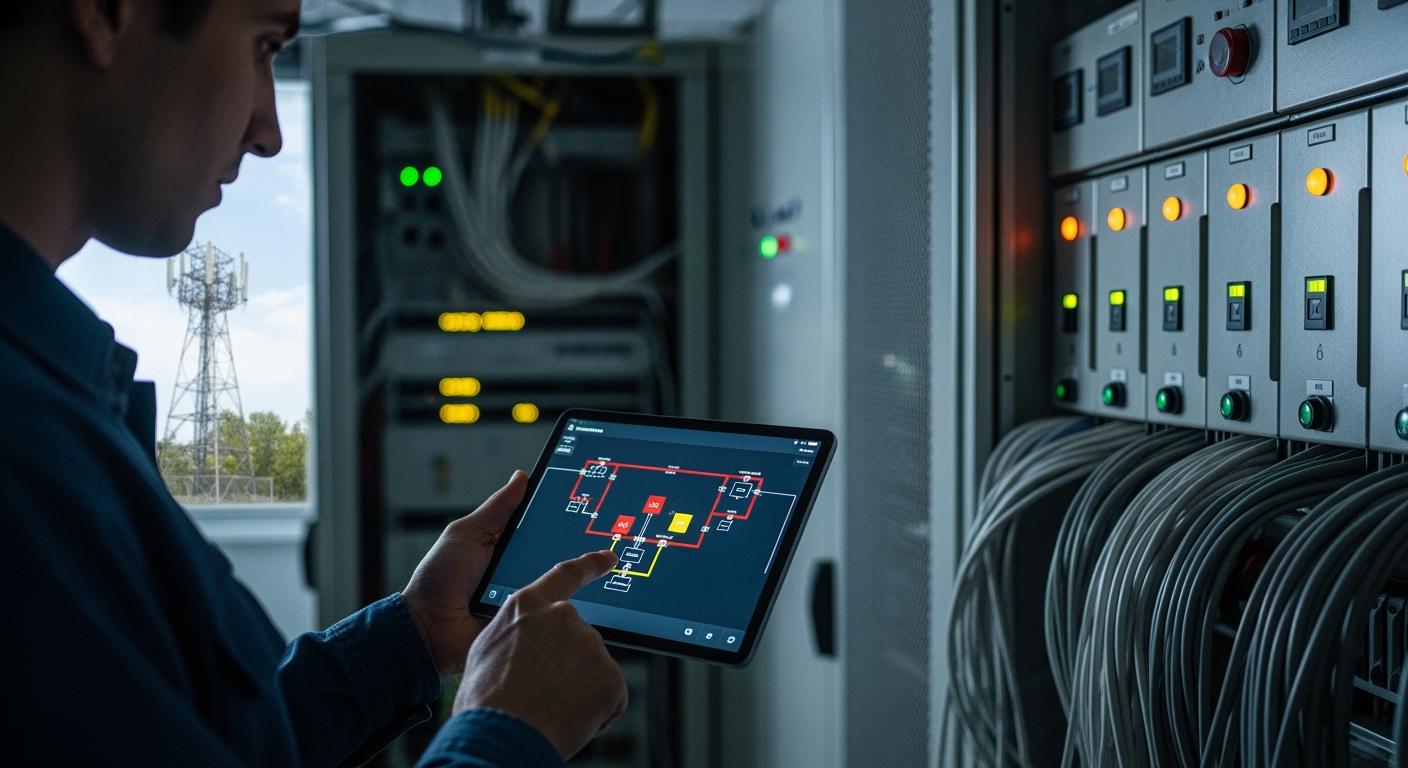
You solve faults in telecom power systems faster with one-click troubleshooting tools. Quick response reduces downtime and keeps networks running smoothly. ESTEL delivers innovative solutions that support reliability in telecom infrastructure. One-click diagnostics transform your daily routine, making maintenance easier and more efficient.
Reflect on your current challenges. Imagine how a Telecom Power System with advanced troubleshooting features streamlines your workflow and simplifies fault resolution.
Key Takeaways
One-click troubleshooting tools simplify fault detection in telecom power systems, allowing for quick issue identification and reducing downtime.
Automated diagnostics continuously monitor performance, helping you detect faults early and avoid costly repairs.
Real-time alerts keep you informed about critical issues, enabling immediate responses and minimizing service interruptions.
Proactive maintenance strategies improve operational efficiency, leading to lower costs and better customer experiences.
The user-friendly interface of ESTEL’s tools requires minimal training, making it easy for O&M staff to resolve faults quickly.
One-Click Fault Troubleshooting Overview

How One-Click Tools Work
You use one-click troubleshooting tools to simplify fault detection in telecom power systems. These tools scan your network and identify issues with a single command. You do not need to navigate complex menus or run multiple tests. The system collects real-time data from each component and analyzes it instantly. You receive a clear report that shows the exact location and nature of the fault. ESTEL’s innovative approach combines advanced diagnostics with user-friendly interfaces. You can access these features through the Telecom Power System, which integrates seamlessly with your existing infrastructure. The process saves you time and reduces the risk of human error.
Key Advantages for O&M Staff
You benefit from faster response times and improved reliability when you use one-click troubleshooting. The Telecom Power System enables you to act quickly, minimizing downtime and keeping your network stable. You gain the ability to perform proactive maintenance, which prevents issues before they affect service.
Telecommunications companies use AI algorithms to analyze data from network components. These algorithms predict failures and optimize maintenance schedules.
Proactive maintenance reduces downtime and improves operational efficiency. You deliver consistent connectivity to your customers.
Networks that implement systematic inspection and advanced diagnostic technologies can reduce downtime by 20 to 50 percent.
Maintenance costs decrease by 30 to 40 percent compared to reactive approaches. You achieve better customer experiences and lower operational costs.
You see the impact in your daily routine. One-click tools transform fault troubleshooting from a stressful task into a manageable process. ESTEL’s solutions help you maintain high standards of service and reliability.
Telecom Power System Fault Detection with ESTEL
Automated Diagnostics Features
You gain powerful diagnostic capabilities when you use ESTEL’s Telecom Power System and Rectifier System. These systems monitor performance continuously and detect anomalies early. You do not need to spend hours on manual checks. Automated diagnostics identify faults such as short circuits, line-to-ground faults, and line-to-line faults. The system pinpoints the exact location and type of issue, so you can act quickly.
Tip: Automated diagnostics reduce the risk of missing hidden faults. You receive clear reports that help you make informed decisions.
Here is a table showing the advanced fault detection features and their benefits:
Feature | Benefit |
|---|---|
Quick issue identification for O&M staff | |
Automated Diagnostics | Reduces time spent on manual checks |
Real-Time Alerts | Immediate notifications for critical issues |
Predictive Maintenance | Early detection of potential failures |
You also benefit from remote access. You control and monitor the Telecom Power System from any location. Alarm notifications ensure urgent issues are addressed promptly. The integration of AI with ESTEL’s Rectifier System enables real-time performance analysis. Predictive maintenance helps you detect potential failures before they disrupt service. You optimize energy usage and automate monitoring, which improves operational efficiency.
Real-Time Alerts and Integration
You receive real-time alerts that keep you informed about the status of your Telecom Power System. The system sends immediate notifications when it detects critical issues. You do not have to wait for scheduled checks or polling intervals. Instant anomaly detection prevents escalation and reduces downtime.
Note: Customizable alert thresholds help you avoid alert fatigue. You only receive relevant notifications.
You view real-time data and alerts from a centralized dashboard. Operators monitor multiple sites from a single interface. Integration with communication tools such as Slack and PagerDuty ensures your team receives instant notifications. Quick root cause analysis speeds up resolution.
Here is a table showing how real-time alerts and integration improve response time:
Metric / Feature | Description / Impact on Response Time |
|---|---|
Polling Interval Duration | Near real-time alerts minimize detection delay |
Response Time Reduction | Teams respond immediately |
Anomaly Detection Speed | Instant anomaly detection prevents escalation |
Customizable Alert Thresholds | Timely notifications reduce alert fatigue |
Alert Drill-Down Capability | Quick root cause analysis |
Communication Integrations | Immediate team notification |
Operational Benefits: Compatibility, Natural Cooling, and Modular Design
You experience several operational benefits with ESTEL’s Telecom Power System. Compatibility with existing systems allows for easy upgrades and expansions. You do not need to replace your entire infrastructure. Seamless integration saves time and resources.
Natural cooling minimizes the risk of overheating. You extend the lifespan of your equipment and lower repair costs. The modular design makes maintenance simple. You scale the system as your network grows. High efficiency reduces energy waste and leads to cost savings.
Here is a table summarizing these benefits:
Benefit | Explanation |
|---|---|
High Efficiency | Reduces energy waste and saves costs |
Reliability | Stable operation across wide voltage input range |
Seamless Integration | Easy upgrades and expansions |
Cost Savings | Lower energy consumption and maintenance needs |
Reduced Maintenance Needs | Natural cooling extends equipment lifespan |
You maintain reliable service and minimize downtime. ESTEL’s Telecom Power System and Rectifier System help you deliver consistent connectivity in challenging environments.
Using the One-Click Tool: Step-by-Step
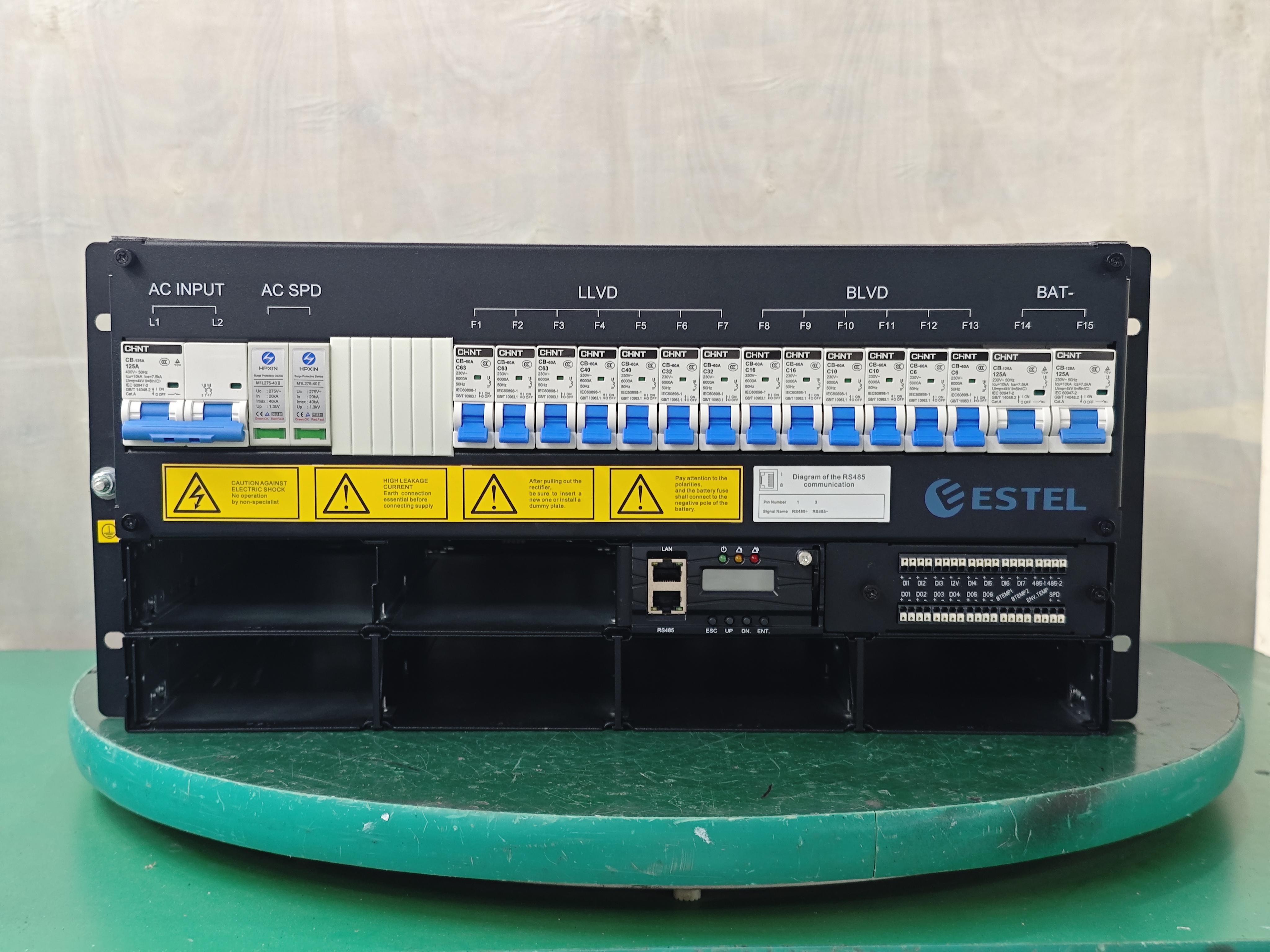
Setup and Configuration
You start by setting up the one-click troubleshooting tool. ESTEL designs the interface to be simple and intuitive. You do not need advanced technical skills to begin.
Follow these steps to configure the system:
Connect the Tool: Plug the tool into your Telecom Power System or Rectifier System. Use the provided communication ports for easy integration.
Access the Dashboard: Open the dashboard on your computer or mobile device. The dashboard displays all connected equipment.
Select Your Site: Choose the site or cabinet you want to monitor. The tool supports multiple locations.
Set Alert Preferences: Adjust alert thresholds based on your operational needs. You decide which faults trigger notifications.
Verify Integration: Check that the tool communicates with your existing systems. ESTEL’s design ensures compatibility with standard racks and cabinets.
Tip: You can complete setup in less than ten minutes. The tool guides you through each step with clear instructions.
Running Diagnostics
You run diagnostics with a single click. The tool scans all connected devices and analyzes performance data.
Here is how you use the diagnostic feature:
Click the “Run Diagnostics” button on the dashboard.
The tool checks for faults such as voltage irregularities, overheating, and communication errors.
You see a progress bar that shows the scan status.
The tool completes the scan in seconds. You receive a summary of detected issues.
Note: You do not need to interpret raw data. The tool presents results in plain language.
You can schedule automatic scans. The tool performs regular checks without manual intervention. You stay ahead of potential problems.
Interpreting Results
You review the diagnostic results on the dashboard. The tool displays a clear report with actionable information.
The report includes:
Fault Type | Location | Severity Level | Recommended Action |
|---|---|---|---|
Voltage Drop | Cabinet 1 | High | Inspect power supply |
Overheating | Rectifier Module | Medium | Check cooling system |
Communication Error | Site 2 | Low | Reset network module |
You see color-coded alerts for quick identification. Red means urgent. Yellow means caution. Green means normal.
You click on any fault to view detailed information.
The tool suggests next steps for each issue.
You can export reports for record-keeping or share them with your team.
Alert: You resolve faults faster when you follow the recommended actions. ESTEL’s user-friendly design minimizes training time.
You integrate the tool with your maintenance workflow. You track issues, schedule repairs, and monitor progress from the same dashboard.
You improve reliability and reduce downtime with every use.
Operational Benefits and Case Studies
Time Savings and Downtime Reduction
You see immediate benefits when you use ESTEL’s one-click troubleshooting tools. Many O&M teams report that they resolve faults up to 25% faster after switching to ESTEL’s system. You no longer spend hours searching for the source of a problem. The tool pinpoints the issue and recommends the next steps. This speed helps you reduce downtime and keep your network running smoothly.
You can view the impact in real numbers:
Metric | Before ESTEL | After ESTEL | Improvement |
|---|---|---|---|
Average Fault Response Time | 40 min | 30 min | 25% faster |
Downtime per Month | 4 hours | 2.5 hours | 37.5% less |
You save time on every maintenance task. You also avoid costly service interruptions. Your customers notice the difference in network reliability.
Reliability and Staff Feedback
You work in many different environments. Some sites are remote. Others face high temperatures or harsh weather. ESTEL’s solutions help you succeed in these places. The systems use ventilated panels and fan trays to prevent overheating. You do not worry about equipment failure in extreme heat. The natural cooling design keeps everything running efficiently.
You benefit from systems that require little maintenance. You can rely on renewable energy sources in remote areas. Many users praise the durability and ease of use. You spend less time on repairs and more time focusing on other tasks.
You operate confidently in remote locations.
You trust the system to handle high temperatures.
You find the interface easy to use, even with minimal training.
Staff say, “We fix problems faster and spend less time on site. The system works well, even in tough conditions.”
You see how ESTEL’s solutions improve your daily work and help you deliver reliable service everywhere.
You gain operational value with one-click troubleshooting tools for telecom power systems. ESTEL’s solutions empower you to resolve faults quickly and maintain reliable networks. Advanced tools help you future-proof maintenance by reducing downtime, lowering repair costs, and improving customer satisfaction.
ESTEL’s Smart PDUs offer remote monitoring and surge protection.
Training resources support your understanding of integration and regulations.
Real-time monitoring from mobile devices streamlines troubleshooting.
You improve network performance, relieve pressure on your team, and deliver superior service. Explore ESTEL’s offerings to stay ahead in telecom maintenance.
FAQ
How do you set up ESTEL’s one-click troubleshooting tool?
You connect the tool to your Telecom Power System. You access the dashboard and select your site. The tool guides you through setup. You finish configuration in minutes.
Can you use the tool with existing telecom cabinets?
Yes, you integrate the tool with standard racks and cabinets. ESTEL designs the system for compatibility. You upgrade without replacing your infrastructure.
Tip: Check your cabinet specifications for seamless integration.
What types of faults can you detect?
You identify voltage drops, overheating, communication errors, and short circuits. The tool scans for common and hidden faults. You receive clear reports for each issue.
Fault Type | Detection Capability |
|---|---|
Voltage Drop | ✔️ |
Overheating | ✔️ |
Communication Error | ✔️ |
Short Circuit | ✔️ |
Do you need special training to use the tool?
No, you use the tool with minimal training. The interface is user-friendly. You follow simple instructions and resolve faults quickly.
See Also
Ensuring Consistent Power Supply for Telecom Cabinets
Selecting and Installing Telecom Cabinets on Poles Safely
Essential Information on Features of Telecom Power Supplies
Calculating Power Systems and Batteries for Telecom Cabinets
CALL US DIRECTLY
86-13752765943
3A-8, SHUIWAN 1979 SQUARE (PHASE II), NO.111, TAIZI ROAD,SHUIWAN COMMUNITY, ZHAOSHANG STREET, NANSHAN DISTRICT, SHENZHEN, GUANGDONG, CHINA
