Remote Firmware Upgrade-Enabled Telecom Power System for Centralized O&M of Distributed Sites


You can now manage distributed telecom sites with ease using remote firmware upgrades. This capability in a Telecom Power System lets you update and monitor equipment from a central location. You avoid costly site visits and reduce downtime. For telecom operators handling large networks in different regions, this approach saves time and resources. You gain more control and reliability over your infrastructure.
Key Takeaways
Remote firmware upgrades allow you to manage telecom sites from a central location, saving time and reducing costs.
Real-time monitoring helps you detect issues quickly, minimizing downtime and keeping your network reliable.
Centralized operations simplify management, enabling you to control multiple sites efficiently and enforce security standards.
Preparation and validation are crucial for successful upgrades; always back up settings and verify firmware compatibility.
Implementing secure protocols and backup strategies protects your system from cyber threats and ensures smooth operations.
Centralized O&M with Remote Firmware Upgrades
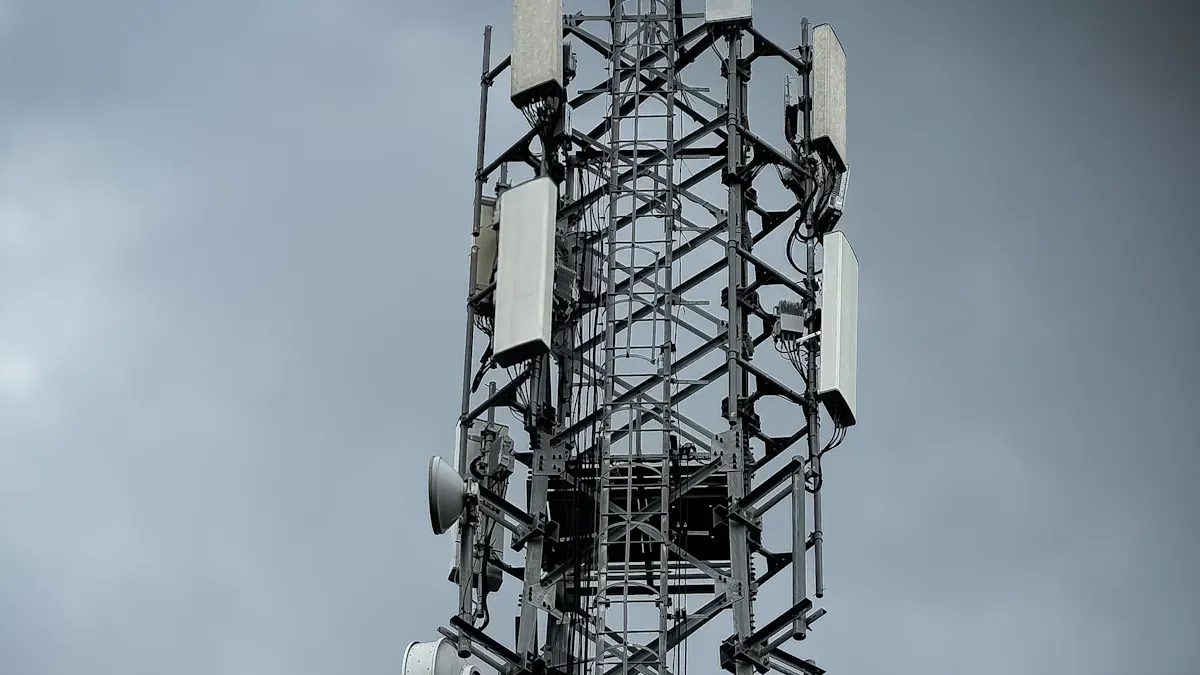
Remote firmware upgrades have changed how you manage distributed telecom sites. You can now control, update, and monitor your equipment from a central location. This approach increases efficiency, improves reliability, and ensures continuous service for your network. ESTEL helps you achieve these benefits with advanced solutions designed for modern telecom operations.
Eliminating Site Visits
You no longer need to send technicians to remote sites for routine updates or troubleshooting. Remote firmware upgrades let you handle most tasks from your operations center. This shift brings several advantages:
You can check the status of rectifiers and environmental conditions in real time, which reduces the need for physical inspections.
Automated alerts notify you about faults or unusual events, so you can respond quickly without traveling.
Smart sensors and AI tools help you predict failures before they happen, allowing for proactive maintenance.
These improvements save you time and money. For example, the cost of a single on-site upgrade can reach hundreds of dollars when you include travel, labor, and downtime. By using remote upgrades, you avoid these expenses and keep your network running smoothly. Over-the-air (OTA) updates also let you upgrade thousands of devices at once, which boosts your operational efficiency.
Real-Time Monitoring
Real-time monitoring gives you immediate insights into your Telecom Power System’s performance. You can detect issues as soon as they arise and take corrective action right away. This proactive approach minimizes the impact of problems on your network.
Here are some key benefits of real-time monitoring:
Immediate detection of faults allows for quick repairs.
Automated responses to power or environmental issues reduce the mean time to repair (MTTR).
Proactive management helps you avoid service interruptions and keeps your customers satisfied.
Tip: Real-time monitoring also lowers your operational costs. You make fewer unnecessary trips to sites and spend less on overtime.
The table below shows how real-time monitoring improves your operations:
Benefit | Impact |
|---|---|
Proactive Outage Detection | Identifies and resolves problems before customers notice interruptions |
Reduced Operational Costs | Eliminates wasted time and unnecessary truck rolls |
Scalable Monitoring | Easily adds new equipment and sites as your network grows |
Scalability for Distributed Sites
As your network expands, managing hundreds or thousands of sites becomes a challenge. Remote firmware upgrades support scalability by centralizing your operations. You can monitor and manage all your Telecom Power System devices from one platform.
Key advantages include:
Centralized management lets you control devices across multiple sites with ease.
Real-time status tracking and alerts ensure device health and uptime.
You can enforce security policies and configuration standards uniformly.
Automation reduces the need for manual, on-site maintenance.
Centralized O&M also simplifies your workflow. You have a single access point for managing all your equipment. Bulk firmware updates reduce security risks and keep your systems up to date. As a result, you can grow your network without increasing your workload.
ESTEL’s solutions make this possible by providing reliable, scalable, and easy-to-integrate power systems for telecom operators. You gain the tools you need to manage distributed sites efficiently and cost-effectively.
Telecom Power System Requirements
Hardware and ESTEL Solutions
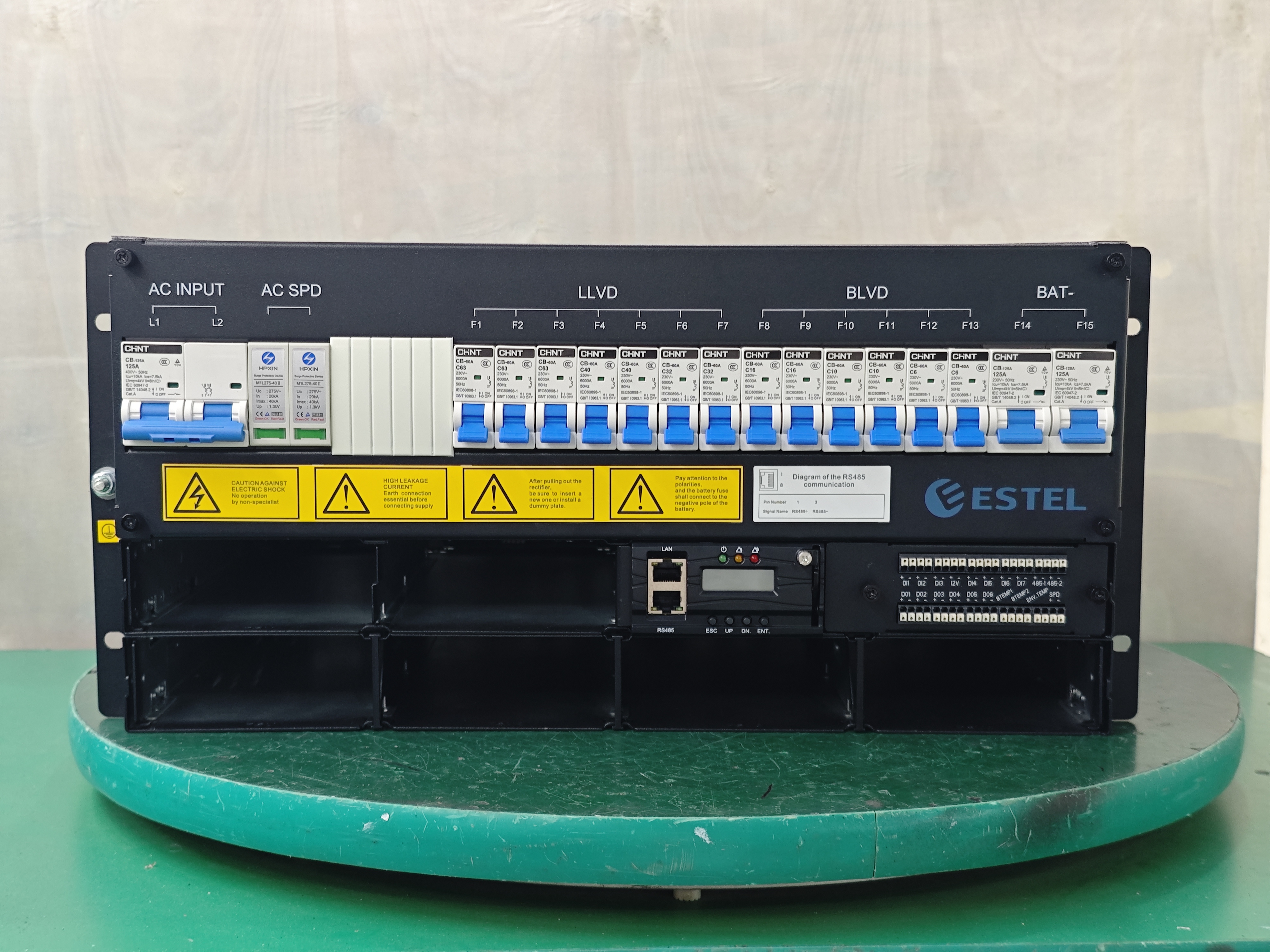
You need reliable hardware to support remote firmware upgrades in your telecom network. The right equipment ensures smooth updates and stable operations. ESTEL offers solutions that meet these needs. The Telecom Power System and Telecom Rectifier System both provide advanced features for modern telecom sites. These systems support wide input voltage ranges, natural cooling, and modular designs. You can install them on standard 19-inch racks or inside cabinets, which gives you flexibility.
The table below shows the essential hardware features and how ESTEL solutions address them:
Essential Feature | Description |
|---|---|
Advanced Remote Management | Control and monitor power systems from any location, reducing on-site intervention. |
Real-time Monitoring | Track power usage and detect anomalies instantly, ensuring operational efficiency. |
Robust Safety Features | Maintain reliability and safety in telecom environments. |
Outlet-level Control | Manage energy consumption at each outlet, optimizing power distribution. |
Remote Firmware Updates | Update and configure systems without physical access, ensuring system agility. |
Software and Network Needs
You must also consider software and network requirements for secure and reliable remote firmware upgrades. These steps help protect your network and keep your systems up to date:
Encrypt all device traffic using secure protocols like IPSec VPNs.
Monitor transferred data continuously to enforce security and restrict access.
Use strong access control and user authentication for all devices.
Scan devices regularly for outdated firmware and known vulnerabilities.
Ensure all firmware updates are cryptographically signed.
Integration with O&M Platforms
You should integrate your Telecom Power System with centralized O&M platforms. This integration allows you to manage, monitor, and update all sites from one dashboard. ESTEL’s systems offer multiple communication ports for easy networking. You can connect them to your existing management software. This setup streamlines your workflow and helps you maintain consistent performance across all distributed sites.
Remote Firmware Upgrade Process
Preparation Checklist
You must prepare carefully before starting a remote firmware upgrade. Good preparation prevents problems and keeps your telecom power system running smoothly. Start by reviewing a checklist of common risks and how to avoid them:
Risk | Mitigation Strategy |
|---|---|
Interrupted Update Process | Use an uninterruptible power supply (UPS) to prevent power loss during updates. |
Compatibility Issues | Verify that the update matches your PDU model and version before installation. |
Configuration Loss | Always back up settings to avoid losing critical configurations. |
Tip: Always back up your system settings and confirm you have the correct firmware version for your hardware.
You should also check your network connection and ensure all devices are reachable. Secure your environment by enabling encryption and multi-factor authentication for remote access.
Upgrade Execution
You can follow a clear process to execute a remote firmware upgrade:
Set up a strategy and policy for firmware updates. Define who manages updates and how often you perform them.
Make sure you have visibility into all devices that need updates. Keep an inventory and track firmware versions.
Prepare the right tools and skills for testing, rolling out, and rolling back updates if needed.
During the upgrade, monitor important metrics. Regularly check for new firmware from the manufacturer. Encrypt all data sent during the update. Use multi-factor authentication to protect your remote monitoring platform.
Note: Test the upgrade on a small group of devices before rolling it out to your entire network.
Post-Upgrade Validation
After the upgrade, you need to verify that everything works as expected. Take these steps:
Confirm that the firmware update came from a trusted source.
Check the integrity of the firmware file using digital signatures or cryptographic hashes.
Test the ability to roll back to a previous version if you find any issues.
You may encounter problems like poor call quality, slow data speeds, or compatibility issues. You can fix these by checking network strength, updating hardware, or auditing your systems. Always monitor your network for security vulnerabilities and schedule regular maintenance to keep your system reliable.
Callout: Careful validation ensures your telecom power system stays secure, stable, and ready for future upgrades.
Security and Best Practices
Secure Protocols
You must protect your telecom power system from cyber threats during remote firmware upgrades. Using secure communication protocols keeps your data safe and ensures only trusted devices can connect. The table below shows some of the most effective protocols for remote upgrades:
Security Protocol | Primary Function | Remote System Benefits | Implementation Complexity |
|---|---|---|---|
TLS 1.3 | Encrypted communication | Data protection in transit | Medium |
mTLS | Mutual authentication | Verified device identity | High |
Certificate Pinning | Certificate validation | Prevents certificate attacks | Medium |
OCSP Stapling | Certificate status checking | Real-time validation | Low |
You should also follow industry standards like IEEE 1547 and IEC 60870-5-104. These standards help you integrate and control distributed energy resources securely.
Tip: Always use encrypted channels and strong authentication to prevent unauthorized access.
Backup and Rollback
A solid backup and rollback plan helps you avoid downtime if an upgrade fails. You can use several strategies to keep your system running smoothly:
Strategy | Description |
|---|---|
Firmware Rollback Mechanism | Quickly revert to the last stable firmware version if an upgrade fails. |
Dual Firmware Storage | Keep one active and one backup firmware image to reduce risk. |
Automated Failure Detection | Monitor system health and alert you to issues during upgrades. |
Power Loss Protection | Ensure updates finish safely to prevent data corruption. |
Note: Always back up your settings before starting an upgrade.
Troubleshooting Tips
You may face issues during remote firmware upgrades. Use these steps to resolve common problems:
Restart the device to clear temporary glitches.
Check your internet connection and power supply.
Clear the update cache to remove outdated files.
Temporarily disable antivirus or firewall if they block the update.
Perform a hard reset if problems continue.
Use recovery mode to restore stable firmware.
Roll back to a previous version if the new update causes trouble.
Pitfall | Solution |
|---|---|
Security vulnerabilities | Use encrypted updates, secure boot, and regular security audits. |
Firmware stability issues | Test updates and use memory-safe coding practices. |
OTA update risks | Use dual-bank firmware and staged rollouts to minimize disruption. |
🛡️ Stay proactive with security checks and always test updates before deploying them network-wide.
ESTEL Case Studies and Industry Insights
Centralized O&M Success
You can see the impact of centralized operations and maintenance when you look at real-world deployments of ESTEL solutions. Many organizations have improved efficiency and reliability by using remote firmware upgrade-enabled systems. The table below highlights several examples where ESTEL’s technology made a difference:
Organization / Company | Impact / Result | Description |
|---|---|---|
IBM | Real-time monitoring of ESTEL PDUs in data centers reduced energy use. | |
U.S. General Services Administration | 41% energy savings, $13.5M annual cost savings | Smart PDUs improved efficiency and delivered financial benefits. |
New York City Underground Power Network | Enhanced reliability | Advanced PDUs prevented power failures in critical infrastructure. |
Vertiv (Fiji deployment) | Maintained IT and data center availability | ESTEL PDUs ensured telecom operations during outages. |
GUDE | Up to 30% reduction in energy waste | Measurement and monitoring capabilities supported sustainable energy use. |
You also find success stories in the field. For example:
Yemen Telecom prevented a power outage by acting on a real-time fuel alarm.
Operators worldwide use monitoring to catch issues early and keep networks stable.
These examples show how a Telecom Power System with remote upgrade features can deliver measurable results.
Lessons from Implementation
When you implement centralized O&M with remote firmware upgrades, you gain valuable insights. Industry experts recommend several best practices for future deployments:
Transition to Firmware as a Service (FaaS) for continuous optimization and easier management.
Use microservices architecture to make firmware deployment more modular and scalable.
Set up CI/CD pipelines for automated and reliable firmware updates.
Collect multi-dimensional telemetry for comprehensive monitoring and observability.
Tip: You should always focus on automation and monitoring. These steps help you maintain high reliability and reduce manual work.
You can apply these lessons to your own network. By following these recommendations, you improve the performance and resilience of your telecom infrastructure.
Remote firmware upgrade-enabled telecom power systems transform how you manage distributed sites. You gain efficiency, reduce costs, and improve reliability. These systems help you scale your network with ease. To future-proof your operations, evaluate your current setup and explore ESTEL’s advanced solutions.
Tip: Start by reviewing your O&M processes and set goals for automation.
Next Steps:
Assess your existing telecom power infrastructure.
Identify areas for remote upgrade integration.
Contact ESTEL for expert guidance and product options.
FAQ
How do remote firmware upgrades improve telecom site management?
You gain faster updates and reduce downtime. You avoid sending technicians to remote locations. You keep your network secure and reliable with minimal effort.
What hardware do you need for remote firmware upgrades?
You need a Telecom Power System or Telecom Rectifier System from ESTEL. These systems support remote management, wide voltage input, and modular installation.
Tip: Always check compatibility before starting an upgrade.
Are remote firmware upgrades secure?
You protect your system by using encrypted protocols like TLS and strong authentication. You also verify firmware sources and monitor for threats.
Security Feature | Benefit |
|---|---|
Encryption | Keeps data safe |
Authentication | Blocks unauthorized access |
Can you roll back to a previous firmware version?
You can roll back if you use backup and rollback features. ESTEL systems support dual firmware storage and automated failure detection.
Note: Always back up your settings before upgrading.
See Also
Telecom Cabinets Powered By Grid-Connected Solar Inverter Systems
Solar Energy Storage Solutions For Telecom Cabinet Power Needs
Ensuring Consistent Power Supply For Telecom Cabinet Operations
Calculating Power Systems And Battery Needs For Telecom Cabinets
Smart Energy Storage Solutions For Telecom Cabinets Using Microgrids
CALL US DIRECTLY
86-13752765943
3A-8, SHUIWAN 1979 SQUARE (PHASE II), NO.111, TAIZI ROAD,SHUIWAN COMMUNITY, ZHAOSHANG STREET, NANSHAN DISTRICT, SHENZHEN, GUANGDONG, CHINA
