Remote Firmware Upgrade for Telecom Power Systems: Get Latest Features Without Shutdown

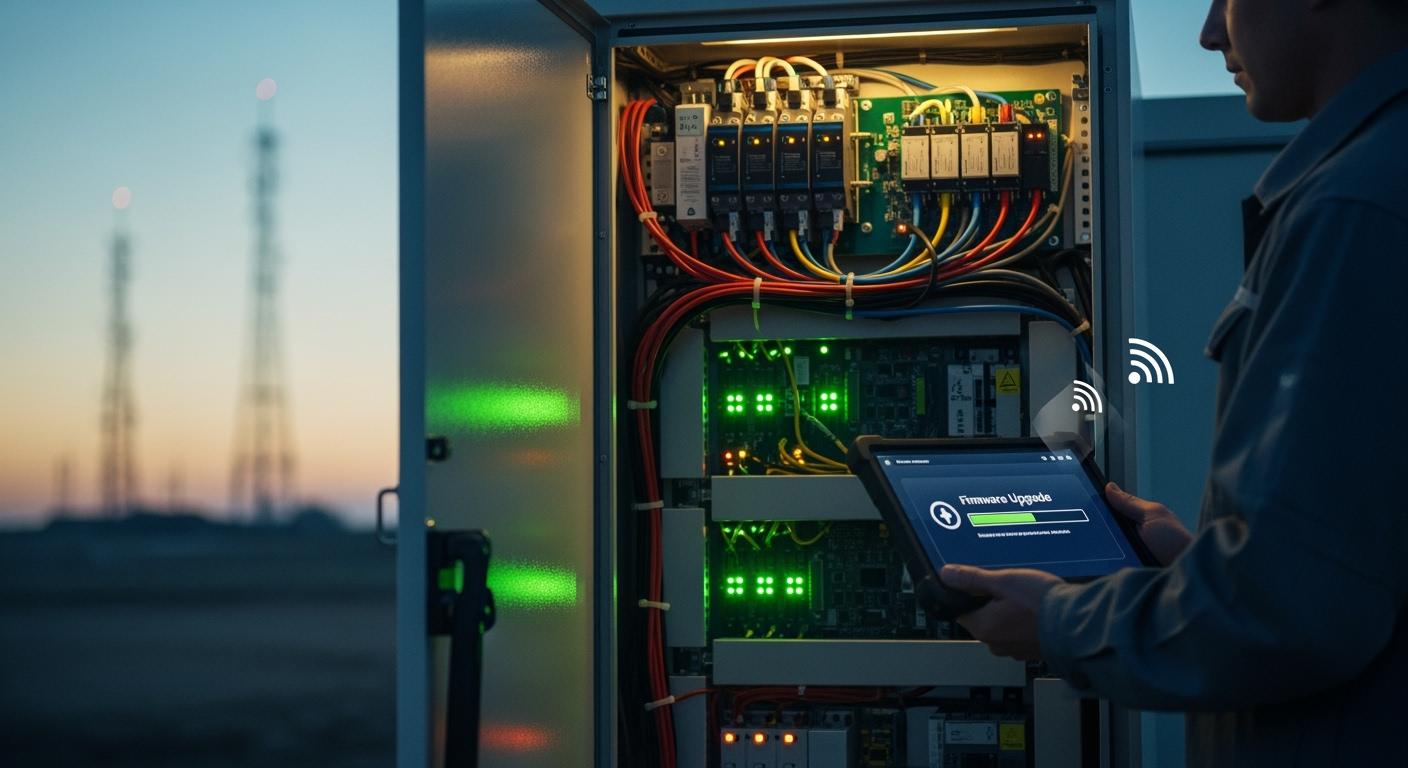
You rely on stable telecom networks for communication, safety, and business operations. Any interruption can cause major disruptions. Remote firmware upgrades let you keep your systems running while you add new features and improve security. ESTEL’s Telecom Power System gives you a secure and efficient way to upgrade without shutting down your equipment. This approach helps you maintain continuous service and stay ahead with the latest technology.
Key Takeaways
Remote firmware upgrades allow you to enhance telecom systems without downtime, ensuring continuous service.
Always prepare your equipment by checking hardware compatibility and updating management software before starting an upgrade.
Use secure protocols like HTTPS and SSH to protect your network during firmware updates, preventing unauthorized access.
Monitor the upgrade process in real time to quickly identify and resolve any issues that may arise.
Conduct thorough pre-upgrade testing and keep backup copies of firmware to ensure a smooth recovery if needed.
Upgrade Requirements for Telecom Power System
Hardware and Software Needs
You need to prepare your equipment before starting a remote firmware upgrade. Make sure your Telecom Power System or Telecom Rectifier System uses hardware that supports remote management. Most modern systems from ESTEL come with built-in communication ports and modular designs. These features allow you to connect easily to your network and control upgrades remotely. Check that your system runs the latest compatible firmware version. Update any outdated management software on your monitoring devices. This step helps prevent errors during the upgrade process.
Network and Integration Essentials
A stable and reliable network connection is essential for a successful remote firmware upgrade. You should use a network that can handle the data transfer required for firmware files. Many telecom sites use Smart Power Distribution Units with SDN networks. This setup lets you match bandwidth and power needs based on real-time traffic. You can manage both power and network traffic from a single interface. This approach reduces downtime and improves reliability during upgrades. Always test your network connection before starting the upgrade to avoid interruptions.
Tip: Use a dedicated management network for firmware upgrades. This practice helps keep your main service network free from extra load and reduces the risk of upgrade failures.
ESTEL Compatibility Factors
You must confirm that your system is compatible with ESTEL’s remote upgrade tools. ESTEL designs its Telecom Power System and Telecom Rectifier System for easy integration with standard 19-inch racks and cabinets. The systems support a wide range of input voltages and offer natural cooling, which makes them suitable for many environments. Always check the product documentation for supported firmware versions and upgrade procedures. If you use custom configurations, contact ESTEL support to verify compatibility. This step ensures a smooth upgrade process and protects your equipment.
Remote Firmware Upgrade Process

Step-by-Step Workflow
You can perform a remote firmware upgrade on your Telecom Power System by following a clear set of steps. This process helps you avoid confusion and reduces the risk of errors. Here is a typical workflow you can use:
Preparation
Review your current firmware version and backup all important system data. Make sure your network connection is stable and your devices are ready for the upgrade.Access the Management Interface
Log in to the remote management platform provided by ESTEL. This platform gives you control over your Telecom Power System and connected devices.Select Devices for Upgrade
Choose the specific devices or groups that need the firmware update. You can select individual units or manage upgrades in batches.Upload Firmware Package
Upload the new firmware file to the management system. Double-check the file version and compatibility with your equipment.Initiate the Upgrade
Start the upgrade process. The system will send the firmware to the selected devices. You can monitor progress in real time.Verify Completion
After the upgrade, check the status of each device. Confirm that all systems are running the new firmware and operating normally.
Note: Always schedule upgrades during low-traffic periods to minimize any impact on your network.
Batch Push and Gray Update Methods
You can use different strategies to upgrade multiple devices efficiently. The batch push method lets you update many devices at once, saving time and effort. ESTEL’s management tools support this method with automation and real-time monitoring.
Step | Description |
|---|---|
1 | Navigate to the Device business object, such as D1-SmartMeter. |
2 | In the Lifecycle tab, broadcast the Active status to prepare devices. |
3 | Deactivate the Periodic Estimation algorithm to prevent conflicts. |
4 | In a batch schedule, add the batch control to run updates at the same cadence as your devices. |
Automation ensures that each device receives the update at the right time. You do not need to manage each device manually. Real-time monitoring helps you track the status of every device during the upgrade. If a problem occurs, you can respond quickly.
Gray update methods offer another approach. With this method, you upgrade a small group of devices first. You observe their performance and check for any issues. If everything works well, you continue upgrading the rest of your Telecom Power System. This staged approach reduces risk and helps you catch problems early.
Tip: Use gray updates for critical systems or when testing new firmware features.
Monitoring and Verification
You must monitor the upgrade process closely to ensure success. ESTEL’s management platform provides real-time status updates for each device. You can see which devices have completed the upgrade and which are still in progress.
After the upgrade, verify that all devices in your Telecom Power System operate as expected. Check system logs for errors or warnings. Test key functions to confirm that the new firmware works correctly. If you notice any issues, you can use the platform’s rollback feature to restore the previous firmware version.
Regular monitoring and verification help you maintain system reliability and prevent unexpected downtime.
Security and Risk Mitigation
Secure Transmission Protocols
You must protect your network when performing remote firmware upgrades. Secure transmission protocols like HTTPS and SSH help prevent attackers from intercepting or altering firmware files during transfer. These protocols encrypt data, making it unreadable to unauthorized users. Many security incidents have shown that weak remote access can lead to major breaches. For example, attackers have used brute force methods to break into remote maintenance systems at public utilities. You can reduce these risks by always using encrypted channels for firmware updates. Regularly updating your security settings and monitoring network traffic also helps keep your Telecom Power System safe.
Authentication and Access Control
Strong authentication and access control stop unauthorized users from changing your system. ESTEL uses several methods to secure remote firmware upgrades. The table below shows how these measures work:
Key Implementation | Description |
|---|---|
Over-The-Air (OTA) Firmware Updates | You can update firmware wirelessly, which removes the need for physical connections. |
Securing the Update Channel | You set a password for the update process, blocking unauthorized uploads. |
mDNS-Based Host Discovery | You use hostnames instead of IP addresses, making device access easier and safer. |
You should always set strong passwords and limit access to trusted staff. These steps help prevent attackers from gaining control over your equipment. In the past, attackers have stolen passwords from vendors, giving them access to power networks. You can avoid this by following strict access control policies.
Rollback and Recovery
Even with strong security, problems can happen during upgrades. A corrupt firmware file or an interrupted update can cause devices to go offline. You need a rollback feature to restore the previous firmware if something goes wrong. ESTEL’s management tools let you quickly switch back to a stable version. This reduces downtime and protects your network. You should always test new firmware on a small group of devices before a full rollout. This practice helps you catch issues early and keeps your Telecom Power System running smoothly.
Tip: Always keep backup copies of your current firmware and system settings. This makes recovery faster and easier if you need to roll back.
Troubleshooting and Best Practices
Common Issues and Fixes
When performing remote firmware upgrades on your Telecom Power System, you may encounter some common issues. The most frequent problem involves connection failures. Ensure all device cables are secure, and verify your network connection is stable. Network disruptions often cause upgrade interruptions. Checking event logs can reveal recent errors or changes that might block the process. For example, if logs show failed transfer attempts, re-establishing the connection usually resolves the issue. Sometimes, outdated firmware or management software causes compatibility problems. Updating both to the latest versions often fixes these issues. Additionally, review your system’s thresholds and notification profiles. Incorrect settings can prevent successful upgrades or generate false alarms. Testing alarm suppression rules helps confirm they do not interfere with critical alerts during the process. If you experience persistent failures, consult ESTEL’s support resources for detailed troubleshooting steps tailored to your specific Telecom Power System.
Pre-Upgrade Testing
Before initiating a firmware upgrade, thorough testing minimizes risks. Start by backing up current system configurations and firmware versions. This step ensures you can restore your system if needed. Conduct a test upgrade on a small subset of devices first. This staged approach allows you to observe how the system responds to new firmware without risking your entire network. Use ESTEL’s management platform to simulate the upgrade process. Confirm that your network bandwidth can handle the data transfer without causing delays or packet loss. Also, verify that your device thresholds and notification profiles are correctly configured. Proper pre-upgrade testing helps identify potential issues early, reducing downtime and ensuring a smooth update process.
Post-Upgrade Monitoring
After completing the firmware upgrade, continuous monitoring becomes essential. Use ESTEL’s management platform to track the status of each device in real time. Confirm that all units have successfully installed the new firmware and are functioning normally. Review system logs for any errors or warnings that may indicate problems. Conduct key function tests to verify system stability and performance. For example, check power output levels and communication ports. If you detect issues, utilize the rollback feature to revert to the previous firmware version quickly. Regular post-upgrade monitoring helps maintain system reliability and prevents unexpected outages. It also provides insights into the health of your Telecom Power System, ensuring your network remains secure and efficient.
ESTEL Case Studies
Successful Remote Upgrades
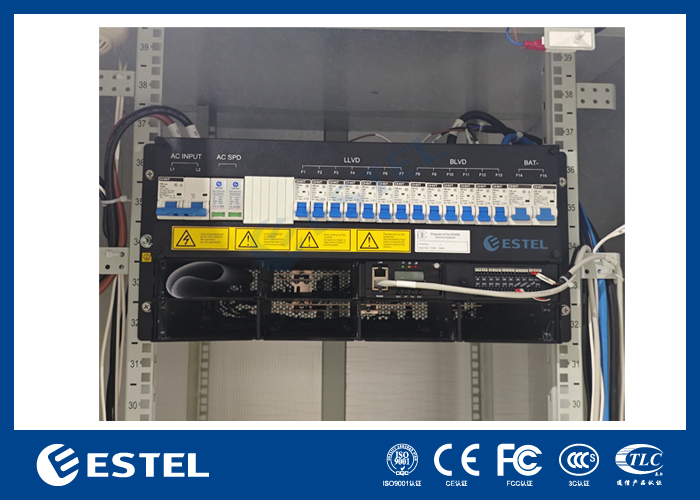
You can see the value of remote firmware upgrades through real-world examples. One telecom operator in Southeast Asia managed a network of outdoor sites in remote areas. The team used ESTEL’s management platform to upgrade the firmware on over 200 Telecom Rectifier Systems. The process started with a gray update on ten units. The team monitored performance for 48 hours. No issues appeared, so they continued with a batch push to the remaining devices. The upgrade finished in less than two hours. The operator reported zero downtime and improved energy efficiency after the update.
Another case involved a European service provider. The provider needed to add new security features to its Telecom Power System. The team scheduled the upgrade during off-peak hours. They used ESTEL’s rollback feature to test the process on a small group first. After confirming stability, they upgraded all units across multiple sites. The provider maintained continuous service and reduced manual maintenance visits.
These examples show that you can achieve seamless upgrades and better system performance with careful planning and the right tools.
Lessons Learned
You should always prepare before starting a remote firmware upgrade. Backup your system settings and firmware. Test the upgrade on a small group of devices. Monitor each step and verify results after completion. Use ESTEL’s management tools to automate and track the process.
Key takeaways from these cases include:
Plan upgrades during low-traffic periods.
Use gray updates for critical systems.
Always keep backup copies for quick recovery.
Monitor system logs and device status after upgrades.
A well-executed upgrade process helps you avoid downtime and keeps your network secure and efficient.
You gain uninterrupted service and new features when you use remote firmware upgrades for your telecom power systems. ESTEL delivers quality, innovation, and customer satisfaction with every solution. You improve operational efficiency through real-time monitoring, energy savings, and quick responses to issues. Industry trends show rapid growth in connected devices and a strong focus on security.
Year | Market Size (USD Billion) | CAGR (%) | Key Trends |
|---|---|---|---|
2025 | 8.37 | N/A | More connected devices, embedded systems |
2026 | 9.53 | 13.9 | OTA updates, lifecycle management |
2030 | 14.9 | 11.8 | IoT, edge computing, firmware security |
You can take these next steps for further learning:
Use over-the-air updates with enhanced verification.
Schedule regular firmware audits and updates.
Stay ahead by adopting secure, efficient upgrade practices with ESTEL.
FAQ
What is a remote firmware upgrade?
You update your device’s software from a distance using a secure network. This process does not require you to visit the site or shut down your telecom power system.
Can you upgrade all ESTEL Telecom Power Systems remotely?
Most modern ESTEL systems support remote upgrades. You should check your product documentation or contact ESTEL support to confirm compatibility.
How do you ensure the upgrade is secure?
You use encrypted protocols like HTTPS or SSH. You set strong passwords and limit access to trusted users. ESTEL’s management tools help you follow these best practices.
What should you do if an upgrade fails?
Always keep a backup.
If an upgrade fails, you can use ESTEL’s rollback feature to restore the previous firmware. This action helps you recover quickly.
Do you need to stop your network during an upgrade?
No, you do not need to stop your network. ESTEL’s remote upgrade process lets you add new features and security patches without shutting down your telecom power system.
See Also
Essential Insights Into Telecom Power Supply Characteristics
Tips for Maintaining Reliable Power Supply in Telecom Cabinets
Solar Energy Storage Solutions for Telecom Cabinet Power
Integrated Solar Inverter and Battery Systems for Telecom Cabinets
Calculating Power Systems and Battery Needs for Telecom Cabinets
CALL US DIRECTLY
86-13752765943
3A-8, SHUIWAN 1979 SQUARE (PHASE II), NO.111, TAIZI ROAD,SHUIWAN COMMUNITY, ZHAOSHANG STREET, NANSHAN DISTRICT, SHENZHEN, GUANGDONG, CHINA
