Retrofitting Legacy Cabinets with Telecom Rectifier Systems: Upgrade Without Replacing Main Frameworks

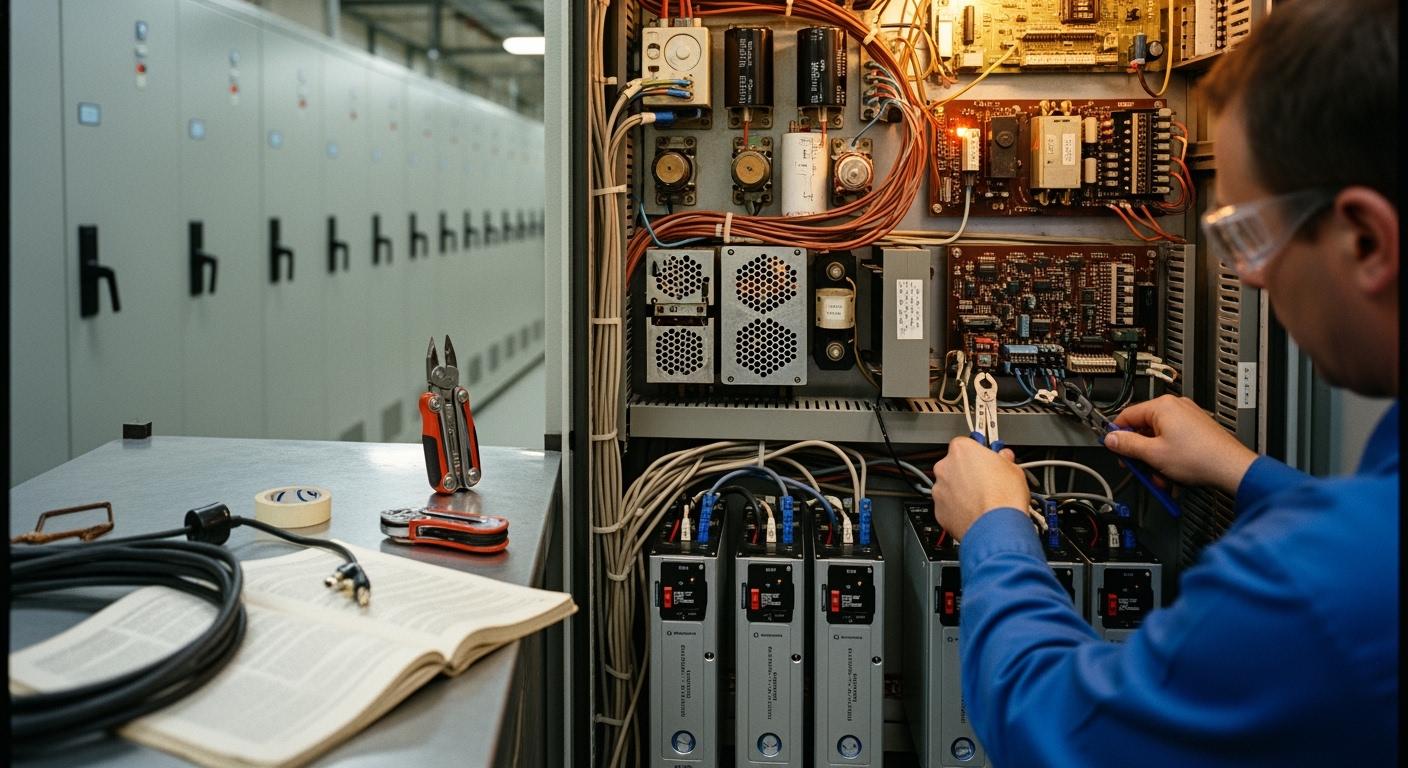
You do not need to replace your main cabinets to enjoy the benefits of modern power solutions. You can upgrade your legacy cabinets with a Telecom Rectifier System, improving your telecom infrastructure while saving money and reducing downtime. This approach increases reliability and supports sustainability efforts. ESTEL offers trusted retrofit solutions that meet high standards and deliver long-term value for your network.
Key Takeaways
Assess your legacy cabinets carefully before retrofitting. Check space, structure, and wiring to ensure compatibility with modern Telecom Rectifier Systems.
Choose a Telecom Rectifier System that matches your cabinet's size and power needs. Look for high efficiency and features like redundancy to enhance reliability.
Plan your retrofit project thoroughly to minimize downtime. Create a detailed schedule and prepare your team to ensure a smooth installation process.
Regular maintenance is key to keeping your retrofitted system running well. Inspect components and monitor performance to extend the life of your equipment.
Retrofitting saves money and reduces waste compared to full replacements. Enjoy lower energy costs and improved reliability with modern rectifier systems.
Assessing Legacy Cabinets

Before you begin a retrofit project, you need to assess your legacy cabinets. Careful evaluation ensures that your upgrade will be smooth and effective. You can follow these steps to determine if your existing cabinets are ready for a modern Telecom Rectifier System from ESTEL.
Space and Structure Check
Start by measuring the available space inside your cabinet. Check the height, width, and depth. Make sure the cabinet can fit a rack-mount system, such as ESTEL’s modular rectifier units. Examine the cabinet’s frame and mounting rails. Look for sturdy construction that can support new equipment. If you see signs of rust or damage, address these issues before installation. A strong cabinet structure will help you avoid problems during and after the retrofit.
Power and Wiring Review
Next, review the existing power connections and wiring layout. Identify the input voltage your site uses. ESTEL’s Telecom Rectifier System supports both 220VAC and 380VAC, so you have flexibility. Check the condition of cables and connectors. Replace any worn or outdated wiring to ensure safety and reliability. Confirm that the cabinet has proper grounding. ESTEL systems include grounding protection, but your cabinet must also meet basic safety standards. Good wiring and power management will help your new system perform at its best.
Cooling and Protection Needs
Modern rectifier systems generate heat during operation. You need to make sure your cabinet can handle this. Look for these important features:
Wide temperature tolerance
Reliable thermal protection
Batteries with integrated safety protections
If your cabinet lacks these features, consider adding cooling fans or upgrading insulation. ESTEL’s solutions often include energy-efficient cooling options and robust safety features. Matching your cabinet’s cooling and protection capabilities with ESTEL’s systems will help you maintain stable operation and extend equipment life.
Tip: Careful assessment now saves time and money later. Matching your cabinet’s features with ESTEL retrofit solutions ensures a reliable and efficient upgrade.
Choosing a Telecom Rectifier System
Selecting the right Telecom Rectifier System is a key step in your retrofit project. You want a system that fits your cabinet, meets your power needs, and works smoothly with your existing setup. This section will guide you through the main factors to consider and show you how ESTEL’s solutions make the process easier.
Matching Size and Power
You need to match the size and power of the Telecom Rectifier System to your legacy cabinet. Start by checking the output voltage and current. Most telecom sites use -48V DC, so make sure your rectifier supports this standard. Estimate the peak current your equipment will draw and choose a system that can handle it. High efficiency is important. Look for models with at least 90% efficiency to save on energy costs and reduce heat.
A wide input voltage range helps your system stay stable, even if the grid fluctuates. Redundancy is another key feature. N+1 redundancy means your system keeps running even if one module fails. Good thermal management, such as fanless cooling, can extend the life of your equipment. Digital monitoring lets you check system health remotely. Surge and overvoltage protection are essential for outdoor sites.
Here is a table to help you compare the main criteria:
Criteria | Description |
|---|---|
Output Voltage and Current | Ensure the rectifier matches the standard -48V DC and delivers sufficient current for peak load. |
Efficiency Rating | Look for models with efficiency ≥90% to reduce heat and electricity costs. |
Input Voltage Range | A wide AC input range (e.g., 85–264V AC) ensures stable operation in fluctuating grid conditions. |
Redundancy Support | N+1 redundancy allows continued operation if one module fails. |
Thermal Management | Effective cooling is vital for longevity; consider fanless designs for quieter operation. |
Digital Monitoring & Communication | Interfaces like SNMP or Modbus enable remote diagnostics and integration with network management. |
Surge and Overvoltage Protection | Essential for outdoor deployments; check compliance with relevant standards. |
Mechanical Form Factor | Ensure compatibility with your rack or cabinet; confirm dimensions and weight before purchase. |
Tip: Always confirm the dimensions and weight of the Telecom Rectifier System before you buy. This helps you avoid installation issues.
Integration with ESTEL Solutions
You want a Telecom Rectifier System that works well with your legacy cabinet. ESTEL designs its systems for easy integration. Their rectifiers support both 220VAC and 380VAC input, so you can use them in many environments. The systems fit standard 19-inch racks, which are common in telecom cabinets. ESTEL’s modular design lets you scale up or down as your needs change.
Compatibility is more than just size. You should also look at power capacity, efficiency, and maintenance. ESTEL’s rectifiers operate above 95% efficiency, which means less energy loss and lower costs. The modular design supports redundancy, so your network stays up even if a module fails. Compact units save space and make servicing easier.
Here is a table showing key compatibility factors:
Compatibility Factor | Description |
|---|---|
Power Capacity | Systems must match the power needs of the cabinet, categorized as low, medium, or high. |
Efficiency | Rectifiers should operate above 95% to minimize energy loss. |
Modularity | Allows for scalability and customization to adapt to changing requirements. |
Redundancy | Ensures continuous operation through fault-tolerant designs. |
Space Efficiency | Compact designs are necessary to fit various cabinet sizes. |
Maintenance Ease | Easy servicing is crucial for operational continuity. |
Note: ESTEL’s Telecom Rectifier System offers flexible cable inlets and grounding protection, making installation safer and more convenient.
Modular and Efficient Design
A modular Telecom Rectifier System gives you flexibility and makes future upgrades simple. ESTEL’s systems use a modular approach, so you can add or remove power modules as your needs change. This design also makes maintenance faster. If one module needs service, you can replace it without shutting down the whole system.
Efficiency is another important feature. ESTEL’s rectifiers reach up to 97% efficiency, which means less wasted energy and lower operating costs. The systems support high power density, with options from 15A to 150A at -48V output. You also get advanced management features, such as thermal compensation and battery management. These features help you keep your network running smoothly and protect your investment.
Here is a table summarizing the most important features:
Feature Description | Details |
|---|---|
Retrofit Capability | Enables upgrades with modern rectifiers and controllers, preserving existing infrastructure. |
Power Density | High-density power options ranging from 15A to 150A at -48V output. |
Voltage Support | Universal bulk power plant supporting dual voltage operation (+24V and -48V). |
Efficiency | New rectifiers provide efficiencies of up to 97%. |
Management Features | Active rectifier management, thermal compensation, and battery management included. |
Callout: Choosing a modular and efficient Telecom Rectifier System from ESTEL helps you future-proof your network and maximize your return on investment.
By focusing on these criteria, you can select a Telecom Rectifier System that fits your legacy cabinet, meets your power needs, and supports reliable operation for years to come.
Retrofit Planning
Careful planning helps you achieve a smooth and safe retrofit. You can avoid common pitfalls by preparing your site, your team, and your workflow before you begin. Use this checklist to guide your preparation.
Safety and Risk Prep
Start with safety. You should inspect your cabinet and work area for hazards. Make sure all power sources are clearly labeled and isolated before you begin any work. Provide your team with the right personal protective equipment, such as gloves and safety glasses. Review emergency procedures with everyone involved. Conduct a risk assessment to identify possible issues, such as electrical faults or overheating. Address these risks before you start the retrofit. Keep updated documentation and checklists on hand to track your progress and ensure nothing gets missed.
Tip: A pre-commissioning risk assessment helps you spot and fix problems before they cause delays.
Downtime Minimization
You want to keep your network running during the retrofit. Follow these steps to minimize downtime:
Create a detailed commissioning schedule with clear timelines and dependencies.
Engage all stakeholders early to clarify roles and responsibilities.
Plan resources and manpower so skilled engineers and tools are available.
Coordinate with other departments and secure necessary clearances.
Review factory acceptance test (FAT) reports to resolve issues before on-site work.
Assess risks in advance and prepare mitigation plans.
Keep all documentation and checklists up to date.
Prepare for parallel testing of multiple systems when possible.
Verify systems on-site to catch any last-minute issues.
Monitor progress and integration points closely.
Train your site team so they can operate the new system independently.
Note: Careful scheduling and team training help you avoid unexpected service interruptions.
Workflow and Backup
A clear workflow keeps your project on track. Assign tasks to each team member and set checkpoints for progress reviews. Regularly inspect and assess your battery systems. Use capacity testing, impedance testing, and voltage monitoring to ensure your backup power is reliable. Proactive battery testing lets you catch issues early and maintain service continuity during the retrofit.
Inspect battery systems regularly.
Test battery capacity and impedance.
Monitor battery voltage.
Address any issues before starting the retrofit.
Callout: Reliable backup power ensures your network stays online, even during upgrades.
Installation Steps

Cabinet Preparation
You should begin by preparing your cabinet for the new rectifier system. Remove any old equipment and clean the interior. Check the mounting rails and ensure they are secure. Measure the available space to confirm that the ESTEL rectifier modules will fit. Inspect the grounding bar and cable inlets. Replace any damaged components. Organize the wiring to prevent tangling and make future maintenance easier.
Tip: Label all cables before you start installation. This step helps you avoid confusion and speeds up troubleshooting later.
Installing ESTEL Rectifier System
Follow these steps to install your ESTEL Telecom Rectifier System:
Position the rectifier modules in the rack. Align them with the mounting rails.
Secure each module using the provided screws. Tighten them to prevent movement.
Connect the AC input cables to the designated terminals. Use the flexible cable inlet for easy access.
Attach the DC output cables to your telecom equipment. Confirm that the polarity matches the system requirements.
Connect the grounding cable to the copper bar for safety.
Power on the system and check the LED indicators. Verify that each module operates correctly.
ESTEL’s modular design allows you to add or remove modules as needed. You can scale your power capacity without replacing the entire system. The rack-mount format fits standard 19-inch cabinets, making integration simple.
Step | Action | Purpose |
|---|---|---|
Position Module | Align with rails | Secure fit |
Secure Module | Tighten screws | Prevent movement |
Connect AC | Attach input cables | Power supply |
Connect DC | Attach output cables | Equipment connection |
Grounding | Connect to copper bar | Safety |
Power On | Check indicators | Verify operation |
Troubleshooting Tips
If you encounter issues during installation, use these troubleshooting tips:
Check all cable connections for tightness and correct placement.
Inspect LED indicators for error signals.
Review the system manual for diagnostic codes.
Replace any faulty modules using the modular design.
Contact ESTEL support if problems persist.
Note: ESTEL provides detailed installation guides and technical support. You can find resources on their official website.
Testing and Validation
After you finish installing your ESTEL Telecom Rectifier System, you need to test and validate the setup. This step ensures your retrofit works as planned and keeps your network reliable. You should follow a structured approach to catch any issues early.
Functional Testing
Start with basic functional tests. Power on the system and check all LED indicators. Each module should show normal operation. Use the system’s digital interface to monitor voltage and current. Confirm that the output voltage matches your equipment’s requirements, usually -48V DC. Test the AC input by switching between available sources if your site supports multiple voltages. Check that the system responds correctly to changes.
You can use this checklist:
Power on and observe LED indicators.
Verify output voltage and current.
Test AC input switching.
Confirm communication with monitoring software.
Tip: Document each test result. This helps you track performance and spot trends over time.
Reliability Checks
You want your system to run smoothly under real conditions. Simulate a power failure by disconnecting the main AC input. The rectifier should switch to backup power without interruption. Test the N+1 redundancy by removing one module. The system should keep running at reduced capacity. Monitor the temperature during operation. Make sure the cooling system works and keeps the cabinet within safe limits.
Here is a table for reliability checks:
Test | Expected Result |
|---|---|
Power Failure | System switches to backup power |
Module Removal | System continues operation |
Temperature Check | Cabinet stays within safe range |
Compliance and Documentation
You must ensure your installation meets industry standards. Review local and international regulations for telecom power systems. Check that your grounding and surge protection follow best practices. Keep all manuals, test results, and compliance certificates in a dedicated file. Update your maintenance log with details of the retrofit and validation process.
Note: Good documentation supports future upgrades and helps with audits or inspections.
By following these steps, you confirm that your ESTEL Telecom Rectifier System works reliably and meets all requirements.
Cost and Efficiency Gains
Retrofit vs. Replacement
You face a choice when upgrading your telecom infrastructure. Retrofitting your legacy cabinets offers clear advantages over full replacement. You keep your existing framework and install new systems, such as high-efficiency fan trays or advanced rectifiers. This approach saves money because you avoid the cost of buying and installing new cabinets. You also minimize downtime since you do not need to remove and replace large equipment. Retrofitting extends the life of your cabinets and reduces electronic waste. By upgrading components like fans and power systems, you address thermal concerns and improve performance. You help the environment by keeping old equipment in use and lowering the amount of discarded electronics.
Upgrade Method | Cost Impact | Downtime | Environmental Benefit |
|---|---|---|---|
Retrofit | Lower | Minimal | Less electronic waste |
Full Replacement | Higher | Significant | More electronic waste |
Tip: Retrofitting lets you modernize your network without the expense and disruption of a full replacement.
Operational Savings
You gain more than just upfront savings when you retrofit. Modern systems, such as ESTEL’s Telecom Rectifier System, operate with high efficiency. You use less energy and lower your electricity bills. Modular designs make maintenance easier and faster. You spend less on repairs and avoid long service interruptions. Advanced monitoring features help you spot issues early, so you can fix problems before they affect your network. You also benefit from improved reliability, which means fewer outages and better service for your customers.
Lower energy consumption
Reduced maintenance costs
Faster troubleshooting
Improved network reliability
Callout: Operational savings add up over time, making retrofitting a smart investment for your telecom site.
ESTEL Success Stories
Many telecom operators have improved their networks by choosing ESTEL solutions. For example, a provider in Southeast Asia upgraded legacy outdoor cabinets with ESTEL’s modular rectifier systems. The project finished ahead of schedule and kept downtime to a minimum. The operator reported a 20% drop in energy costs and fewer service calls after the upgrade. Another client in a remote mountain region retrofitted old cabinets with ESTEL’s efficient cooling and power modules. The cabinets now run reliably in harsh weather, and the operator extended the life of their infrastructure by several years.
Note: ESTEL’s experience and product quality help you achieve cost savings, operational improvements, and long-term reliability.
Maintenance and Upgrades
Routine Care
You need to keep your retrofitted system in top condition. Regular maintenance ensures reliable performance and extends the life of your equipment. Start by inspecting the rectifier modules for dust or debris. Clean the cabinet interior and check for loose connections. Monitor the system’s LED indicators and digital displays for any warning signs. Test the backup batteries and verify that the cooling fans operate smoothly. Schedule these checks monthly or quarterly, depending on your site’s environment.
Here is a simple maintenance checklist:
Inspect and clean rectifier modules
Check cable connections for tightness
Monitor LED indicators and alarms
Test backup batteries
Verify cooling system operation
Tip: Keeping a maintenance log helps you track issues and plan future service.
Future Scalability
You can plan for future growth by choosing a modular rectifier system. Modular designs let you add power modules as your network expands. This approach supports incremental upgrades, so you do not need to replace the entire system at once. You can increase capacity in phases, which helps you control costs and minimize downtime. Backward compatibility with existing power distribution and monitoring systems makes upgrades easier. You maintain network continuity while improving efficiency and fault tolerance.
A table for scalability planning:
Upgrade Option | Benefit |
|---|---|
Add power modules | Increase capacity easily |
Phased upgrades | Minimize downtime |
Backward compatibility | Smooth integration |
ESTEL Support
You receive ongoing support when you choose ESTEL for your retrofit project. ESTEL provides detailed installation guides, technical documentation, and troubleshooting resources. You can contact their support team for help with maintenance or upgrades. ESTEL offers training for your staff, so you can manage your system confidently. Their commitment to customer satisfaction means you always have access to expert advice and reliable service.
Note: Visit ESTEL’s official website for more resources and contact information.
You can upgrade your legacy cabinets with modern telecom rectifier systems and avoid costly replacements. This approach gives you high efficiency, proven reliability, and strong investment protection. ESTEL solutions make installation simple and support centralized management. Review the table below to see the long-term benefits:
Feature | Description |
|---|---|
Efficiency | Approaching 97% |
Reliability | Decades of proven field performance |
Investment Protection | Seamless integration and energy savings |
Installation | Completed in a single work shift |
Management | Centralized network management with Ethernet |
Assess your current setup and consider ESTEL for a smarter, more reliable upgrade.
FAQ
What is a Telecom Rectifier System?
A Telecom Rectifier System converts AC power to DC power for telecom equipment. You use it to ensure stable, reliable energy for your network. ESTEL’s systems offer high efficiency and modular design for easy upgrades.
Can I retrofit any legacy cabinet with a new rectifier system?
You can retrofit most legacy cabinets if they have enough space, proper structure, and compatible wiring. Always check cabinet dimensions and power requirements before starting. ESTEL’s modular systems fit standard 19-inch racks for easy integration.
How long does installation usually take?
Most installations finish within a single work shift. Preparation and planning help you avoid delays. ESTEL’s rack-mount design and clear guides make the process faster and simpler.
What maintenance does a retrofitted system need?
You should inspect modules, clean the cabinet, and check connections regularly. Test backup batteries and monitor system indicators. Routine care keeps your system reliable and extends its lifespan.
Where can I get technical support for ESTEL products?
You can contact ESTEL’s support team by email or phone. Visit ESTEL’s official website for guides, resources, and direct assistance.
See Also
Ensuring Consistent Power Supply for Telecom Cabinets
Exploring Various Applications of Telecom Cabinets
Analyzing Telecom Cabinets: Design and Expense
CALL US DIRECTLY
86-13752765943
3A-8, SHUIWAN 1979 SQUARE (PHASE II), NO.111, TAIZI ROAD,SHUIWAN COMMUNITY, ZHAOSHANG STREET, NANSHAN DISTRICT, SHENZHEN, GUANGDONG, CHINA
