How to Implement User Permission Hierarchical Management for Smart PDUs in Telecom Cabinets with Safety Boundaries for Multi-Role Collaboration


A smart PDU controls power for every outlet in a telecom cabinet. A flat permission model leaves that control open to mistakes and unauthorized access. One careless command can cut power to live equipment.
You can fix this with a layered design. A hierarchy of scopes defines where each action applies. Action-based permissions grouped into user roles define who may act. Power safety boundaries act as hard limits above every role. An in-memory policy evaluator enforces the whole permission policy during multi-role collaboration.
After reading, you will design scope notation, role definitions, boundary rules, and a clear evaluation flow. You will also know how access control and security hold together when several roles share one smart power distribution unit.
Key Takeaways
Use dot paths to set clear permission scopes for each device level.
Group devices together to make managing permissions across many cabinets easier.
Give people roles based on their job tasks to control who can do what.
Put safety limits above all roles to stop unsafe actions.
Combine roles and check limits together to keep teamwork safe.
User Permission Hierarchical Management for Smart PDUs

Scope Notation with Dot Paths and Wildcards
A smart PDU sits inside a chain of containers. The cabinet holds the PDU, the PDU holds outlets, and each outlet connects to a port. This chain gives you a natural hierarchy for user permission hierarchical management. You write each level as a dot-separated part, so a scope looks like cabinet3.pdu1.outlet7.port2. Strict position rules keep every scope clear. The first part always names the cabinet, the second always names the PDU, and so on.
Wildcards keep scope lists short. A * at the end gives access to every sub-space, so cabinet3.pdu1.* covers all outlets and ports under that unit. A * in the middle targets one category across entities, like cabinet*.pdu1.outlet7 for outlet 7 in every cabinet. Use both forms with care. A wildcard widens a permission scope fast, and one misplaced part can expose outlets you meant to protect.
Device Groups Across Telecom Cabinets
Telecom cabinets rarely stand alone. You can organize ESTEL Smart Power Distribution Unit deployments into device groups by physical location, such as one row or one site, or by logical function, such as backup power or monitoring gear. A group becomes a single scope target. You then assign permissions to the group instead of to each smart PDU. This cuts repetitive work across many telecom cabinets and keeps the permission policy easy to read.
Groups also make reviews simpler. When a technician changes sites, you move one group membership instead of editing dozens of scope entries. The hierarchy stays flat enough to audit and deep enough to stay precise.
Device Registration as the Entry Point
Registration ties each device to its scope. When you register a smart power distribution unit, you record its cabinet, its position, and its outlet map. The system then writes the device into the scope tree at the correct path. No device exists outside the hierarchy, so no permission can point at an unregistered target.
Treat registration as a security control, not a data entry step. Check the cabinet and PDU parts at registration time. Reject duplicate paths. Tie each device identity to its scope record. Managing permissions then becomes a matter of granting actions on known paths. This discipline supports hierarchical permission management across every site you operate, and it gives your permission policy a clean foundation for the role and boundary layers that follow.
User Roles in a Smart Power Distribution Unit
Actions on Resources as Permission Units
A permission is an action on a resource. You name the action with a verb and the resource with a scope path. A field technician might hold outlet:power-cycle on cabinet3.pdu1.outlet7. A remote operator might hold outlet:power-off on the same path. This verb-plus-scope form keeps every permission exact and easy to test.
Group related actions into permission sets. Power actions, monitoring actions, and configuration actions each make a natural cluster. You then grant a set instead of single permissions. This approach supports role-based access control and keeps the permission policy short. It also makes audits easier, because you review clusters instead of hundreds of entries.
Composing Roles from Permission Groups
A role is a named bundle of permission groups. You define user roles in a smart power distribution unit by their job, not by their name. A field technician role gets power-cycle and outlet-level permissions on assigned telecom cabinets. A remote operator role gets monitoring and power-off permissions across a wider scope. An auditor role gets read-only permissions on logs and status.
Onboarding follows a fixed path. You authenticate the user, assign one or more roles, and bind each role to a scope. User authentication proves identity; role assignment grants capability. The access management system then checks the combined result at request time. This design lets you manage permissions for real collaborators without editing individual grants. It also gives your security model a clear audit trail, since every permission traces back to a role and a scope.
Power Safety Boundaries and Enforcement
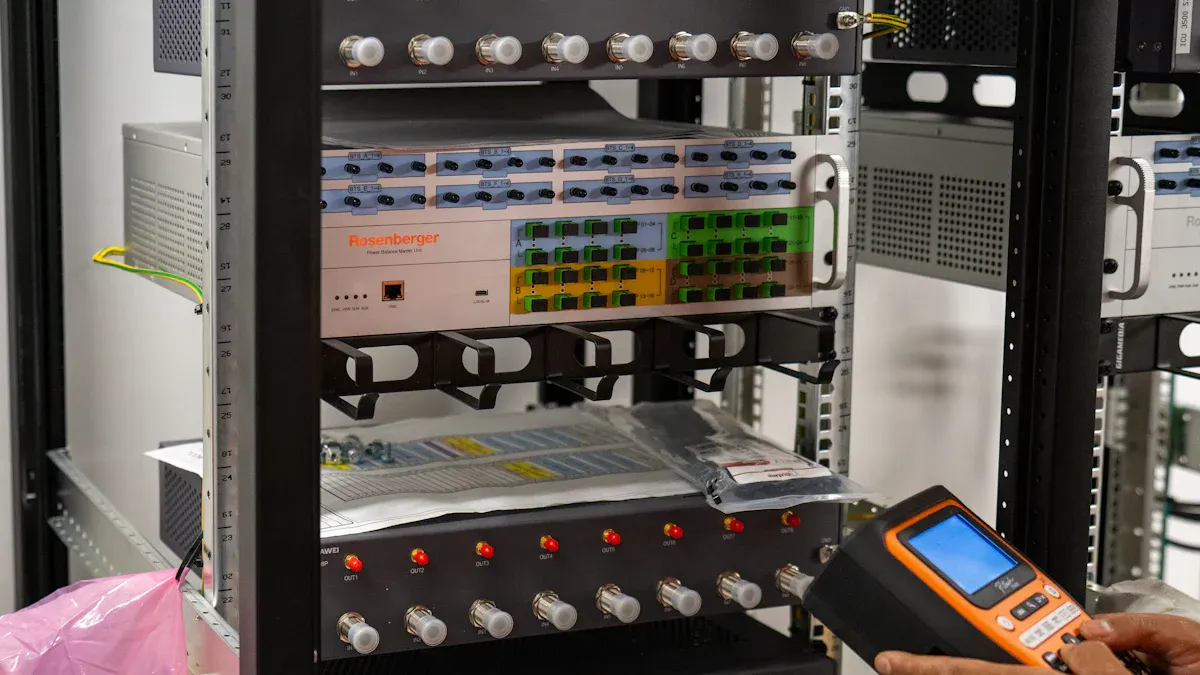
Role permissions tell you who may act. They do not tell you if an action is safe right now. Power safety boundaries cover that gap. You place these limits above every role, so no permission can override them. A technician with full outlet control still cannot cut power to a live load during a protected window. This split keeps the permission policy honest: roles show what a user can do, and boundaries show what the equipment and site will allow.
Constraint Types That Override Permissions
Boundaries come in several forms, and each one blocks an action no matter what permissions a user holds. A load-state constraint refuses a power-off command on an outlet that feeds active traffic. A maintenance-window constraint limits switching to approved periods. A dependency constraint stops a sequence that would leave downstream equipment stranded. A time-based access policy adds another layer by limiting when a role may act at all, even inside its scope.
Constraint | What It Blocks | Why It Sits Above Roles |
|---|---|---|
Load state | Power-off on a live outlet | Protects traffic on smart pdus |
Maintenance window | Switching outside approved hours | Prevents unplanned outages |
Dependency | Sequences that strand downstream gear | Preserves service continuity |
Time window | Any action outside the allowed period | Limits exposure in telecom cabinets |
Treat each constraint as a hard rule. A role never weakens it, and a mix of roles never adds up past it.
Boundary Checks in the Enforcement Path
Enforcement follows a fixed order, and boundaries run inside the authorization step. The flow below shows where each check lands.
The identity provider checks the user and issues a token with identity and optional role metadata. Strong user authentication, including multi-factor authentication, anchors this step.
The API layer gets the request and calls the access policy engine before any business logic runs.
The engine checks the user-action-resource link against the permission database and returns an allow or deny decision.
The boundary layer then checks the request against load state, windows, and dependencies. A boundary failure blocks the action even after a role allow.
The API runs on a clean pass or returns 403 Forbidden on any deny.
RBAC should be a first-class infrastructure component — the authorization layer that complements authentication by deciding what a verified user may do.
This order matters during multi-role collaboration. Two roles may each hold valid permissions, and their union may still cross a boundary. The engine checks the combined request, not each role alone. Frontend and backend share the same logic, so the UI hides unsafe controls while the API enforces the rules anyway. That consistency is the core of your security posture across every site.
Policy Schema and Multi-Role Collaboration
Allow/Deny Lists and In-Memory Representation
Your permission policy needs a schema that keeps allow and deny rules together. Each rule names a subject, an action, and a permission scope. The evaluator reads both lists when a request comes in. Conflict resolution follows a strict rule:
When a subject–object pair matches both a permit (allow) rule and a deny rule, apply a deny-overrides conflict resolution strategy: if any applicable rule denies access, the final decision is 'deny', regardless of matching permit rules.
Speed matters for granular access control across many telecom cabinets. Keep critical relations in memory and leave non-critical ones on disk:
Critical relations: policy data that directly drives request evaluation, such as right assignments.
Non-critical relations: entity attributes and constraints that do not sit on the request path.
The evaluator finds a memory chunk through a meta-data index, range-checks the requested value, and throws out irrelevant chunks. It then gets the remaining attributes with one comparison using the row-id. This design cuts evaluation time for every permission request.
Combining Roles Within One Framework
Multi-role collaboration works when the framework merges role grants before it checks boundaries. A field technician and a remote operator may each hold valid permissions on one smart power distribution unit. The evaluator joins their grants, applies deny-overrides, and then runs the boundary layer. The combined request must pass every boundary, so two roles never add up past a hard limit.
Your identity and access management system should treat this merge as one authorization step. User authentication with multi-factor authentication proves identity first. The access management system then resolves roles, scopes, and boundaries in order. This structure gives you advanced access management without hidden gaps. It also keeps security predictable as you scale.
You now have the whole design chain. Hierarchical user permission management gives every device a firm base. Action-based permissions spell out what each user may do. Grouped user roles match up with collaborators. Power safety boundaries sit above every role, so teamwork stays safe. The permission policy evaluator holds it all together.
Keep boundaries above role permissions. A smart power distribution unit must never take an unsafe command, even from a role you trust.
Start with a clear scope model. Keep boundary rules apart from role definitions. Test the evaluation order. Audit role combinations.
As telecom cabinets and smart PDUs grow, scale the hierarchy, not the exceptions. Managing permissions stays predictable. Your security posture holds, and each smart PDU stays safe.
FAQ
How do you write a scope for one outlet inside a cabinet?
Use a dot path that names each level in order, like cabinet3.pdu1.outlet7.port2. A wildcard at the end opens the permission to every sub-space below that point. Keep the parts strict, because one wrong segment can expose outlets you meant to protect.
What happens when a role allows an action but a boundary blocks it?
The boundary wins. Your role grants permissions, but the boundary layer checks load state, windows, and dependencies after the role check. A boundary failure returns a deny even when the role allows the action. This order keeps security predictable during live switching.
How does the evaluator handle two roles on one PDU?
It merges both role grants first, applies deny-overrides, then runs the boundary layer on the combined request. Two valid permissions never add up past a hard limit. This single authorization step keeps multi-role collaboration safe and your security posture consistent.
Why keep policy data in memory?
Fast evaluation matters for granular access control. The evaluator loads critical relations, such as right assignments, into memory and leaves non-critical attributes on disk. A meta-data index and range check throw out irrelevant chunks, so each permission policy check resolves quickly across many devices.
How do you scale the model as sites grow?
Group devices by site or function, then assign roles to groups instead of single units. Register each PDU at its correct scope path so you manage-device access cleanly. As telecom cabinets multiply, grow the hierarchy and reuse boundary rules rather than adding exceptions.
See Also
Selecting And Installing Pole-Mounted Telecom Cabinets: Methods And Safety Considerations
Understanding ESTEL PDUs And Their Function In Data Center Cabinets
Expert Advice For Securing Communication Cabinets In High-Risk Locations
Ensuring Reliable Power Supply For Telecom Cabinets
Outdoor Communication Cabinets And Their Essential Role In Telecom
CALL US DIRECTLY
86-13752765943
3A-8, SHUIWAN 1979 SQUARE (PHASE II), NO.111, TAIZI ROAD,SHUIWAN COMMUNITY, ZHAOSHANG STREET, NANSHAN DISTRICT, SHENZHEN, GUANGDONG, CHINA
