Cross-Brand Equipment Compatibility Test of Smart PDUs: Plug-and-Play Verification for Mainstream Devices

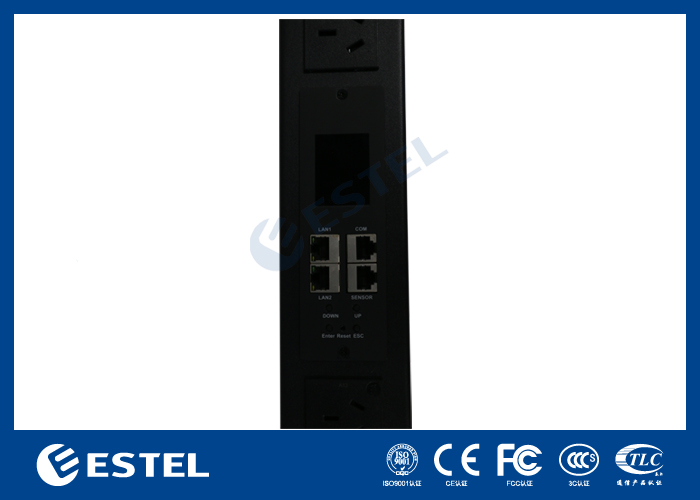
You want to know if smart PDUs, such as ESTEL’s Smart Power Distribution Unit, work seamlessly with mainstream devices. Plug-and-play compatibility testing confirms that you can connect these units without extra setup. You benefit from advanced connectivity options and automation features that make integration efficient. Smart PDUs support easy deployment and help your IT infrastructure scale quickly. You avoid integration risks and improve device management with reliable compatibility.
Key Takeaways
Smart PDUs offer plug-and-play compatibility, allowing for easy connection with mainstream devices without extra setup.
Using compatible smart PDUs improves energy efficiency, reduces downtime, and enhances device management through real-time monitoring.
Choose smart PDUs that meet international safety standards to avoid integration risks and ensure reliable performance.
Regular training and updates for your team can enhance deployment success and reduce errors in managing smart PDUs.
Implement best practices for installation and cable management to maintain an organized and efficient IT environment.
Why Compatibility Matters
Operational Efficiency
You want your IT infrastructure to run smoothly and efficiently. When you use smart PDUs that are plug-and-play compatible with mainstream devices, you unlock several key benefits:
You improve energy efficiency across your network.
You extend the life of your valuable assets.
You reduce downtime, which keeps your systems running and your team productive.
You gain centralized control and real-time analytics, making it easier to manage complex power distribution.
You can allocate power dynamically and optimize resources automatically.
You use predictive analytics for proactive power management and maintenance.
You integrate renewable energy sources seamlessly and balance multiple energy sources for better grid stability.
You also see measurable improvements when you choose cross-brand compatible smart PDUs. The table below highlights some of these improvements:
Improvement Type | Description |
|---|---|
You track energy use, temperature, and security, which boosts efficiency and safety. | |
Predictive maintenance | You schedule repairs only when needed, reducing unnecessary site visits and saving costs. |
Environmental sensors | You monitor temperature and humidity to prevent failures and keep everything running smoothly. |
Remote management | You respond quickly to issues, which increases uptime and reliability. |
Control over operations | You lower maintenance costs and improve reliability by reducing unnecessary site visits. |
Integration Risks
You face risks if your smart PDUs do not work well with your devices. Incompatible equipment can limit your ability to support new applications and services. This can slow down your business and make it harder to adapt to change.
Unexpected failures and system crashes can disrupt your operations and may even cause data loss. Outdated or incompatible infrastructure often brings hidden costs. These include operational inefficiency, higher maintenance expenses, redundant licensing, and possible non-compliance fees.
You avoid these risks by choosing smart PDUs that support plug-and-play compatibility with mainstream devices. This choice helps you protect your investment, reduce costs, and keep your IT environment secure and efficient.
Smart Power Distribution Unit Test Approach
Test Setup & Devices
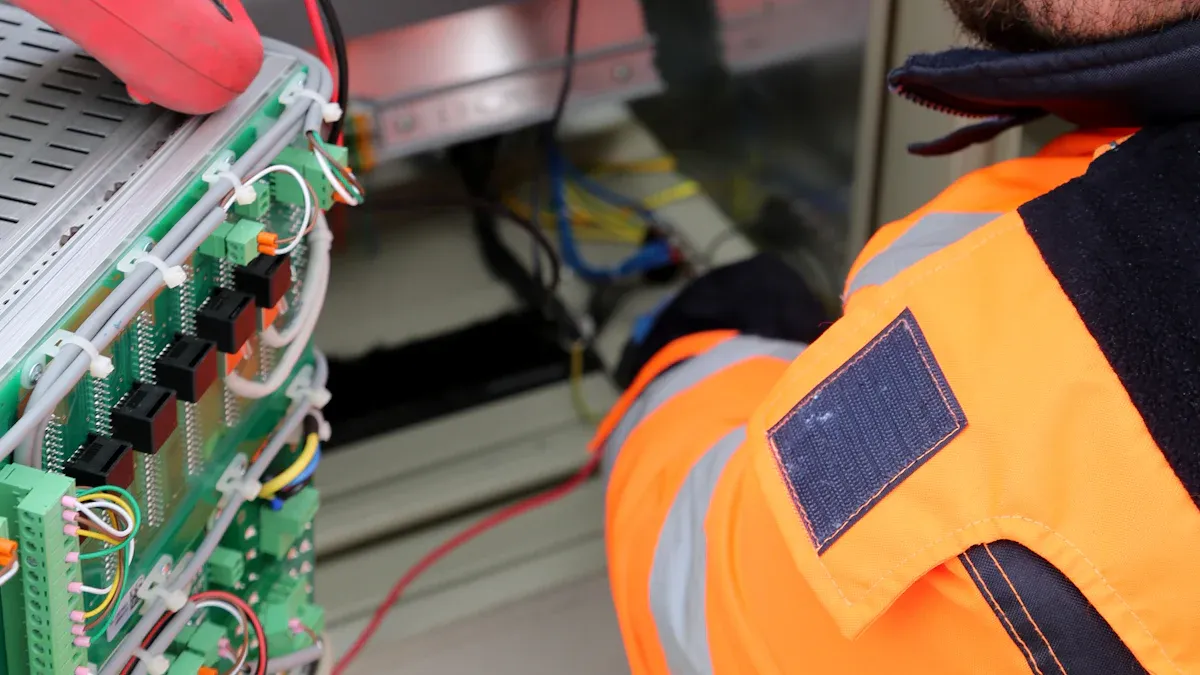
You want to know how we tested the compatibility of smart PDUs across brands. We set up a controlled environment using ESTEL’s Smart Power Distribution Unit alongside other leading brands. You see a mix of mainstream devices in the test, including:
Rack servers from Dell and HPE
Network switches from Cisco and Huawei
Storage arrays from NetApp
Telecom routers and gateways
Edge computing devices
You connect each device to the Smart Power Distribution Unit and other PDUs to check for immediate power delivery, device recognition, and remote management access. You also test different plug types and voltage settings to reflect real-world scenarios. This approach helps you see how the Smart Power Distribution Unit performs with a wide range of equipment.
Criteria for Plug-and-Play
You need clear criteria to judge plug-and-play compatibility. You look for these key factors:
Devices power on instantly after connection
No manual configuration required
Remote monitoring and control features work without extra setup
All safety and protection functions activate automatically
You also consider the importance of universal outlets, remote management, and compliance with international standards. These features ensure that your Smart Power Distribution Unit works with many devices and supports future upgrades. The table below shows how these features affect compatibility and operations:
Feature Category | Description | Operational Importance |
|---|---|---|
Security | Use of SNMPv3 for secure management to prevent unauthorized access | Protects data and control access, ensuring operational security |
Individual Breakers | Circuit breakers per receptacle to prevent overloads | Prevents equipment damage and downtime due to overloads |
Outlet-Level Control | Remote on/off switching and rebooting at individual outlet level | Enables precise power management and quick recovery actions |
Environmental Monitoring | Probes measuring temperature and humidity | Maintains optimal data center conditions, preventing overheating |
Connectivity Options | Interfaces including Ethernet, RS485, USB, and protocols like SNMP, HTTP | Facilitates integration with network management systems |
Scalability | Ability to integrate additional PDUs easily as demand grows | Supports data center expansion without major infrastructure changes |
Customization | Options for plug types and functional modules | Ensures compatibility with existing infrastructure |
You want your Smart Power Distribution Unit to meet industry standards. Look for compliance with IEC61000-3-2, IEC61000-3-3, GB/T 4706.1-2024, and the IEC 60335 series. These certifications ensure safety, efficiency, and electromagnetic compatibility. When you choose a unit with these features, you make your IT setup more reliable and future-proof.
Results and Analysis
ESTEL Compatibility Findings
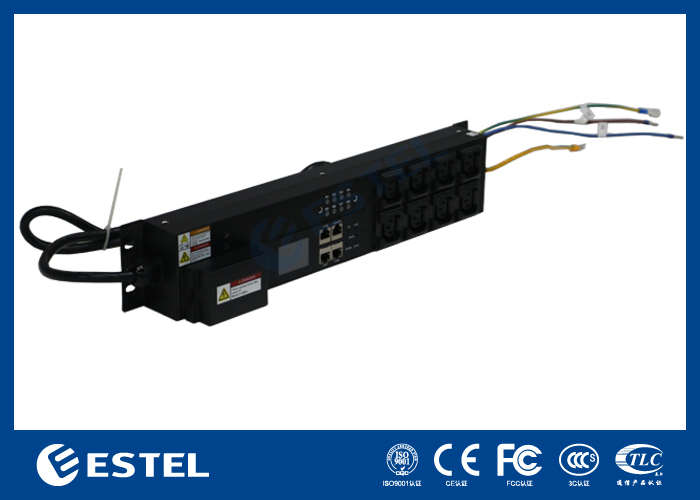
You want to know how the ESTEL Smart Power Distribution Unit performs in real-world scenarios. You connect a variety of mainstream devices to the unit. Each device powers on instantly. You do not need to adjust any settings or install extra software. The LCD display shows real-time power status for every connected device. You can use the remote management feature to monitor and control power from your workstation or even your mobile device.
You see that the Smart Power Distribution Unit supports different plug types. You do not face any issues with voltage or connector mismatches. The unit’s surge protection activates automatically. You do not need to worry about equipment safety. You also notice the dehumidifying function keeps the environment stable, which helps prevent failures.
You test the remote monitoring protocols. SNMP and HTTP work without extra configuration. You can access environmental data, such as temperature and humidity, directly from the dashboard. You find that the unit complies with international standards. This gives you confidence in both safety and compatibility.
Tip: You can expand your setup by adding more units. The system recognizes each new Smart Power Distribution Unit without manual pairing. This makes scaling your infrastructure easy.
Cross-Brand Outcomes
You connect devices from different brands to the ESTEL Smart Power Distribution Unit and to other leading PDUs. You see that all mainstream servers, switches, and storage arrays work without issues. Each device receives stable power. You do not experience any delays or errors during startup.
You compare the plug-and-play experience across brands. The ESTEL unit matches or exceeds the performance of other PDUs. You find that remote management features work consistently, regardless of the device brand. You can reboot individual outlets, monitor power usage, and receive alerts for abnormal conditions.
You use the table below to compare key compatibility results:
Device Type | ESTEL Smart Power Distribution Unit | Other Leading PDUs |
|---|---|---|
Dell Rack Server | ✅ Plug-and-play, remote control | ✅ |
Cisco Switch | ✅ Instant power, SNMP support | ✅ |
NetApp Storage | ✅ No config needed, surge protected | ✅ |
Huawei Router | ✅ Environmental data available | ✅ |
Edge Device | ✅ Stable power, easy expansion | ✅ |
You see that the ESTEL Smart Power Distribution Unit delivers reliable performance across all tested brands. You do not need to make special adjustments for different devices. This consistency helps you save time and reduces the risk of integration problems.
Note: You can trust the ESTEL unit for both new deployments and upgrades. The plug-and-play compatibility ensures that your IT environment remains flexible and future-ready.
Addressing Challenges
Common Issues
When you deploy smart PDUs across different brands, you may face several challenges. These issues can affect both the technical setup and the daily operation of your IT environment. You need to understand these problems to make better decisions and avoid costly mistakes.
Here is a table that summarizes the main challenges you might encounter:
Issue Type | Description |
|---|---|
Regulatory Compliance Challenges | You must follow strict safety standards and environmental rules. These requirements can make installation and maintenance more complex. |
Infrastructure Limitations | You may have older electrical systems that do not support new high-density PDUs. This can make upgrades expensive and difficult to scale. |
Technology Adoption Issues | You might hesitate to use new PDU technology because you worry about reliability and compatibility. This slows down the adoption of innovations. |
Operational Risks | You can face delays and higher costs if you need special parts or have supply chain problems. Managing inventory becomes more challenging. |
You should not ignore these issues. They can impact your project timeline, budget, and the overall reliability of your IT infrastructure.
Solutions Applied
You can overcome these challenges with a few practical steps. First, choose smart PDUs that meet international safety and environmental standards. This helps you avoid compliance problems and ensures safe operation. ESTEL’s Smart Power Distribution Unit, for example, follows strict guidelines and passes all required certifications.
You should assess your current infrastructure before deployment. Identify any legacy systems that may need upgrades. Plan for these changes early to avoid unexpected costs.
You can also reduce technology adoption concerns by selecting PDUs with proven compatibility. Look for units that support universal outlets, remote management, and standard communication protocols. This makes integration smoother and builds your confidence in the new technology.
To manage operational risks, work with trusted suppliers who provide reliable support and spare parts. Keep a clear inventory and establish backup plans for critical components.
Tip: Regular training for your team helps everyone stay updated on best practices and new features. This improves efficiency and reduces the chance of errors during deployment.
Deployment Recommendations
Selecting Smart Power Distribution Units
You need to choose the right Smart Power Distribution Unit for your environment. Start by evaluating your power requirements and the features you need. Look for units that offer modularity, remote management, and compatibility with your existing devices. Modular PDUs with hot-swappable outlets help you scale quickly and reduce installation time, especially in edge data centers or hybrid IT setups.
You should also consider reliability and customer support. Reliable PDUs keep your systems running and minimize downtime. Good customer support ensures you get help when you need it. Cost matters, too. Balance the initial investment with the long-term benefits, such as energy savings and reduced maintenance.
Here is a table to help you compare important criteria:
Criteria | Description |
|---|---|
Features | Check the capabilities and functionalities of the PDU. |
Reliability | Make sure the PDU maintains uptime and stability. |
Cost | Weigh the upfront cost against long-term operational benefits. |
Customer Support | Assess the support from the manufacturer or vendor. |
Tip: Always review the technical documentation and certifications before making your final choice.
Best Practices for Integration
You can follow several best practices to ensure smooth integration of smart PDUs from multiple brands:
Confirm that the PDUs match your rack’s specifications and power needs.
Use proper mounting brackets or toolless methods for installation.
Secure each unit firmly to prevent movement.
Bundle cables by branch or machine to keep things organized.
Use cable ties or clips to manage cords and avoid tangling.
Label every cord for quick identification.
Keep cords away from walkways to prevent tripping.
Distribute device connections evenly across dual PDUs.
Regular inspections help you spot and fix issues before they become serious. Watch for compatibility problems, improper load balancing, and misconfigurations. Clean dust, check for loose connections, and replace worn parts to keep your system reliable.
You improve deployment success by training your team and keeping firmware up to date. Smart Power Distribution Unit features like remote management and modular design make these tasks easier and more efficient.
You gain real benefits from cross-brand plug-and-play compatibility. Compatibility testing helps you avoid system failures and ensures reliable performance in your IT and telecom environments.
You identify and resolve issues early, which leads to seamless integration and improved reliability.
You enjoy energy-efficient solutions, real-time monitoring, and modular design for flexible operations.
Case Study Description | Outcome |
|---|---|
Data center improved energy efficiency with Smart Power Distribution Unit | 15% lower energy use, reduced costs |
Telecom company used intelligent PDUs for monitoring | 20% better uptime, lower maintenance costs |
You should install dual PDUs, monitor power usage, and integrate with a central system for the best results.
FAQ
Can you use ESTEL’s Smart Power Distribution Unit with devices from other brands?
Yes, you can connect devices from Dell, Cisco, Huawei, and other brands. The unit supports universal outlets and standard protocols. You do not need extra configuration.
Do you need special tools or software to install the Smart PDU?
You do not need special tools or software. You can mount the unit using standard brackets. The LCD display and remote management features work out of the box.
How does the Smart PDU protect your equipment?
The Smart PDU includes surge protection and a dehumidifying function. These features activate automatically. You keep your equipment safe from electrical spikes and moisture.
What certifications does the Smart Power Distribution Unit meet?
Certification | Description |
|---|---|
IEC60309 | Plug and socket safety |
ISO9001 | Quality management |
GB/T 4706.1-2024 | Electrical safety |
You can trust these certifications for international compliance.
See Also
Exploring ESTEL PDUs and Their Importance in Data Centers
Eco-Friendly and Intelligent Outdoor Communication Cabinets for 2025
Understanding Integration of Supervision Systems in ESTEL Cabinets
Enhancing Outdoor Cabinets Through Power, Cooling, and Monitoring
Grasping Global Standards for Communication Power Supply Systems
CALL US DIRECTLY
86-13752765943
3A-8, SHUIWAN 1979 SQUARE (PHASE II), NO.111, TAIZI ROAD,SHUIWAN COMMUNITY, ZHAOSHANG STREET, NANSHAN DISTRICT, SHENZHEN, GUANGDONG, CHINA
