Customized Power Supply by Device Type for Smart PDUs in Telecom Cabinets: Precise Matching for Differentiated Loads

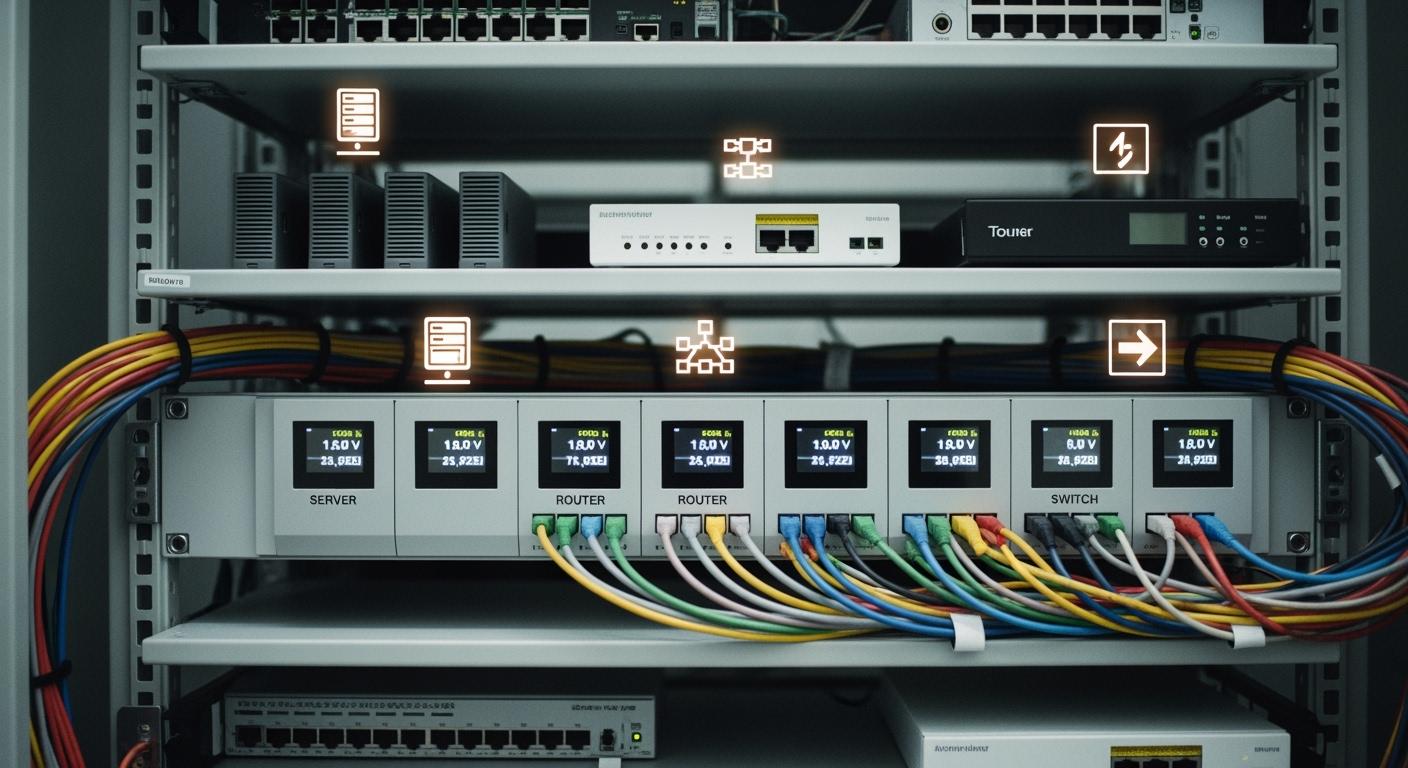
You want your telecom cabinet to work efficiently and reliably. ESTEL’s Smart Power Distribution Unit helps you deliver the right amount of power to each device. When you match power precisely, you lower energy consumption by 15% and improve equipment uptime by 20%.
Improvement Type | Percentage Change |
|---|---|
Energy Consumption Reduction | 15% |
Equipment Uptime Improvement | 20% |
This technology gives you control and helps protect your network equipment.
Key Takeaways
Smart Power Distribution Units (PDUs) can reduce energy consumption by 15% and improve equipment uptime by 20%.
Each telecom device has unique power needs; matching power delivery to these needs enhances efficiency and safety.
Remote management features allow you to control power distribution and monitor usage from anywhere, preventing overloads.
Regular assessments of device power requirements help prevent system overloads and ensure long-term reliability.
Customizing your Smart PDU configuration supports flexibility and adapts to changing network demands.
Customized Power Supply Concepts
Device-Specific Power Needs
You encounter many devices in telecom cabinets. Each device demands a unique power profile. Routers, switches, and base stations draw different amounts of current and require specific voltage levels. Some equipment needs stable voltage to prevent data loss. Others need surge protection to avoid damage during power spikes.
Smart Power Distribution Unit technology helps you address these needs. You can monitor power consumption and environmental conditions in real time. You set alarm thresholds to avoid overloaded circuits. You manage outlets remotely and configure power sequences to prevent inrushes at startup. These features allow you to match power delivery to each device, improving efficiency and safety.
Principle/Feature | Description |
|---|---|
Advanced Monitoring | Provides comprehensive oversight of power consumption and environmental conditions. |
Management Capabilities | Enables proactive management through integration with DCIM software. |
Safety Features | Includes surge protection and voltage regulation to safeguard connected equipment. |
Automated Load Shedding | Triggers sequential shutdown of non-critical outlets to prevent overloads during peak usage. |
Predictive Maintenance | Uses data trends to identify irregularities and forecast equipment failures. |
Dynamic Load Balancing | Supports balancing loads to reduce unplanned downtime and improve efficiency. |
Remote Management | Allows users to manage outlets remotely, preventing overloads and minimizing downtime. |
Alarm Thresholds | Users can define thresholds to avoid overloaded circuits, with network and visual alarms for alerts. |
Importance in Telecom Cabinets
You rely on telecom cabinets to keep your network running. Precise power matching protects your equipment and reduces downtime. When you use a Smart Power Distribution Unit, you gain intelligent features for effective power management. You can balance loads, shed non-critical outlets during peak usage, and forecast equipment failures with predictive maintenance.
Smart PDUs include network management interfaces for remote control and monitoring.
You configure power sequences to avoid inrushes at startup, preventing overloads.
You define alarm thresholds to receive alerts before problems occur.
These capabilities help you maintain stable operations. You extend the life of your devices and improve overall network reliability.
Differentiated Loads in Telecom Cabinets
Common Device Types
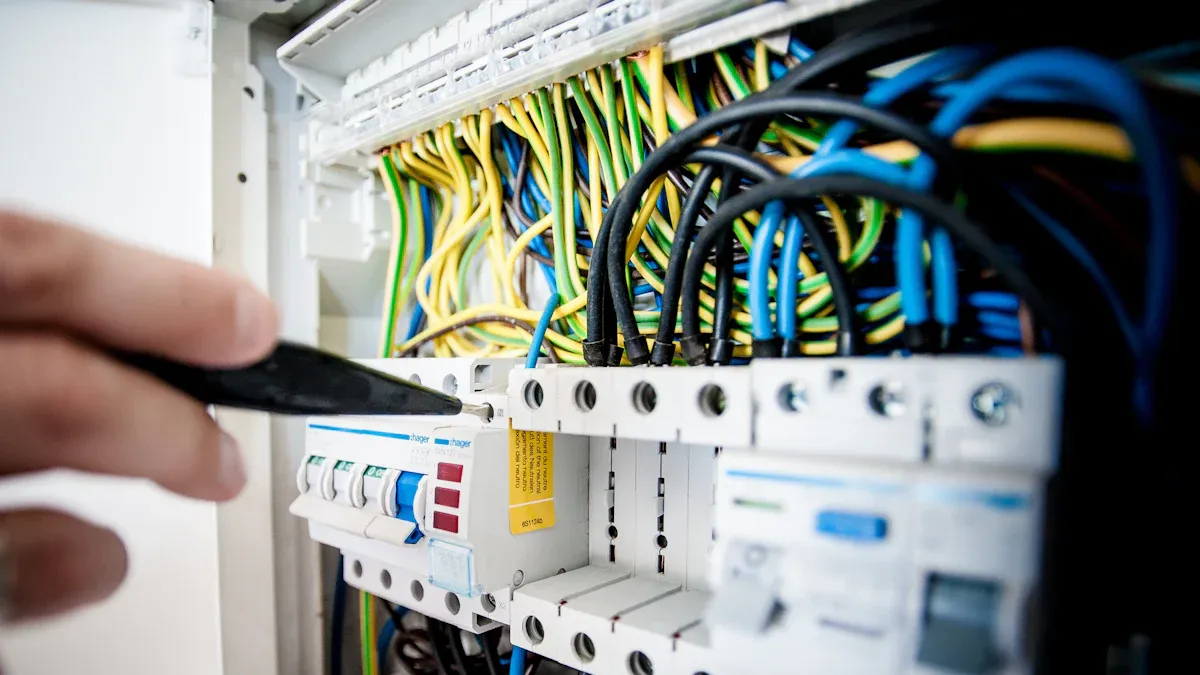
You find a wide range of devices inside telecom cabinets. Each device plays a specific role in your network. Some of the most common types include:
Routers: Direct network traffic and manage data flow.
Switches: Connect multiple devices and ensure efficient communication.
Base Stations: Handle wireless signals for mobile networks.
Modems: Convert digital signals for transmission.
Cooling Units: Maintain safe operating temperatures.
Battery Backup Systems: Provide emergency power during outages.
These devices differ in size, function, and power draw. Modern cabinets often combine legacy equipment with newer, high-density systems. You must recognize that each device has its own power profile. Legacy systems usually consume more energy and require larger physical space. Modern devices use advanced technology to reduce power consumption and save space.
Tip: You can optimize cabinet performance by identifying the specific devices and understanding their power needs.
Unique Power Requirements
You must match power delivery to each device’s unique requirements. Modern telecom devices often operate at higher voltages, such as 48V, which reduces current draw and heat generation. This efficiency allows you to use thinner cables and lower material costs. Legacy systems, on the other hand, tend to use lower voltages and draw more current, resulting in higher transmission losses.
Here is a comparison of legacy and modern systems:
Aspect | Legacy Systems | Modern Systems |
|---|---|---|
Power Consumption | High | Low |
Physical Space Requirement | Significant | Dramatic Reduction |
Operational Savings | Minimal | Substantial |
Carbon Footprint | Larger | Smaller |
Modern high-density devices also present unique challenges. You may encounter peak power demands of up to 2450W for short durations and continuous output requirements up to 1540W. These devices use hybrid regulated ratio (HRR) technology and require advanced thermal management to maintain safe operation.
Feature | Specification |
|---|---|
Peak Power | 2450W for up to 1 second |
Continuous Output Power | Up to 1540W |
Technology | Hybrid Regulated Ratio (HRR) |
Power Density Requirement | Increasing demand for higher density |
Thermal Management | Proprietary thermal conduction techniques |
You need to consider these factors when configuring your Smart Power Distribution Unit. Matching power precisely helps you reduce energy waste, improve device longevity, and maintain reliable network performance.
Smart Power Distribution Unit Features
Intelligent Monitoring and Control
You need to keep your telecom cabinet running smoothly. Intelligent monitoring and control features in a Smart Power Distribution Unit give you the tools to do this. You can track power usage, monitor environmental conditions, and control outlets from anywhere. These features help you respond quickly to problems and prevent downtime.
You use remote toggling to manage individual outlets. You turn off non-essential equipment during outages. You receive immediate notifications about alarms and issues through your preferred method. These capabilities allow you to act before small issues become big problems.
Feature | Description |
|---|---|
Remote Monitoring | You oversee power usage from anywhere, using intelligent monitoring systems. |
Energy Management | You analyze usage trends and optimize energy consumption. |
Environmental Monitoring | You use sensors to track temperature and humidity, keeping equipment safe. |
Outlet Control | You control individual outlets remotely, managing power for each device. |
Alert Notifications | You set up alerts for power thresholds, responding quickly to potential issues. |
You benefit from real-time monitoring. You track power usage and detect anomalies such as sudden spikes or drops. You use branch circuit metering to balance loads and prevent overloads. These features support predictive maintenance. You identify potential issues early, reducing emergency repairs and lowering operational costs. You keep your network stable and reliable.
Note: Intelligent monitoring systems help you extend equipment life and improve network reliability. You spend less time on emergency repairs and more time optimizing your operations.
ESTEL’s Customization Capabilities
You want a solution that fits your specific needs. ESTEL’s Smart Power Distribution Unit offers advanced customization capabilities. You configure the unit to match the power requirements of each device in your telecom cabinet. You select the number of outlets, set alarm thresholds, and adjust power sequences to prevent inrush currents.
You use remote management to control power distribution from anywhere. You reboot equipment and troubleshoot issues without visiting the site. You turn off unused outlets to reduce energy waste. You rely on surge protection to safeguard your devices from power spikes. You use the dehumidifying function to maintain optimal environmental conditions inside the cabinet.
ESTEL PDUs provide intelligent monitoring and remote access.
You manage individual outlets and optimize power allocation.
You track power usage in real time and detect faults quickly.
You benefit from branch circuit metering for effective load balancing.
Benefit | Description |
|---|---|
Improved Energy Efficiency | You identify underperforming equipment and optimize power allocation. |
Reduced Operational Costs | You shut down inactive devices remotely, saving energy and money. |
Enhanced Reliability | You detect faults quickly, reducing downtime and ensuring consistent operations. |
Increased Uptime | You manage power interruptions proactively, keeping your network running even during emergencies. |
You customize the Smart Power Distribution Unit to support differentiated loads. You match power delivery to each device, improving efficiency and reliability. You protect your equipment and extend its lifespan. You gain control over your telecom cabinet and ensure optimal performance.
Tip: ESTEL’s Smart Power Distribution Unit helps you meet international standards and adapt to changing network demands. You choose a solution that grows with your business.
Benefits of Precise Power Matching
Efficiency and Reliability
You want your telecom cabinet to run at peak efficiency. Precise power matching helps you achieve this goal. When you deliver the exact amount of power each device needs, you avoid energy waste and reduce unnecessary heat. You see measurable improvements in your operations.
Benefit Type | Quantified Improvement | Effect on Telecom Cabinet Reliability |
|---|---|---|
Energy Efficiency | Reduces cooling and electricity costs | |
Downtime Reduction | Up to 50% decrease | Enhances network uptime and reduces service interruptions |
Maintenance Cost Savings | 30% reduction | Lowers operational expenses and supports proactive maintenance |
You can use deep sleep mode during off-peak hours to save up to 27.72% energy. Dynamic load matching lets you optimize energy use in real time. You prevent waste and keep your network stable. When you reduce downtime by up to 50%, you improve network uptime and keep your services running smoothly.
Tip: You lower your electricity bills and reduce cooling costs when you match power precisely. You also spend less on maintenance because you catch problems early.
You use a Smart Power Distribution Unit to monitor and control power delivery. You see real-time data and make quick adjustments. You keep your equipment running efficiently and reliably.
Device Protection and Longevity
You want your devices to last as long as possible. Precise power matching protects your equipment from damage. When you supply the right amount of power, you prevent overheating and avoid power surges. Effective thermal management keeps your devices cool and safe.
Custom power supply solutions prevent excessive heat, which can cause component failure.
Enhanced thermal management improves system longevity and minimizes overheating risks.
You achieve long-term cost savings by reducing downtime and lowering failure rates.
You notice fewer breakdowns and longer intervals between repairs. You spend less time replacing equipment and more time focusing on your network. When you use a Smart Power Distribution Unit, you extend the lifespan of your devices and reduce the risk of unexpected failures.
Note: You protect your investment and keep your network running smoothly. You avoid costly outages and maintain high service quality.
You see the benefits in your daily operations. Your equipment lasts longer, your network stays reliable, and your costs go down.
Implementation Strategies
Assessing Device Requirements
You need to understand the power needs of every device in your telecom cabinet before you deploy a Smart Power Distribution Unit. Start by calculating the total power consumption for all devices. Always include a buffer for future upgrades so you do not overload your system. Use continuous AC sampling to record both peak and minimum measurements. This helps you spot unusual patterns and plan for high-demand periods. Make sure your metering tools provide billing-grade accuracy, with a margin of error no greater than ±0.5%. Check that your monitoring equipment meets the IEC 61557-12 standard for power monitoring.
Tip: Careful assessment prevents overloads and supports long-term reliability.
Recommended Steps:
Calculate total device power consumption.
Add a buffer for future expansion.
Use continuous AC sampling for peak and minimum readings.
Ensure billing-grade metering accuracy (±0.5%).
Verify compliance with IEC 61557-12.
Configuring Smart Power Distribution Unit
You can configure your Smart Power Distribution Unit to match the unique needs of your telecom cabinet. Choose features that support flexibility and control. The table below shows key configuration options you should consider:
Feature | Description |
|---|---|
Universal Inlet | Lets you replace power cords easily for changing requirements. |
Modular Design | Customizes power distribution for specific needs. |
Branch Circuit Metering | Balances load across circuits as your setup changes. |
Outlet-Level Metering | Tracks power use at each outlet to spot trends. |
Outlet-Level Switching | Remotely controls individual outlets for better management. |
Real-Time Monitoring | Gives you instant data on power and environmental conditions. |
Note: Customizing your configuration helps you adapt to new devices and changing network demands.
Ongoing Optimization
You must keep your system running smoothly after deployment. Schedule regular maintenance and inspections to catch issues early. Monitor power usage to improve efficiency and avoid overloads. Use backup units for redundancy. Manage your PDU remotely to save time and respond quickly. Organize cables to improve airflow and reduce risks. Update firmware regularly for the best performance and security. Always follow safety standards and regulations. Use environmental sensors to track temperature and humidity.
Best Practices:
Conduct routine maintenance and inspections.
Track power consumption.
Implement redundancy with backup units.
Use remote management tools.
Organize cables for safety and airflow.
Update firmware regularly.
Follow safety standards.
Monitor environmental conditions.
Keeping your system optimized ensures reliable performance and protects your investment.
Challenges and Solutions
Integration with Existing Systems
You often face challenges when you try to integrate smart power distribution units into your existing telecom cabinets. Manual monitoring can slow down your response to problems and increase the risk of human error. Limited remote control makes it hard to manage power distribution efficiently, especially if your cabinets are in remote locations. Downtime disrupts your network and affects service quality. Safety and compliance risks, such as thermal runaway, add complexity to your operations.
Manual monitoring increases the chance of missing critical issues.
Limited remote control slows down troubleshooting and raises costs.
Downtime impacts network reliability and customer satisfaction.
Safety and compliance risks require careful attention.
Smart PDUs from ESTEL help you overcome these challenges. You can use remote access and monitoring features to track power consumption and alarms in real time. SNMP support lets you connect your PDUs to existing monitoring systems for better control. Centralized management allows you to monitor and control multiple PDUs from a single interface.
Feature | Description |
|---|---|
Remote Access | Manage PDUs via a web interface for device management. |
Remote Monitoring | Track power consumption and alarms in real time. |
SNMP Support | Communicate with existing monitoring systems seamlessly. |
Centralized Management | Integrate multiple PDUs for unified control and monitoring. |
Tip: Upgrading to smart PDUs improves your network’s reliability and makes your operations more efficient.
Overcoming Technical Barriers
You may encounter technical barriers during installation and upgrades. Traditional PDUs have fixed capacity, which limits scalability and forces you to replace entire units for expansion. Planning for maximum load from the start can waste resources and create crowded racks with poor airflow. Older PDUs lose energy and require frequent maintenance. Scheduled upgrades often cause downtime and affect customers. Poor cable management and high temperatures increase operational risks.
Barrier Description | Implication |
|---|---|
Limits scalability and slows expansion plans. | |
Planning for maximum load | Wastes resources and restricts airflow. |
Lower efficiency of older PDUs | Increases energy loss and maintenance costs. |
Scheduled maintenance during upgrades | Causes network downtime and potential revenue loss. |
Increased operational risks | Leads to equipment failures from heat and poor cable management. |
You can solve these problems by installing IoT-enabled PDUs for remote monitoring. Connect your PDUs to AI systems for predictive analytics. Enable automated power settings for dynamic adjustment. Use advanced locking mechanisms and motion-activated cameras to improve security. Alarms connected to centralized systems provide real-time notifications.
Note: Smart PDUs with IoT and AI integration help you manage your telecom cabinets more effectively and reduce technical barriers.
You improve telecom cabinet performance when you choose a Smart Power Distribution Unit. Industry experts highlight reliability, compliance, and lifecycle support as key benefits:
Factor | Description |
|---|---|
Customized power supplies enhance product reliability. | |
Compliance | Solutions meet regulatory standards for telecom applications. |
Lifecycle Support | Ongoing support reduces obsolescence risks. |
You see future trends like energy efficiency, modular designs, and sustainability. You lower costs and extend equipment life. ESTEL’s solutions help you match power precisely and prepare your network for tomorrow’s demands.
FAQ
What makes ESTEL’s Smart Power Distribution Unit suitable for telecom cabinets?
You get a unit designed for harsh environments. The PDU offers surge protection, remote management, and a dehumidifying function. These features help you maintain stable operations and protect your equipment in outdoor or challenging telecom sites.
Can you monitor and control the PDU remotely?
Yes, you can. The Smart Power Distribution Unit supports remote monitoring and control. You access real-time data, manage outlets, and receive alerts from anywhere. This helps you respond quickly to issues and optimize power usage.
How does the PDU help you reduce downtime?
You use intelligent monitoring and alarm features to detect problems early. The PDU lets you shut down or restart devices remotely. This proactive approach helps you prevent outages and keep your network running smoothly.
Is the Smart Power Distribution Unit customizable for different device types?
Tip: You can configure the number of outlets, set alarm thresholds, and adjust power sequences. This flexibility lets you match power delivery to each device, improving efficiency and protecting your telecom equipment.
See Also
Ensuring Consistent Power Supply for Telecom Equipment Cabinets
Essential Features of Power Supply Systems in Telecom
Understanding ESTEL PDUs and Their Importance in Data Centers
Solar Energy Storage Solutions for Telecom Cabinet Power
Calculating Power Systems and Battery Needs for Telecom Cabinets
CALL US DIRECTLY
86-13752765943
3A-8, SHUIWAN 1979 SQUARE (PHASE II), NO.111, TAIZI ROAD,SHUIWAN COMMUNITY, ZHAOSHANG STREET, NANSHAN DISTRICT, SHENZHEN, GUANGDONG, CHINA
