Multi-Brand Device Compatibility of Smart PDUs in Telecom Cabinets: Power Supply Guarantee for Heterogeneous Environments

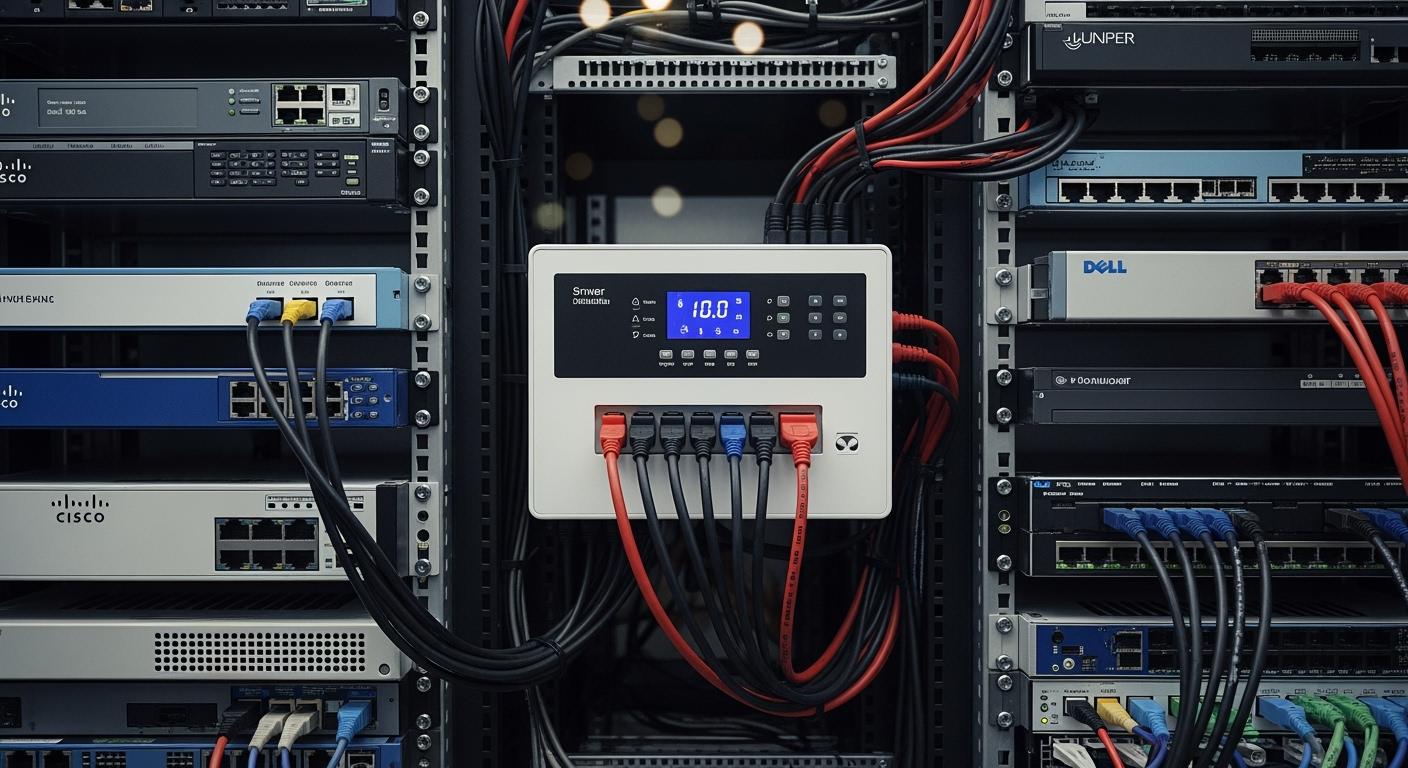
You often face challenges when powering telecom cabinets filled with devices from many brands. A Smart Power Distribution Unit from ESTEL helps you overcome these issues. You benefit from universal outlets, adaptable settings, and remote management features. Industry reports show that installing ESTEL’s PDUs can reduce energy consumption by 15% and improve equipment uptime by 20%. The table below shows more advantages:
Benefit | Description |
|---|---|
Energy Consumption Reduction | 15% lower after installing ESTEL’s PDUs |
Equipment Uptime Improvement | 20% better with outlet-level monitoring |
Real-time Monitoring | Quick response to changes or threats |
Enhanced Power Quality | Prevents signal issues in telecom equipment |
Adaptability | Supports AC and DC power source conversions |
Key Takeaways
Smart Power Distribution Units (PDUs) from ESTEL can reduce energy consumption by 15% and improve equipment uptime by 20%.
Universal outlets in Smart PDUs allow you to connect devices from different brands without needing adapters, saving time and ensuring stable power delivery.
Remote management features let you monitor and control power usage from anywhere, helping to quickly address issues and reduce operational costs.
Real-time monitoring alerts you to potential problems like overloads or overheating, allowing for proactive maintenance and minimizing downtime.
Choosing the right Smart PDU involves considering scalability, energy efficiency, and compatibility with existing systems to ensure reliable performance.
Challenges of Multi-Brand Integration

Power Compatibility Issues
When you bring together devices from different brands in a telecom cabinet, you often face power compatibility issues. Each brand may use unique voltage ratings, connector types, and communication protocols. These differences can cause devices to malfunction or fail to communicate. For example, some brands recommend operating at only one-third to half of the maximum voltage to avoid problems. Copper connectors are preferred because they offer high electrical conductivity, which helps maintain stable power delivery.
Here is a table that highlights common power compatibility conflicts and ways to avoid them:
Conflict Type | What Happens | How to Avoid |
|---|---|---|
Protocol version | Devices fail to communicate | Match versions across devices |
Physical layer | No signal or corrupted data | Use compatible hardware |
Addressing scheme | Devices respond incorrectly | Standardize addressing |
You may also encounter issues such as firmware mismatches, incomplete documentation, and overlooked manual configuration steps. Environmental factors, like temperature and humidity, can affect signal integrity. Physical space constraints can make wiring more difficult, especially in crowded cabinets.
Management Complexity
Managing a telecom cabinet filled with devices from multiple manufacturers adds another layer of complexity. You must ensure compatibility among devices with different specifications. Performance consistency becomes a challenge because each device may have unique requirements for cooling and power management. Security vulnerabilities can also differ by manufacturer, making it harder to maintain a secure environment.
You might face these challenges:
Compatibility issues due to varying device specifications.
Difficulty maintaining consistent performance across all equipment.
Diverse cooling and power management needs.
Security vulnerabilities that require different solutions.
Overheating risks, which advanced cooling systems can help prevent.
Space constraints that modular designs can address.
The lack of unified management protocols makes it harder to monitor and control all devices efficiently. Without centralized management, you may struggle to achieve full visibility across your network. Centralized systems can improve operational efficiency, reduce downtime by up to 25%, and save as much as 30% on energy costs. Using a Smart Power Distribution Unit with remote management features can help you overcome many of these challenges.
Smart Power Distribution Unit Features for Compatibility

Universal Outlets and Adaptable Settings
You often work with telecom cabinets that contain devices from many brands. Each device may use a different plug type or connector. Universal outlets in a Smart Power Distribution Unit help you solve this problem. These outlets accept a wide range of plug types, such as NEMA, IEC, and universal connectors. You do not need to worry about matching each device to a specific outlet.
The table below shows how universal outlets support compatibility:
Feature | Description |
|---|---|
RamLock Locking Outlets | A mechanical locking mechanism secures C14 and C20 plugs in place. |
High Retention Locking Outlets | PRO2 receptacles have high retention and work with P-Lock type power cords. |
You can use these outlets to connect devices from different brands without adapters. This flexibility saves you time during installation and reduces the risk of loose connections. You also benefit from adaptable settings, which let you adjust voltage and current to match the needs of each device. This ensures stable power delivery and protects sensitive equipment.
Tip: Choose PDUs with multiple outlet types and adjustable settings to maximize compatibility in your telecom cabinet.
Protocol Support and Remote Control
You need to manage devices from different manufacturers. Each device may use a unique communication protocol. A Smart Power Distribution Unit supports several industry-standard protocols, making integration easier. You can connect and control devices using Modbus, PROFIBUS, EtherNet/IP, or OPC UA.
Here is a table that summarizes common protocols:
Protocol | Description |
|---|---|
Modbus | Connects industrial electronic devices, widely used for automation. |
PROFIBUS | Offers reliable communication in noisy environments. |
EtherNet/IP | Combines Ethernet hardware with manufacturing-specific functions. |
OPC UA | Provides platform independence and strong security for integration. |
You can use remote control features to monitor and manage each breaker from anywhere. This reduces the need for on-site visits and lowers operational costs. You get real-time insights into power consumption, which helps you track energy usage and bill accurately. Remote management also lets you respond quickly to power issues, improving uptime and reliability.
Note: Remote control and protocol support make it easier to manage cabinets with devices from multiple brands.
ESTEL’s Advanced Solutions
You want a solution that works with all your devices and keeps your telecom cabinet running smoothly. ESTEL’s Smart Power Distribution Unit offers advanced features that support multi-brand compatibility. You can integrate these units with IoT and smart systems for better control and efficiency. Environmental sensors monitor temperature and humidity, protecting your equipment from risks.
The table below highlights key features of ESTEL’s Smart Power Distribution Unit:
Feature | Description |
|---|---|
Tracks energy use and operational parameters for better efficiency. | |
Remote management | Lets you control power outlets from a distance, reducing downtime. |
Environmental sensors | Monitors temperature and humidity to protect critical systems. |
Advanced metering | Provides detailed insights into energy usage and helps you find inefficiencies. |
Alert systems | Notifies you about power surges or overloads, preventing equipment failures. |
You can rely on ESTEL’s units to integrate seamlessly with your existing setup. These features help you maintain optimal conditions and ensure compatibility with devices from many brands. You get peace of mind knowing your telecom cabinet is protected and running efficiently.
For more details about ESTEL’s Smart Power Distribution Unit, visit ESTEL’s official website or the product page.
Reliable Power Supply in Heterogeneous Cabinets
Load Balancing and Redundancy
You need a stable power supply for telecom cabinets with devices from different brands. Load balancing helps you distribute power evenly, preventing overloads and outages. Smart Power Distribution Units let you manage loads remotely and monitor usage in real time. You can spot inefficiencies and fix them before they cause problems. Surge protection and intelligent monitoring features keep your equipment safe and running.
Redundancy gives you peace of mind. If one power source fails, backup systems take over instantly. Models like N+1 and 2N ensure continuous operation, even during maintenance or unexpected failures. Proactive monitoring reduces outages, and remote access lets you respond quickly to any issue.
Tip: Use redundancy and load balancing together to keep your network reliable and efficient.
Feature | Description |
|---|---|
Remote Outlet Control | Manage power to devices using a network connection. |
Scheduled Power Cycling | Set times to turn devices on or off automatically. |
Overload Protection | Built-in features help stop power overloads. |
Redundancy | Backup power ensures your devices keep working. |
Fast Switching | Power switches in milliseconds to avoid downtime. |
Continuous Operation | Devices stay powered during maintenance work. |
Improved Reliability | Two inputs lower the chance of losing power. |
Scalability | Grows with your expanding network. |
Real-Time Monitoring and Alerts
You can track power use and environmental conditions with real-time monitoring. This feature helps you spot faults early and plan maintenance before problems grow. Smart Power Distribution Units monitor rectifier performance, battery health, and temperature. Automated alerts notify you about overloads, overheating, or power surges. You get instant updates, so you can act fast and keep your network running.
Real-time alerts for overloads or overheating
Notifications for equipment failure and power surges
Immediate alerts for temperature spikes and power issues
Proactive notifications about potential problems
Note: Real-time monitoring and alerts help you maintain high uptime and prevent costly outages.
Case Study: ESTEL in Action
Imagine you manage a telecom site with devices from several brands. You install ESTEL’s Smart Power Distribution Unit in your outdoor cabinet. After deployment, you notice a 15% drop in energy consumption and a 20% improvement in equipment uptime. Real-time monitoring helps you catch overheating and unauthorized access before they cause downtime. Balanced power distribution leads to 25% better operational performance. Maintenance costs fall by 30%, saving you time and money.
Organization / Company | Impact / Result | Description |
|---|---|---|
GreenConnect | 30% reduction in energy consumption | Upgraded outdoor cabinets with ESTEL’s Smart PDU. |
GreenConnect | 25% decrease in downtime | Improved performance targets and lower operational costs. |
Telecom Company | 30% drop in equipment downtime | Real-time monitoring for overheating and unauthorized access. |
Leading Telecom Provider | Up to 97.8% energy efficiency improvements | Early issue detection boosts reliability. |
IBM | 30% energy savings | Real-time monitoring reduced energy use in data centers. |
U.S. General Services Administration | 41% energy savings, $13.5M saved | Smart PDUs improved efficiency and delivered financial benefits. |
Vertiv (Fiji deployment) | Maintained availability | ESTEL PDUs ensured telecom operations during outages. |
GUDE | Up to 30% less energy waste | Measurement and monitoring supported sustainable energy use. |
You see fewer outages and better energy efficiency. ESTEL’s solution helps you keep your network reliable, even in challenging environments.
Best Practices for Implementation
Selecting the Right Smart PDU
You need to choose a Smart Power Distribution Unit that matches your telecom cabinet’s needs. Start by looking at scalability, energy efficiency, and reliability. Modular designs let you expand as your network grows. Energy-saving features help you lower operational costs. Reliability ensures your devices stay powered in multi-brand environments. Safety certifications protect your equipment and staff. Compatibility with existing systems is essential. Redundancy gives you extra protection against failures. Regular preventive maintenance keeps your system running smoothly.
Criteria | Description |
|---|---|
Scalability | Modular designs allow customization and future expansion. |
Energy Efficiency | Energy-saving features reduce operational costs. |
Reliability | Proven performance and durability in multi-brand environments. |
Compliance with Safety Standards | Safety certifications protect equipment and personnel. |
Compatibility | Matches power needs and works with existing devices. |
Redundancy | Multiple power inputs enhance protection against failures. |
Preventive Maintenance | Regular maintenance sustains optimal performance. |
You should also check product certifications. IEC certification ensures safety and reliability. FCC certification confirms electromagnetic compliance for telecom equipment.
Certification | Purpose |
|---|---|
IEC | Ensures safety and reliability of PDUs |
FCC | Ensures electromagnetic compliance |
Tip: Always verify certifications before making a purchase.
Configuration and Maintenance
You can set up your Smart Power Distribution Unit quickly by following a few steps. First, turn on all devices. Next, use DHCP to assign IP addresses. Then, run a script or use management software for mass configuration. Automated processes speed up deployment, but you may face challenges if the network infrastructure is not ready. Technicians sometimes need to fix network issues before configuration can continue.
Regular maintenance keeps your system efficient. Schedule inspections to check for loose connections, dust buildup, or signs of wear. Update firmware to improve security and performance. Document all changes to help with future troubleshooting.
Note: Consistent maintenance prevents downtime and extends equipment life.
Ongoing Optimization
You can use data analytics to improve power distribution in your telecom cabinet. Digital twins collect real-time data from IoT sensors. These sensors monitor voltage, current, temperature, and efficiency. Centralized data helps you detect problems early and optimize power management. Reports show that network downtime can drop by 40% and efficiency can rise by 20%. Operational costs may fall by 25% when you use analytics for ongoing optimization.
Operational Metric | Improvement Example | Reported By |
|---|---|---|
Network Downtime Reduction | 40% reduction | AT&T (2024 report) |
Network Efficiency Increase | 20% increase | Deutsche Telekom (2024) |
Operational Cost Reduction | 25% cost savings | Deutsche Telekom (2024) |
🛠️ Use analytics and digital twins to keep your telecom cabinet running at peak performance.
You face many challenges when powering telecom cabinets with devices from different brands. Smart Power Distribution Unit technology from ESTEL helps you solve these problems. Advanced features like real-time monitoring, remote management, and modular design keep your network reliable and efficient.
You benefit from early alerts and proactive maintenance, which reduce downtime and lower costs.
Edge computing and multi-protocol adaptability support smooth upgrades and future-proof your infrastructure.
Feature | Benefit |
|---|---|
Modular design | Quick upgrades and repairs |
Enhanced efficiency | Higher uptime, lower costs |
Future-proofing | Ready for new technologies |
You can trust ESTEL’s solutions to support your telecom network as industry trends move toward digitization and sustainability.
FAQ
What is a Smart Power Distribution Unit (PDU)?
A Smart PDU lets you monitor and control power in telecom cabinets. You can manage outlets, track energy use, and receive alerts. This device helps you keep your network reliable and efficient.
How does a Smart PDU support devices from different brands?
You get universal outlets and adaptable settings. These features let you connect devices with different plugs and voltage needs. You do not need extra adapters or complex wiring.
Can you manage ESTEL’s Smart PDU remotely?
Yes, you can. ESTEL’s Smart PDU supports remote management. You monitor power, control outlets, and receive alerts from anywhere. This feature saves you time and reduces site visits.
What safety features does ESTEL’s Smart PDU offer?
You benefit from surge protection, overload prevention, and a dehumidifying function. These features protect your equipment from electrical faults and harsh conditions.
Where can you find more details about ESTEL’s Smart PDU?
You can visit ESTEL’s official website or check the Smart PDU product page for specifications, features, and contact information.
See Also
Ensuring Consistent Power Supply for Telecom Equipment Cabinets
Latest Innovations Shaping Outdoor Telecom Cabinet Designs
Understanding ESTEL PDUs and Their Importance in Data Centers
Solar Energy Storage Solutions for Telecom Cabinet Power
Essential Specifications for Outdoor Telecom Cabinet Equipment
CALL US DIRECTLY
86-13752765943
3A-8, SHUIWAN 1979 SQUARE (PHASE II), NO.111, TAIZI ROAD,SHUIWAN COMMUNITY, ZHAOSHANG STREET, NANSHAN DISTRICT, SHENZHEN, GUANGDONG, CHINA
