Firmware Iteration of Smart Power Distribution Units in Telecom Cabinets: How OTA Upgrades Ensure Power Continuity?


Reliable power keeps your telecom cabinets running and your network online. Outdated firmware can lead to unexpected outages. When you use a Smart Power Distribution Unit with OTA firmware iteration, you gain proactive monitoring and remote maintenance. The table below shows how intelligent power solutions like those from ESTEL boost uptime and minimize downtime:
Description | Impact on Network Uptime |
|---|---|
Backup power configurations | |
Intelligent PDUs prevent overloads | 20% improvement in equipment uptime |
Proactive monitoring detects issues early | Prevents up to 80% of recent outages |
33% of downtime stems from power outages | Highlights power reliability’s critical role |
Remote monitoring enables faster response | 40% quicker maintenance |
Predictive analytics anticipate failures | Reduces unexpected disruptions |
Key Takeaways
OTA upgrades allow remote firmware updates, reducing downtime and keeping your telecom cabinets operational.
Proactive monitoring and predictive analytics can prevent up to 80% of outages, enhancing network reliability.
Implementing strong security measures, like encryption and digital signatures, protects your devices from unauthorized updates.
Regular updates improve performance and security, helping you respond quickly to network changes.
Using A/B updates ensures your system remains online during upgrades, minimizing the risk of disruptions.
OTA Upgrades and Power Continuity
Minimizing Downtime in Telecom Cabinets
You rely on continuous power to keep your telecom cabinets running. OTA firmware upgrades play a key role in maintaining this continuity. When you use a Smart Power Distribution Unit with OTA capabilities, you can update firmware remotely. This process reduces the need for manual intervention and helps you avoid service interruptions.
ESTEL designs its Smart Power Distribution Unit to support seamless OTA upgrades. You can push updates without shutting down equipment. This approach keeps your network online and minimizes downtime. You do not need to send technicians to remote sites for routine firmware changes. Instead, you manage updates from a central location.
Tip: Remote OTA upgrades save time and lower operational costs. You can focus on network performance rather than scheduling maintenance visits.
Common challenges can arise during OTA firmware iteration. The table below shows what you may encounter and how ESTEL addresses these issues:
Challenge | Explanation |
|---|---|
Hardware Limitations | Devices must support conditional booting, rollback mechanisms, and integrate with the update strategy. |
Managing Upgrade Paths | Every update must be verified as a transition from every supported prior version, complicating testing. |
Security Architecture | Unsecured OTA systems can lead to compromised devices; solutions include firmware signing and secure boot. |
Necessity for Thorough Testing | Comprehensive testing is essential to prevent downtime or issues, especially with diverse hardware. |
You benefit from ESTEL’s commitment to reliability. The company uses rigorous testing protocols and strict version control. Automated testing processes help deliver updates smoothly. These steps ensure your telecom cabinets stay powered and connected.
Real-Time Issue Resolution
OTA upgrades give you the ability to resolve issues in real time. If a problem occurs, you can deploy a firmware fix instantly. You do not wait for scheduled maintenance or manual updates. This rapid response keeps your network stable and reduces the risk of outages.
With ESTEL’s Smart Power Distribution Unit, you monitor power status and environmental conditions remotely. The unit’s LCD display and intelligent protocols provide live data. You can identify faults and apply corrective updates without delay.
You also gain enhanced security. ESTEL signs and encrypts firmware before deployment. Secure boot processes prevent unauthorized code from running. Owning DNS records and security certificate keys ensures only trusted updates reach your devices.
Here are some best practices you can follow for successful OTA upgrades:
Sign and encrypt firmware to protect your devices.
Use secure boot to block malicious code.
Own DNS records and security certificate keys for trusted updates.
You can also:
Establish rigorous testing protocols to simulate real-world environments.
Implement strict version control to track firmware versions.
Automate testing processes to simplify OTA delivery.
You keep your telecom cabinets running smoothly when you use these strategies. ESTEL’s solutions help you maintain power continuity and respond quickly to any challenge.
Smart Power Distribution Unit: OTA Update Essentials
What Is an OTA Update?
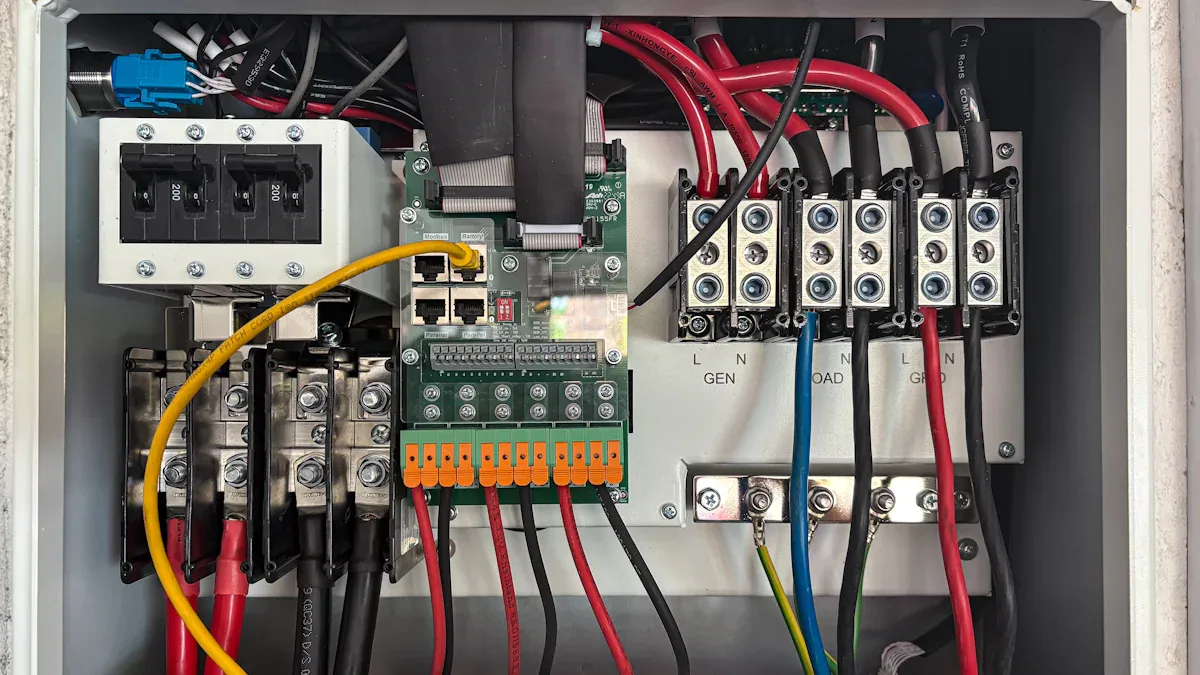
You may wonder what an OTA update means for your telecom equipment. OTA stands for "Over-the-Air." This process lets you update device firmware remotely, using a secure network connection. You do not need to visit each site or open cabinets. Instead, you push new features, security patches, and bug fixes directly to your Smart Power Distribution Unit. OTA updates keep your devices current and help you respond quickly to changing network needs.
How OTA Works in ESTEL Smart PDUs
ESTEL’s Smart Power Distribution Unit uses advanced OTA technology to simplify maintenance. You manage updates from a central dashboard. The system checks device status and schedules updates when conditions are optimal. If a connection drops, the update resumes automatically. You avoid the risk of bricking devices because ESTEL uses A/B partitioning and automatic rollback. This design ensures your equipment stays operational, even during complex updates.
Here is a table showing the essential technical requirements for successful OTA updates in telecom applications:
Requirement | Description |
|---|---|
CI/CD Process | Enables fast, agile updates for quick bug fixes and new features. |
Lets you control and deploy updates across many locations. | |
Connectivity Awareness | Handles interruptions and resumes updates automatically. |
Multi-Product Updates | Manages updates for different devices in your network. |
Early Planning | Integrates OTA into R&D for better testing and deployment. |
Robustness | Prevents devices from becoming inoperable during updates. |
Automatic Rollback | Uses A/B partitions to recover from incomplete or corrupted updates. |
Deployment Management | Staggers updates to avoid server overload. |
Maintenance | Keeps the OTA infrastructure reliable for large-scale deployments. |
Key Features for Telecom Applications
You gain several benefits when you use ESTEL’s Smart Power Distribution Unit with OTA capabilities:
OTA updates patch vulnerabilities quickly, improving security.
Remote updates reduce downtime and lower maintenance costs.
You manage devices adaptively without physical visits.
The following table highlights features that support effective OTA updates:
Feature | Benefit |
|---|---|
Patented surge and spike protection | Protects devices during updates, ensuring stable power. |
Dynamic Active Tracking filtration | Maintains efficient data flow for successful OTA delivery. |
Intelligent IP-based monitoring | Enables real-time monitoring and proactive maintenance. |
You keep your telecom cabinets running smoothly and securely with these features. ESTEL’s Smart Power Distribution Unit helps you maintain reliable power and adapt quickly to network demands.
OTA Firmware Update Process
Step-by-Step Workflow
You can follow a clear process when updating firmware over the air in your telecom cabinets. This process helps you maintain control and ensures your equipment stays operational. Here is a typical workflow for OTA updates:
After a software reset, your device starts at the secondary bootloader.
The secondary bootloader checks which firmware image is running and looks for an upgrade flag.
If no image runs, the device enters an idle state.
If the upgrade flag is missing, the bootloader runs the current firmware image.
The system calculates the checksum of the new code and compares it to the expected value.
If the checksums match, the device updates the running image.
If they do not match, the device continues with the current image.
This step-by-step approach helps you avoid errors and keeps your Smart Power Distribution Unit working as expected.
Fail-Safe and Rollback Mechanisms
You need strong protection against failed updates to keep your network running. Modern OTA systems use several strategies to ensure safety:
Rollback features let your device return to a stable version if something goes wrong.
Staged rollouts allow you to test updates on a small group before a full deployment.
Dual-partition memory stores both the current and previous firmware versions.
If the new firmware fails to boot, the system automatically switches back to the last working version.
Here is a table showing key strategies and their advantages:
Strategy | Description | Advantages |
|---|---|---|
Dual-Bank Firmware Storage | Keeps two firmware copies, one active and one inactive | Enables rollback if an update fails, reducing corruption risks |
Power Loss Protection | Uses backup power during updates | Prevents failures from power interruptions |
Atomic Writes | Completes each write before starting the next | Lowers the chance of incomplete updates causing device failure |
These mechanisms help you maintain power continuity and avoid disruptions during updates.
Incremental and A/B Updates
You can improve reliability and efficiency by using incremental and A/B updates. Incremental updates use algorithms that only send the changes between firmware versions. This method reduces the amount of data transferred, saves energy, and speeds up the update process. The bpatch algorithm creates small patches, so your device can rebuild the new firmware quickly and safely.
A/B updates use two separate partitions for firmware. When you install a new version, the system writes it to the inactive partition. The device then boots from the new partition. If the new firmware passes all checks, it becomes the active version. If not, the device reverts to the previous version. This approach ensures your telecom cabinet stays online, even if an update fails.
Tip: Using incremental and A/B updates helps you keep your network stable and reduces the risk of downtime.
Security and Best Practices
Securing OTA Channels
You must secure OTA channels to protect your telecom power distribution units from cyber threats. ESTEL follows international standards to ensure every update travels safely from the server to your device. Secure communication channels, such as VPN technologies, keep your data private. Layer 3 configuration separates each link, which adds another layer of protection. Access Control Lists (ACLs) restrict unauthorized access and keep your network safe.
Method | Description |
|---|---|
Layer 3 Configuration | Each link from a Base Station Unit uses layer 3 separation for better security. |
Access Control Lists | ACLs limit traffic and block unauthorized users from accessing sensitive parts of your network. |
VPN Technologies | VPNs encrypt communications between remote units and the control center, preventing data interception. |
Authentication and Integrity
You need strong authentication and integrity checks to prevent unauthorized updates. ESTEL uses secure firmware-over-the-air (FOTA) mechanisms. These systems verify the source of each firmware update and check its integrity before installation. Cryptographic methods, such as Elliptic Curve key exchange and key-hashed message authentication codes, help you confirm that updates are genuine and unaltered.
Secure FOTA authenticates the source of firmware.
The system verifies the integrity of received updates.
Elliptic Curve key exchange and HMACs provide robust cryptographic protection.
Best Practices for Telecom Environments
You can follow best practices to automate and secure OTA firmware updates. ESTEL recommends cryptographic signing for every firmware file. Encrypted communication, such as TLS, protects updates during transmission. Devices must authenticate with the server before downloading updates. Rollback protection prevents the installation of outdated firmware. Integrity checks, like SHA-256 hashing, validate each file.
Vulnerability Type | Description | Mitigation Strategy |
|---|---|---|
Manipulation of Update Packages | Unauthorized code can be added or updates replaced. | Digital signatures and strong authentication. |
Weak Authentication | Devices may not verify update sources. | Multi-factor authentication. |
Lack of Secure Transmission | Unencrypted data can be intercepted. | Use HTTPS or TLS. |
Poor Integrity Checks | Updates may be altered without detection. | Use HMACs. |
Outdated Software & Firmware | Legacy systems lack current security features. | Regular updates and patches. |
Misconfigured Permissions and Access | Inadequate access control during updates. | Manage privileges carefully. |
Human and Organizational Factors | Poor management practices. | Security audits and team training. |
Tip: Automate rollbacks after a health check if no heartbeat is received. Use semantic versioning to manage different device configurations. Regularly update and monitor your systems to withstand power or network interruptions.
You keep your telecom cabinets secure and efficient when you update Smart Power Distribution Units regularly with OTA firmware. These updates improve security, boost performance, and save costs. The table below shows the long-term benefits:
Benefit | Description |
|---|---|
Improved Security | Quickly addresses vulnerabilities and blocks threats. |
Enhanced Performance | Runs the latest version for better results. |
Cost Savings | Cuts service costs with remote updates. |
Operational Efficiency | Enables real-time monitoring and predictive maintenance. |
You see new investment trends in advanced power technology. Sodium-ion batteries offer reliable operation in harsh conditions and longer lifespan. Next-generation inverter systems respond quickly to energy changes, keeping your network powered. ESTEL leads with innovative solutions that help you stay ahead.
FAQ
How do OTA firmware updates improve power continuity in telecom cabinets?
You receive updates remotely, which keeps your Smart Power Distribution Unit running with the latest features. This process reduces downtime and helps you maintain stable power for your telecom cabinets.
Can you schedule OTA updates for ESTEL Smart PDUs?
You can schedule OTA updates using the remote management dashboard. This feature lets you choose the best time for updates, avoiding peak hours and minimizing impact on your network.
Tip: Always check device status before scheduling updates.
What security measures protect OTA firmware updates?
ESTEL uses encrypted channels, digital signatures, and authentication protocols. These measures ensure only trusted updates reach your devices and block unauthorized access.
Security Feature | Benefit |
|---|---|
Encryption | Protects data transfer |
Digital Signatures | Verifies authenticity |
Authentication | Blocks threats |
What happens if an OTA update fails?
Your Smart Power Distribution Unit uses rollback and dual-partition technology. If an update fails, the system automatically returns to the previous working firmware, keeping your cabinet online.
How often should you update firmware on Smart PDUs?
You should check for updates monthly. Regular updates help you fix vulnerabilities, improve performance, and keep your telecom cabinets secure.
See Also
Ensuring Consistent Power Supply for Telecom Equipment Cabinets
Understanding the ESTEL Power System for Telecom Cabinets
Solar Energy Storage Solutions for Telecom Cabinet Power
Ensuring Correct Voltage Levels in Communication Cabinets with ESTEL
Calculating Power Systems and Battery Needs for Telecom Cabinets
CALL US DIRECTLY
86-13752765943
3A-8, SHUIWAN 1979 SQUARE (PHASE II), NO.111, TAIZI ROAD,SHUIWAN COMMUNITY, ZHAOSHANG STREET, NANSHAN DISTRICT, SHENZHEN, GUANGDONG, CHINA
