Refined Overcurrent Protection of Smart PDUs in Telecom Cabinets: Differentiated Current Thresholds by Device Type

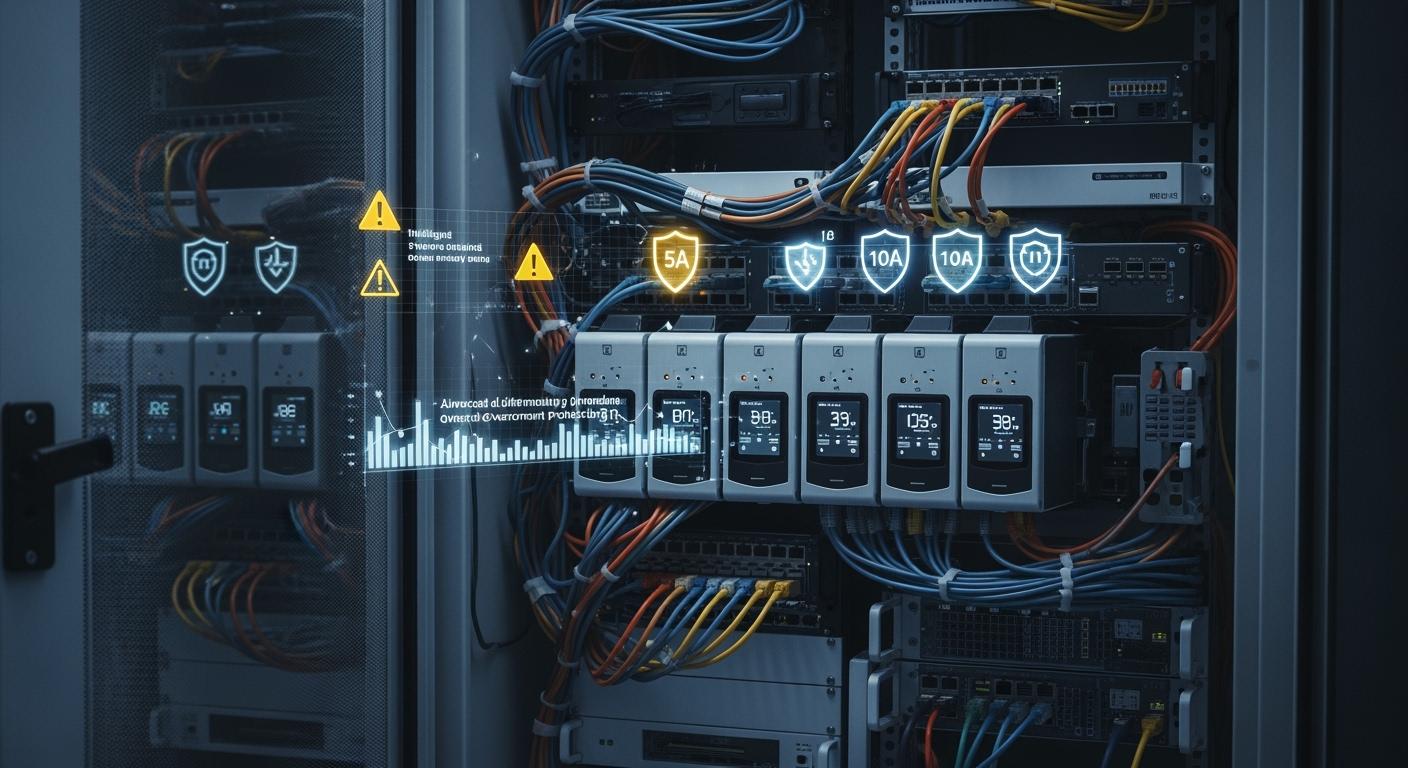
You improve overcurrent protection in telecom cabinets when you set different current thresholds for each device type. This approach helps you avoid damage and extend equipment life. ESTEL stands out in the telecom industry with reliable smart power distribution solutions.
ESTEL earns trust as a top name in the telecom rectifier sector.
Operators value ESTEL’s high-quality products and strong customer support.
Many choose ESTEL for stable and scalable power management.
You benefit from safer operations and better network resilience with a Smart Power Distribution Unit. This method supports your infrastructure and simplifies power management.
Key Takeaways
Set different current thresholds for each device type to protect equipment and extend its lifespan.
Utilize real-time monitoring and remote management features of Smart PDUs to enhance power management and reduce downtime.
Regularly review and adjust current settings to match changes in your equipment and prevent overloads.
Implement routine maintenance and inspections to ensure the reliability and efficiency of your power distribution system.
Optimize energy usage by matching current limits to device needs, which can lead to significant cost savings and improved efficiency.
Smart Power Distribution Unit in Telecom Cabinets
Key Features of ESTEL Smart PDU
You need reliable power management in your telecom cabinets. The ESTEL Smart Power Distribution Unit gives you advanced features that go beyond basic power strips. You can monitor power usage in real time, control outlets remotely, and receive alerts for any unusual activity. The LCD display shows you important data at a glance. Surge protection and a dehumidifying function help protect your equipment from damage. The unit supports multiple outlets, making it easy to connect all your devices.
Tip: Remote monitoring lets you manage your power system from anywhere, reducing the need for on-site visits.
Here is a comparison of smart and basic PDUs:
Feature | Smart PDU | Basic PDU |
|---|---|---|
Metering | Yes | No |
Network Interface | Yes | No |
Remote Management | Yes | No |
Environmental Sensors | Yes | No |
Firmware Updates | Yes | No |
SNMP Trap Notifications | Yes | No |
Security Management | Yes | No |
Power Management Challenges
You face several challenges when managing power in telecom cabinets. Rising energy demand from data centers and telecom sites increases the risk of overloads. Idle equipment still draws power, which adds to your energy costs. You must also keep up with new technologies and ensure efficient energy use.
Energy consumption is rising due to growing data needs.
Idle devices continue to use power, even when not in active use.
Efficient energy management is essential for cost control.
Industry reports show that data centers could use up to 96 gigawatts of electricity by 2026. In China and the U.S., data centers may account for 6% of total electricity demand.
Role in Modern Telecom Infrastructure
A Smart Power Distribution Unit helps you maintain reliable and efficient telecom operations. It ensures stable power delivery to all connected devices. Overload protection prevents equipment failures and extends the life of your assets. Real-time monitoring allows you to detect power issues quickly and respond before problems escalate. Remote control features let you manage power usage and perform maintenance without being on site.
You can achieve up to 41% reduction in energy costs and improve efficiency by up to 30%. Maintenance costs may drop by 75%, and some telecom sites report nonstop operation for a full year. The Smart Power Distribution Unit is essential for modern, resilient telecom infrastructure.
Differentiated Current Thresholds for Device Protection

Device Identification Methods
You need to know what devices connect to your telecom cabinet before you set current thresholds. Each device, such as routers, switches, or cooling fans, has its own power profile. You can use several methods to identify these devices:
Check device labels and technical manuals for power ratings.
Use the Smart Power Distribution Unit’s real-time monitoring to see which devices draw the most current.
Assign outlets to specific device types and keep a record for easy reference.
Use network management software to map devices to outlets.
When you identify devices accurately, you can set the right current limits and avoid accidental shutdowns or overloads.
Tip: Label each outlet on your PDU with the connected device name. This simple step helps you manage power more efficiently.
Setting Current Limits by Device Type
You must set current limits based on the needs of each device. Sensitive equipment, like network switches, often requires lower current thresholds. High-power devices, such as air conditioners, need higher limits. You can use several approaches to determine the best settings:
Use passive current limiting with resistors for basic protection of sensitive devices.
Apply active current limiting with transistors and current-sensing resistors for dynamic control.
Choose modern circuit designs that use low RDS(on) MOSFETs to improve efficiency and reduce heat.
Organize current limiting in a hierarchy. This method groups devices by their power needs and manages faults by converter node coupling.
You should always match the current threshold to the device’s rated maximum. Add a safety margin to prevent nuisance trips during power surges or startup. This approach protects your equipment and extends its lifespan.
Note: Setting thresholds too high can lead to equipment damage. Setting them too low may cause unnecessary shutdowns.
Technical Implementation Strategies
You can follow a step-by-step process to implement differentiated current thresholds in your Smart Power Distribution Unit:
Calculate the total power consumption of all connected devices.
Add a buffer for future expansion or unexpected loads.
Use continuous AC sampling to capture both peak and minimum current readings.
Ensure your metering accuracy meets billing-grade standards, such as ±0.5%.
Verify compliance with international standards like IEC 61557-12.
Schedule routine maintenance and inspections to keep your system reliable.
Track power consumption trends over time for better planning.
Set up redundancy with backup units to avoid downtime.
Use remote management tools for monitoring and quick response.
Organize cables neatly to improve safety and airflow.
Update firmware regularly to access the latest features and security patches.
Follow all safety standards during installation and operation.
Monitor environmental conditions, such as temperature and humidity, to prevent failures.
You can use these strategies to create a safe and efficient power environment. The Smart Power Distribution Unit gives you the tools to manage current thresholds for each device type. This approach reduces the risk of overloads and keeps your telecom cabinet running smoothly.
Callout: Regularly review your current settings and device list. Telecom sites change over time, and your power management should adapt as well.
Benefits of Refined Overcurrent Protection
Safety and Equipment Longevity
You protect your telecom equipment when you set precise current thresholds for each device. This approach prevents overheating and electrical fires. Sensitive devices, like network switches, last longer because they avoid exposure to damaging power surges. You reduce the risk of component failure. You also lower the chance of costly replacements. A Smart Power Distribution Unit helps you monitor and adjust these thresholds in real time. You keep your network safe and extend the life of your assets.
Tip: Regularly check your current settings to match any changes in your equipment lineup.
Downtime Reduction
You keep your network running smoothly when you prevent overloads and short circuits. Differentiated current thresholds stop one faulty device from shutting down the entire cabinet. You avoid unexpected outages. You also reduce the time needed for troubleshooting. Quick alerts from your Smart Power Distribution Unit let you respond before small issues become big problems. You maintain service quality for your customers and avoid lost revenue from downtime.
You minimize service interruptions.
You speed up fault detection and response.
You improve customer satisfaction.
Optimized Power Management
You improve energy efficiency when you use refined overcurrent protection. By matching current limits to each device, you avoid wasted power. You also lower your electricity bills. Studies show that optimized systems can boost the energy efficiency ratio (EER) by 8.81% to 38.61%. The EER can reach 4.2, which is much higher than traditional operation modes. You achieve these results by adjusting parameters like compressor speed, condenser fan speed, evaporator fan speed, and valve opening.
You save energy with smarter settings.
You reduce your carbon footprint.
You support green telecom operations.
Note: Efficient power management benefits both your business and the environment.
Deployment and Best Practices with ESTEL
Integration and Automation
You can achieve seamless integration with ESTEL’s smart PDUs. These units support network connectivity, which allows you to connect them to your monitoring systems. Real-time data collection gives you instant access to power metrics. You can use these features with Data Center Infrastructure Management (DCIM) tools for better visibility and control. The units also support data collector integration through APIs, making it easy to send power data to dashboards.
Integration Capability | Description |
|---|---|
Network Connectivity | Enables communication with monitoring systems |
Real-time Data Collection | Gives you immediate access to power metrics |
Compatibility with DCIM | Works seamlessly with DCIM solutions |
Data Collector Integration | Uses APIs for dashboard visibility |
ESTEL smart PDUs comply with international standards like ISO9001, UL, and RoHS. These certifications show that you get reliable and safe equipment.
Remote Monitoring and Fault Response
You can monitor your telecom cabinets from anywhere. Real-time monitoring and remote control help you spot underperforming devices quickly. Automated alerts notify you about issues before they cause downtime. You can restart devices remotely, which saves time and avoids costly technician visits. These features help you manage remote sites and respond to incidents faster.
Real-time monitoring tracks device performance.
Automated alerts support proactive maintenance.
Remote restart restores power instantly.
Sensors provide threshold alerts to prevent downtime.
You can track important metrics such as mean time to detect, mean time to resolution, and the percentage of incidents resolved on the first contact. These metrics help you improve your response times and keep your network running smoothly.
Installation and Maintenance Guidelines
You should follow best practices to ensure long-term reliability. Start by assessing your current and future power needs. Choose a modular PDU that matches your growth plans. Implement surge protection and use environmental controls like thermal regulation and moisture sealing. Schedule routine maintenance, including annual testing of switches and breakers. Monitor your system daily and document key metrics for troubleshooting.
Regularly check for load balancing to minimize downtime.
Clean PDUs to remove dust and debris.
Inspect physical integrity and use protective enclosures.
Plan for scalability by evaluating your setup and monitoring power load.
Tip: Schedule monthly inspections for wear and loose connections. Arrange annual professional evaluations for a thorough checkup.
You gain stronger protection and longer equipment life when you set differentiated current thresholds in smart PDUs. ESTEL offers advanced solutions that help you manage power safely and efficiently. To get the most from your deployment, follow these steps:
Set up hierarchical user permissions for security.
Schedule regular maintenance and inspections.
Monitor power usage to prevent overloads.
Use redundant power sources for reliability.
Enable remote management for quick troubleshooting.
Organize cables for better airflow.
Train your staff and plan routine checks.
Smart power management keeps your telecom cabinets safe, reliable, and efficient.
FAQ
How do you set different current thresholds for each device in a telecom cabinet?
You use the smart PDU’s interface to assign current limits to each outlet. Match each threshold to the device’s rated current. Add a safety margin for startup surges. This method helps you protect sensitive equipment.
What happens if a device exceeds its current threshold?
The smart PDU detects the overcurrent and disconnects the affected outlet.
You get an instant alert, so you can respond quickly and prevent damage to other devices.
Can you monitor and control the PDU remotely?
Yes, you can.
Use the remote management feature to view real-time data, adjust settings, and restart devices from anywhere.
This saves you time and reduces the need for on-site visits.
Why should you choose ESTEL’s Smart Power Distribution Unit?
You get reliable power management, advanced safety features, and strong customer support.
ESTEL’s smart PDU meets international standards and works well in harsh environments.
You protect your telecom equipment and improve network uptime.
See Also
Ensuring Consistent Power Supply for Telecom Equipment Cabinets
Understanding ESTEL PDUs and Their Importance in Data Centers
Exploring Various Cooling Techniques for Telecom Equipment Cabinets
A Complete Overview of Telecom Cabinet Battery Risk Assessment
CALL US DIRECTLY
86-13752765943
3A-8, SHUIWAN 1979 SQUARE (PHASE II), NO.111, TAIZI ROAD,SHUIWAN COMMUNITY, ZHAOSHANG STREET, NANSHAN DISTRICT, SHENZHEN, GUANGDONG, CHINA
