Plug-and-Play of Smart PDUs with Smart Sensors: Auto-Recognition and Access to Temp/Humidity/Door Sensors

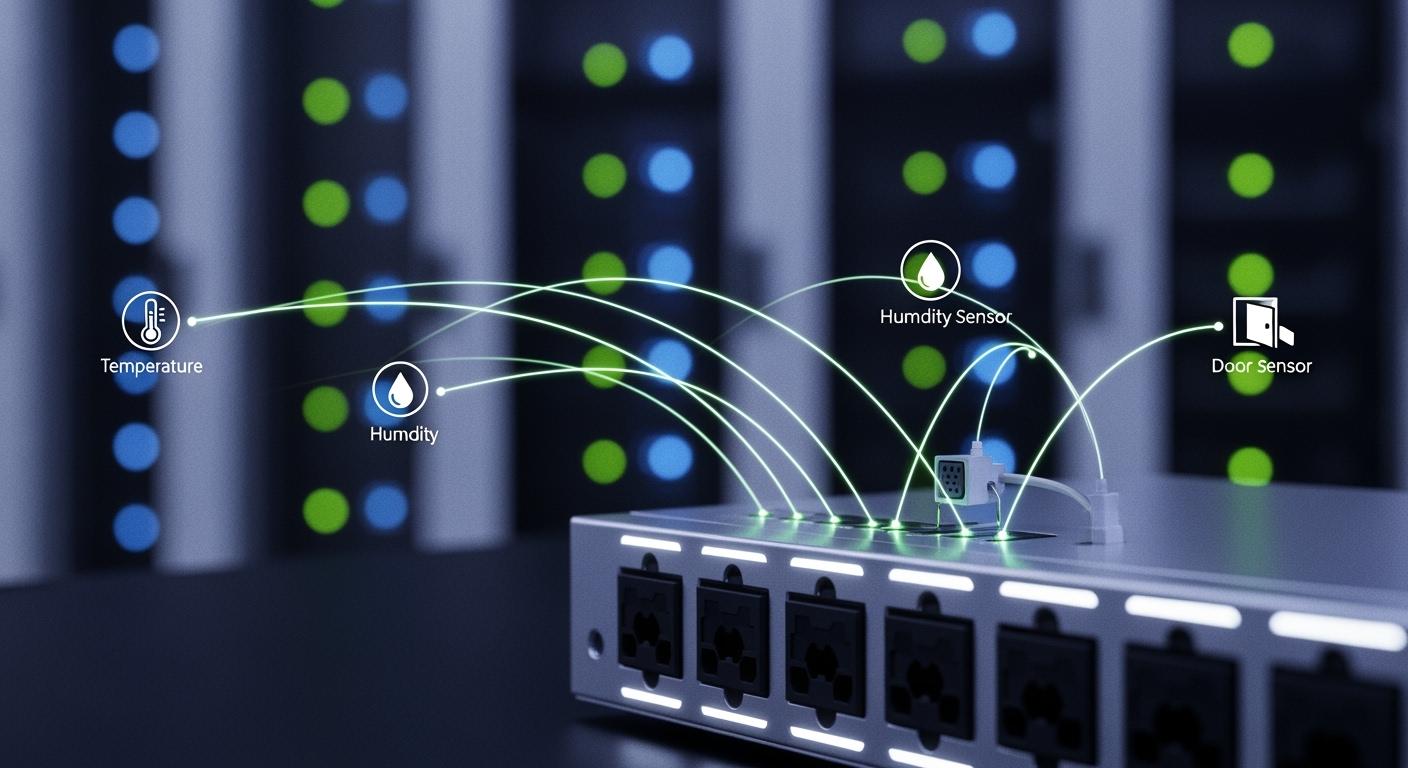
You can simplify your facility management by using ESTEL’s Smart Power Distribution Unit. This device lets you connect temperature, humidity, and door sensors instantly through auto-recognition. You receive real-time environmental data, which helps you spot issues early and avoid costly downtime. You gain continuous updates and alerts, so you can respond quickly to power or environmental changes. With remote management, you control outlets from anywhere and optimize resources, making your operations more reliable and efficient.
Key Takeaways
Simplify facility management with ESTEL's Smart Power Distribution Unit, which allows instant connection of sensors for real-time data.
Enjoy plug-and-play integration that reduces installation time and errors, enabling quick deployment without specialized IT staff.
Benefit from auto-recognition technology that identifies sensors automatically, ensuring a hassle-free setup and immediate monitoring.
Receive continuous updates and alerts for temperature, humidity, and security, allowing for quick responses to potential issues.
Optimize operations with remote management capabilities, enabling control of outlets and monitoring from anywhere.
Plug-and-Play Integration
Concept and Importance
You want your data center or telecom site to run smoothly and efficiently. Plug-and-play integration makes this possible by allowing you to connect sensors and devices without complex setup or technical hurdles. When you use plug-and-play technology, you reduce the time and cost needed for installation. You do not need specialized IT staff for configuration, which means you can deploy new systems quickly.
Plug-and-play integration also lowers the risk of installation errors. Automated sensor detection and configuration mean you avoid mistakes that often happen with manual setups. You save time, and your system becomes more reliable.
Here is a table that summarizes the main technical requirements for plug-and-play integration between smart PDUs and smart sensors:
Requirement Type | Description |
|---|---|
Compatibility | Must support various sensor types for effective integration. |
Remote Management Protocols | Should include protocols like TFTP, SSH, and web interfaces for management. |
Environmental Monitoring | Capable of connecting to sensors for temperature, humidity, and smoke detection. |
Sensor Capacity | Can support up to 32 sensor functions or 12 sensor packages per PDU. |
API Support | Best-in-class PDUs provide RESTful APIs for integration with DCIM and BMS applications. |
Plug-and-play systems also help you monitor power consumption remotely and gather data automatically. You can use this data to make better decisions and optimize your operations.
ESTEL’s Approach
ESTEL takes plug-and-play integration to the next level. You benefit from seamless compatibility with a wide range of sensors and brands. You do not need to adjust settings manually. The Smart Power Distribution Unit recognizes connected sensors instantly, so you can start monitoring right away.
You do not need to install extra software.
You enjoy compliance with international safety and compatibility standards.
The table below shows how ESTEL’s approach compares to other manufacturers:
Feature | ESTEL's Approach | Other Manufacturers |
|---|---|---|
Compatibility | Seamless with various brands | Often limited to specific brands |
Configuration | No manual adjustments needed | Requires manual setup |
Performance | Reliable across all tested brands | Varies by brand and model |
With ESTEL, you gain a reliable and efficient solution that supports your need for fast deployment, flexibility, and future-proof infrastructure.
Smart Power Distribution Unit Auto-Recognition
Detection Process
You want your monitoring system to recognize new sensors as soon as you connect them. ESTEL’s Smart Power Distribution Unit uses advanced auto-recognition technology to make this possible. When you plug in a temperature, humidity, or door sensor, the unit scans the connection and identifies the sensor type without any manual input. You do not need to configure settings or install extra drivers.
The auto-recognition process works in several stages:
The unit checks the physical connection for new devices.
It reads the sensor’s communication protocol and matches it with its internal database.
The system assigns the correct address and begins data exchange.
You see the sensor’s status and readings on the LCD display or through remote monitoring software.
Tip: Auto-recognition reduces setup time and helps you avoid errors that can occur with manual configuration.
You can trust that the Smart Power Distribution Unit will support a wide range of sensors. This feature ensures that your system remains flexible and ready for future upgrades.
Sensor Connection Steps
You can connect temperature, humidity, and door sensors to the Smart Power Distribution Unit in just a few steps. The process is simple and follows industry best practices for reliability and ease of use.
Here is a step-by-step guide that compares ESTEL’s approach with standard industry methods:
Step | Description |
|---|---|
1 | Specify cabinets with built-in temperature, humidity, power, and intrusion detection. |
2 | Use remote monitoring for real-time alerts and preventive maintenance. |
3 | Choose modular designs for future upgrades and active cooling for resilience. |
4 | Organize layouts for easier technician access and faster service. |
You start by selecting cabinets that already support environmental sensors. You then connect the sensors to the Smart Power Distribution Unit using the designated ports. The unit’s modular design allows you to add or replace sensors without shutting down the system. Remote monitoring tools give you instant alerts if the environment changes, so you can act quickly.
Note: Organizing your sensor layout makes it easier for technicians to perform maintenance and upgrades.
You may encounter compatibility issues if you mix devices from different manufacturers. Common issues include mismatched protocol versions, incompatible hardware, or incorrect addressing. The table below shows how you can avoid these problems:
Conflict Type | What Happens | How to Avoid |
|---|---|---|
Protocol version | Devices fail to communicate | Match versions across devices |
Physical layer | No signal or corrupted data | Use compatible hardware |
Addressing scheme | Devices respond incorrectly | Standardize addressing |
You can prevent most issues by checking device specifications before installation. ESTEL’s Smart Power Distribution Unit supports industry-standard protocols, which helps you maintain compatibility and reliability.
You finish the setup by verifying sensor readings on the LCD display or through your remote management interface. This process ensures that your environmental monitoring system works smoothly and provides accurate data.
Sensor Support and Access
Temperature Sensors
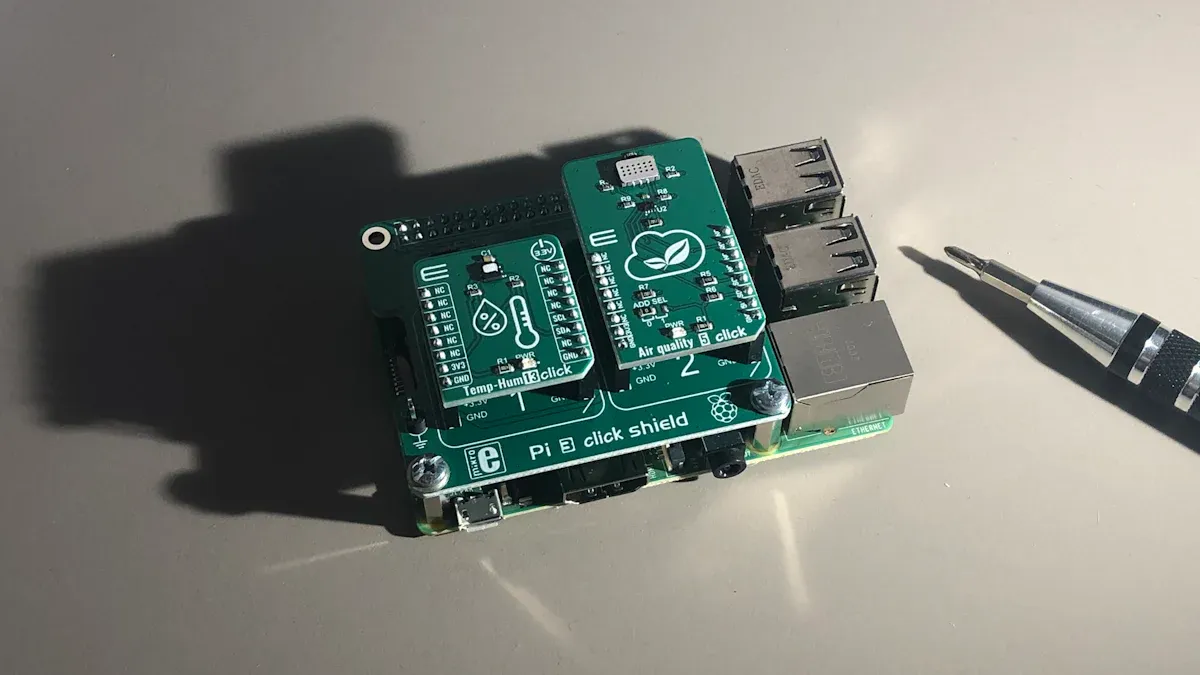
You can monitor temperature changes in your facility with high accuracy. The Smart Power Distribution Unit supports a range of temperature sensors that track environmental conditions continuously. You receive real-time data, which helps you detect abnormal temperature spikes early. This capability prevents hardware failures and reduces downtime. You can set customizable alert thresholds, so you only receive notifications for critical events. This approach avoids alert fatigue and keeps your focus on important incidents.
Continuous tracking of temperature ensures early detection of issues.
Real-time data helps you prevent equipment damage.
Customizable alerts prioritize relevant incidents.
Humidity Sensors
Humidity sensors play a vital role in protecting sensitive equipment. You gain live data on humidity levels, which allows you to respond quickly to changes. The system integrates humidity sensors seamlessly, providing immediate visibility. You can analyze data trends to optimize your infrastructure and avoid condensation problems. Setting alert thresholds for humidity ensures you never miss critical changes.
Live humidity data supports quick responses.
Trend analysis helps optimize facility management.
Alert thresholds keep you informed of important changes.
Door Sensors
You enhance security by using door sensors supported by the Smart Power Distribution Unit. These sensors include contact closure, vibration, and proximity types. Intrusion detection devices combine temperature, humidity, and water leak monitoring for comprehensive protection. You monitor cabinet doors for tampering or unauthorized access. The system sends automatic alerts to authorized personnel when it detects suspicious activity.
Alarm Type | Functionality |
|---|---|
Door-held-open alarm | Emits a chime, loud siren, or flashing light when a door is held open beyond a programmable time. |
Door-forced-open alarm | Activates when a door is opened by force, indicating unauthorized access. |
Door-open alarm | Triggers when a door is opened by an intruder, alerting the owner of potential unauthorized access. |
Data Monitoring
You benefit from advanced data monitoring capabilities. The Smart Power Distribution Unit tracks temperature, humidity, and power quality. You receive real-time alerts if conditions exceed safe limits. Immediate notifications help you prevent minor issues from becoming major disruptions. Integration with environmental monitoring systems improves operational reliability and efficiency. Real-time monitoring enables you to make better decisions and optimize energy usage.
Improvement Type | Description |
|---|---|
Real-time Monitoring | Integration provides real-time data on temperature, humidity, and power quality, allowing for immediate responses to alerts. |
Energy Efficiency | Smart Building Management Systems can reduce HVAC energy usage by up to 24.9%, optimizing energy consumption. |
Enhanced Management | The unified ecosystem improves operational efficiency and lowers risks, enabling better facility management decisions. |
Tip: Real-time sensor data gives you the power to act quickly and maintain a safe, efficient facility.
User Experience and Benefits
Setup and Monitoring
You will find the setup process straightforward. The user interface of the Smart Power Distribution Unit gives you clear dashboards and real-time data. You can monitor temperature, humidity, and power status without confusion. The system collects data instantly and sends alerts if it detects voltage drops or environmental changes. You can review historical data to track trends and make better decisions for your facility.
Feature | Description |
|---|---|
Real-time data collection | The unit senses environmental changes and provides instant alerts for issues like voltage drops. |
Intuitive dashboards | You can easily monitor conditions and set alerts, streamlining decision-making. |
Automated alerts | Notifications for unauthorized access and environmental changes help maintain optimal conditions. |
You receive continuous monitoring of temperature, humidity, and power status.
You get instant alerts for potential issues, allowing for quick responses.
You can review historical data to track performance over time.
Efficiency and Reliability
You will notice improved efficiency and reliability after deploying the system. The Smart Power Distribution Unit helps you reduce downtime and energy use. You can respond to alerts quickly and even reboot equipment remotely. This flexibility keeps your operations running smoothly.
Client / Case Study | Performance Metrics |
|---|---|
Leading Telecom Provider | Energy efficiency up to 97.8%; early issue detection; seamless network expansion |
GreenConnect | 30% reduction in energy use; 25% reduction in downtime; 40% reduction in CO2 emissions |
Southeast Asia Mobile Operator | Reduced site visits by 38%; repair time dropped from 12 hours to 4 hours; O&M costs fell by $500,000 |
European Tower Company | Improved system uptime by 22%; cut emergency maintenance trips by half |
Telecom Power Systems | Energy consumption reduced by 25-30% with 80Plus certified power supplies |
You can enhance uptime and reliability with proactive alerts and remote power control. You can also reboot unresponsive equipment from anywhere, which reduces downtime.
Troubleshooting Tips
You may face sensor recognition or compatibility issues. You can solve most problems by following these steps:
Check that all cables and connectors are secure.
Make sure the sensor type matches the supported list.
Update the firmware if the system does not recognize a new sensor.
Review the dashboard for error messages or alerts.
Contact support if you cannot resolve the issue.
Tip: Standardizing your sensors and keeping your system updated will help you avoid most compatibility problems.
You gain immediate access to environmental data when you use the Smart Power Distribution Unit with auto-recognition. This technology streamlines your setup and boosts your facility’s reliability. See how ESTEL compares to other brands:
Brand | Reliability | Ease of Use | Value for Money | Customer Support |
|---|---|---|---|---|
ESTEL | High | High | High | High |
CyberPower | Moderate | High | High | Moderate |
Eaton | High | Moderate | High | Very High |
Vertiv | High | Moderate | Moderate | High |
Schneider Electric | Very High | Moderate | High | Very High |
Tripp Lite | High | High | Very High | Moderate |
Future trends will shape your operations:
AI and IoT will improve management.
Predictive maintenance will reduce downtime.
Automation will increase reliability and lower costs.
Real-time monitoring will keep you informed.
Choose ESTEL for efficient, reliable, and future-ready telecom and data center management.
FAQ
How do you connect sensors to the Smart Power Distribution Unit?
You plug sensors into the designated ports. The unit auto-recognizes each sensor. You see sensor status on the LCD display or remote interface. No extra software is needed.
What types of sensors can you use with ESTEL’s Smart PDU?
You can use temperature, humidity, and door sensors. The unit supports industry-standard protocols. You get real-time monitoring and alerts for each sensor type.
Can you monitor sensor data remotely?
Yes, you access sensor readings through remote management tools. You receive instant alerts and can review historical data. This helps you manage your facility from anywhere.
What should you do if a sensor is not recognized?
Check cable connections. Confirm sensor compatibility. Update firmware if needed. Review error messages on the dashboard. Contact ESTEL support for further help.
See Also
Installing and Caring for Smoke Detectors in Communication Cabinets
Understanding ESTEL PDUs and Their Importance in Data Centers
Eco-Friendly and Intelligent Outdoor Communication Cabinets for 2025
Explaining Integration of Supervision Systems in ESTEL Outdoor Cabinets
Enhancing Outdoor Cabinets Through Power, Cooling, and Monitoring Solutions
CALL US DIRECTLY
86-13752765943
3A-8, SHUIWAN 1979 SQUARE (PHASE II), NO.111, TAIZI ROAD,SHUIWAN COMMUNITY, ZHAOSHANG STREET, NANSHAN DISTRICT, SHENZHEN, GUANGDONG, CHINA
