Equipment Identity Recognition (RFID) of Smart PDUs: Quick Binding of Telecom Cabinet Assets via QR Code Scanning

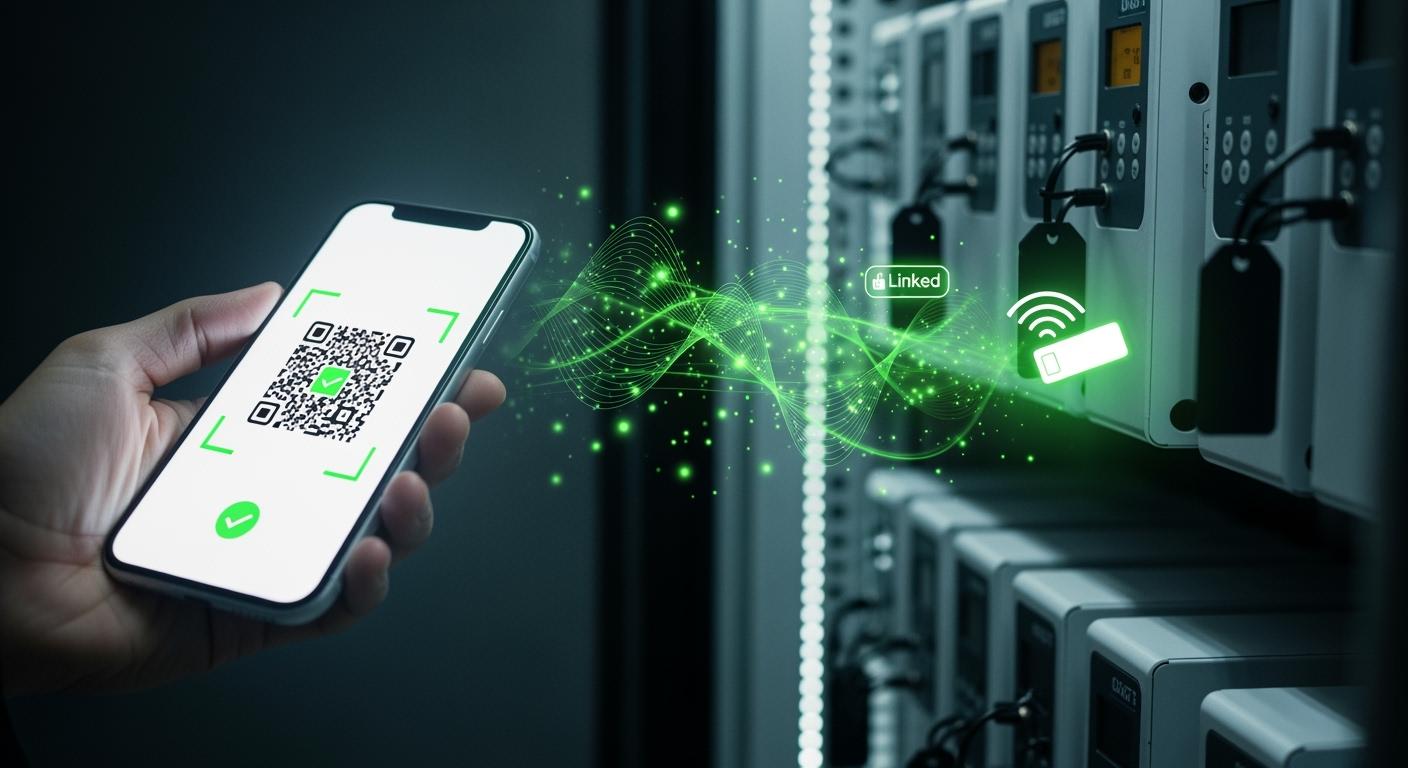
You can identify and bind Smart Power Distribution Unit assets quickly in telecom cabinets by using RFID and QR code scanning. These technologies give you accurate asset recognition and simplify complex tasks. ESTEL brings you innovative solutions that support real-time tracking and automation, making your operations more efficient.
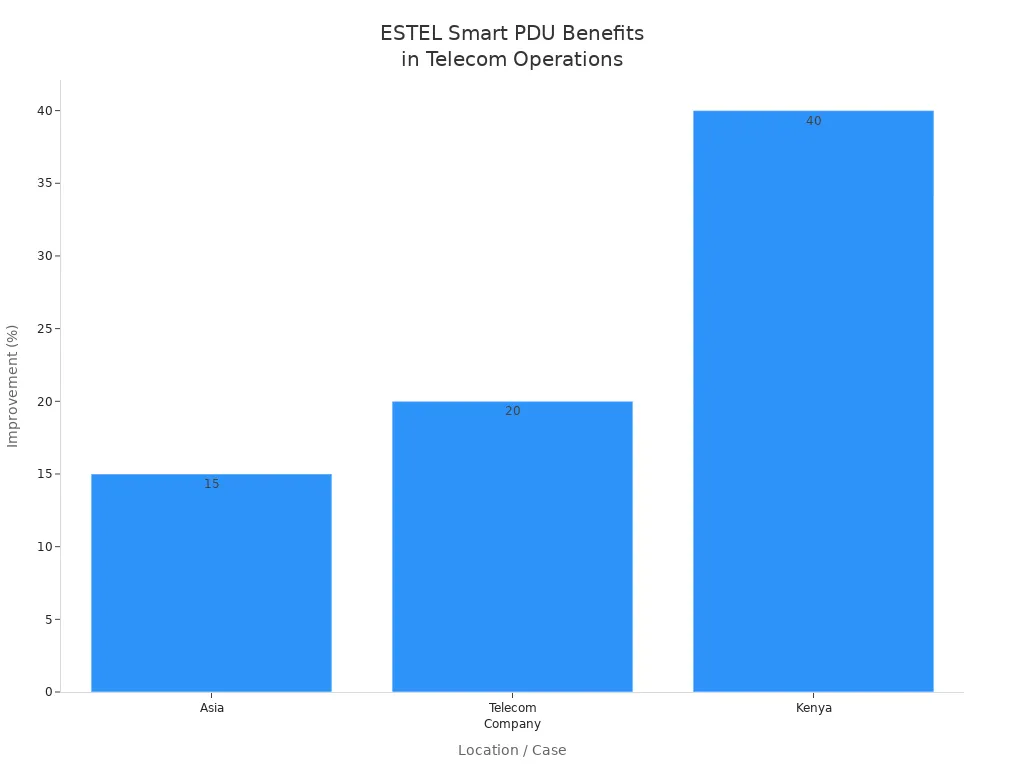
Early detection of issues prevents service disruptions and reduces downtime. Remote power management cuts unnecessary site visits, saving costs. Companies report up to a 40% reduction in maintenance costs compared to reactive approaches.
Metric | Improvement Description |
|---|---|
Power Usage Effectiveness (PUE) | Annual reduction by 0.013–0.018, showing better efficiency. |
Cooling System Energy Consumption | Reduced by 5.8%, lowering costs and overheating risks. |
Annual Electricity Cost Savings | Up to 21% decrease, supporting your operational budget. |
Key Takeaways
Use RFID and QR code scanning to quickly identify and manage telecom cabinet assets. This technology reduces errors and speeds up asset registration.
Implement a clear binding process for assets. Start with scanning the QR code, activate the RFID tag, and update your database for accurate records.
Regularly monitor and maintain your Smart Power Distribution Units. This practice helps prevent service disruptions and reduces operational costs.
Train your team on best practices for asset management. Use manuals and training sessions to ensure everyone understands the system.
Leverage real-time tracking and alerts to enhance security. Automated systems can notify you of unauthorized asset movements, protecting your investments.
Asset Management Challenges in Telecom Cabinets
Manual Tracking Limitations
You face many obstacles when you rely on manual tracking for telecom cabinet assets. Paper logs and spreadsheets often lead to confusion and missed updates. You may struggle to keep up with equipment changes, especially when assets move between locations. Complex asset tracking becomes even harder as you try to monitor interconnected devices and their relationships. The following table shows the most common challenges you encounter in asset management:
Challenge | Description |
|---|---|
Complex asset tracking | You must identify and track each asset, as well as monitor their interconnected relationships for minimal network downtime. |
Managing asset lifecycles | You need to balance performance with cost during upgrades, configurations, and decommissions, requiring careful oversight and integration with financial and IT systems. |
Lack of visibility | Assets spread across multiple locations and managed through different systems make centralized, real-time inventory visibility difficult. |
Syncing inventory accurately | The distributed nature of telecom assets complicates tracking their disposition, leading to inconsistent data and misinformed decisions. |
Managing costs | Cutting spending on assets or maintenance can lead to service outages or SLA breaches, resulting in penalties and reputational damage. |
Managing regulations and security compliance | You must track equipment origins, maintain security patches, and prove compliance with evolving standards. |
Data Inaccuracy Risks
You risk serious problems when asset data is inaccurate. Errors in your records can cause financial discrepancies and affect your decisions. You may see higher operational expenses because emergency repairs become more frequent. Service interruptions can happen, which leads to unhappy customers and possible regulatory penalties.
Financial discrepancies impact your strategic choices.
Emergency repairs and higher failure rates increase your costs.
Service interruptions cause customer dissatisfaction and regulatory penalties.
Operational Downtime
You experience operational downtime when you cannot locate assets quickly or when asset records are outdated. Delays in maintenance or upgrades can disrupt your network. You lose valuable time and resources as you search for missing equipment or correct errors. Downtime affects your service quality and can damage your reputation. You need reliable asset management to keep your network running smoothly and avoid costly interruptions.
RFID and QR Code Integration in Smart Power Distribution Unit
RFID Technology Overview
You can use RFID technology to identify and track assets in your telecom cabinets without direct contact. RFID tags store unique information about each device. When you bring an RFID reader near the tag, it reads the data instantly. This process helps you manage assets quickly and reduces errors. You do not need to see the tag directly, so you can scan items even if they are behind panels or in hard-to-reach places. RFID also supports automation, which means you spend less time on manual checks.
QR Code Scanning Benefits
You gain many advantages when you use QR code scanning for asset management. QR codes hold much more data than traditional barcodes. You can scan them from different angles, and they still work even if part of the code is damaged. This makes your asset tracking more reliable and efficient. The table below compares QR codes with barcodes:
Feature | QR Code | Barcode |
|---|---|---|
Data Capacity | Up to 2500 numerical characters | Up to 25 characters |
Durability | Operates with 30% damage | Fails with slight damage |
Scanning Angle | Readable at various angles | Limited scanning angle |
Asset Management Capabilities | Enhanced tracking and history | Basic identification only |
You can see that QR codes give you better durability and more information for each asset. This means you can keep detailed records and reduce mistakes.
ESTEL Smart Power Distribution Unit Features
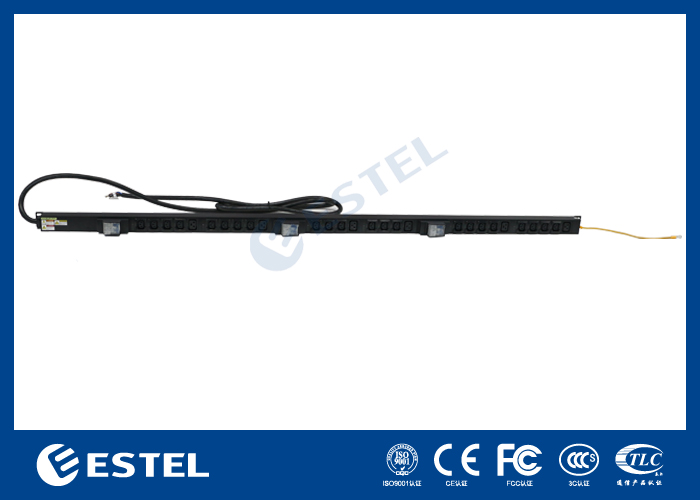
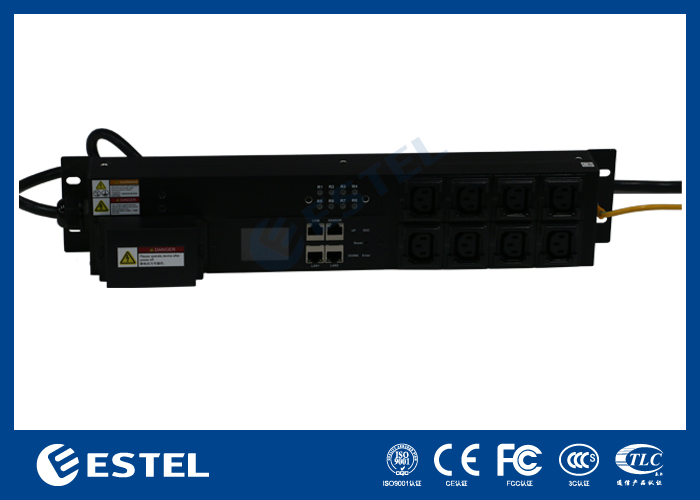
You get advanced asset management when you use the ESTEL Smart Power Distribution Unit. ESTEL combines RFID and QR code technology in one system. This lets you identify, track, and control your equipment in real time. The unit has a robust build for reliability and overload protection for safety. You can install it easily because of its compact design. The table below shows how ESTEL stands out:
Feature | ESTEL Smart Power Distribution Unit | Competitors |
|---|---|---|
Build Quality | Robust build for reliability | Varies |
Safety Features | Overload protection | Limited options |
Design | Compact for space optimization | Bulky designs |
Power Capacity | High capacity for multiple devices | Lower capacity |
Installation & Operation | Simple and user-friendly | Complex setups |
You can trust the Smart Power Distribution Unit to give you accurate asset identification and secure access control. This integration helps you keep your telecom infrastructure organized and efficient.
Quick Binding Process for Cabinet Assets
You can streamline asset registration and tracking by following a clear binding process. ESTEL’s solution uses QR code scanning and RFID activation to make asset management fast and reliable. You gain real-time visibility and control over your Smart Power Distribution Unit assets.
Initial QR Code Scan
You start the binding process by scanning the QR code attached to the Smart Power Distribution Unit. The QR code contains detailed information about the asset, such as its model, serial number, and installation location. You use a mobile device or scanner to capture this data instantly. The scan links the physical unit to your digital inventory system. You avoid manual entry errors and speed up asset registration.
Tip: Always check the QR code for damage before scanning. A clear code ensures accurate data capture.
RFID Tag Activation
After scanning the QR code, you activate the RFID tag on the Smart Power Distribution Unit. The RFID tag holds a unique identification code for each asset. You use an RFID reader to register this code in your system. This step guarantees that each unit has a distinct identity. You can track the unit as it moves between locations. The unique code enhances traceability and reduces the risk of loss or theft. You monitor the status and location of every asset with ease.
Step | Action | Benefit |
|---|---|---|
RFID Tag Activation | Register unique code with RFID reader | Ensures asset uniqueness |
Traceability | Monitor asset movement and status | Reduces loss and theft risks |
Database Update
You complete the process by updating your asset management database. The system combines information from the QR code and RFID tag. You confirm the registration of the Smart Power Distribution Unit in your inventory. The database now holds accurate records for each asset, including its unique ID, location, and operational status. You can access this data anytime for audits, maintenance, or upgrades. ESTEL’s integrated solution keeps your records current and reliable.
Note: Automated database updates save you time and reduce human error. You maintain a consistent and accurate asset inventory.
Step-by-Step Guide to Binding Smart Power Distribution Unit Assets:
Scan the QR code on the unit to capture asset details.
Activate the RFID tag and register its unique code.
Update the asset management database with combined information.
Verify the asset’s registration and location in your system.
You follow these steps to ensure fast, accurate, and secure asset binding. ESTEL’s technology simplifies registration and keeps your telecom cabinet assets organized.
Benefits and Best Practices
Speed and Accuracy
You improve asset management speed and accuracy when you use advanced identification technologies. RFID and QR code integration let you register and track assets in seconds. You avoid manual entry errors and reduce the time spent searching for equipment. Many telecom operators report faster audits and fewer discrepancies in their records. The Smart Power Distribution Unit helps you keep your inventory up to date and ensures that every asset is accounted for.
Tip: Use mobile devices for QR code scanning to speed up fieldwork and reduce paperwork.
Enhanced Security
You strengthen security by using RFID and QR code technology together. Automated tracking detects unauthorized movement or removal of assets. Real-time alerts notify you if a device leaves its secure zone or goes missing during audits. You can see these security benefits in the table below:
How It Helps You | |
|---|---|
Automated Tracking | Detects unauthorized asset movement |
Real-Time Alerts | Notifies you of unauthorized removal |
Lifecycle Management | Alerts you if assets are misplaced or missing |
You can also view improvement metrics from real-world deployments:
Implementation Tips
You can follow best practices to get the most from your asset management system:
Train your team with user manuals, video tutorials, and webinars.
Schedule regular audits to verify asset locations and status.
Use expert guidance from ESTEL for installation and maintenance.
Keep your system updated with the latest software and security patches.
Take advantage of online and in-person training sessions to stay informed.
You gain support from ESTEL’s team throughout the lifecycle of your power distribution units. This support includes troubleshooting, system upgrades, and best practice recommendations. You ensure reliable performance and long-term value for your telecom infrastructure.
You gain faster, more accurate asset management when you use RFID and QR code scanning with ESTEL Smart Power Distribution Units. This integration lowers costs by reducing manual work, inventory errors, and asset loss. Telecom operators see better security and real-time control. To get started, you should:
Balance loads for efficiency.
Schedule routine maintenance.
Review system performance often.
These steps help you achieve reliable, cost-effective asset tracking for your telecom network.
FAQ
How does RFID improve asset tracking in telecom cabinets?
RFID lets you identify and track assets without direct contact. You scan tags quickly, even if they are hidden. This reduces errors and saves time.
Can you use a smartphone to scan QR codes on Smart PDUs?
Yes, you can use most smartphones to scan QR codes. You capture asset details instantly and update your inventory with ease.
What happens if a QR code is damaged?
You can still scan a QR code if it has minor damage. QR codes have built-in error correction. You get reliable data even with up to 30% damage.
How do you update asset records after binding?
You update asset records automatically. The system combines QR code and RFID data. You access accurate information for audits, maintenance, or upgrades.
Is ESTEL’s Smart Power Distribution Unit compatible with existing asset management systems?
You can integrate ESTEL’s Smart Power Distribution Unit with most asset management platforms. You streamline workflows and improve asset visibility.
See Also
Effective Methods to Enhance Security in Communication Cabinets
Essential Specifications for Outdoor Telecom Equipment Cabinets
Understanding ESTEL PDUs and Their Importance in Data Centers
Safeguarding Equipment Using Outdoor Telecom Cabinets Effectively
Exploring Various Applications of Telecom Cabinets in Industry
CALL US DIRECTLY
86-13752765943
3A-8, SHUIWAN 1979 SQUARE (PHASE II), NO.111, TAIZI ROAD,SHUIWAN COMMUNITY, ZHAOSHANG STREET, NANSHAN DISTRICT, SHENZHEN, GUANGDONG, CHINA
