Industry Best Practice Summary Smart PDU Solution for Telecom Cabinet Implementation Guidelines


You play a vital role in shaping reliable telecom infrastructure. Smart Power Distribution Unit solutions give you real-time monitoring and load balancing, which help maintain uptime and prevent outages. You can optimize energy use by tracking accurate usage data and managing your operations efficiently. As demand for data centers and energy efficiency rises, you find that adopting best practices ensures your network remains scalable and robust. When you choose trusted brands like ESTEL, you invest in quality, innovation, and customer satisfaction.
Key Takeaways
Implement Smart Power Distribution Units to enhance power management and prevent outages in telecom cabinets.
Monitor energy consumption at the device level to identify inefficiencies and achieve up to 20% energy savings.
Choose modular designs for easy upgrades and scalability as your telecom needs grow.
Utilize remote management tools to control power and respond quickly to issues from anywhere.
Regularly assess and maintain your PDU to ensure optimal performance and extend equipment life.
Smart Power Distribution Unit Overview
Definition and Role
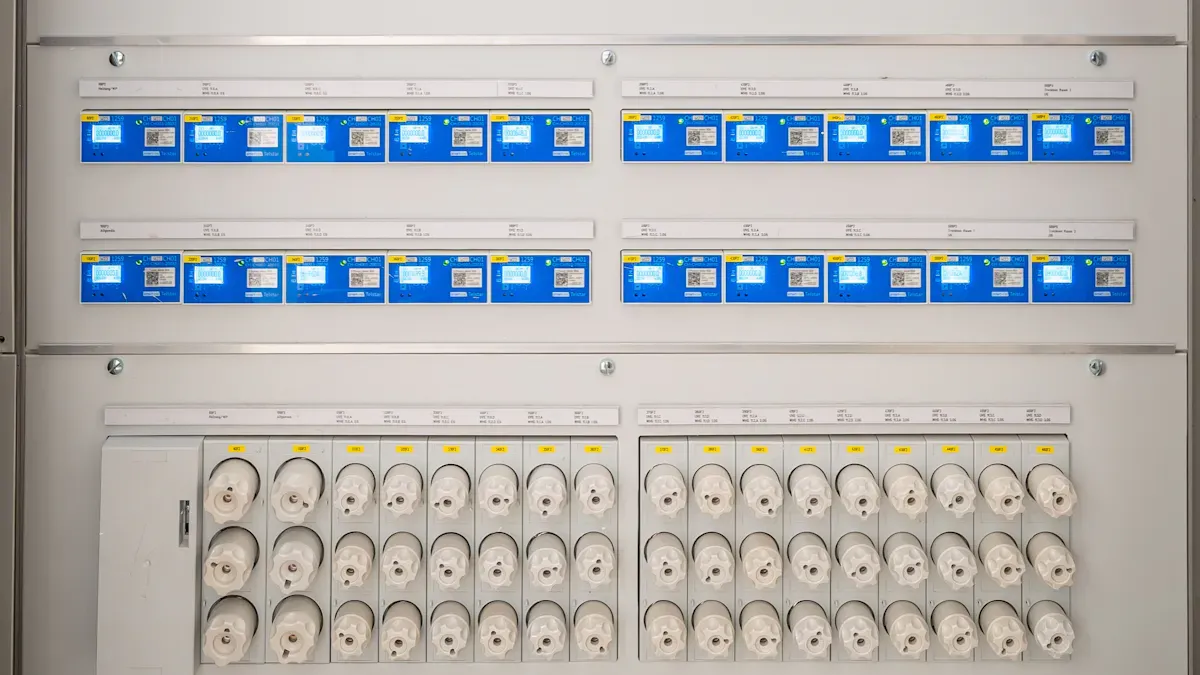
You rely on a Smart Power Distribution Unit to distribute electric power to racks of computers and networking equipment in telecom cabinets. This device goes beyond basic power strips. It offers advanced features for efficient power management and monitoring. You can manage complex power infrastructures with greater control and visibility, which is essential for modern telecom environments.
Key Benefits for Telecom Cabinets
You gain several advantages when you deploy a Smart Power Distribution Unit in your telecom cabinets:
Enhanced surge and overcurrent protection prevents voltage spike damage. This extends equipment life and boosts reliability by up to 25%.
Battery failure rates drop significantly, with some sites seeing a 98% decrease from 2018 to 2024. This improvement means fewer outages and less maintenance.
Advanced overcurrent protection provides real-time alerts. You can respond quickly to issues, ensuring consistent performance and safety.
You can track energy consumption at the device level. This helps you identify high-energy-consuming systems and reduce waste.
Many telecom sites have achieved up to 20% energy savings by optimizing or replacing inefficient systems.
Tip: Use outlet-level switching and modular designs to further reduce energy waste and improve efficiency.
ESTEL Product Highlights
ESTEL’s Smart Power Distribution Unit stands out with features that support your operational goals. You benefit from real-time data collection and predictive maintenance, which reduces downtime by 15% and improves uptime by 20%. The modular and scalable design adapts to both small offices and large data centers, allowing easy upgrades without service interruptions. ESTEL’s units meet international standards such as UL, CE, IEC, and ISO9001, ensuring safety and reliability. Integration with DCIM tools provides unified monitoring and control. AI-driven automation helps you detect anomalies early and reduces manual triage by 58%. Security features like encrypted protocols and multi-factor authentication protect your data and business operations.
Feature Category | ESTEL's Unique Offering | Impact / Benefit |
|---|---|---|
Advanced Sensors | Real-time data, predictive maintenance | Reduces downtime, improves uptime |
Modular Design | Adaptable for any size deployment | Easy upgrades, no downtime |
Energy Efficiency | Power optimization, smart switching | Up to 20% energy savings |
Compliance | Meets UL, CE, IEC, ISO9001 | Safety and reliability |
Automation & Security | AI-driven alerts, encrypted protocols | Early issue detection, strong data protection |
You can trust ESTEL to deliver a Smart Power Distribution Unit that meets the highest industry standards and supports your telecom infrastructure’s growth.
Implementation Considerations
Power Requirements
You should start by identifying all critical power loads in your telecom cabinet. Calculate the total power needs for your equipment. Always plan for future growth by adding a safety margin. Check your power infrastructure, including UPS, generators, and PDUs, to confirm they meet your requirements. Build in redundancy and use load balancing to improve reliability. Monitor environmental factors like temperature and altitude, as these can affect power capacity. Select energy-efficient components to reduce operational costs. Simulate full load conditions to test system capacity. Use real-time monitoring tools to track load and power quality. Prepare emergency and failover plans for quick response during outages. Make sure your setup follows industry safety and efficiency standards. ESTEL’s Smart Power Distribution Unit helps you meet these guidelines with advanced monitoring and control features.
Rack Space and Outlet Types
Assess the available rack space in your cabinet. Decide if you need a horizontal or vertical PDU. Horizontal units usually require 1U to 2U of space, while vertical units do not take up critical mounting space. Evaluate the number and type of outlets you need. Horizontal PDUs often offer 8 to 16 outlets, while vertical units can provide up to 54 outlets. Consider future growth and extra equipment like lights or fans. Choose PDUs with combination outlets to support different plug types. This gives you flexibility for future changes. Vertical rack PDUs are popular in modern setups because they save space and improve airflow.
Environmental Monitoring
You need to monitor key environmental factors to protect your telecom equipment. Track temperature and humidity to prevent overheating or moisture damage. Use sensors for smoke or fire detection and water leakage. Monitor air conditioner status and door open or close events. Set up alarms for vibration or intrusion. Keep an eye on AC power input, rectifiers, batteries, and UPS status. ESTEL’s solutions offer integrated monitoring, helping you respond quickly to any issue.
Integration with UPS and Power Systems
Integrate your Smart Power Distribution Unit with your UPS and main power systems for seamless operation. ESTEL’s Telecom Power System supports a wide input voltage range and natural cooling, making it easy to fit into your cabinet. Use multiple communication ports for efficient networking and management. This integration ensures reliable power delivery and reduces downtime. You can manage everything from one platform, improving efficiency and safety.
Implementation Steps
Site Assessment
You should begin your deployment by conducting a thorough site assessment. This step ensures your telecom cabinet is ready for a Smart Power Distribution Unit and helps prevent future issues.
Follow these steps for a successful site assessment:
Remove debris and unused equipment from the cabinet. Confirm the cabinet size matches the PDU specifications.
Check the environmental conditions. Assess temperature, humidity, and exposure to weather.
Inspect the ground stability. Make sure the cabinet sits on a solid, level surface.
Evaluate the risk of flooding. Review drainage systems or consider elevated mounting if needed.
Confirm power access. Check the proximity to electrical supply and backup systems.
Plan for network connectivity. Organize cable routing and connection points.
Assess security. Identify risks of vandalism and determine protective measures.
Ensure accessibility. Verify that you have enough space for maintenance and service.
Tip: Use a checklist to track each item during your assessment. This helps you avoid missing critical details.
Product Selection (ESTEL Smart Power Distribution Unit)
Selecting the right model is crucial for reliable operation. You need to match the Smart Power Distribution Unit to your cabinet’s requirements.
Criteria | Description |
|---|---|
Power Capacity | Choose a unit that handles your total electrical load with room for growth. |
Connector Types | Select outlets compatible with your devices for maximum flexibility. |
Compliance with Standards | Ensure the unit meets safety and performance standards like IEC 62368. |
You should also look for certifications such as FCC Part 15 Class A and TUVus. These confirm the unit meets strict safety and performance benchmarks.
When you compare ESTEL Smart Power Distribution Units with other brands, you will notice several advantages:
Feature/Aspect | ESTEL PDUs | Other Brands (APC, Vertiv, Eaton, Schneider) |
|---|---|---|
Real-time monitoring | Integrated, user-friendly | Often requires extra software or limited integration |
Energy efficiency | High, with real-time insights | Focus on surge protection or load balancing |
Scalability | Modular, easy to expand | Limited or standardized |
Upfront cost | Moderate, high value | Higher or moderate |
Warranty | Extended | Standard |
Note: ESTEL’s modular design and integrated monitoring make it a strong choice for both current needs and future expansion.
Installation Best Practices
Proper installation ensures safety and optimal performance. You should follow these best practices:
Prepare the cabinet by ensuring structural integrity. Use foundation channel steels and fixed bolts to level the PDU.
Maintain clearances: keep at least 1200mm from the front panel to obstructions, 500mm from walls, and 250mm from the ceiling.
Position the PDU securely in the designated rack location, aligning it with mounting holes.
Connect incoming and outgoing wires, paying special attention to PE cables for electrical safety.
Label all cables for easy identification and future maintenance.
Only certified workers should handle installation. Always use a pre-start checklist to confirm safety clearances and proper equipment handling.
Alert: Never skip safety checks. Proper installation reduces the risk of electrical faults and ensures long-term reliability.
Configuration and Testing
After installation, you need to configure and test the Smart Power Distribution Unit to guarantee optimal operation.
Set the PDU’s power capacity based on your total equipment load, allowing for future expansion.
Customize the PDU for your network’s needs. Integrate remote power management and environmental sensors.
Inspect all electrical connections. Ensure insulation resistance exceeds 0.5MΩ to prevent short circuits.
Power on the unit and verify stable power delivery to all connected devices.
Monitor for overheating or irregularities during initial operation.
Test remote management features. Confirm you can access the PDU via web interface and receive real-time alerts.
Tip: Document your configuration settings and test results. This makes troubleshooting easier in the future.
Ongoing Management
You must manage your Smart Power Distribution Unit actively to maintain performance and prevent outages.
Implement thermal management and real-time monitoring to detect issues early.
Use remote tools to monitor power consumption and alarms.
Balance loads and build in redundancy to handle high-density equipment.
Clean and inspect the PDU regularly to maintain physical integrity.
Upgrade to intelligent PDUs when possible for enhanced monitoring.
Integrate the PDU with your telecom management system for unified control.
Access managed PDUs remotely through a web interface. Track power usage and alarms in real time.
Use SNMP support to communicate with existing monitoring systems.
Note: Regular monitoring and remote management help you identify inefficiencies and prevent downtime, ensuring your telecom cabinet operates at peak efficiency.
Feature Comparison & Selection Tips
Monitored vs. Switched PDUs
You need to understand the difference between monitored and switched PDUs before choosing one for your telecom cabinet.
Monitored PDUs help you track power consumption and collect data for analysis.
Switched PDUs let you control power to individual outlets remotely.
Some hybrid models combine both features, giving you monitoring and remote control in one device.
If you want to gather data and track usage for billing or planning, use a monitored PDU. If you manage equipment in remote or unattended sites, a switched PDU lets you reboot devices without being on-site.
Essential Features for Telecom Cabinets
When you select a PDU for your telecom cabinet, look for features that improve reliability and safety. The table below shows which features matter most and how they help your network:
Feature | |
|---|---|
Surge protection | Shields telecom equipment from power surges and electrical disturbances. |
Environmental controls | Prevents equipment failure through thermal regulation and moisture sealing. |
Real-time monitoring | Enables early detection of power issues, preventing downtime. |
Remote management | Allows for quick resolution of power issues from any location. |
Environmental sensing | Monitors conditions to prevent equipment failures due to overheating. |
Overload protection | Prevents system failures by managing power loads effectively. |
Integration with management systems | Centralizes alerts and control, enhancing operational continuity. |
Matching Features to Needs
You should match the PDU type to your cabinet’s requirements. The table below helps you decide:
Type of PDU | |
|---|---|
Rackmount PDU | Small to medium cabinets with moderate power needs. |
Cabinet PDU | Large setups needing high current and centralized management. |
Metered outlet PDU | Monitoring power usage and finding underused equipment. |
Switched rack PDU with outlet metering | Advanced setups needing remote control and precise monitoring. |
Selecting a PDU that fits your equipment’s power needs is crucial. Calculate the total power use of all devices in your cabinet. Add a buffer for future upgrades to avoid overloading.
For example, a telecom company using intelligent PDUs improved equipment uptime by 20% and reduced maintenance costs.
ESTEL Product Advantages
ESTEL offers several advantages for telecom cabinet applications. The table below highlights these benefits:
Advantage | Description |
|---|---|
Energy Efficiency | Reduces energy use and lowers costs through intelligent monitoring. |
Advanced Monitoring | Provides real-time data to help prevent outages and improve performance. |
Modular Design | Adapts to different telecom setups, making scaling easy. |
Remote Monitoring | Enables off-site power management for large networks. |
Proven Performance | Demonstrated energy savings, such as a 15% reduction in a major data center. |
You can rely on ESTEL’s Smart Power Distribution Unit to deliver reliable, efficient, and scalable power management for your telecom infrastructure.
Best Practices for Deployment
Monitoring and Maintenance
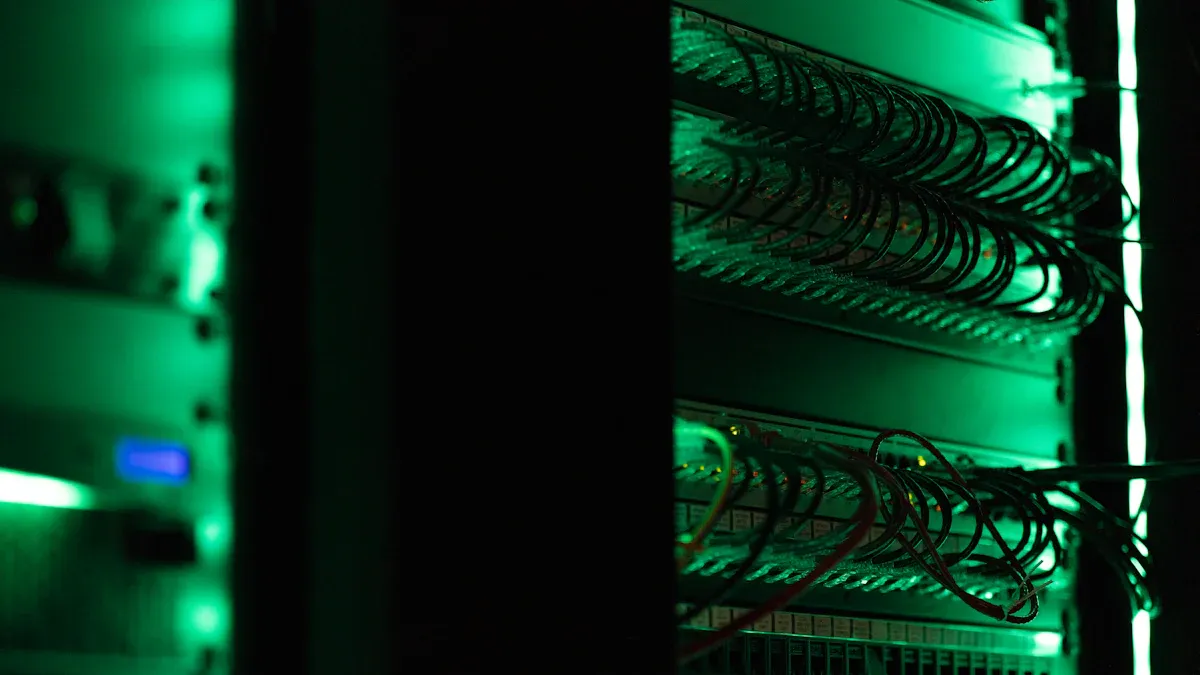
You need to monitor your Smart Power Distribution Unit regularly to keep your telecom cabinet running smoothly. Real-time monitoring lets you spot problems early and fix them before they cause downtime. You should check temperature, humidity, and power usage often. Use remote management tools to track alarms and performance from anywhere. Clean the PDU and inspect cables for wear or damage. Schedule routine maintenance to test surge protection and verify all connections. Document your maintenance activities so you can review trends and improve reliability.
Tip: Set up automatic alerts for abnormal readings. This helps you respond quickly and keeps your equipment safe.
Scalability and Future-Proofing
You want your telecom cabinet to grow with your needs. Modular cabinet designs let you adjust height and width, making space for new equipment. Combine modular cabinets with Smart Power Distribution Units to boost scalability and reliability in high-density setups. Intelligent load balancing features help you manage power efficiently. These features reduce energy waste and prevent overloads. Plan for future expansion by choosing PDUs with extra outlets and flexible configurations.
Modular cabinets allow easy adjustments for future equipment.
Smart PDUs enhance reliability in high-density environments.
Intelligent load balancing prevents overloads and saves energy.
Scalability Feature | Benefit |
|---|---|
Modular design | Easy expansion |
Intelligent load balancing | Efficient power management |
Extra outlets | Supports future devices |
Leveraging ESTEL Support
You can rely on ESTEL for expert help during deployment and maintenance. ESTEL provides installation guidance so you set up your PDU correctly. Technical support is available if you face any issues. Training programs teach you how to use and manage your equipment. Warranty coverage protects your investment and gives you peace of mind.
Installation guidance ensures proper setup.
Technical support helps solve problems quickly.
Training programs build your skills.
Warranty coverage secures your equipment.
Note: ESTEL’s support services make your deployment easier and help you maintain high performance in your telecom cabinet.
You can achieve reliable telecom cabinet performance by following industry best practices for Smart Power Distribution Unit deployment. Start with careful planning, select quality products like ESTEL, and manage your system actively. The table below highlights what matters most for your success:
Key Takeaway | Benefit |
|---|---|
Energy Efficiency | Save costs with real-time power monitoring |
Load Balancing | Prevent overloads and extend equipment life |
Remote Management | Control power from anywhere for faster response |
Automated Alerts | Act quickly to reduce downtime |
Modular Design | Expand easily as your needs grow |
For expert guidance, contact ESTEL or explore their resources for your next project.
FAQ
What is a Smart Power Distribution Unit (PDU)?
A Smart PDU lets you monitor and control power in your telecom cabinet. You can track energy use, manage outlets, and receive alerts. This helps you keep your equipment safe and efficient.
How does remote management work with ESTEL Smart PDUs?
You access your PDU through a web interface or network. You can turn outlets on or off, check power status, and receive alarms. This feature saves you time and reduces the need for on-site visits.
Why should you choose ESTEL for your telecom cabinet?
ESTEL offers reliable, energy-efficient PDUs with advanced monitoring. You get modular designs, strong support, and products that meet international standards. This ensures your telecom setup stays safe and future-ready.
How do you maintain a Smart PDU?
You should clean the unit, check cables, and test surge protection regularly. Use remote monitoring to spot problems early. Schedule routine inspections to keep your PDU working at its best.
See Also
Ensuring Consistent Power Supply for Telecom Equipment Cabinets
Solar Energy Storage Solutions for Telecom Equipment Cabinets
Essential Tips for Wiring and Cable Choices in Telecom Cabinets
Understanding ESTEL Standards for Telecom Cabinet Equipment Needs
CALL US DIRECTLY
86-13752765943
3A-8, SHUIWAN 1979 SQUARE (PHASE II), NO.111, TAIZI ROAD,SHUIWAN COMMUNITY, ZHAOSHANG STREET, NANSHAN DISTRICT, SHENZHEN, GUANGDONG, CHINA
