Smart PDU and UPS Linkage Optimization: Seamless Switching Practice for Dual-Power Systems in Telecom Cabinets

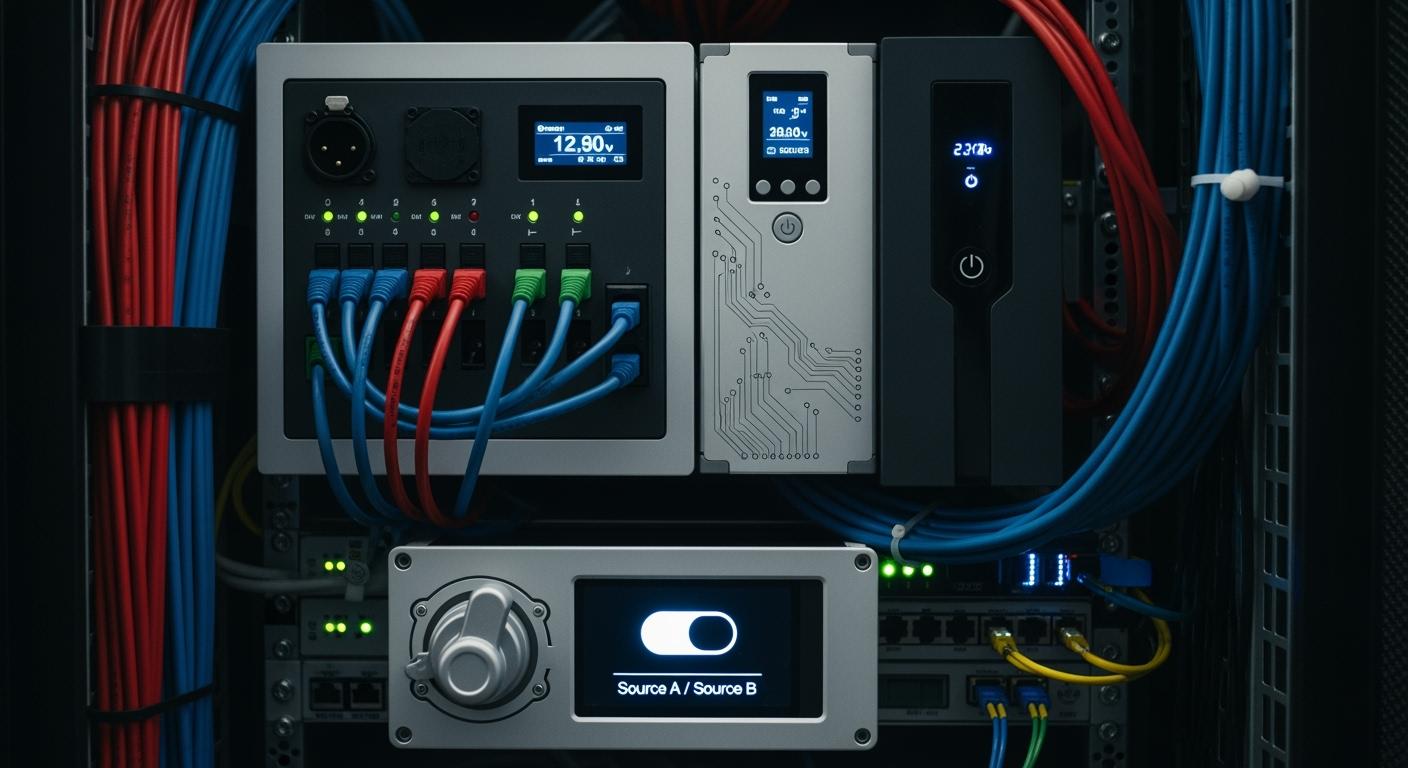
You can optimize the linkage between Smart Power Distribution Unit and UPS systems to achieve seamless switching in dual-power telecom cabinets. Intelligent integration and automation allow you to minimize downtime and boost reliability.
Downtime incidents often cost more than $100,000, with 16% exceeding $1 million.
The average facility faces 2.4 complete outages each year.
Operational Benefit | Measurable Improvement |
|---|---|
Network monitoring automation | |
Productivity boost | 30% increase from automated fault detection |
Fault response time | 25% reduction for faster issue resolution |
Network reliability | Significant reduction in outages |
Cost savings | Fewer disruptions and repairs yield long-term savings |
ESTEL provides advanced Smart Power Distribution Unit solutions to help you achieve reliable telecom operations.
Key Takeaways
Optimize the linkage between Smart PDUs and UPS systems to minimize downtime and enhance reliability in telecom cabinets.
Implement real-time monitoring and control to quickly identify and resolve issues, reducing unplanned outages by 25%.
Utilize automated switching algorithms for seamless power transitions, ensuring your network remains operational during outages.
Adopt redundancy strategies like N+1 or 2N configurations to protect against power supply failures and maintain service continuity.
Regularly maintain and inspect your power systems to extend equipment life and prevent unexpected downtime.
Dual-Power Systems in Telecom Cabinets
Importance for Telecom Reliability
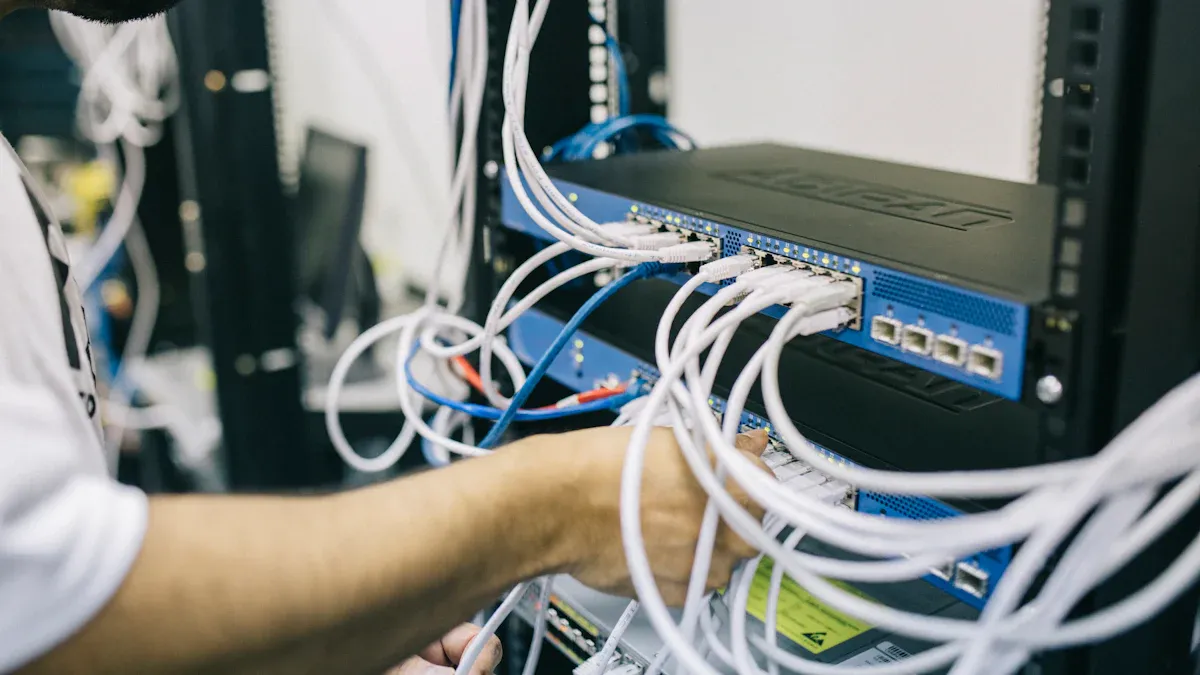
You rely on telecom cabinets to keep your network running without interruption. Dual-power systems play a vital role in maintaining this reliability. When you use two independent power sources, you protect your equipment from unexpected failures. Many common issues can disrupt cabinet operations. The table below shows the most frequent failure scenarios that dual-power systems help you avoid:
Failure Type | Description |
|---|---|
Electrical Failures | Voltage spikes from lightning or switching events can damage circuits. Poor grounding leads to erratic behavior. |
Thermal Failures | Excessive heat from blocked airflow or failed fans can damage components and reduce equipment life. |
Mechanical Failures | Vibration and poor mounting can cause breakdowns, leading to damaged circuit boards. |
Environmental Failures | Humidity, dust, and moisture can corrode terminals and create intermittent faults. |
Operational Failures | Integration issues and human factors can disrupt cabinet performance, highlighting the need for proper training and maintenance. |
You can reduce downtime and improve service quality by addressing these risks. Dual-power systems ensure that your network remains stable, even when one power source fails.
Key Requirements for Power Redundancy
You need to meet several technical requirements to achieve effective power redundancy in telecom cabinets. Consider the following best practices:
Implement a redundant power supply to switches for reliability during outages.
Utilize power stacking to connect multiple switches to a single power supply, with an extra PSU for redundancy.
Distribute the load across multiple PSUs through power sharing to maintain power if one fails.
Conduct regular tests on switches and PSUs to ensure proper function.
Employ a power management system for remote monitoring and control.
Operators also evaluate redundancy solutions based on scalability, risk assessment, and budget constraints. N+1 redundancy gives you one extra unit to prevent disruption from a single failure. 2N redundancy ensures that the failure of one complete system does not impact performance. You can plan for growth and meet strict uptime requirements by choosing the right model. Using a Smart Power Distribution Unit helps you manage these requirements efficiently and supports remote monitoring for better control.
Smart Power Distribution Unit and UPS Integration
ESTEL Smart Power Distribution Unit Features
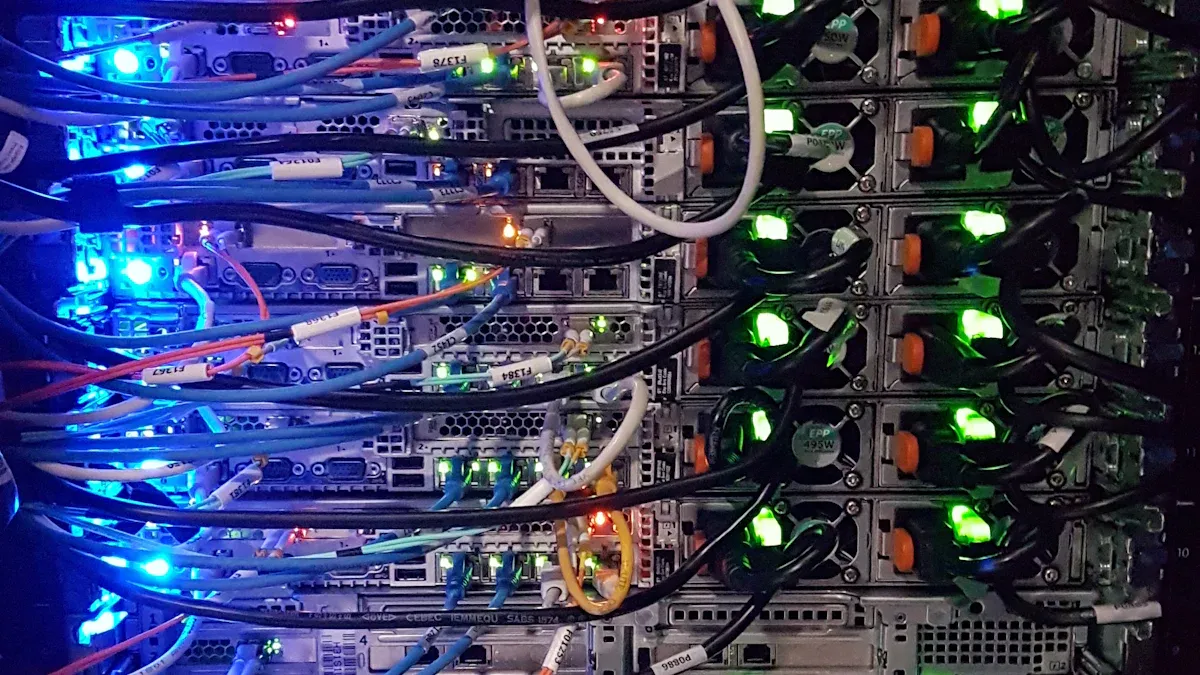
You can rely on ESTEL’s Smart Power Distribution Unit to deliver advanced power management in telecom cabinets. The unit stands out with intelligent monitoring, remote management, and outlet-level monitoring. These features help you track power usage in real time and identify anomalies before they disrupt operations. The modular design adapts to both small offices and large data centers, making upgrades easy without causing downtime.
Feature Category | ESTEL's Unique Offering | Impact / Benefit |
|---|---|---|
Advanced Sensors & Analytics | Real-time data collection with predictive maintenance | Reduces downtime by 15%, improves uptime by 20% |
Modular & Scalable Design | Adaptable for small offices and large data centers | Enables easy upgrades without downtime |
Energy Efficiency | Smart PDUs and power optimization | Achieves up to 20% energy savings |
Compliance | Meets UL, CE, IEC international standards | Ensures safety and reliability |
Integration | Seamless with DCIM tools | Provides unified monitoring and control |
Automation | AI-driven incident categorization and anomaly detection | Reduces manual triage by 58%, enables early issue detection |
Security | Encrypted protocols and multi-factor authentication | Protects data integrity and business security |
You benefit from outlet-level monitoring, which pinpoints underperforming equipment and helps you optimize power allocation. The Smart Power Distribution Unit also supports remote shutdown of inactive devices, reducing energy waste and supporting sustainability goals.
UPS Role in Power Continuity
A UPS system plays a critical role in maintaining power continuity during grid failures. You depend on UPS units to keep data transmission and emergency communications running when the main power source fails. Reliable battery backup prevents costly downtime and protects sensitive telecom equipment.
Evidence Description | Key Points |
|---|---|
Role of UPS in Telecom | UPS systems are crucial for maintaining power during outages, ensuring uninterrupted data transmission and emergency communications. |
Importance of Battery Backup | Reliable battery backup prevents costly downtime and protects sensitive telecom equipment. |
Advanced UPS Features | Modern UPS systems provide seamless power transfer and superior surge protection, essential for telecom operations. |
For large data centers, you should aim for a backup time of 10 to 30 minutes to allow generators to start. Smaller networks may need only 5 to 15 minutes. This ensures your telecom cabinet remains operational during unexpected power events.
Benefits of Integrated Solutions
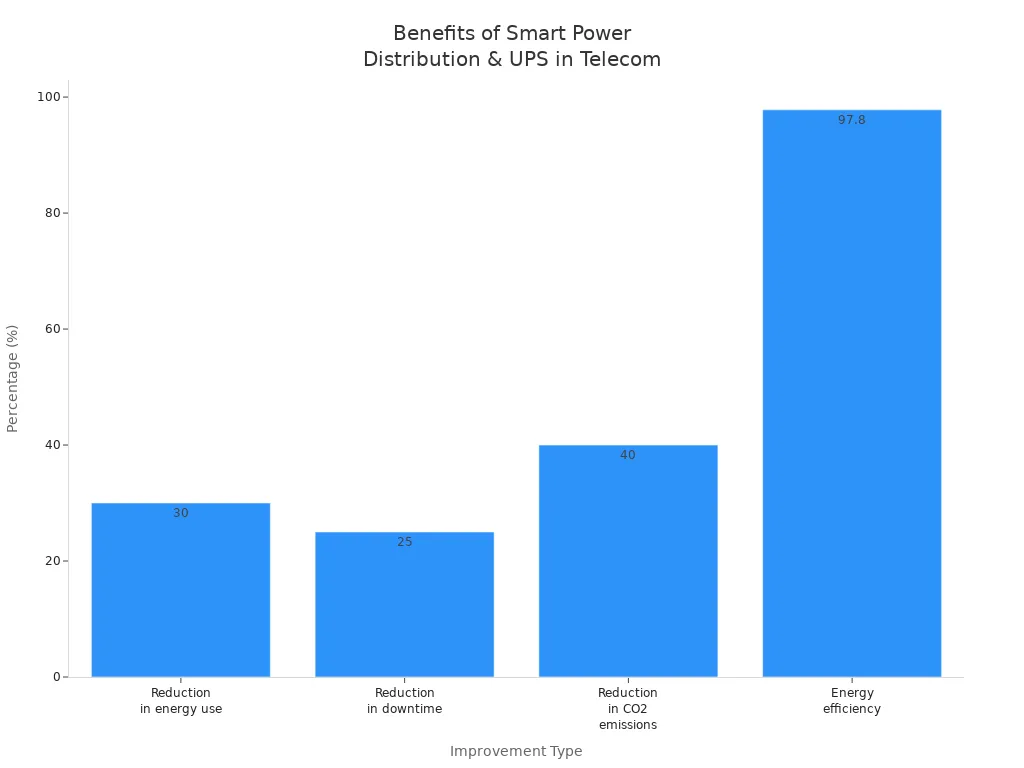
When you integrate Smart Power Distribution Unit and UPS systems, you unlock significant operational improvements. You see fewer outages, faster response times, and enhanced infrastructure protection. Operators report a 25% reduction in downtime and a 30% drop in energy use. You also achieve up to 40% lower CO2 emissions and 97.8% energy efficiency.
You face integration challenges such as interoperability issues, legacy equipment compatibility, and the need for better visibility into power quality metrics. ESTEL’s solutions address these challenges with seamless integration, advanced analytics, and unified monitoring.
Method | Description |
|---|---|
Hybrid Systems | Combine different power sources for reliability and efficiency. |
Adaptive Control | Use real-time data to adjust power distribution dynamically. |
Redundancy | Implement multiple independent power paths to maintain delivery if one component fails. |
Real-time Monitoring | Track power systems continuously to detect issues early and ensure seamless transitions. |
You benefit from long-term cost savings, easier maintenance, and enhanced scalability. Technological innovations like IoT integration and predictive maintenance further reduce operational costs and downtime.
Linkage Optimization Strategies
Real-Time Monitoring and Control
You need real-time monitoring and control to keep your telecom cabinet running smoothly. This approach lets you spot problems before they cause downtime. Remote monitoring allows you to check the status of your UPS and Smart Power Distribution Unit from any location. You can troubleshoot issues quickly and avoid sending technicians on-site for minor problems. SNMP communications make it easy to manage your UPS and retrieve status updates. Alerts and notifications help you respond to critical issues right away. Data and event logging give you the tools to analyze trends and track incidents over time.
Tip: Use remote control features to reboot or schedule UPS units without leaving your desk. This saves time and reduces operational costs.
Here are some best practices for real-time monitoring and control:
Enable remote monitoring and management for both UPS and Smart Power Distribution Unit.
Set up SNMP communications for effective status retrieval.
Configure alerts and notifications for critical events.
Use data and event logging for trend analysis and incident tracking.
Take advantage of remote control to reboot or schedule maintenance.
You can also use adaptive load sharing to distribute power based on real-time demand. Battery management systems provide detailed health information, which helps you plan proactive maintenance. Intelligent monitoring devices give you real-time insights that reduce power wastage.
Feature | Description |
|---|---|
Remote Access | You check power and PDU status from anywhere. |
Environmental Monitoring | Sensors track temperature, humidity, and other conditions. |
SNMP Traps | Automated alerts notify you about power or environmental issues. |
Branch Circuit Protection | Prevents overloads and keeps your cabinet safe. |
Authentication Support | Secure access with strong password policies. |
User Interface | Easy-to-use web GUI for quick management. |
Hot-Swappable Controller | Replace controllers without downtime. |
When you use these strategies, you reduce unplanned downtime by 25% and cut service interruptions by 40%. You also respond faster to problems and optimize your maintenance schedules.
Automated Switching Algorithms
Automated switching algorithms play a key role in seamless power transitions. These algorithms detect power source failures and switch to backup power instantly. Early automatic transfer switches (ATS) could only move loads to backup generators during outages. Today, microprocessor advancements allow for more complex and reliable switching.
You benefit from automated switching in several ways:
Immediate detection of outages keeps your equipment running.
Fast transitions to backup power reduce downtime.
Improved reliability protects sensitive telecom operations.
Automatic transfer switches are essential for maintaining power continuity. In telecom, even a short outage can disrupt communication and data flow. Automated switching ensures your network stays online, even during unexpected power events.
Load Balancing and Redundancy
Load balancing and redundancy strategies help you maintain continuous power and extend the life of your telecom cabinet components. Power load sharing lets you distribute the electrical load between multiple power supplies. If one supply fails, the other takes over, so your equipment keeps running.
You can use different redundancy configurations:
N+1 configuration allows one UPS to fail without affecting your critical load.
2N configuration uses two independent UPS systems, each able to carry the full load.
Parallel redundant configuration lets UPS units share the load, increasing reliability.
Modular redundant configuration adds flexibility and scalability with redundant modules.
Note: Redundancy increases reliability and fault tolerance. If a primary unit fails, a backup unit takes over, so you avoid interruptions.
Effective load balancing also prevents overloads and system downtime. Ignoring load variations can lead to rectifier overload and reduce system lifespan. Regular inspections and prompt replacement of worn components help you maintain stability and extend the life of your equipment.
Factor | Description |
|---|---|
Load Variations | Ignoring load variations can lead to rectifier overload and system downtime. |
Environmental Conditions | Temperature extremes and dust exposure reduce component longevity. |
Maintenance Practices | Regular inspections and prompt replacement extend system lifespan. |
Communication Protocols (SNMP, Modbus)
Communication protocols like SNMP and Modbus help you achieve seamless integration and remote management. SNMP enables you to monitor and control devices over your network. You receive real-time alerts and can manage your power systems from a central dashboard. Modbus RTU works over serial interfaces and is ideal for legacy systems. Modbus TCP/IP runs over Ethernet, offering higher speeds and easier integration with modern networks.
Protocol Type | Characteristics | Impact on Interoperability and Management |
|---|---|---|
Modbus RTU | Operates over serial interfaces (RS-232, RS-485), uses binary encoding, CRC | Suitable for legacy systems, supports longer distances, lower costs |
Modbus TCP/IP | Runs over Ethernet, utilizes TCP/IP, adds MBAP header for transaction management | Higher speeds, easier integration with modern networks, real-time data exchange |
SCADA Systems | Integrates advanced communication technologies, replaces traditional lines | Enables real-time data flow, supports remote monitoring and centralized control |
You should choose protocols that match your existing infrastructure. ESTEL’s Smart Power Distribution Unit supports SNMP and Modbus, making it easy to integrate with both new and legacy systems. This flexibility ensures you can monitor, control, and optimize your power systems efficiently.
Implementation and Maintenance Best Practices
Deployment Steps with ESTEL Solutions
You can deploy ESTEL’s Smart Power Distribution Unit and UPS systems in your telecom cabinet by following a clear sequence.
Identify the best mounting position inside your server rack.
Align the unit with the rack’s mounting brackets.
Attach the Smart Power Distribution Unit securely using screws or locking devices.
Use a level tool to confirm the unit sits evenly and stably.
Tighten all screws to prevent movement during operation.
Check that voltage and amperage ratings match your power source.
Connect the unit to a surge-protected outlet or UPS.
Secure all connections with high-strength locking devices.
Tip: Always double-check connections before powering up to avoid accidental faults.
Common challenges during deployment include energy efficiency, cooling management, and power reliability. You can address these by using high-efficiency UPS units, advanced cooling strategies, and redundant power systems. Routine testing and inspections help maintain operational readiness.
Challenge | Mitigation Strategy |
|---|---|
Energy Efficiency | Use high-efficiency UPS and intelligent PDUs to reduce losses and boost reliability. |
Cooling Management | Apply hot aisle/cold aisle containment and monitor conditions in real time. |
Power Reliability | Install redundant systems with automatic transfer switches and UPS units. |
Preventive Maintenance | Schedule routine tests and inspections for backup systems. |
Configuration and Testing Tips
You can optimize performance by following these configuration and testing practices:
Monitor power consumption regularly to spot inefficiencies and take corrective action.
Balance electrical loads to prevent overheating and extend equipment life.
Clean and inspect the unit to avoid failures from dust and debris.
Use intelligent PDUs for real-time energy monitoring and better power management.
Identify inefficiencies early to reduce costs and improve reliability.
Note: Balanced loads and regular monitoring help you achieve energy savings and longer equipment lifespan.
Ongoing Monitoring and Troubleshooting
Maintaining your Smart Power Distribution Unit and UPS linkage requires consistent attention.
Maintain and service the UPS as part of your infrastructure management plan.
Create a maintenance checklist and keep a detailed log of all service activities.
Test UPS batteries and switches regularly.
Inspect ambient temperature and humidity around the UPS.
Perform visual inspections for damage every month.
Maintenance Activity | Frequency |
|---|---|
Temperature and humidity check | Annually |
Full battery inspection | Annually |
Test switches, breakers, and fans | Semi-annually |
Clean and vacuum UPS interior | Semi-annually |
Visual inspection for damage | Monthly |
Check battery voltage levels | Monthly |
Regular monitoring and preventive maintenance help you avoid unexpected downtime and keep your telecom cabinet running smoothly.
Case Study: ESTEL Smart Power Distribution Unit in Action
Before and After Optimization
You may have faced frequent power interruptions and rising energy costs in your telecom cabinet. Before optimization, you likely struggled with manual monitoring and slow response times. Equipment downtime often led to service disruptions. Power distribution lacked precision, and you could not track energy use at the outlet level. These challenges made it hard to maintain reliable operations.
After you installed the ESTEL Smart Power Distribution Unit, you noticed immediate changes. You gained real-time monitoring and remote control. Outlet-level tracking allowed you to spot underperforming devices quickly. Automated alerts helped you respond to issues before they caused downtime. You also improved load balancing, which protected your equipment from overloads.
With the new system, you reduced manual checks and improved your ability to manage power remotely.
Results and Operational Improvements
You saw clear improvements after the upgrade. The Smart Power Distribution Unit ensured a steady electricity supply and reduced downtime. You saved energy and lowered operational costs. Equipment uptime increased, and you extended the life of your devices. Many data centers reported a 15% drop in energy use after installation.
Here is a summary of the key improvements:
Improvement Type | Description | Impact |
|---|---|---|
Enhanced Power Management | Smart PDUs ensure reliable electricity supply and reduce downtime. | Reduced downtime |
Increased Energy Efficiency | Significant energy savings, with reductions of up to 20% in operational costs. | Lower operational costs |
Improved Equipment Uptime | Equipment uptime improved by 20% through outlet-level monitoring. | Extended equipment life |
Reduced Energy Consumption | Many data centers reduced energy consumption by 15% after installation. | Lower energy costs |
You now benefit from a more reliable network, lower costs, and better control over your telecom cabinet. The ESTEL Smart Power Distribution Unit gives you the tools to maintain high performance and meet your operational goals.
You gain reliable power switching and minimize downtime when you optimize the linkage between your Smart Power Distribution Unit and UPS. Follow best practices like real-time monitoring and regular maintenance to keep your telecom cabinet running smoothly. Consider ESTEL solutions for advanced power management. Review your current setup and plan upgrades to improve efficiency and network reliability.
Tip: Start with a system audit to identify areas for improvement.
FAQ
What is a Smart Power Distribution Unit (PDU)?
A Smart PDU lets you monitor and control power in telecom cabinets. You get real-time data, remote management, and surge protection. This helps you keep your network running smoothly.
How does a UPS improve telecom cabinet reliability?
A UPS provides backup power during outages. You protect your equipment from sudden shutdowns and data loss. This keeps your telecom cabinet operational when the main power fails.
Can you integrate ESTEL Smart PDU with existing UPS systems?
Yes, you can integrate ESTEL Smart PDUs with most UPS systems. You use standard protocols like SNMP and Modbus for easy setup and remote monitoring.
What maintenance steps should you follow for Smart PDUs and UPS?
You should inspect connections monthly, test batteries semi-annually, and clean units regularly. You keep logs of service activities and monitor temperature and humidity to prevent failures.
See Also
Strategies for Maintaining Consistent Power in Telecom Cabinets
Solar Energy Storage Solutions for Telecom Cabinet Systems
Integrated Solar Inverter and Battery Setup for Telecom Cabinets
Understanding ESTEL PDUs and Their Importance in Data Centers
Calculating Power Systems and Battery Needs for Telecom Cabinets
CALL US DIRECTLY
86-13752765943
3A-8, SHUIWAN 1979 SQUARE (PHASE II), NO.111, TAIZI ROAD,SHUIWAN COMMUNITY, ZHAOSHANG STREET, NANSHAN DISTRICT, SHENZHEN, GUANGDONG, CHINA
