Coordinated Control of Smart PDUs and UPS: Seamless Switch to Battery Power During Mains Outage

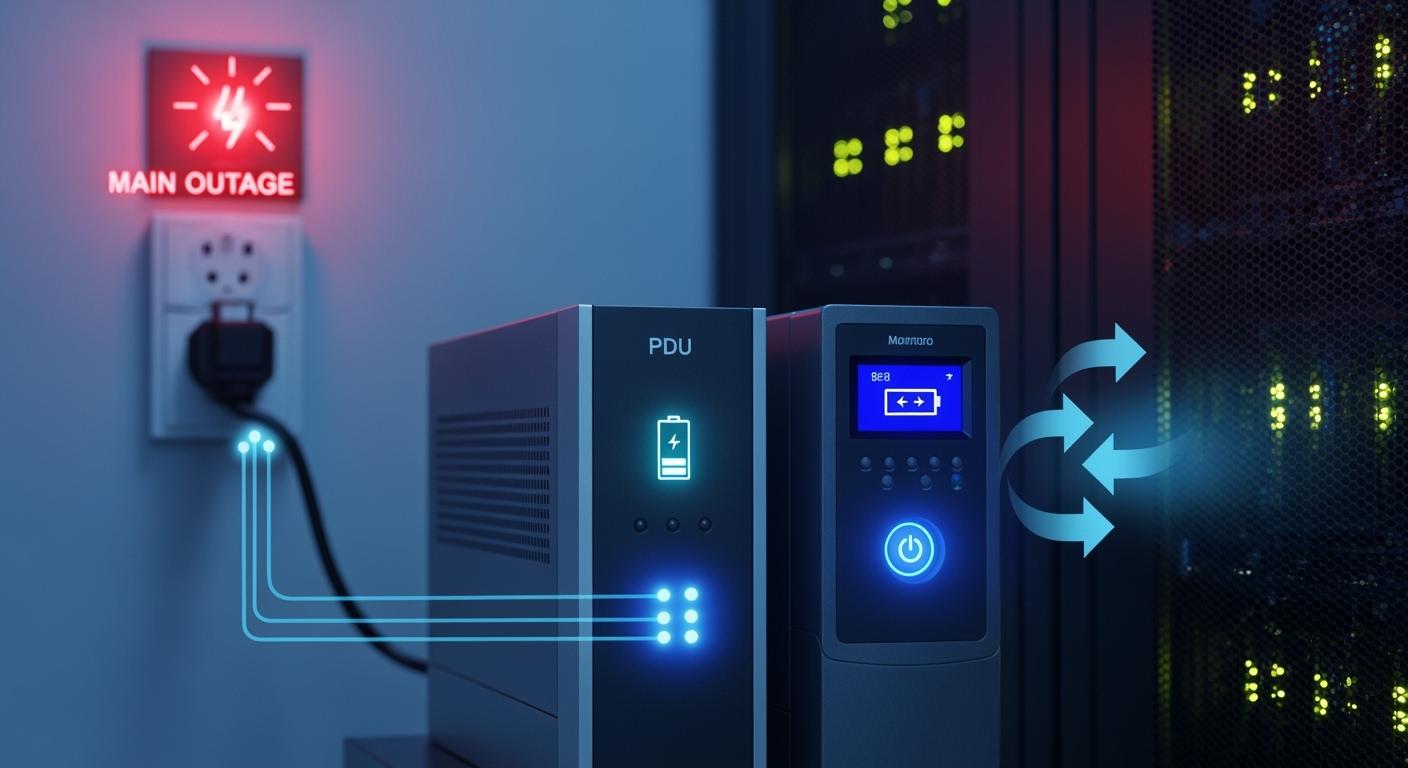
Reliable power keeps your telecom and data center operations running. You face major risks when outages strike, as power failures cause 36% of the largest global public service disruptions and lead to 54% of unplanned outages. With coordinated control between a Smart Power Distribution Unit and a UPS, you gain automated switching, fast transitions to battery backup, and load balancing. These features keep your critical equipment operational. ESTEL delivers advanced power solutions that help you maintain uptime and simplify system management for long-term success.
Key Takeaways
Power outages can lead to significant financial losses and operational disruptions. Invest in reliable power management solutions to protect your business.
A Smart Power Distribution Unit (PDU) offers features like remote monitoring and overload protection. Use these tools to manage power effectively and maintain optimal conditions.
UPS systems provide instant power transfer during outages. They prevent data loss and allow for controlled shutdowns, ensuring your equipment remains safe.
Regular testing and maintenance of your power management system are crucial. Schedule routine checks to identify issues early and ensure seamless operation.
Coordinating a Smart PDU with a UPS enhances uptime and reduces operational costs. This synergy improves efficiency and protects critical infrastructure.
Uninterrupted Power and Outage Risks
Impact on Telecom and Data Centers
You rely on continuous power to keep your telecom and data center operations running smoothly. Power outages can strike at any time, often caused by on-site power failures, natural disasters like hurricanes or earthquakes, equipment breakdowns, human mistakes, or even cybersecurity threats. When these events happen, you face more than just a temporary inconvenience. Downtime can lead to data loss, financial setbacks, and damage to your reputation.
Natural disasters have become more frequent in recent years. If your data center fails during one of these events, your entire IT infrastructure can become useless. This can result in major financial losses. Even a short interruption can disrupt your services and affect your customers. You need reliable solutions, such as a Smart Power Distribution Unit, to help manage these risks and keep your systems online.
Business Continuity Challenges
You face several challenges when trying to maintain business continuity during power interruptions. The financial impact can be severe. Over 60% of failures now result in at least $100,000 in total losses, and the share of outages costing over $1 million has increased in recent years. Power-related issues account for 43% of significant outages that cause downtime and financial loss.
Here is a quick look at how power interruptions affect your operations:
Impact Type | Description |
|---|---|
Economic Losses | Power outages cost U.S. businesses at least $150 billion each year. |
Operational Disruptions | You may face penalties and spoilage of goods due to outages. |
Reputational Damage | Customers lose trust when your services go offline, especially if uptime is critical. |
Even minor disruptions can violate service-level agreements and erode customer trust. Emergency power strategies are essential for disaster recovery planning. By investing in advanced power management tools, you can reduce these risks and protect your business from unexpected outages.
Power Management Roles: Smart Power Distribution Unit and UPS
Smart Power Distribution Unit Features
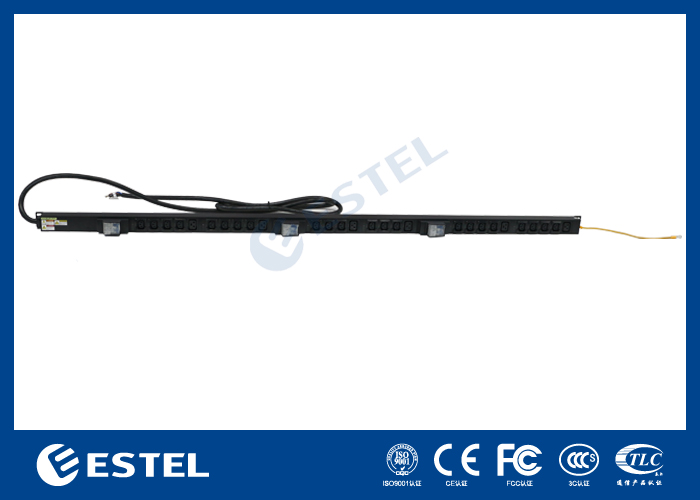
You need a reliable way to manage power in your telecom or data center environment. The Smart Power Distribution Unit gives you advanced control and monitoring. You can manage individual outlets and track power usage remotely. Built-in sensors monitor temperature and humidity, helping you maintain optimal conditions. Overload protection keeps your equipment safe from short circuits. The rotatable LCD screen supports flexible installation. Cascade networking lets you connect multiple units for streamlined management.
Feature | Description |
|---|---|
Remote Monitoring and Control | Manage individual outlets and monitor power usage from anywhere. |
Overload Protection | A 16A circuit breaker safeguards your equipment against short circuits. |
Environmental Sensors | Built-in sensors track temperature and humidity, ensuring optimal conditions. |
Rotatable LCD Screen | Supports both horizontal and vertical installations. |
Cascade Networking | Connect up to five PDUs for streamlined management. |
UPS Backup and Protection
You depend on a UPS system to keep your equipment running during power outages. UPS systems transfer power instantly to batteries, preventing downtime and power surges. They protect your data by allowing you to save work and avoid corruption. You can perform controlled shutdowns, minimizing risks to files and hardware.
Functionality | Description |
|---|---|
Instant Power Transfer | UPS systems switch to battery power immediately, ensuring no downtime and preventing power surges. |
Preventing Data Corruption | They keep systems running long enough to save work, avoiding data loss or corruption during outages. |
Graceful System Shutdowns | UPS allows for controlled shutdowns, saving in-progress data and minimizing file corruption risks. |
ESTEL Solutions Overview
ESTEL offers Smart Power Distribution Units and UPS solutions that stand out for their reliability and user-friendly design. You benefit from robust construction, comprehensive safety features, and easy installation. ESTEL products suit both small businesses and large data centers. You get cost-effective solutions without sacrificing quality. When you combine a Smart Power Distribution Unit with a UPS, you create a coordinated power management strategy. The PDU distributes power efficiently, while the UPS provides backup during outages. This synergy reduces downtime and protects sensitive equipment, improving operational efficiency and reliability.
Tip: Coordinated deployment of ESTEL's Smart Power Distribution Unit and UPS ensures seamless transitions and maximizes uptime for your critical infrastructure.
Seamless Integration and Coordination
Real-Time Monitoring and Communication
You need real-time monitoring to ensure your power infrastructure responds instantly to outages. Smart Power Distribution Units and UPS systems use advanced protocols to communicate and share status updates. These protocols allow you to track power usage, detect faults, and manage devices remotely. You can view system health and receive alerts when issues arise. The following table shows common protocols used for monitoring and communication:
Protocol | Description |
|---|---|
HTTP(S) | Web-based management and monitoring. |
SNMP v2/v3 | Network management and device monitoring. |
Telnet | Command-line interface for remote management. |
SSH | Secure shell for encrypted communication and management. |
HTTPS1.1 | Secure version of HTTP for encrypted communication. |
MQTTS | Messaging protocol for lightweight communication. |
TLS 1.2 | Secure communication over a computer network. |
SNMPv1/v3 | Device management using Simple Network Management Protocol. |
NTP | Synchronizes clocks across devices. |
SMTPS | Secure email protocol for sending alerts. |
BOOTP/DHCP | Network configuration and IP address assignment. |
CLI | Command Line Interface for device management. |
ARP | Maps IP addresses to MAC addresses. |
Syslog | Sends log messages to a logging server. |
You can configure these protocols to match your network environment. This setup helps you maintain visibility and control over your power systems.
Tip: Use SNMP and Syslog to automate alerts and log events for faster troubleshooting.
Automated Switching Logic
Automated switching logic ensures your equipment transitions smoothly to battery power during a mains outage. You do not need to manually intervene. The system follows a clear process:
The Smart Power Distribution Unit continuously monitors the primary power source.
It detects faults by checking voltage and frequency thresholds.
When a failure occurs, the backup power source activates.
The system transfers the load to the backup power source.
It monitors for restoration of primary power and automatically switches back when stable.
You gain confidence knowing your critical devices stay online. Automated switching reduces downtime and protects your data.
Note: Test switching logic regularly to verify response times and prevent unexpected failures.
Compatibility and Reliability
You may face compatibility challenges when integrating Smart Power Distribution Units with different UPS models. These issues can delay deployment and increase costs. Common challenges include:
Compatibility issues often arise only after installation.
Not all devices work seamlessly with every rack, server, or power system.
Unique outlet types or plug standards may not match existing equipment, leading to deployment delays and increased costs.
Many IT teams face unexpected compatibility challenges with new PDUs.
Mismatched outlet types can complicate integration with existing systems.
These issues can result in higher costs and longer deployment times.
You can address these challenges by checking outlet types, plug standards, and device specifications before installation. Reliability metrics help you evaluate system performance. Methods like Monte Carlo simulations and Markov chain approaches calculate power system reliability. These assessments show how well your coordinated systems perform during outages.
If you encounter integration issues, follow troubleshooting steps:
Issue Type | Action Plan |
|---|---|
Dead Outlet on Smart PDU | Flash firmware rollback, then manually cycle relay via control interface. |
Over-Corrected Branch on Phase A | Reassign two blade servers to Phase B outlets. |
Electromagnetic Interference (EMI) | Verify bonding of UPS ground to facility earth and install EMI suppression filters. |
You improve reliability by monitoring system performance, testing switching logic, and resolving compatibility issues quickly. Coordinated control between your Smart Power Distribution Unit and UPS system keeps your infrastructure resilient and ready for any outage.
Implementation Best Practices
Setup and Configuration
You need a solid foundation when setting up your power management system. Follow these steps to ensure reliable operation:
Match the input of your Smart Power Distribution Unit with the output of your UPS. Check voltage and phase configuration.
Calculate the total load and balance it across all phases. This prevents overloading and keeps your system stable.
Connect the UPS output directly to the PDU input. Use dedicated circuits for critical equipment. Avoid daisy-chaining.
Choose PDUs with surge protection and intelligent monitoring features.
Organize cables neatly and follow compliance standards for surge protection and battery safety.
Plan for future growth. Schedule regular testing and keep documentation updated for troubleshooting.
Tip: Redundant paths for critical systems increase reliability and minimize downtime.
Testing and Validation
You must test your system to guarantee seamless switching between mains and battery power. Use advanced testing equipment like bidirectional programmable DC power supplies. These tools help you switch between charging and discharging batteries efficiently. Always check battery polarity to prevent damage. Monitor battery temperature, voltage, and current during tests. Use a DC contactor or relay to isolate the battery from the test system. This protects your equipment from overtemperature and other issues.
Note: Testing under real-world conditions helps you identify potential problems before they impact your operations.
Maintenance and Monitoring
Regular maintenance keeps your power system reliable. Inspect your equipment visually for damage or wear. Clean dust and debris to prevent overheating. Test and replace batteries as needed. Check fans and filters to ensure proper cooling. Monitor capacitors and power modules for signs of wear. Update firmware and software for compatibility and performance. Record all maintenance activities for future reference. Schedule routine checks to catch issues early.
Hire professionals to maintain accurate diagrams.
Control environmental conditions to extend equipment life.
Conduct safety analyses to reduce human error.
🛠️ Well-maintained systems deliver consistent performance and protect your investment.
ESTEL Case Study: Smart Power Distribution Unit Deployment
Scenario and Challenges
You manage a telecom site in a remote area. The site faces frequent power outages and harsh weather. Your team struggles with downtime and high maintenance costs. Manual checks take time and increase the risk of human error. You need a solution that keeps your equipment running and reduces operational headaches.
Solution Steps
You decide to deploy ESTEL’s Smart Power Distribution Unit with coordinated UPS backup. You connect the PDU to your main power source and UPS. You set up remote monitoring using the built-in LCD display and intelligent protocols. You configure outlet-level monitoring to track power usage for each device. You use the system’s alerts to respond quickly to faults. You test the automated switching logic to ensure seamless transitions during outages.
Results and Benefits
You see measurable improvements soon after deployment:
You notice a 20% increase in equipment uptime. Your site stays online longer, even during power cuts.
You use intelligent monitoring at the outlet level. This helps you track power usage and spot inefficiencies fast.
You experience a drop in operational costs. Coordinated control through the INNOVE platform improves efficiency.
You reduce the impact of capacity constraints on costs and service connections by up to 70%.
You benefit from better information exchange. Your team makes faster decisions during delays, which protects critical services.
Tip: Deploying a Smart Power Distribution Unit with coordinated UPS control gives you more uptime, lower costs, and greater peace of mind.
You gain reliable uptime and efficient power management when you coordinate Smart Power Distribution Units with UPS systems. This approach protects your equipment and reduces operational costs. The ESTEL case study shows that you can improve performance by following key strategies:
Identify gaps and lead when opportunities arise.
Prepare contingency plans with a diverse team.
Use data to inform decisions.
Build relationships and foster support.
Prioritize accessibility and trust.
Encourage innovation and risk-taking.
Stand firm on your values.
Focus on progress, not perfection.
You can assess your power infrastructure by:
Evaluating power generation capabilities.
Considering alternative energy sources.
Understanding grid reliability.
Implementing on-site power generation.
Reducing greenhouse gas footprint.
Modeling data center behavior for dynamic demands.
Reach out to ESTEL for expert guidance. You can schedule a consultation to explore advanced power solutions and optimize your infrastructure.
FAQ
How does a Smart Power Distribution Unit help during a power outage?
You gain real-time monitoring and automated switching. The unit detects outages and transfers power to backup sources. This keeps your equipment running and prevents downtime.
Can you control ESTEL’s Smart PDU remotely?
Yes, you can manage outlets and monitor power usage from anywhere. The unit supports remote control through web interfaces and intelligent protocols.
What should you check before integrating a UPS with a Smart PDU?
Always verify voltage, phase configuration, and outlet compatibility.
Review device specifications to ensure seamless integration and prevent deployment delays.
How often should you test your power management system?
You should test your system every quarter. Regular testing helps you spot issues early and ensures seamless switching during outages.
See Also
Telecom Cabinets Powered By Grid-Connected Solar Inverter Systems
Energy Storage Solutions For Telecom Cabinets With ESTEL Microgrid
Solar Energy Storage Systems Designed For Telecom Cabinets
Ensuring Consistent Power Supply For Telecom Cabinet Systems
Understanding ESTEL PDUs And Their Importance In Data Centers
CALL US DIRECTLY
86-13752765943
3A-8, SHUIWAN 1979 SQUARE (PHASE II), NO.111, TAIZI ROAD,SHUIWAN COMMUNITY, ZHAOSHANG STREET, NANSHAN DISTRICT, SHENZHEN, GUANGDONG, CHINA
