User Permission Hierarchical Management of Smart PDUs in Telecom Cabinets: Power Safety Boundaries for Multi-Role Collaboration

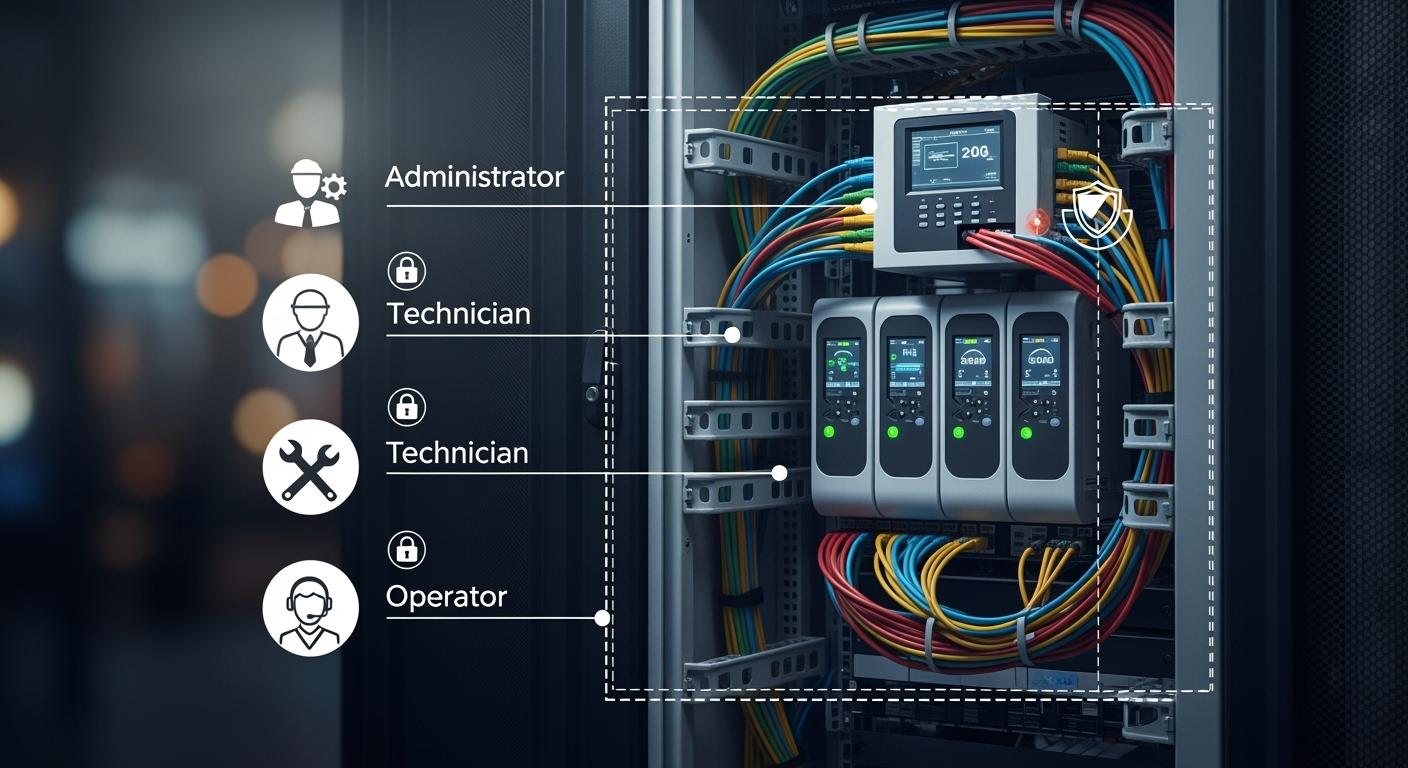
You need strong controls to keep telecom cabinets safe and reliable. When you use hierarchical user permission management, you set clear boundaries for power safety. This structure lets each role access only what they need, which reduces risk and improves teamwork. With a Smart Power Distribution Unit, you gain advanced access management that supports secure operations. ESTEL leads the way in telecom cabinet solutions, focusing on quality and innovation for every project.
Key Takeaways
Implement hierarchical user permission management to enhance security and reduce risks in telecom cabinets.
Utilize Smart Power Distribution Units for efficient power management, real-time monitoring, and improved equipment uptime.
Regularly review user roles and permissions to maintain a secure environment and prevent unauthorized access.
Adopt best practices for maintenance, including visual inspections and cleaning, to ensure long-term performance and reliability.
Integrate workflows and monitoring tools to boost collaboration and operational efficiency among team members.
Smart Power Distribution Unit in Telecom Cabinets
Key Features and Benefits
You rely on telecom cabinets to keep your network running smoothly. A Smart Power Distribution Unit plays a vital role in this environment. It manages and distributes power to all your critical equipment. With advanced features, you can monitor, control, and protect your devices more effectively.
Here is a table that shows the main functions of these units:
Function | Description |
|---|---|
Power Isolation | Ensures reliable power supply separation for each tenant, preventing cross-tenant issues. |
Remote Control | Allows monitoring and control of each outlet from any location, enhancing operational efficiency. |
Automated Fault Detection | Utilizes monitoring tools to identify and resolve issues quickly, minimizing downtime. |
Surge Protection and Power Filtering | Protects equipment from voltage spikes and electrical noise, improving performance and uptime. |
Integration with Management Systems | Connects to telecom management systems for real-time data access and automated control. |
You gain several measurable benefits when you use a Smart Power Distribution Unit. Efficient power distribution ensures a stable supply to essential equipment. Overload protection prevents damage and failures. Real-time monitoring helps you detect power fluctuations quickly, which improves your response time. Many organizations have reported energy savings of up to 41% and a 20% improvement in equipment uptime. These improvements also reduce maintenance costs and support green initiatives.
ESTEL Product Highlights
ESTEL stands out as a leader in telecom cabinet solutions. You benefit from their commitment to quality and innovation. Their Smart Power Distribution Unit features a modular design, which makes it easy to scale as your needs grow. The unit supports remote management, so you can control power from anywhere. Outlet-level monitoring helps you identify and eliminate energy waste.
ESTEL integrates energy-efficient technologies into every design. This approach improves power usage effectiveness and reduces operational costs. The units also include surge protection, dehumidifying functions, and robust construction to withstand harsh environments. You can trust ESTEL to deliver reliable, high-performance solutions that meet international standards and support the demands of modern telecom infrastructure.
Hierarchical Permission Management
User Authentication and Roles
You need strong user authentication to keep your telecom cabinet safe. When you use a Smart Power Distribution Unit, you can assign specific roles to each user. This approach helps you control who can access, monitor, or change power settings. Each person gets only the permissions they need for their job.
User authentication uses several security features to prevent unauthorized access. The table below shows how these features work together to protect your system:
Security Feature | Description |
|---|---|
Secure boot processes | Verifies the PDU’s internal chips during startup, blocking malware from loading. |
Terminal access control | Limits access to authorized users only through strict password policies. |
Encryption protocols | Protects data in transit using HTTPS and SSH. |
Firewalls | Utilizes IP-based and role-based access control to prevent unauthorized network connections. |
X.509 digital certificates | Secures connections and defends against man-in-the-middle attacks. |
You can also improve security by following strong password policies:
Use passwords with at least eight characters, including upper and lower case letters, numbers, and special symbols.
Change default passwords after your first login.
Set passwords to expire regularly. This reduces the risk from old or leaked passwords.
When you combine these steps, you create a secure environment for every user. You make sure only trusted people can access the system.
Access Levels and Controls
You can set up different access levels for each role in your telecom cabinet. This structure lets you define what each user can see or do. For example, an administrator can manage all settings, while a technician may only view power status or reset outlets.
Here are some common roles and their typical permissions:
Administrator: Full access to all settings, logs, and remote controls.
Operator: Can monitor power usage and perform basic controls, such as turning outlets on or off.
Technician: Limited to viewing status and performing maintenance tasks.
Auditor: Can review logs and reports but cannot change any settings.
You can use these access levels to reduce mistakes and prevent unauthorized changes. Each user works within clear boundaries. This approach helps you maintain safety and accountability in your telecom cabinet.
A Smart Power Distribution Unit makes it easy to assign and manage these roles. You can update permissions quickly as your team changes. You also get detailed logs that show who accessed the system and what actions they took. This record helps you track activity and respond to any issues.
Tip: Review user roles and permissions regularly. Remove access for users who no longer need it. This practice keeps your system secure and up to date.
Power Safety Boundaries
Preventing Unauthorized Access
You must protect telecom cabinets from unauthorized access to maintain safety and reliability. Modern systems use several methods to keep power controls secure. The table below shows the most common approaches:
Method | Description |
|---|---|
Advanced Locking Mechanisms | These include biometric or electronic locks that limit access to authorized personnel and provide an audit trail. |
Surveillance Systems | Motion-activated cameras monitor activity and allow for quick responses to suspicious behavior. |
Durable Materials | Materials like stainless steel and fiberglass offer tamper resistance and protection against environmental factors. |
You also benefit from strong security features built into the Smart Power Distribution Unit. These features help prevent unauthorized access and cyber threats. Multi-level authentication and role-based access ensure that only authorized users can manage the system. Compliance with industry regulations further strengthens security. When you combine physical and digital safeguards, you create a robust defense against both physical tampering and cyber risks.
Tip: Regularly review access logs and update user permissions. This practice helps you spot unusual activity and keeps your system secure.
Isolation and Emergency Controls
You need effective isolation and emergency controls to protect equipment and personnel during critical incidents. Isolation techniques help you contain problems and prevent them from spreading. The table below outlines recommended methods:
Isolation Technique | Description |
|---|---|
Hierarchical Current Limiting | Uses multiple layers of devices to control overloads and protect against surges. |
Surge Protective Devices (SPDs) | Diverts harmful voltage spikes to prevent damage and service interruptions. |
Load-sharing Strategies | Balances electrical loads across modules to reduce overload risk and facilitate maintenance. |
Real-time Monitoring | Detects problems early, allowing for quick operator response to maintain system stability. |
Advanced Protection Techniques | Improves equipment safety, reduces downtime, and extends system life with careful setup. |
You should isolate faulty components to prevent further damage. Remove and test modular rectifier units one at a time. Use real-time monitoring to check voltage and temperature. Redundant power configurations, such as N+1 or N+2, keep your system running during isolation. Inspect surge protection devices regularly to catch voltage spikes early.
Emergency controls in modern systems play a key role in minimizing downtime. Real-time monitoring gives you immediate insights into power usage and potential issues. Predictive maintenance lets you fix problems before they cause failures. Automated alerts notify your team about potential problems, so you can respond quickly. Hot-swappable components allow you to perform maintenance without shutting down the system. Dual power automatic transfer switches keep sensitive equipment powered by switching between sources when needed.
Industry data shows that with real-time alerts, average downtime drops from 12 hours per year to just 2 hours. Emergency site visits also decrease from 150 to 40 per year. These improvements highlight the value of strong emergency controls in telecom environments.
Note: Regular testing of emergency controls ensures they work when you need them most. Schedule routine drills and inspections to keep your team prepared.
Multi-Role Collaboration
Workflow Integration
You can improve teamwork in telecom environments by integrating workflows with your Smart Power Distribution Unit. When you connect your power management system with monitoring tools and remote diagnostics, you help your team work more efficiently. Real-time visibility lets you make smarter decisions about energy use and equipment health. Streamlined workflows allow different roles to collaborate without confusion.
Feature | Benefit |
|---|---|
Real-time visibility | Enables smarter decisions around energy use |
Streamlined workflows | Facilitates collaboration among personnel |
Remote diagnostics | Supports troubleshooting and reduces downtime |
Enhanced operational efficiency | Improves overall team productivity |
You can follow best practices to get the most from your system:
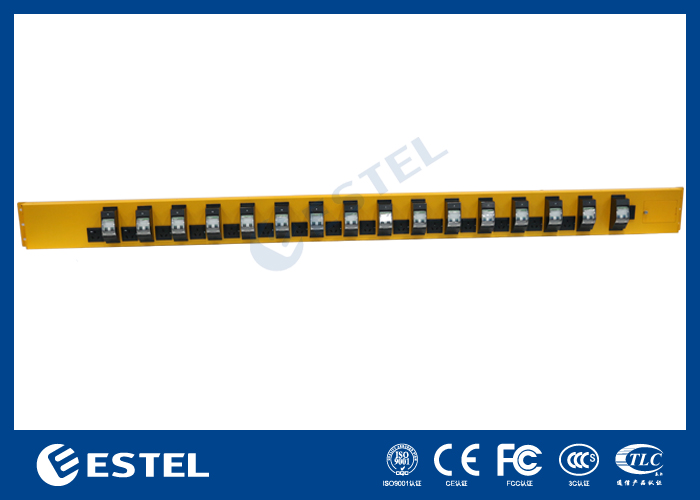
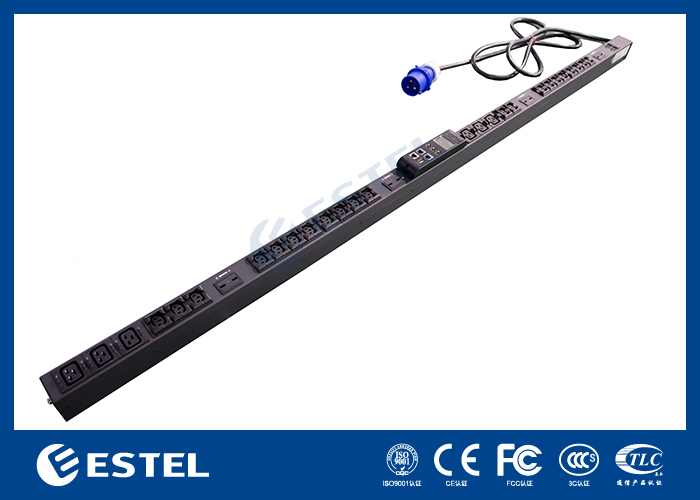
Mount the unit vertically inside rack enclosures for better cable management and airflow.
Integrate with monitoring systems that support SNMP or Modbus protocols.
Use certified electricians for grounding and regular inspections.
You should also train your staff, schedule routine checks, and inspect batteries for wear. These steps help prevent unexpected outages and reduce emergency truck rolls by up to 30%. Predictive analytics further enhance reliability.
Audit Trails and Accountability
You need clear records to ensure accountability in your telecom cabinet. Audit logging tracks every action on the system. This creates a detailed trail of events for compliance and investigations.
Audit logging records all activities on the PDU. This creates a detailed trail of events. Audit logs are crucial for compliance requirements and forensic investigations. They help identify suspicious activities and track changes made to the system.
With audit trails, you can see who accessed the system, what changes they made, and when. This transparency helps you meet regulatory standards and quickly resolve issues.
ESTEL Platform Integration
You can connect the ESTEL platform with your existing telecom management systems easily. Open APIs and a microservices architecture support seamless integration. This flexibility lets you link the platform with ERP, CRM, and other enterprise tools.
Open APIs simplify integration with your current systems.
The platform’s microservices design allows for scalable and reliable connections.
You can manage all your power and cabinet data in one place.
This approach supports multi-role collaboration by giving every team member the information they need, when they need it.
Technical Implementation and Compliance
Metering and Data Segregation
You need accurate metering to manage power in telecom cabinets. Smart Power Distribution Units use high-precision metering chips and wide-range manganin shunts for reliable, bidirectional energy measurement. These units have independent measurement channels, so you can trust the data for compliance and billing. A dual-core management module runs advanced algorithms to separate data for each user or device. Real-time voltage and current sampling uses high-precision transformers, which helps prevent signal loss.
Data segregation is just as important as metering. You protect sensitive information by using encrypted communication protocols and secure login systems. Multi-factor authentication ensures that only authorized users can access critical data. Each user gets a unique username and password, with credentials encrypted for extra security.
Security Measure | Description |
|---|---|
Encrypted Communication Protocols | Protects data in transit from unauthorized access. |
Multi-Factor Authentication | Ensures that only authorized users can access sensitive data. |
Secure Login Protocols | Prevents unauthorized access to user accounts. |
Scalability and Standards
You want your power management system to grow with your network. ESTEL’s Smart PDUs feature modular designs, so you can add more units as your needs change. This flexibility supports both small and large telecom sites. The units comply with international standards, including ISO9001 and IEC60309, which means you meet global safety and quality requirements. ESTEL’s commitment to these standards ensures your system remains reliable and future-proof.
You also benefit from robust technical support. ESTEL provides guidance on installation, integration, and ongoing maintenance. This support helps you keep your system running smoothly as your network expands.
Deployment Best Practices
You can maximize reliability by following proven deployment practices:
Schedule regular maintenance and inspections to catch issues early.
Monitor power usage to avoid overloads and optimize performance.
Use redundant power sources to ensure continuous operation.
Enable remote management for fast troubleshooting.
Organize cables neatly to improve airflow and safety.
Proper placement of Smart PDUs, such as vertical mounting in racks, improves cable management and cooling. Integrate your units with monitoring platforms for proactive maintenance. Always follow installation guidelines for grounding and local compliance.
By following these best practices, you reduce downtime and save costs over time. ESTEL’s modular designs and technical support help you build a reliable, scalable power management system for your telecom cabinets.
You can strengthen telecom cabinet safety and teamwork by following these best practices:
Update access permissions and review security logs often.
Use AI-driven monitoring and real-time alerts for quick response.
Choose secure locks and advanced access controls to prevent tampering.
Integrate strong encryption and programmable access for robust security.
Consider ESTEL’s Smart Power Distribution Units for reliable and scalable power management. For long-term performance, follow these maintenance tips:
Importance | |
|---|---|
Visual Inspection | Detects wear or damage early |
Cleaning | Prevents dust buildup and equipment failure |
Documentation | Tracks maintenance history for consistency |
Calibration of Components | Ensures alarms and systems work correctly |
Consistent Maintenance | Reduces risk of power failures |
Regular care keeps your system safe, efficient, and ready for future needs.
FAQ
How do you assign user roles in a Smart Power Distribution Unit?
You use the management interface to set up user accounts. You choose roles like administrator, operator, or technician. Each role has specific permissions. This setup helps you control who can access or change power settings.
What safety features protect your telecom cabinet from power issues?
Smart PDUs include surge protection, current limiting, and real-time monitoring. These features help you prevent overloads and electrical faults. You keep your equipment safe and reduce the risk of downtime.
Can you manage ESTEL’s Smart PDU remotely?
Yes, you can. ESTEL’s Smart PDU supports remote monitoring and control. You use a secure web interface or management software. This feature lets you check status, adjust settings, and respond to alerts from anywhere.
How often should you perform maintenance on your Smart PDU?
You should inspect your Smart PDU every three to six months. Clean the unit, check for wear, and review logs. Regular maintenance helps you catch problems early and keeps your system running smoothly.
See Also
Exploring ESTEL PDUs and Their Importance in Data Centers
Ensuring Consistent Power Supply for Telecom Cabinets Effectively
Selecting and Installing Telecom Cabinets on Poles Safely
Best Practices for Protecting Communication Cabinets in Risky Locations
CALL US DIRECTLY
86-13752765943
3A-8, SHUIWAN 1979 SQUARE (PHASE II), NO.111, TAIZI ROAD,SHUIWAN COMMUNITY, ZHAOSHANG STREET, NANSHAN DISTRICT, SHENZHEN, GUANGDONG, CHINA
