Low-Cost Retrofitting: Steps to Upgrade Traditional PDUs to Smart PDUs in Telecom Cabinets

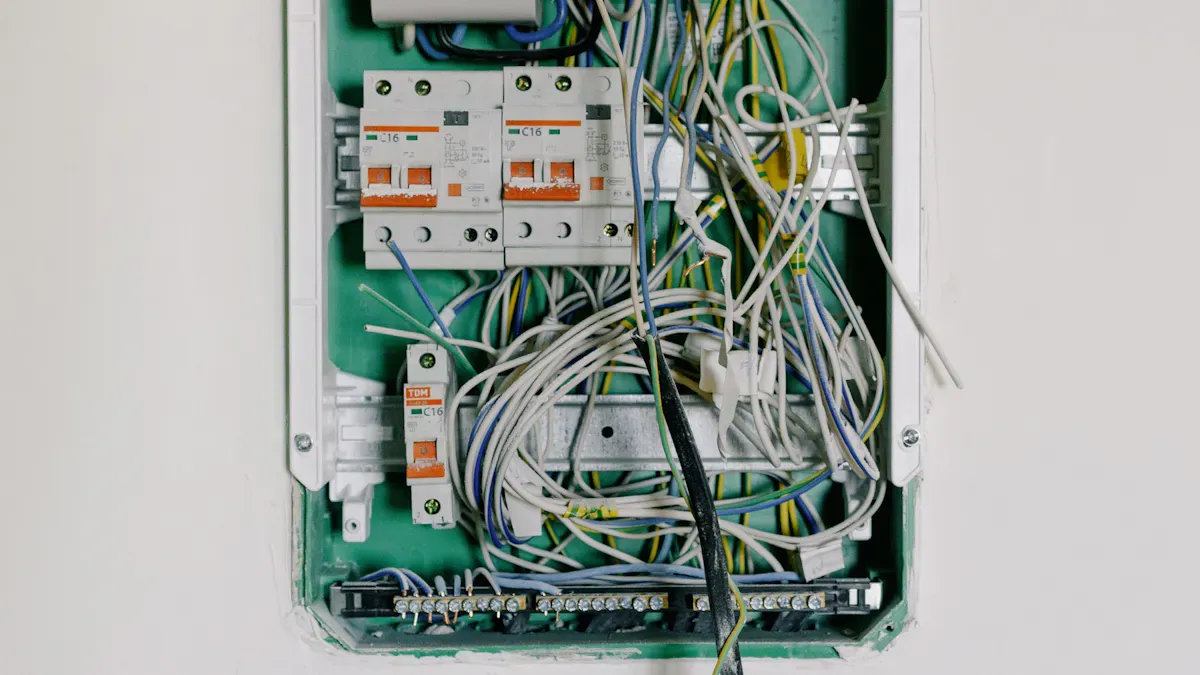
You can upgrade traditional PDUs in telecom cabinets to smart PDUs without spending a fortune. The process involves simple steps such as mounting the Smart Power Distribution Unit vertically for optimal cable management, connecting sensors and interfaces, grounding the equipment, and configuring monitoring platforms. These upgrades do not require advanced skills or complex tools. ESTEL offers reliable solutions that make retrofitting easy and affordable for telecom operators.
Key Takeaways
Upgrade to smart PDUs for better energy management and operational efficiency, potentially reducing energy costs by up to 21%.
Ensure compatibility by checking outlet types and mounting styles before retrofitting your telecom cabinet.
Use remote monitoring features to detect issues early, preventing costly downtime and maintaining network reliability.
Follow a clear installation process, including proper grounding and cable management, to ensure safety and efficiency.
Take advantage of ESTEL's support and warranty services for a smoother retrofit experience and long-term peace of mind.
Why Upgrade To Smart PDUs
Smart Power Distribution Unit Overview
You can transform your telecom cabinet by installing a Smart Power Distribution Unit. This device gives you control over power distribution and monitoring. You gain access to real-time data, remote management, and advanced safety features. ESTEL offers a Smart Power Distribution Unit that fits easily into your cabinet and supports multiple outlets. You can monitor power usage from anywhere, which helps you prevent equipment failures and reduce maintenance costs. The unit includes surge protection and a dehumidifying function, making it reliable in harsh environments.
Tip: Remote monitoring lets you spot issues early, so you avoid costly downtime and keep your network running smoothly.
Benefits For Telecom Cabinets
Smart PDUs deliver several advantages for telecom cabinets. You improve energy management and operational efficiency. Many operators report up to a 20% reduction in energy consumption after switching to smart power solutions. You can save up to 21% on annual electricity costs. Maintenance response times improve by 40%, and downtime drops by half. The rugged design withstands tough conditions, so you spend less on repairs and replacements.
Feature/Benefit | Description |
|---|---|
Remote Monitoring | Detects issues early and prevents failures |
Outlet-Level Control | Manages power precisely from anywhere |
Built-in Surge Protection | Protects equipment from power surges |
Predictive Maintenance | Cuts downtime and lowers maintenance costs |
Improved Energy Management | Reduces power waste and supports sustainability |
Increased Operational Uptime | Ensures stable power supply and prevents downtime |
Rugged Design | Withstands harsh conditions and lowers total ownership costs |
Traditional Vs. Smart PDUs
You see clear differences between traditional and smart PDUs. Traditional PDUs provide basic power distribution. Smart PDUs offer real-time monitoring, outlet-level metering, and remote control. You receive notifications for issues, which helps you maintain uninterrupted operations. Smart PDUs enable proactive measures to reduce energy costs and carbon footprint.
Feature | Smart PDU | Traditional PDU |
|---|---|---|
Remote Monitoring | Yes | No |
Power Consumption Analytics | Yes | No |
Integration with DCIM Systems | Yes | No |
Real-time Power Monitoring | Yes | No |
Remote Outlet Control | Yes | No |
Energy Efficiency Metrics (PUE) | Yes | No |
You can deploy more servers without adding extra cabinets, saving thousands of dollars. ESTEL’s Smart Power Distribution Unit gives you these benefits, making it a smart investment for your telecom infrastructure.
Assessing Your Existing PDUs
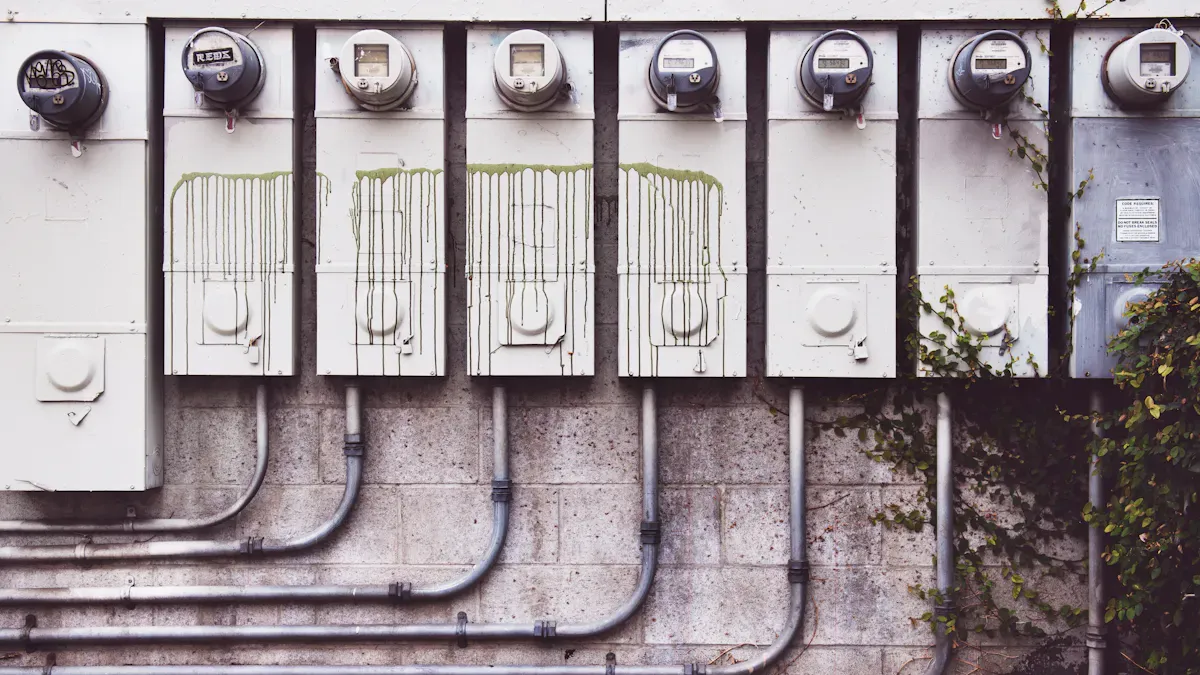
Compatibility Check
Before you start any upgrade, you need to check if your current PDUs can support smart features. Different telecom cabinets use different outlet types, mounting styles, and safety standards. You should review these factors to avoid installation issues. The table below highlights the main compatibility points you must consider:
Compatibility Factor | Description |
|---|---|
Outlet Types | Includes NEMA, IEC, Schuko, and industrial connectors to support various devices and applications. |
Mounting Options | Options like rack-mounted, in-row, floor-standing, and underfloor affect installation and space. |
Monitoring and Control Features | Smart PDUs offer advanced monitoring, control, and integration capabilities for better management. |
Environmental Protection Ratings | IP ratings and durability features ensure reliability in harsh conditions. |
Compliance with Safety Standards | Adherence to fire safety and other relevant standards is crucial for operational safety. |
Tip: Always match the outlet type and mounting style of your new smart PDU with your existing cabinet setup for a smooth upgrade.
Cabinet Space And Power Needs
You must assess your cabinet’s space and power requirements before installing a smart PDU. Start by inspecting all incoming and outgoing wires at the PDU panel. Make sure connections are secure and pay special attention to PE cables to prevent electrical issues. Use a resistance meter to test insulation, aiming for values above 0.5MΩ. Run a no-load test and check different load scenarios to confirm reliability.
Invest in quality cable management tools to extend equipment life.
Route power cords along cabinet side braces for better organization.
Inspect cables regularly for wear or overstretching.
Ground the power unit properly to avoid hazards.
Choose a well-ventilated spot, especially if flammable liquids or gases are present.
ESTEL Product Integration
When you add an ESTEL Smart Power Distribution Unit to your cabinet, you may face some integration challenges. Power compatibility can become an issue if your existing setup uses unique voltage ratings or connector types. Firmware mismatches sometimes complicate the process. Incomplete documentation can make setup harder. Environmental factors like high temperature or humidity may affect signal quality. Crowded cabinets can also make wiring difficult.
Check voltage ratings and connector types before installation.
Review firmware versions to ensure compatibility.
Organize documentation and label cables for easier setup.
Monitor temperature and humidity to maintain signal integrity.
Plan your layout to avoid space constraints.
By following these steps, you can prepare your telecom cabinet for a successful upgrade to smart PDUs.
Retrofitting Steps And Solutions
Choosing Retrofit Kits
You start by selecting the right retrofit kit for your telecom cabinet. Look for kits that match your cabinet’s voltage and current specifications. Gather tools such as screwdrivers, voltage testers, and cable labels. Clear the cabinet of dust and debris. Make sure the cabinet fits the unit’s size and mounting requirements. ESTEL’s Smart Power Distribution Unit works well with Outdoor Telecom Cabinets, offering compatibility with standard rack sizes and power ratings.
Tip: Always check the unit’s specifications before purchasing. This prevents installation issues and ensures reliable performance.
Installing Smart Modules
You install the Smart Power Distribution Unit by following a clear process. Place the unit near the back of the rack for easy access and organized cables. Use labels for power and data cables. Label both ends to identify them quickly. Secure the unit using mounting brackets. Align the brackets carefully to avoid mistakes. Plug the unit into the main power source. Make sure the plug fits the outlet. Use a voltage tester to check the power source before turning on the unit. Follow grounding instructions in the manual to ensure safety.
Manage cables to avoid confusion and make maintenance easier.
Double-check mounting points before leaving the site.
Test the unit after installation to confirm it works as expected.
Adding Sensors And Interfaces
You enhance monitoring by adding sensors and interfaces. In-line current sensors allow real-time monitoring without intrusive installation. Shunt-based power sensors provide high accuracy and cost-effectiveness. Branch circuit monitors offer detailed visibility and integration with building systems. Thermal sensors improve safety by monitoring temperature. Choose sensors based on your cabinet’s needs. Connect them to the Smart Power Distribution Unit for seamless integration.
Note: Proper sensor placement helps you detect power issues early and maintain optimal conditions.
Software Setup And Monitoring
You set up software to monitor and control your upgraded system. Install the monitoring platform recommended by the manufacturer. Configure the software to display real-time data from the Smart Power Distribution Unit and connected sensors. Set alerts for abnormal voltage, current, or temperature readings. Use the LCD display on the unit for quick checks. Remote management features let you control outlets and monitor power usage from anywhere.
Software Feature | Benefit |
|---|---|
Real-time Monitoring | Immediate detection of issues |
Remote Outlet Control | Manage power from any location |
Alert Configuration | Prevent equipment failures |
Data Logging | Track energy usage over time |
Testing And Validation
You test and validate the system after installation. Power on the unit and monitor for steady power. Check for irregularities such as voltage drops or overheating. Inspect units and sensors for damage. Perform electrical tests using resistance meters. Aim for insulation values above 0.5MΩ. Run no-load and load tests to confirm reliability. Document results for future reference.
Callout: Testing ensures your retrofit delivers safe and reliable power distribution. Regular validation keeps your telecom cabinet running smoothly.
You complete these steps to upgrade your traditional PDU to a smart solution. ESTEL’s Smart Power Distribution Unit and Outdoor Telecom Cabinet offer compatibility and reliability, making the retrofit process straightforward and effective.
Cost-Effective Strategies
Affordable Component Sourcing
You can keep your retrofit project affordable by choosing components wisely. Start by comparing prices from multiple suppliers. Look for bulk discounts when you need several units. Modular smart PDUs let you scale up as your needs grow, so you avoid buying more than you need at first. Custom PDUs can match your voltage requirements, which increases reliability and flexibility. You also gain these benefits:
Achieve energy savings of up to 41% by switching to smart PDUs.
Save as much as $163 million each year through reduced electricity costs.
Use real-time power monitoring to maintain phase balance and prevent overloads.
Protect sensitive equipment by tracking power quality metrics.
You should always check for compatibility with your existing telecom cabinet. ESTEL’s Smart Power Distribution Unit offers several configurations, so you can find a model that fits your setup and budget.
Minimizing Downtime
You want to keep your network running during the upgrade. Plan your retrofit during low-traffic hours to reduce the impact on operations. Use structured troubleshooting processes to make installation safer and faster. Regular maintenance helps you spot and fix problems before they cause outages. Digital tools for documentation and monitoring let you keep accurate records and respond quickly in emergencies. Modular scalability means you can upgrade in stages, which reduces downtime and protects your equipment.
Tip: Label all cables and connections before you start. This simple step speeds up installation and helps prevent mistakes.
ESTEL Support And Warranty
You get more value from your investment with ESTEL’s support and warranty services. ESTEL provides detailed installation guides and technical support to help you through each step. If you face any issues, you can reach out to their team for quick solutions. The warranty covers defects and ensures you receive reliable products. You also benefit from ongoing customer service, which helps you maintain your smart PDU system for years. This support reduces long-term costs and gives you peace of mind.
Note: Reliable support and warranty coverage make your retrofit project smoother and more cost-effective.
Addressing Concerns
Safety And Reliability
You want your telecom cabinet to operate safely and reliably after retrofitting. Smart PDUs from ESTEL meet strict safety standards. Manufacturers follow certifications that guarantee quality and electrical safety. You can check the table below for the main certifications that apply to smart PDUs in telecom environments:
Certification | Description |
|---|---|
ISO9001 | Ensures consistent manufacturing processes for quality assurance. |
UL | Guarantees compliance with electrical safety standards. |
RoHS | Addresses environmental impact and safety. |
CE | Ensures compliance with health, safety, and environmental protection standards. |
VDE | Validates electrical safety and performance standards. |
You protect your equipment by choosing products with these certifications. Surge protection and dehumidifying functions help prevent electrical faults and environmental damage. You reduce risks by grounding the unit and following installation guides.
Tip: Always verify certifications before installation. This step helps you avoid safety hazards and ensures reliable performance.
Maintenance Complexity
You may worry about maintenance after upgrading to a smart PDU. Smart PDUs simplify routine checks. You monitor power usage and system health through LCD displays and remote platforms. You receive alerts for abnormal readings, which lets you act quickly. You do not need advanced skills to perform basic maintenance. You clean dust, check cable connections, and review sensor data. ESTEL provides clear manuals and ongoing support, so you solve issues faster.
Schedule regular inspections.
Use built-in monitoring tools.
Contact support if you notice unusual readings.
Tool Requirements
You do not need specialized tools for most retrofit projects. Basic hand tools such as screwdrivers, voltage testers, and cable labels cover most tasks. You use a resistance meter to check insulation. You may need a wire stripper for cable adjustments. ESTEL’s Smart Power Distribution Unit comes with installation guides that list all required tools. You organize your workspace and label cables to make the process easier.
Note: Simple tools and clear instructions help you complete the retrofit safely and efficiently. You save time and avoid mistakes by preparing your tools in advance.
Long-Term Value And ROI
Energy Efficiency
You achieve significant energy savings when you upgrade your telecom cabinet with a Smart Power Distribution Unit. Studies show that smart PDUs can reduce energy consumption by up to 25%. You lower your annual operating costs and improve sustainability. The table below shows typical savings:
Energy Savings | Annual Savings |
|---|---|
15% - 25% | Up to $120,000 |
18% | $120,000 |
Up to 20% | N/A |
You see these savings reflected in your electricity bills. Smart PDUs help you optimize power usage and avoid waste. You gain more control over your energy budget.
Enhanced Monitoring
You benefit from advanced monitoring features after retrofitting your cabinet. Smart PDUs provide real-time tracking and proactive alerts. You monitor voltage, current, and environmental conditions without manual checks. The table below highlights improvements:
Improvement Type | Description |
|---|---|
Remote Monitoring | Enables real-time tracking of power usage, temperature, and environmental conditions. |
Real-Time Energy Monitoring | Tracks voltage, current, power (kW), and energy usage (kWh) in real time for capacity planning. |
Proactive Issue Detection | Identifies underperforming or overloaded circuits before outages, allowing timely intervention. |
Improved Load Balancing | Monitors phase imbalances and redistributes loads to prevent tripped breakers. |
Cost Optimization | Uses detailed power data to identify inefficiencies and negotiate better utility rates. |
You use these features to prevent outages and optimize your network. You make informed decisions based on accurate data.
Future-Proofing With ESTEL
You prepare your telecom cabinet for future demands with ESTEL solutions. The design supports scalability and flexibility. You add new components as your power requirements grow. You rely on advanced monitoring tools to plan for future needs. Demand forecasting and fault tolerance ensure reliability as your network expands. Modular designs allow you to deploy and scale operations quickly.
You upgrade or expand your system without major disruptions.
You add batteries or rectifiers to manage increased power loads.
You adapt your cabinet to new technologies and standards.
You invest in a solution that grows with your business. ESTEL helps you stay ahead of industry changes and maintain reliable service.
You can upgrade your telecom cabinet in a few easy steps. You gain better energy efficiency, improved monitoring, and reliable performance. You find the process practical and accessible, even if you have limited experience. You should explore ESTEL’s Smart Power Distribution Unit and Outdoor Telecom Cabinet for dependable solutions. You can start by assessing your cabinet, planning your retrofit, and contacting ESTEL for support.
Take action now to modernize your telecom infrastructure and secure long-term value.
FAQ
How long does retrofitting a traditional PDU to a smart PDU take?
You usually finish the retrofit in two to four hours. The process includes mounting, wiring, sensor installation, and software setup. You save time by preparing tools and labeling cables before starting.
Do I need special training to install a smart PDU?
You do not need advanced training. You follow the installation guide and use basic tools. ESTEL provides clear instructions and support. You can contact their team if you have questions.
Can I monitor my telecom cabinet remotely after upgrading?
You gain remote monitoring with ESTEL’s Smart Power Distribution Unit. You access real-time data and control outlets from any location. You use the LCD display or software platform for easy management.
What tools do I need for the retrofit?
You need screwdrivers, voltage testers, cable labels, and a resistance meter. You organize your workspace and check the installation guide for any extra tools. You avoid mistakes by preparing everything in advance.
Is the smart PDU compatible with all telecom cabinets?
You check compatibility by reviewing voltage ratings, connector types, and cabinet size. ESTEL’s Smart Power Distribution Unit fits standard rack sizes and works with most telecom cabinets. You contact ESTEL for custom solutions if needed.
See Also
Ensuring Consistent Power Supply for Telecom Equipment
Latest Innovations in Outdoor Telecom Cabinet Designs
Understanding ESTEL PDUs and Their Importance in Data Centers
CALL US DIRECTLY
86-13752765943
3A-8, SHUIWAN 1979 SQUARE (PHASE II), NO.111, TAIZI ROAD,SHUIWAN COMMUNITY, ZHAOSHANG STREET, NANSHAN DISTRICT, SHENZHEN, GUANGDONG, CHINA
