Warning Signs Your DC48V Rectifier System Needs Attention


Monitoring a dc48v rectifier system helps prevent unexpected failures. Early detection of issues can reduce the risk of costly system outages or network downtime. Ignoring warning signs may lead to equipment damage. ESTEL stands out as a trusted provider of rectifier solutions. Users should address any unusual signs as soon as they appear.
Key Warning Signs in DC48V Rectifier Systems
Overheating
Overheating often signals a problem in a dc48v rectifier system. Excessive heat can damage internal components and shorten equipment lifespan. Operators should monitor temperature closely. Most rectifiers operate safely between -40°C and 70°C. Temperatures outside this range may cause system instability or shutdown.
A telecom rectifier 48v unit that runs hot may emit a burning smell or trigger thermal alarms. Dust buildup, blocked vents, or failing fans can cause overheating. Regular maintenance and monitoring help prevent these issues.
Tip: Always check for proper airflow around the rectifier and remove any obstructions.
Voltage Drops
Voltage drops can disrupt the performance of connected equipment. In a 48v system, voltage should remain stable. If the battery voltage drops below 46V, the system triggers an alarm. When voltage falls under 43V, the load output shuts off, leading to possible system failure.
When the battery voltage drops below 46V, an alarm signal is triggered.
If the voltage falls below 43V, the load output is turned off, leading to system failure.
Low Voltage Disconnect (LVD) features protect batteries and devices. LVD monitors output voltage and disconnects the load if voltage drops below a set threshold, such as 42V or 44V. This action prevents deep battery discharge and protects telecom equipment from damage.
LVD is a protective feature in DC48V systems.
It monitors output voltage and disconnects the load if it drops below a set threshold (e.g., 42V or 44V).
This mechanism protects batteries from deep discharge and prevents connected devices from operating at insufficient voltage, which could lead to damage.
Alarm Indicators
Alarm indicators provide early warnings of system issues. Most rectifiers use colored lights to show system status. Operators should understand what each indicator means.
Indicator Type | Color | State | Instructions |
|---|---|---|---|
Run indicator | Green | Flickering | Controller is running properly |
Off | Controller is fault or has no DC input | ||
Minor Alarm | Yellow | Normally on | The controller generates a minor alarm |
Off | The controller does not generate any minor alarms | ||
Major Alarm | Red | Normally on | The controller generates a major alarm |
Off | The controller does not generate any major alarms |
A green flickering light means the controller works as expected. A yellow light signals a minor issue, while a red light points to a major fault. Ignoring alarms can lead to bigger problems and costly repairs.
Unusual Noises
Unusual noises often indicate mechanical or electrical faults. Clicking, buzzing, or humming sounds may come from failing fans, loose connections, or damaged components. Operators should listen for changes in normal operating sounds. Early detection of abnormal noises allows for quick troubleshooting and prevents further damage.
Note: If the rectifier emits loud or persistent noises, schedule an inspection immediately.
Corrosion and Physical Damage
Corrosion and physical damage threaten the reliability of any rectifier. Rust on terminals, discolored wires, or cracked casings can interrupt power flow and cause system failure. Regular visual inspections help spot these issues early. In telecom environments, moisture and dust increase the risk of corrosion. Maintenance teams should clean and protect exposed parts to extend system life.
Alert: Never ignore signs of corrosion or damage. Address these issues during routine maintenance to avoid unexpected outages.
Why Warning Signs Matter
Risks of Overheating
Overheating poses a serious threat to any 48v rectifier. High temperatures can cause insulation breakdown, component failure, and even fire hazards. When a dc48v rectifier system operates above its safe temperature range, internal parts may degrade quickly. This leads to reduced efficiency and unexpected shutdowns. Regular maintenance helps prevent these risks by ensuring proper airflow and cooling.
Alert: Overheating often signals deeper issues that require immediate troubleshooting.
Impact of Voltage Instability
Voltage instability disrupts the reliable operation of telecom and data center equipment. Unstable voltage can cause power interruptions, equipment malfunction, and even shutdowns. These problems result in network downtime and loss of service. A stable power supply from the rectifier is essential for continuous operation. Operators must address voltage drops quickly to maintain uptime and protect sensitive devices.
Power interruptions may damage connected systems.
Equipment shutdowns can halt critical operations.
Reliable rectifier output supports uninterrupted telecom services.
Consequences of Ignoring Alarms
Alarms serve as early warnings for faults or abnormal conditions. Ignoring alarms allows minor issues to escalate into major failures. For example, a minor alarm might indicate a loose connection, while a major alarm could signal a critical fault. Prompt response to alarms reduces repair costs and prevents extended outages. Operators should always investigate and resolve alarms as part of routine maintenance.
Dangers of Physical Damage
Physical damage, such as corrosion or cracked casings, weakens the integrity of the rectifier. Damaged components may cause short circuits, power loss, or safety hazards. In harsh environments, moisture and dust increase the risk of corrosion. Regular inspections help detect and address physical damage before it leads to system failure. Preventive maintenance extends the lifespan of the dc48v rectifier system and ensures reliable performance.
Troubleshooting Your Rectifier System
Isolating Faulty Components
Technicians begin the troubleshooting process by isolating faulty components in the dc48v rectifier system. They power down the unit and follow lockout/tagout procedures to ensure safety. Each module, such as the telecom rectifier 48v, should be tested separately. By removing one module at a time, they can identify which part causes the issue. Spare parts should be available for quick replacement if a component fails. This method reduces downtime and keeps the output stable.
Tip: Always document each step during troubleshooting to track progress and findings.
Visual Checks and Inspections
A thorough visual inspection helps detect early signs of overheating, corrosion, or physical damage. Technicians look for discoloration, burnt marks, or loose components. They check the 48v rectifier for dust buildup or blocked vents, which may cause overheating. Regular inspection forms a key part of any maintenance schedule and supports preventive maintenance efforts.
Inspect for dust, rust, or moisture.
Look for cracks or damaged casings.
Confirm indicator lights show normal operation.
Checking Connections and Corrosion
Checking connections ensures all terminals and wires remain secure. Loose or corroded connections can interrupt service and reduce system reliability. Technicians clean terminals and apply protective coatings to prevent corrosion. They also verify that all connections meet manufacturer specifications. Cleaning and tightening connections should be part of every maintenance routine.
Alert: Corroded terminals can lead to voltage drops and system failure.
Using Manuals and Schematics
Technicians use manuals and schematics to guide the troubleshooting process. These documents provide detailed diagrams and step-by-step instructions for each rectifier model. By following the manufacturer’s guidelines, technicians can quickly locate faults and perform repairs. Manuals also list recommended service intervals and maintenance tasks for telecom equipment.
A well-organized maintenance schedule, supported by accurate documentation, helps extend the lifespan of the rectifier system and ensures reliable operation.
Maintenance Tips for DC48V Rectifier Systems
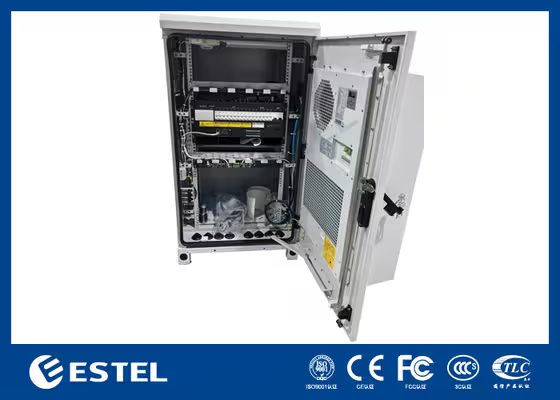
Routine Visual Inspections
Routine visual inspection helps identify early signs of wear or damage in a dc48v rectifier system. Technicians look for dust, rust, or loose connections during each inspection. Monthly inspections are recommended for telecom rectifier 48v units. The following table shows the suggested frequency for inspections:
Inspection Frequency | Recommendation |
|---|---|
Monthly | Yes |
Visual inspection supports preventive maintenance and reduces the risk of unexpected failures. Teams check for cracks, corrosion, and discoloration. They confirm indicator lights show normal operation and verify that spare parts are available for quick replacement.
Monitoring System Readings
Monitoring output and system readings ensures the rectifier operates within safe parameters. Technicians track voltage, current, and temperature. They use monitoring tools to detect abnormal fluctuations in the 48v system. Regular monitoring helps with troubleshooting and supports a reliable maintenance schedule. Operators record readings and compare them to manufacturer specifications. This process helps identify issues before they affect telecom services.
Tip: Consistent monitoring allows early detection of voltage drops and overheating.
Cleaning and Preventive Care
Cleaning forms a key part of preventive maintenance. Dust and debris can block airflow and cause overheating. Technicians clean vents, fans, and terminals to maintain efficient cooling. Checking connections and removing corrosion helps prevent voltage drops and output interruptions. Preventive maintenance extends the lifespan of the rectifier and protects telecom equipment from damage.
Clean all accessible surfaces and components.
Inspect and tighten connections.
Apply protective coatings to exposed terminals.
ESTEL Diagnostic Tools
ESTEL provides diagnostic tools that support ongoing maintenance and service for dc48v rectifier systems. These tools help technicians perform troubleshooting and monitor system health. ESTEL diagnostic solutions assist with checking connections, monitoring output, and verifying system performance. Operators use these tools to maintain optimal operation and reduce downtime in telecom environments.
Note: ESTEL diagnostic tools improve the accuracy of inspections and support preventive maintenance.
When to Seek Professional Help
Signs Requiring Expert Assistance
Some telecom rectifier issues require more than basic troubleshooting. If the rectifier system shows persistent alarms after standard checks, or if the unit fails to power up even after verifying input connections, expert intervention becomes necessary. Unusual burning smells, repeated voltage drops, or unexplained shutdowns signal deeper faults. When corrosion spreads rapidly or physical damage affects critical components, technicians should not attempt repairs without professional guidance.
A preventative maintenance plan helps reduce emergencies, but some failures occur despite regular care. If the system displays errors that do not clear after responding to alarms, or if the rectifier operates outside safe temperature or voltage ranges, professional service is essential. Complex faults in telecom environments, such as those involving multiple interconnected systems, often require specialized diagnostic tools and advanced knowledge.
Tip: Always consult a qualified technician when unsure about the safety or reliability of the rectifier system.
ESTEL Support Services
ESTEL offers comprehensive support for telecom rectifier systems. Their team provides expert service for both routine maintenance and emergency repairs. ESTEL technicians use advanced diagnostic equipment to identify and resolve faults quickly. They supply service tips tailored to each installation, helping operators maintain system health.
Clients benefit from ESTEL’s experience with troubleshooting and preventative maintenance plan development. The company’s support covers installation, inspection, and repair of all major rectifier models. ESTEL also assists with training for site staff, ensuring safe handling of input connections and proper responding to alarms. Their commitment to quality service helps telecom operators achieve reliable performance and minimize downtime.
Note: Contact ESTEL for expert assistance when standard maintenance does not resolve rectifier issues.
Early detection and regular maintenance keep DC48V rectifier systems reliable. Technicians who check voltage calibration, inspect wiring, and clean cooling components help prevent failures.
Regularly check voltage and current calibration
Inspect operator panels and internal wiring
Clean air filters and heatsinks
ESTEL solutions improve system reliability and reduce costs, as shown below:
Operational Impact | Statistic/Benefit |
|---|---|
Module Efficiency | Up to 98% |
Network Uptime | 20% improvement |
Operational Costs | 25-35% reduction |
Downtime Reduction | Up to 50% with AI/IoT integration |
If warning signs persist, schedule a professional inspection for continued safe operation.
See Also
Ensuring Consistent Power Supply for Telecom Equipment
Understanding Power Requirements for Communication Cabinets
A Detailed Risk Assessment for Telecom Cabinet Batteries
CALL US DIRECTLY
86-13752765943
3A-8, SHUIWAN 1979 SQUARE (PHASE II), NO.111, TAIZI ROAD,SHUIWAN COMMUNITY, ZHAOSHANG STREET, NANSHAN DISTRICT, SHENZHEN, GUANGDONG, CHINA
