How Smart PDU Auto-Sensor Detection Enables Seamless Connection

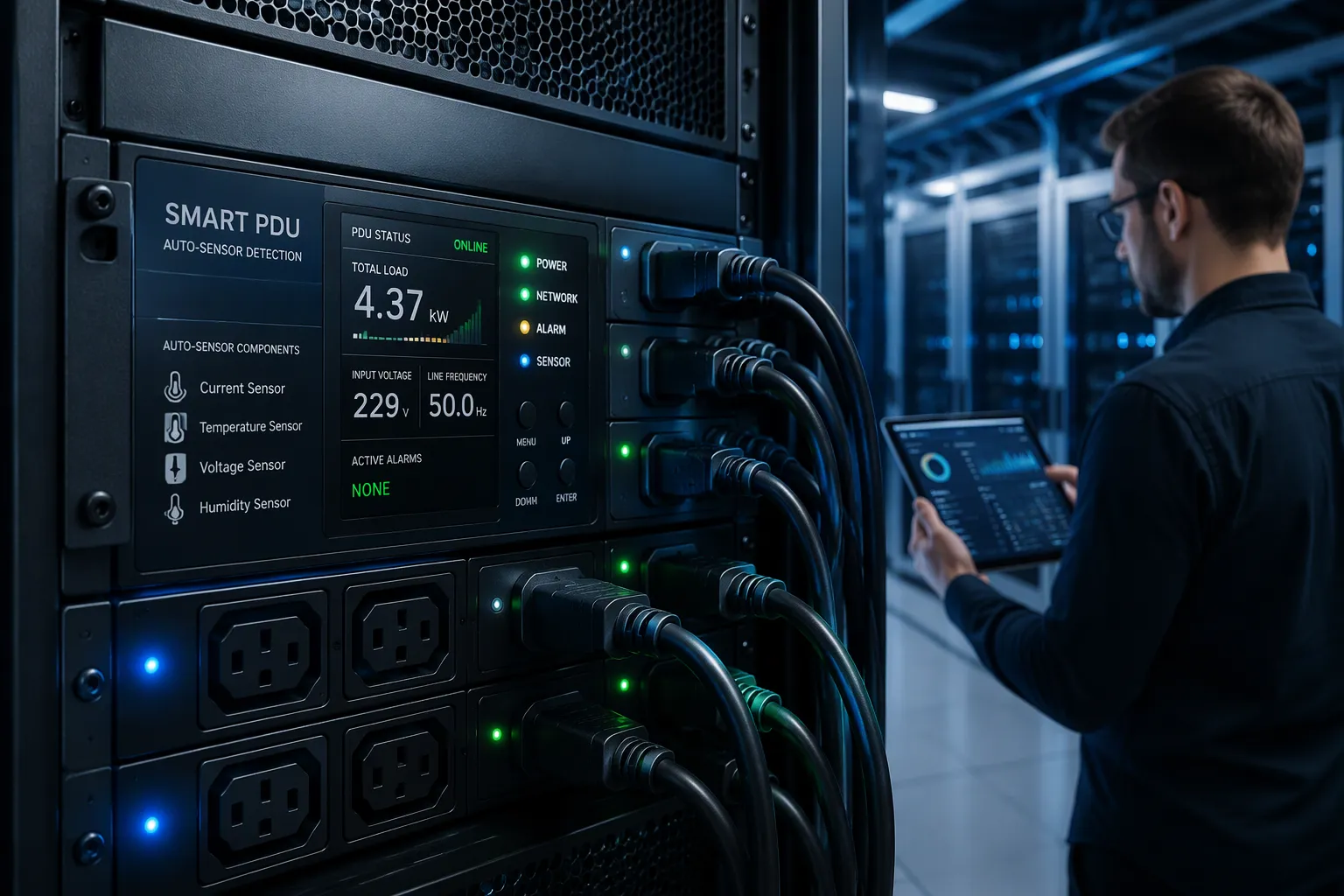
A smart PDU enables seamless connection through auto-sensor detection. The smart PDU identifies each connected sensor, recognizes its type, and configures it automatically, so you skip manual setup. Smart PDUs handle this at the port level, and configuration follows without your input. This post explains the detection mechanism, the benefits a PDU of this kind delivers, and how it compares with traditional PDUs. You will also learn where real-time monitoring fits. That combination removes guesswork from rack setup and keeps every sensor reporting reliably from the first moment it goes online on its own, which matters most in remote, unattended sites.
Key Takeaways
Smart PDUs automatically detect and configure sensors, so you skip manual setup.
Auto-detection speeds up deployment and reduces errors in rack setup.
Real-time monitoring and alerts help you catch power issues early.
Smart PDUs work best in remote sites and edge cabinets where remote control matters.
Check sensor compatibility and network needs before you deploy smart PDUs.
How Smart PDU Detection Works
Sensor Identification and Auto-Configuration
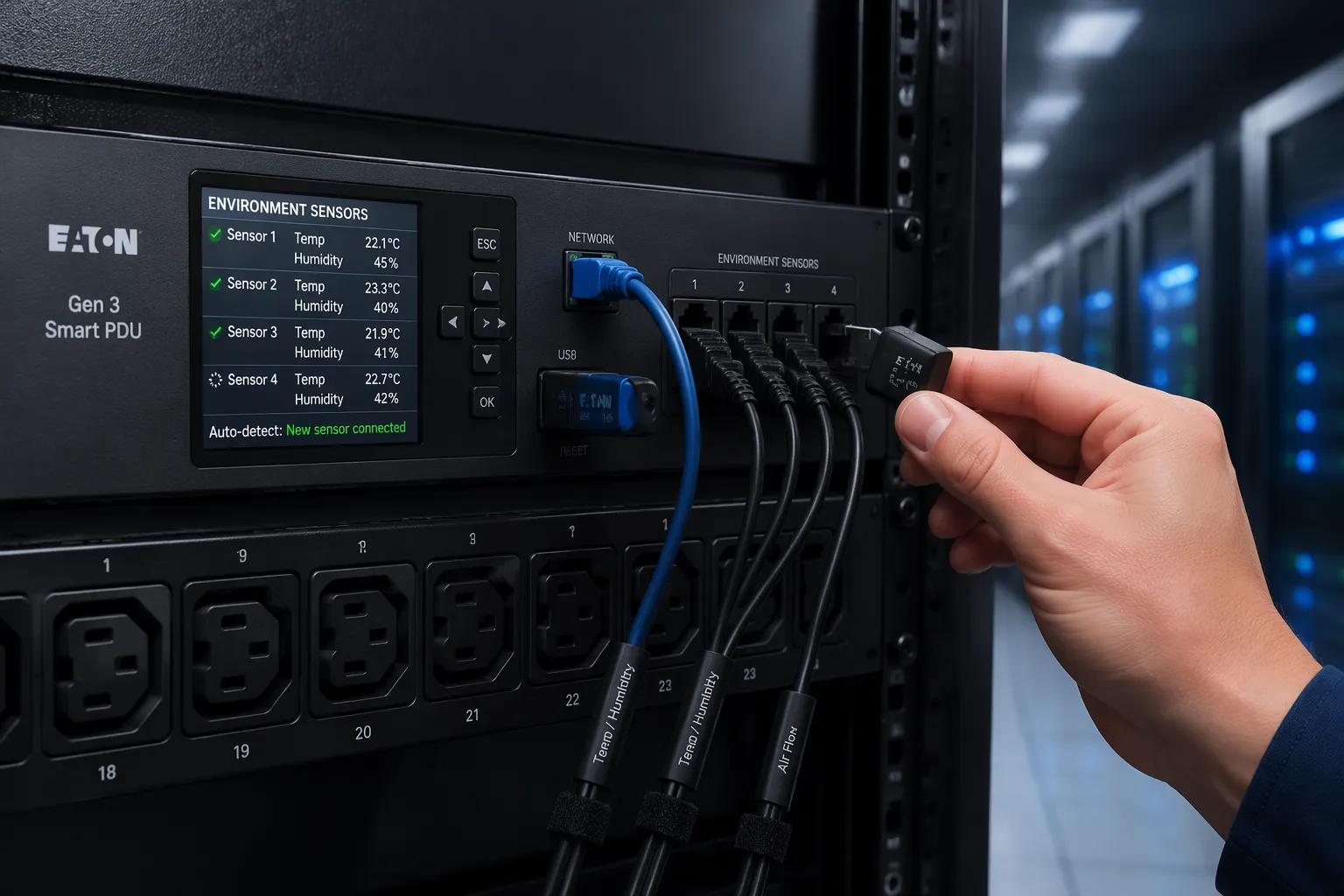
A smart PDU watches its sensor ports continuously. When you plug in a digital sensor, the unit reads an identifier from the device and matches it against its internal device library. Environmental probes and rack-access security sensors both follow this pattern. Panduit describes the same behavior in its own product line:
Our PDUs automatically detect a variety of digital sensors, including environmental and rack access security.
Detection happens at the port level, so the PDU knows which port holds which sensor type. The unit then loads the correct scaling, units, and alarm thresholds for that device. You do not type a sensor model into a web form. You do not assign a port manually. The configuration writes itself the moment the connector seats.
Bulk setup follows the same logic. Raritan documents a USB method for its PX2-series power distribution units. The strip reacts to a correctly formatted USB flash drive by:
Verifying the USB flash drive carries appropriate administrative privileges;
Reconfiguring itself with global settings found on the USB flash drive;
Applying individual settings found on the USB flash drive by referencing its own serial number on a user-supplied list.
Raritan states this entire process takes about 20 seconds. Raritan also ships its strips DHCP-ready, and management software then detects them and configures them in bulk. That is dhcp-based auto-configuration in practice, and it scales to a full rack without touching each unit.
Protocols and Real-Time Data Flow
Once a sensor is online, the PDU carries its readings over a standard protocol. The choice depends on your management stack. Common options include:
Protocol | Description |
|---|---|
Modbus | Connects industrial electronic devices, widely used for automation. |
PROFIBUS | Offers reliable communication in noisy environments. |
EtherNet/IP | Combines Ethernet hardware with manufacturing-specific functions. |
OPC UA | Provides platform independence and strong security for integration. |
IT teams often rely on SNMP instead. The PDU runs an SNMP agent with a management information base, and your DCIM platform either polls it for metrics or receives trap alerts when a fault occurs. REST APIs add structured, bidirectional exchange for automation, while Redfish covers standardized asset and power control on modern hardware.
Polling intervals keep outlet states and sensor variables current. Each cycle refreshes the data your dashboard displays, so a door-open event or a temperature rise appears without a manual refresh. This real-time data flow supports real-time monitoring across the rack. ESTEL's Smart Power Distribution Unit illustrates the hardware side of this design. It accepts a 16A input, offers 8 to 19 outlets, and includes an LCD for local readings plus a dehumidifying function. The unit targets intelligent power distribution and remote management, so sensor data and outlet control travel the same path.
Benefits of Smart PDU Power Strips

Faster Deployment and Fewer Errors
Deployment speed separates smart PDU power strips from manual alternatives. A traditional baseline shows the gap clearly. Configuring 200 PDUs through a command-line interface could take four technicians up to sixteen hours, according to nbyosun.com. That labor burden disappears when the unit configures itself.
Method | How it cuts time and errors |
|---|---|
DHCP-based auto-configuration | The PDU pulls its IP address and settings from the DHCP server, so you avoid manual IP assignment and its typos. |
DHCP plus TFTP or SFTP | The unit receives an IP address, then pulls a standard configuration file automatically. |
USB-based configuration | You load a file onto a flash drive and insert it. The device applies the settings without network access. |
Centralized management software | One interface pushes settings to hundreds or thousands of units at once. |
Cascading or IP aggregation | Multiple units share a single IP address, which cuts network complexity. |
Vertiv reports that IP aggregation supports 2 to 50 devices on one address, and self-configuration of downstream units shortens deployment further. Each method removes a manual step where an error could enter. You gain a seamless setup across the whole rack.
Plug-and-Play and Real-Time Monitoring
Plug-and-play convenience follows directly from auto-detection. Raritan describes a plug-and-play sensor bus on its PX intelligent PDUs. Sensor parameters sit pre-integrated in the firmware, so no specific configuration is needed. Server Technology PRO4X units support up to 32 sensor functions per bus, and Raritan NX1 models use wireless Zigbee 3.0 sensors with a 5-year battery life.
Once sensors report, real-time monitoring begins. You see immediate data on power usage, and continuous tracking reveals inefficiencies before they grow. Parameter monitoring covers amperage, voltage, temperature, and humidity. nbyosun.com cites energy savings up to 20% and downtime reduction of 25% or more. newsunnpdu.com reports similar figures, with early issue detection cutting downtime by about 15%.
Threshold alerting turns this data into action. You set rules, and the system warns you before a problem escalates:
Current draw exceeds 80% of rated capacity
Voltage sags below acceptable thresholds
Temperature rises above ASHRAE recommended ranges
Power factor drops, signaling inefficiency
Alerts travel by SNMP trap, email, SMS, and Syslog, per deipower.com. Remote outlet control lets you power-cycle a stalled device without a site visit. Outlet-level monitoring pinpoints which receptacle draws excess current. These smart PDUs feed alerts into BMS or DCIM software, and that integration supports remote monitoring and control across the facility. The result is proactive power distribution rather than reactive repair.
Smart PDUs vs. Traditional PDUs
Performance and Application Fit
The two categories differ in what they can report and control. Raritan separates them into non-intelligent and intelligent rack PDUs. A basic PDU distributes the correct voltage and current to multiple outlets. A monitored PDU shows current information on a local display, yet it lacks remote capability. Metered input PDUs display power locally and over a secure network, and metering helps you avoid overloading circuits and calculate Power Usage Effectiveness. Switched PDUs add remote on and off control at specific outlets, which supports power sequencing and cuts inrush current risk.
Traditional PDUs still fit well in offices, network closets, and small server rooms, where a local display and simple switching cover the need. Smart PDUs suit telecom, banking, government, education, and data center sites that need remote access. ESTEL's Smart Power Distribution Unit shows the hardware side: a 16A input, 8 to 19 outlets, an IEC60309 plug, surge protection, and a dehumidifying function. That unit supports intelligent power distribution and remote management in one chassis.
Compliance and Cost
Compliance now shapes the choice. TechTarget reports that sustainability reporting has moved from voluntary to mandatory in many jurisdictions, including the U.S. and Europe. Smart PDUs supply granular energy data at the outlet and circuit level, and that data feeds carbon footprint calculations and PUE reporting. Because these units sit on a corporate network, TechTarget also advises encryption, role-based access controls, and network segmentation. Traditional PDUs carry no such network exposure, which simplifies security planning.
Cost needs a total view. Attom Tech lists purchase price, installation, cabling, monitoring requirements, network integration, maintenance, and operational labor as the real cost drivers. A basic PDU carries the lowest initial price. An intelligent PDU costs more upfront, and Yosun PDU notes that the premium reflects advanced features that lower operational costs over time. Match the spend to a real requirement, and either option can be the economical one.
Use Cases and Considerations
Where Seamless Connection Matters
Remote telecom sites show the value of seamless connection most clearly. In a region with frequent weather changes, ESTEL's outdoor telecom cabinet deployments pair the Smart Power Distribution Unit with environmental sensors linked to a centralized platform. The system tracks key metrics and sends automated alerts for overheating or power surges. Technicians no longer travel for routine checks, and field teams roll out only when a real event occurs. That pattern supports remote monitoring and control across a whole cabinet network.
Edge cabinets need the same capability. Telco closets, points of presence, and micro data centers often lack the upstream gear of hyperscale facilities. A smart cabinet supplies local intelligence where central monitoring is intermittent, and compact designs add local power control and surge protection. Environmental and security monitoring rounds out the picture. ServerTech lists humidity control, temperature maintenance, water-leak detection, air pressure, and cabinet security as sensor applications. Legrand's SmartSensors deploy as plug-and-play options with intelligent PDUs, so you avoid a separate controller and extra networking.
Limitations to Plan For
Plan for sensor compatibility first. Environmental ports on CyberPower Smart PDUs support temperature and humidity probes, and you configure thresholds through SNMP traps or RESTful API calls. Rack inlet temperatures should stay within ASHRAE A2 limits, a dry-bulb range of 10°C to 35°C per ASHRAE TC 9.9. Sensor integration triggers alerts before thermal events reach equipment.
Network requirements deserve early attention. Management ports on CyberPower units use RJ-45 interfaces at 10/100/1000BASE-T per IEEE 802.3, and they need Cat5e or better cabling per TIA-568.2-D. Where the management plane runs out-of-band, Cat6A rated to 500 MHz leaves headroom for faster links without recabling. Budget for planning time too. Map sensor placement, confirm protocol support, and verify that your platform accepts the data. A little upfront work keeps the seamless experience intact after installation.
Auto-sensor detection works at the port level. A smart PDU reads each sensor's identifier, matches it to an internal device library, and applies the correct settings. You plug in a probe, and it comes online configured.
That behavior delivers faster deployment and fewer errors. Plug-and-play sensors and real-time monitoring replace manual entry. Threshold alerts keep you informed about power usage.
Smart PDUs fit remote sites, edge cabinets, and data centers. Traditional PDUs still serve simple local racks well. Intelligent PDUs add remote control and data for power distribution tracking. Smart PDUs also support integration with your management platform. A smart PDU removes guesswork from setup. Choose the unit that matches your site.
FAQ
These answers cover the questions readers ask most about auto-detection on a PDU.
What does auto-sensor detection do on a smart PDU?
A smart PDU reads each sensor's identifier and applies the right settings. The PDU brings the probe online without manual entry. Smart PDUs repeat this at every port. These PDUs refresh outlet states on a polling cycle. PDUs also report the data. You get real-time monitoring from the first connection.
Do smart PDUs work with my existing sensors?
Smart PDUs match sensors against an internal device library. A PDU accepts environmental and rack-access probes. Many PDUs ship DHCP-ready for bulk setup. Intelligent PDUs add SNMP and REST integration. Not all PDUs support every probe, so check compatibility first.
How do smart PDU power strips cut deployment time?
Smart PDU power strips configure themselves through DHCP or a USB file. These PDUs skip manual IP entry. A PDU applies settings in seconds. Centralized software pushes rules to many PDUs at once. Smart PDU power strips also cut cabling work, so fewer manual steps mean fewer errors.
Where do intelligent PDUs fit best?
Intelligent PDUs suit remote telecom sites and edge cabinets. These PDUs support remote outlet control. A PDU in a remote cabinet reports power usage without a site visit. Smart PDUs also feed data into DCIM platforms. Intelligent PDUs track power distribution. Traditional PDUs still serve simple local racks.
What should I plan for before deployment?
Confirm sensor compatibility and network access first. Smart PDUs need management ports and proper cabling. Map sensor placement before you install PDUs. Verify that your platform accepts data from these PDUs. Plan monitoring thresholds early, because integration and monitoring depend on good planning.
Auto-detection changes how you deploy a PDU. Smart PDUs configure sensors on their own. These PDUs report power usage and support monitoring across the rack. Intelligent PDUs add integration with DCIM tools. Traditional PDUs remain a fit for simple racks. Choose the PDUs that match your site.
See Also
Understanding ESTEL PDUs And Their Function In Data Center Cabinets
Explaining Supervision System Integration Within ESTEL Outdoor Cabinets
Guide To Installing And Maintaining Smoke Sensors In Communication Cabinets
Ensuring Optimal Monitoring For Outdoor Telecom Cabinets
Key Strategies For Enhancing Anti-Theft Functions In Communication Cabinets
CALL US DIRECTLY
86-13752765943
3A-8, SHUIWAN 1979 SQUARE (PHASE II), NO.111, TAIZI ROAD,SHUIWAN COMMUNITY, ZHAOSHANG STREET, NANSHAN DISTRICT, SHENZHEN, GUANGDONG, CHINA
