How Smart PDUs Auto-Detect Temperature, Humidity, and Door Sensors for Full-Spectrum Environmental Monitoring

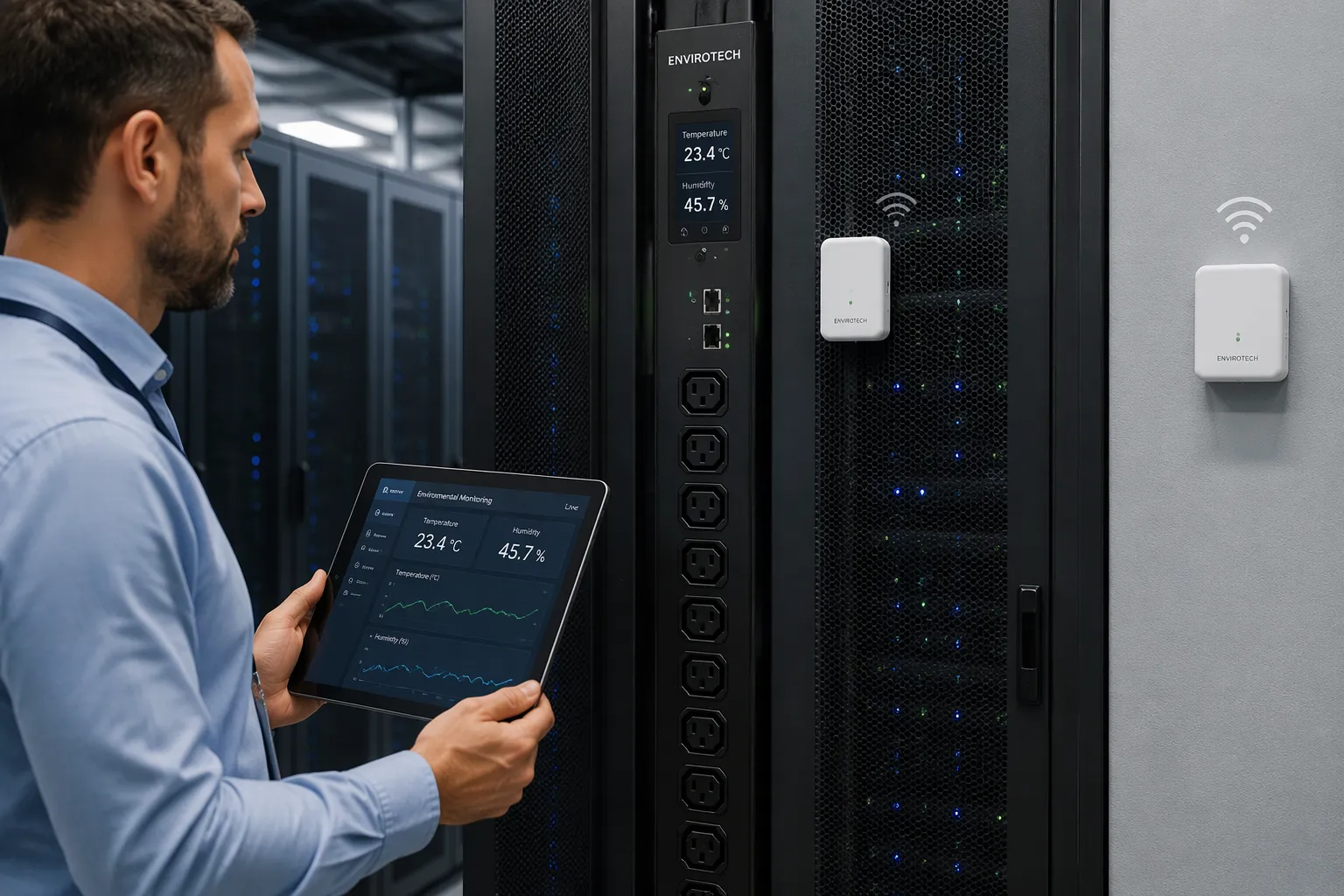
A smart PDU finds sensors on its own using standard connections and discovery methods. Temperature, humidity, and door sensors start working with little or no setup by hand. This matters for three reasons: faster setup, fewer setup mistakes, and instant rack-level visibility.
Smart PDUs check their sensor ports and network links, identify each connected device, and sign it in on their own. Environmental sensors then send readings into one monitoring view. That view helps with power and environmental monitoring across the whole rack.
Power distribution units with this intelligence take the guesswork out of environmental monitoring. A data center team can set up sensors, trust the PDU to recognize them, and get full-spectrum visibility without hard integration work.
Key Takeaways
Smart PDUs detect sensors on their own, so setup is quick and simple.
Temperature, humidity, and door sensors work together to give you full monitoring.
Instant alerts help you stop problems before they start.
Smart PDUs can cut energy costs by as much as 20%.
You can easily grow your monitoring system as your data center gets bigger.
How Smart PDU Auto-Detection Works:
Discovery Protocols and Interfaces:
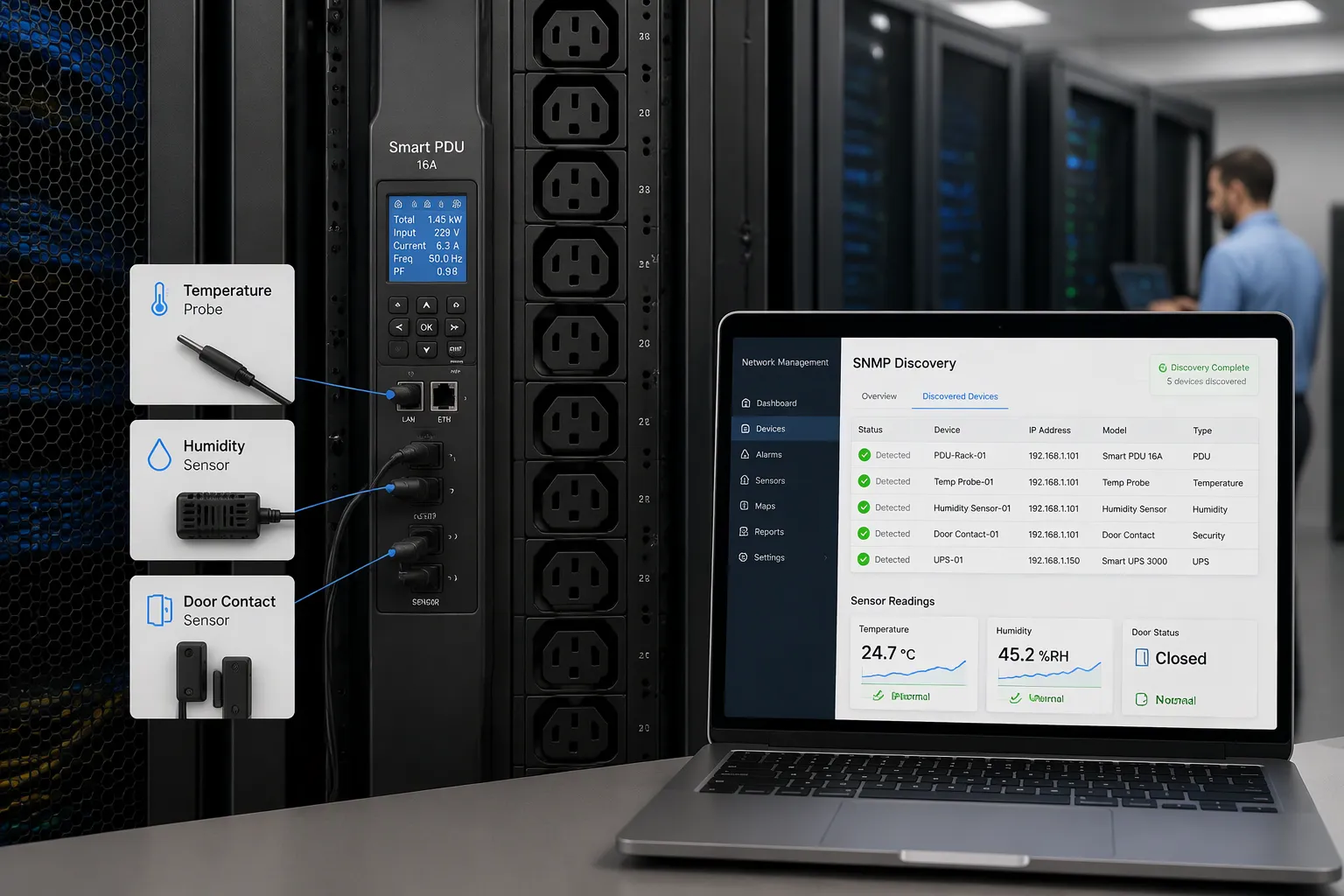
Auto-discovery lets a smart PDU find sensors as technicians install them on the monitoring network. The unit scans its sensor ports and network links, then signs in each new device without typing anything by hand. Standard interfaces make this work. Simple Network Management Protocol (SNMP) lets a network management system ask the PDU for data, get alerts, and link power readings to infrastructure objects. Modbus does the same job on serial and industrial links. Plug-and-play sensor ports finish the job by carrying identity data on the connection itself.
SNMP discovery relies on the device's management information base (MIB). A LibreNMS community report on a Conteg IP-SEA-318C36C9POM32 unit shows how this works in real life:
Field | Value |
|---|---|
Manufacturer | Conteg |
Model | IP-SEA-318C36C9POM32 |
SysObjectID |
|
Detection status | Detected as "Generic Device" |
Discovery issue | Sensors not discovered correctly due to the specific indexing of the Conteg Databus MIB |
Data scaling | Most metrics (Amps, Volts, Temp) use centi-units and require a divisor of 100 |
Paessler notes that SNMP v1, v2c, and v3 all work for PDU monitoring. An integrator points the tool at the unit's IP address, enters credentials, and polling starts. No agent goes on the PDU side, and no proprietary protocol needs negotiation. Pre-built templates for common brands often reach a working setup without touching individual OIDs. The ESTEL Smart Power Distribution Unit uses this same approach through its smart protocols and remote management features.
Plug-and-Play Sensor Recognition:
Plug-and-play ports go one step further. The port reads a sensor's identity and type, then brings it online on its own. A temperature probe, a humidity sensor, and a door contact each report their own status. The PDU knows the type and state, so environmental sensors show up in the interface without configuration files.
Integrators should still check MIB files, object names, units, scaling, permissions, and alarm behavior before trusting a template, as Newsunn PDU advises. Test discovery, values, alarms, and network failure behavior first. This step keeps monitoring correct across mixed hardware.
Sensor Types and Detection Specifics:
Temperature Sensors and Humidity Detection:
A smart PDU knows a temperature probe as soon as it plugs into a sensor port. The port reads the probe's ID, and the unit shows it as a live data point. Where you place the probe then decides if the reading means anything. Measure temperature at the front and back of the rack, not just room conditions, as the ESTEL blog advises. Six temperature sensors per rack, placed at the top, middle, and bottom, give a clearer picture. Data center temperature sensors at the rack inlet capture the actual intake air, not the room average. Keep probes away from vents, fans, and windows, and calibrate each unit against a reference, because sensors drift.
Humidity detection works the same way. A humidity sensor reports relative humidity as a percentage along with temperature and relative humidity values, and the unit sends both to the management station. The ESTEL Smart Power Distribution Unit adds a dehumidifying function and an LCD display for real-time readings at the rack. Keep humidity between 40% and 60% to avoid ESD at the low end and corrosion at the high end, per ASHRAE guidance cited by ESTEL. Dewpoint matters too: warm moist air sealed inside a cabinet cools toward its dew point and leaves droplets. Heaters raise internal temperature above the dew point in cold sites.
Door Sensor State Reporting:
Door sensors connect through dry-contact inputs, and the PDU detects them like any other environmental sensor. The unit keeps reporting the open or closed state of cabinet and entry doors, which protects distributed IT spaces from security breaches. The same signal confirms that hot and cold aisle containment doors stay closed for proper cooling. It also flags unauthorized access to unmanned remote closets. Event logs from these inputs support compliance and physical security audits. Before deployment, check sensor type, cable length, supported quantity, alarm thresholds, and whether an alarm can trigger a notification or an outlet action.
Data Collection and Environmental Monitoring:
Aggregation and Data Transmission:
A smart PDU checks its environmental sensors on a set schedule. It then combines the readings into one data stream. The unit sends that stream over the network through several standard paths, as Deipower describes:
Method | Details |
|---|---|
IP aggregation | Multiple PDUs (usually 2 to 50 units) share a single IP address |
SNMP v2/v3 | The same MIBs across product families |
Redfish RESTful API | For hardware management |
Modbus/TCP | For industrial and BMS integration |
SNMP traps | v2/v3 with TRAPs and INFORMs |
Email, SMS, Syslog | Alert delivery |
Web GUI, SSH/Telnet | Browser and command-line access |
Out-of-band communication over a serial console or backup network path works as a fallback when the main network fails. This setup keeps data flowing during outages.
Dashboards, Alerts, and Data Center Monitoring:
Alerts based on thresholds form the core of data center monitoring. Vertiv notes that smart PDUs offer alerts and alarms based on user-set thresholds. Warning and critical settings flag overload conditions before a breaker trips. Notifications arrive in standard formats:
SMS, SNMP traps, or email for breach alerts
Early notice of problems that are about to happen
Remote access through the network interface or serial connection
Dashboards complete the picture. Enconnex reports that DCIM integration gives IT staff a single view of real-time power data. Top-tier PDUs support environmental sensors without a separate monitoring solution. Sunbird DCIM adds that sensors attached to smart PDUs collect temperature, humidity, pressure, and airflow data. Business intelligence dashboards then turn that data into useful information.
This mix supports hot-spot prevention and thermal management. A rising temperature reading at a rack inlet triggers a warning before hardware slows down. Humidity sensor data flags condensation risk. Together, these signals give data center environment monitoring a proactive stance rather than a reactive one.
Benefits of Smart PDU Monitoring:
Reliability, Compliance, and Cost Savings:
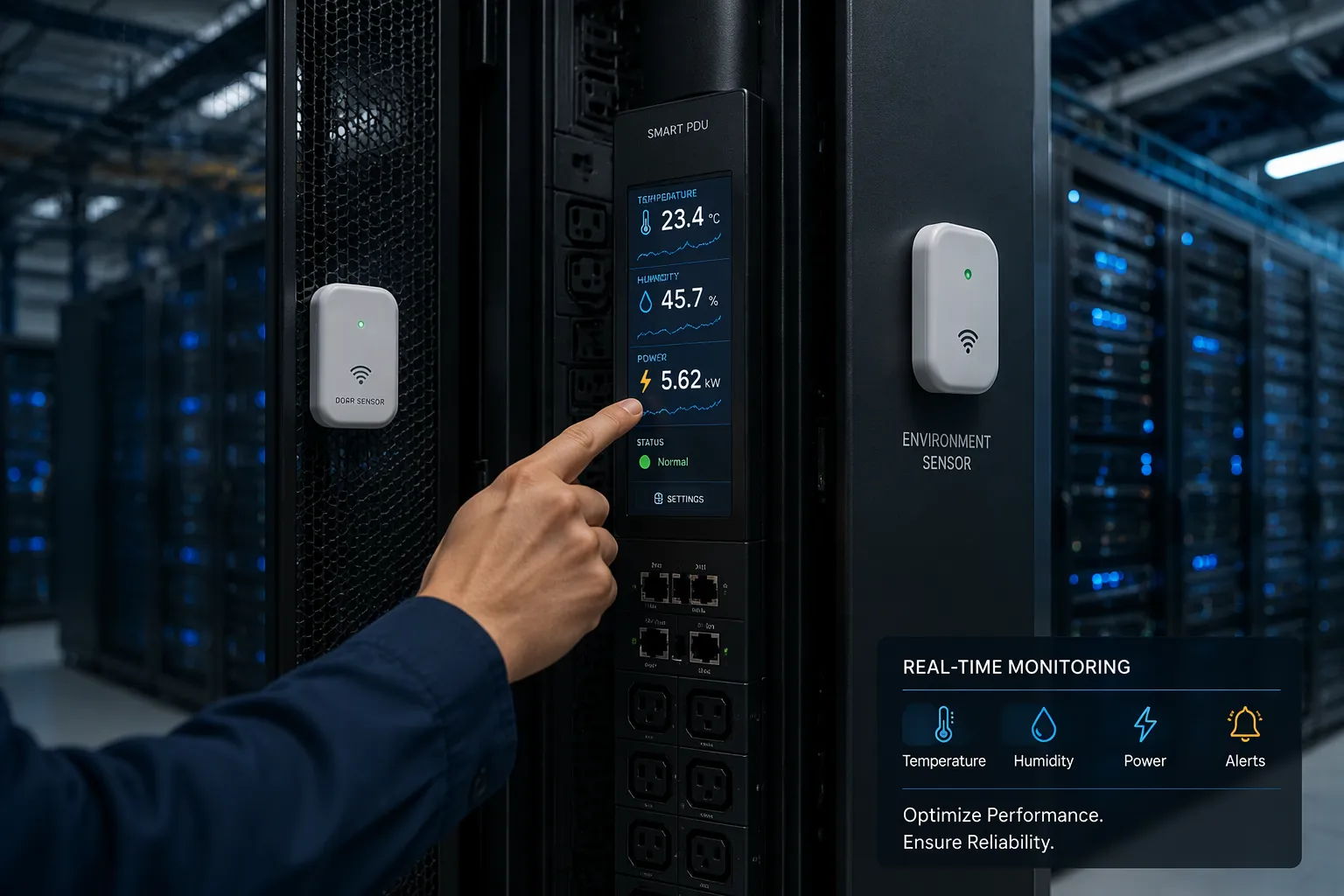
Smart PDUs turn environmental data into real operational value. Banatton compares PDU classes and puts intelligent units in modern enterprise data centers, where per-outlet monitoring and control matter most.
PDU Type | Monitoring | Remote Control | Best Application |
|---|---|---|---|
Basic PDU | No | No | Basic power distribution |
Metered PDU | Rack-level monitoring | No | Basic power monitoring |
Switched PDU | Yes | Yes | Remote outlet control |
Smart/Intelligent PDU | Per-outlet monitoring & control | Yes | Modern enterprise data centers |
Outlet-level metering tracks voltage, current, power, energy use in kWh, and power factor. Remote functions cover per-outlet on/off control, scheduling, boot delays, current limits, and automatic overload protection. Banatton notes that intelligent units carry ISO, CE, RoHS, TUV, and UL certification, and that historical logs record every event for compliance audits and troubleshooting.
Cost savings come from visibility. Yosun explains that real-time data on energy consumption shows where inefficiencies are, and outlet-level readings reveal equipment that is underused. Balancing loads across circuits limits extra heat and cuts cooling costs. Newsunn reports that organizations have seen energy savings of up to 20% after adding smart PDUs. Temperature and humidity sensor alerts also protect hardware, and that protection extends equipment lifespan and lowers maintenance costs.
Deployment in Data Centers and Server Rooms:
These units fit rack and cabinet environments directly. Surge protection guards connected equipment from power ups and downs. A strong build stands up to industrial conditions, and setups with 8 to 19 outlets match racks of different densities. ESTEL's Smart Power Distribution Unit brings these traits together with remote management and an LCD display.
Deployment scenarios vary by site. Enterprise server rooms use per-outlet metering to bill departments accurately. Colocation halls rely on remote control to reboot customer equipment without a site visit. Edge closets depend on door contacts and temperature sensors to flag problems in unmanned spaces. Each scenario benefits from one shared view of power and environmental monitoring.
A smart PDU finds environmental sensors on its own using standard protocols and plug-and-play ports. Each sensor type reports its own status: a temperature probe, a humidity sensor, and a door contact each come online with little setup. The unit then gathers every reading into a single monitoring view.
This design makes full-spectrum environmental monitoring practical. Teams get power and environmental monitoring without complex integration work. They also get faster deployment and fewer configuration errors.
Data center environmental sensors scale as infrastructure grows. Adding racks or PDUs extends the same monitoring model. Operators can grow coverage one sensor at a time, and the PDU keeps recognizing each new device on its own.
FAQ
How does a smart PDU recognize a new sensor?
The unit checks its sensor ports and network links by itself. Standard interfaces like SNMP and Modbus carry identity data, and plug-and-play ports read a device's type directly. A technician plugs the device in, and the unit brings it online without setup by hand.
Which environmental sensors can a smart PDU detect?
Common choices include temperature probes, humidity sensors, and door contacts. Each device reports its own type and state. A humidity sensor returns a percentage reading, and a door contact returns an open or closed state. The unit logs every reading in one view.
Why does sensor placement affect temperature accuracy?
A probe measures the air around it, not the room average. Placement at the rack inlet captures the air that equipment actually breathes. Teams should keep probes away from vents and fans. Regular calibration against a reference keeps readings trustworthy over time.
How does the PDU deliver alerts and dashboards?
The unit polls its devices on a set schedule and combines the readings into one stream. Thresholds set by the user trigger warnings through email, SMS, or SNMP traps. Dashboards and remote access then give staff a single view of conditions across the site.
Does auto-detection reduce deployment effort?
Yes. Discovery replaces hand configuration for each device. Teams spend less time on setup and make fewer errors. Coverage then grows one device at a time as racks and cabinets expand, and the unit keeps recognizing each new addition on its own.
See Also
Guide to Installing and Maintaining Smoke Sensors in Communication Cabinets
Ensuring Optimal Monitoring for Outdoor Telecom Cabinets Effectively
Optimizing Outdoor Cabinets Using Power, Cooling, and Monitoring Solutions
Understanding ESTEL PDUs and Their Role in Data Center Cabinets
Explaining Supervision System Integration in ESTEL Outdoor Cabinets
CALL US DIRECTLY
86-13752765943
3A-8, SHUIWAN 1979 SQUARE (PHASE II), NO.111, TAIZI ROAD,SHUIWAN COMMUNITY, ZHAOSHANG STREET, NANSHAN DISTRICT, SHENZHEN, GUANGDONG, CHINA
