How Smart PDUs Enable Auto-Recognition of Temperature, Humidity, and Door Security in Unmanned Rooms

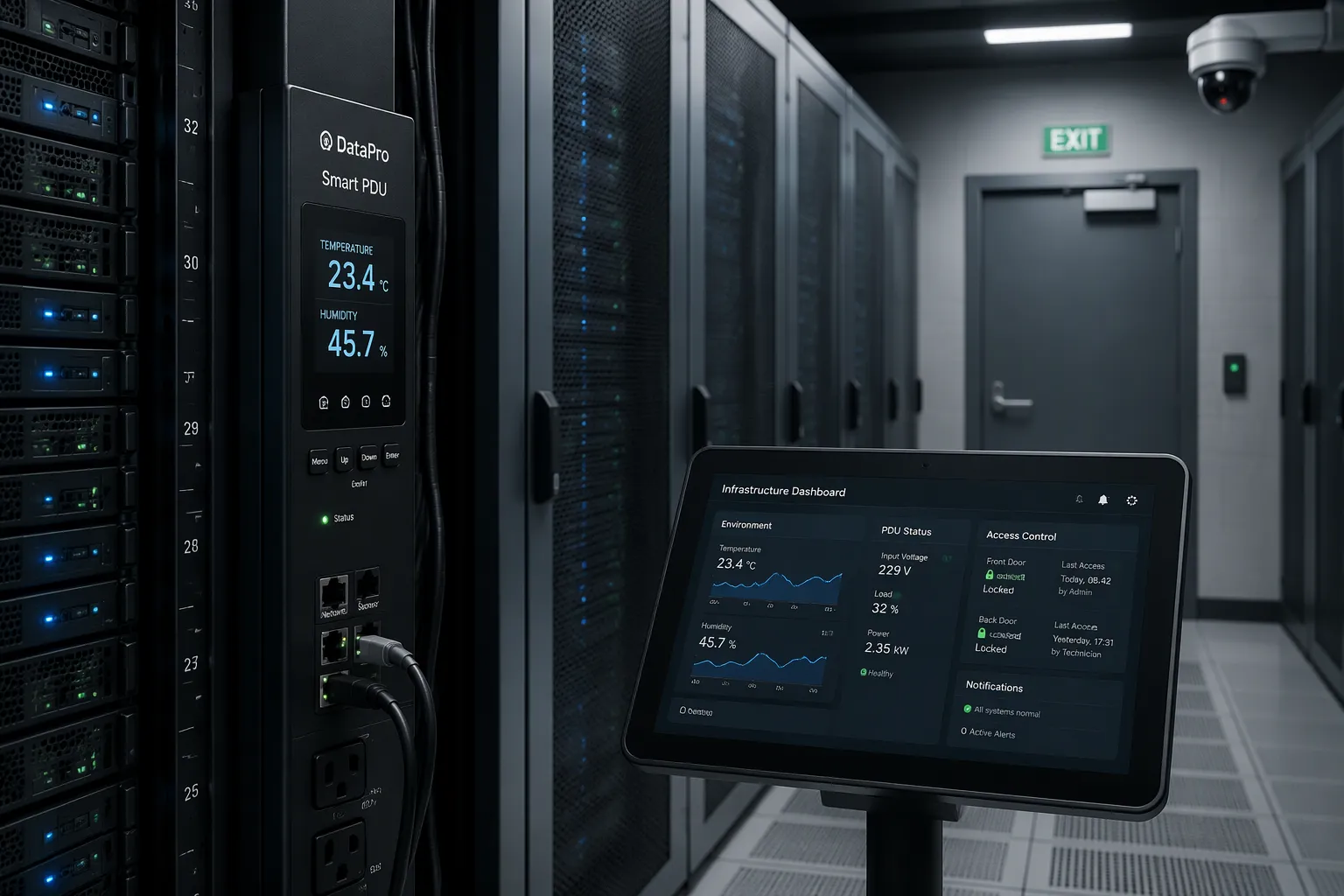
A smart PDU enables auto-recognition by combining built-in sensor ports, network connectivity, and intelligent firmware. The firmware polls environmental and door sensors continuously, then triggers alerts when readings cross your limits. Unmanned rooms carry real risk: no staff on site, overheating, humidity damage, and unauthorized access. A smart PDU acts as the monitoring hub that closes these gaps. This article walks through the technology, sensor integration, alerting, operational benefits, and deployment tips, using ESTEL's Smart Power Distribution Unit as a working example.
Key Takeaways
Smart PDUs use built-in sensor ports to monitor temperature, humidity, and door status automatically.
You get real-time alerts when conditions exceed your set limits, preventing damage and downtime.
Door sensors turn an unmanned room into a secure space with intrusion alerts and event logging.
A centralized platform lets you manage multiple rooms from one interface, saving time and trips.
Smart PDUs reduce downtime by 25% or more and save up to 20% on energy compared to basic PDUs.
How Smart PDUs Collect Sensor Data
Built-In Sensor Ports and Connectivity
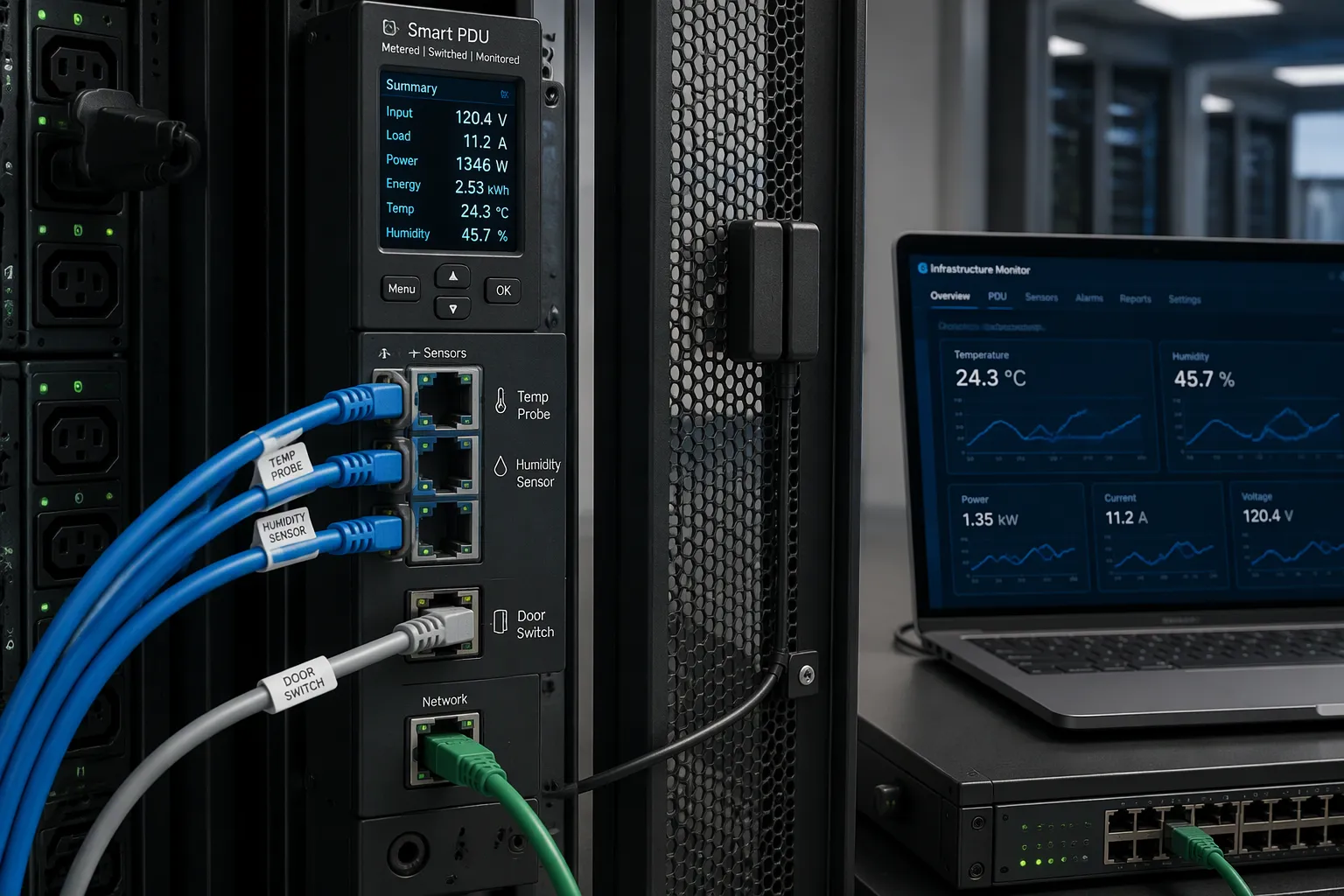
A smart PDU gathers environmental and security data through dedicated sensor ports on its chassis. These ports accept temperature probes, humidity sensors, door switch contacts, and fluid leak detectors. You plug each sensor into the port, and the PDU begins reading it immediately.
Modern designs simplify this wiring. Legrand and Raritan both describe dual RJ45 connectors that ease the installation and servicing of sensor packages without rewiring the rack or daisy chaining, which saves time and maintenance costs. The same vendors support a single bus or string architecture. You cascade different sensor types on one run of Cat5/6 cable through the PDU's sensor port, and the device measures all of them together.
Dual RJ45 connectors let you add or swap a sensor package without rewiring the rack.
Single bus/string technology cascades mixed sensor types over one Cat5/6 cable run.
Each port maps to a fixed address, so the firmware knows which reading belongs to which location.
Network connectivity turns these local readings into remote visibility. The PDU communicates over SNMP across your existing Ethernet infrastructure, as Paessler describes, with no proprietary software or extra hardware required. SNMP v1, v2c, and v3 are all supported. You point your monitoring tool at the PDU's IP address, enter credentials, and polling starts.
Data Processing and Alert Logic
Firmware polls the sensors on a fixed cycle and compares each reading against your configured thresholds. The workflow follows a predictable sequence:
The PDU detects a compatible probe through its SNMP object identifiers and enables that sensor entity by default.
If no compatible probe is connected, the entity is not created, so you never see a permanently unavailable sensor.
Probe availability is rechecked during the metadata refresh cycle, and values are polled only after detection.
A reading that crosses a limit triggers an alert through the same network path.
Threshold configuration is where you define normal. You set a high-temperature limit, a humidity ceiling, and a door-open condition for each room. When a value exceeds its limit, the PDU raises an alarm and logs the event with a timestamp.
Threshold alarms work best as a safety net. As ESTEL's technical blog explains, threshold alarms catch hard limits fast, while learned baseline models cover the subtle, multi-signal drift that limits miss. A learned baseline studies voltage, current draw, and phase balance over time and compares each new reading against that pattern. Run both layers together. Set sensitivity per site, because remote cabinets and dense racks behave differently. Connect alerts to your maintenance platform, dashboards, and ticketing system so they land where your team already works.
Temperature and Humidity Monitoring
Sensor Types and Thresholds
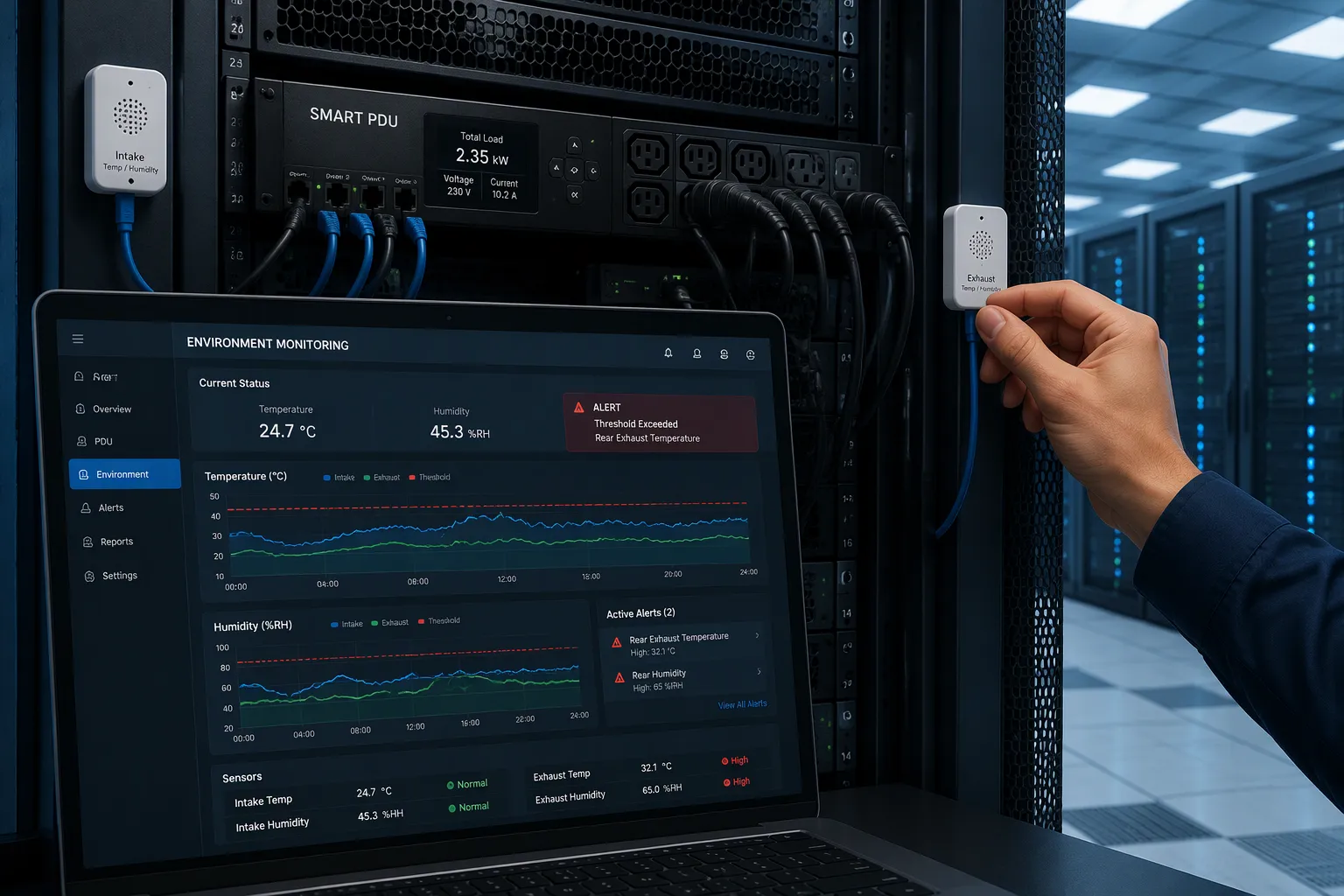
A smart PDU accepts several sensor types on its ports. Temperature probes track heat buildup near the rack intake and exhaust. Humidity sensors watch moisture levels that can lead to condensation on circuit boards. Airflow sensors confirm that fans and vents move air as designed. Pressure sensors detect differential pressure changes across filters and cabinet walls. You attach each sensor to a port, and the firmware reads it on a fixed cycle. Each port maps to a fixed address, so the PDU knows which reading belongs to which location. A single cable run can carry mixed sensor types, which keeps rack wiring clean.
Threshold configuration defines normal for each room. You set a high-temperature limit, a humidity ceiling, and an acceptable airflow range. The PDU compares every reading against these values. A reading that crosses a limit raises an alarm and logs the event with a timestamp. You can tune sensitivity per site, because a remote cabinet and a dense rack behave differently. A tight limit catches drift early. A loose limit avoids nuisance alarms in a room with variable load. Document each threshold in your monitoring platform, so a new technician can see why an alarm fired.
Real-Time Alerts and Response
Alert delivery matters more than alarm generation. ESTEL's technical blog notes that intelligent rack PDUs collect temperature and humidity readings through attached sensors, and you can view them in a web browser or command line interface. Set thresholds on these readings, and the PDU warns you before condensation or heat buildup becomes a problem. SNMP traps and alerting feed your existing monitoring platform, and thresholds trigger email or SMS warnings before a circuit hits its limit. You can also pull a history of past readings, which helps you spot a trend before it becomes an alarm.
The same blog describes broader notification routing. Thresholds for amperage, voltage, and power usage can trigger notifications through email, SMS, or push alerts before an overload occurs. SNMP traps can fire on status changes, load shifts, temperature, and humidity. Customizable thresholds cover temperature, humidity, power fluctuations, and security breaches, and alerts fire when values cross them. Notifications reach your team through email, SMS, Slack, PagerDuty, and other tools. Route each alert type to the team that owns the response, so a humidity warning reaches facilities staff and a power warning reaches IT. An escalation path ensures that an unacknowledged alert reaches a second contact.
Automated response closes the loop. ESTEL's Smart Power Distribution Unit includes a dehumidifying function that keeps cabinet humidity in check. The table below summarizes how that function supports environmental control.
Aspect | Detail |
|---|---|
Dehumidifier purpose | The built-in dehumidifier adds environmental control that protects sensitive electronics from moisture. |
Humidity control | The dehumidifying function keeps cabinet humidity in check, so the cooling system works less to remove moisture. |
Cooling cost reduction | Documented cooling cost reductions run 10–15%. |
Product configuration | The unit comes in 8 to 19 outlet configurations, with a maximum input current of 16A and an IEC60309 plug. An LCD shows real-time data. |
You can toggle the dehumidifier through the remote management layer, and the LCD display confirms each change at the rack. A dehumidifier reduces the load on the cooling system, and that reduction shows up in energy bills. That combination of sensing, alerting, and automated response keeps an unmanned room within safe limits without a site visit.
Door Security Monitoring
Door Sensor Integration
A door switch turns an unmanned room into a monitored space. You mount a magnetic contact sensor on the door frame and its matching magnet on the door itself. The sensor reports a closed loop while the door stays shut. An open door breaks the loop, and the PDU registers the change on its sensor port.
Sensor choice depends on the door type. Dpstele lists three common options, and the table below summarizes them.
Sensor Type | Model | Description |
|---|---|---|
Door Sensor (Surface Mount) | D-PR-550-10A-01 | Closed loop magnetic contact sensor. Consists of magnet and contact. Gap distance is 5/8". Includes screw kit for mounting hardware. |
Magnetic Sensor for Overhead Doors | D-PK-DRSNR-12003.00001 | Floor-mounted magnetic sensor for overhead / hatch doors. Uses an 18" stainless steel armored cable. 3" gap size. Loop type is closed. |
Magnetic Sensor for Panel Doors | D-PK-DRSNR-12001.00001 | Magnetic sensor typically used on roll-up / garage doors. Uses 2' stainless steel armored cable. Wide operating gap distance. The contact is directly to the door channel. Loop type is closed. UL listed. |
An environmental monitoring PDU carries the sensor interfaces that make this work. Dgorient describes this class as a vertical 0U or horizontal 1U/2U unit with single-phase or three-phase AC input and commonly 8–48 outlets. Its monitoring covers temperature, humidity, smoke, water-leak, door-contact, airflow, and rack security. That combination suits remote edge sites, unmanned rooms, and telecom shelters with limited on-site support.
Intrusion Alerts and Event Logging
An open door should reach you as a notification, not a surprise. You set the door-contact condition as an alarm point, and the Smart PDU raises an alert the moment the loop breaks. Dgorient notes that some models issue alerts when conditions exceed chosen limits, and it advises setting warnings below breaker or environmental limits. Waiting for failure is poor planning.
Event logging gives the alert a history. The PDU stamps each door event with a time and stores it alongside temperature and humidity records. You can review the sequence later and see whether a door opened before or after a temperature spike. Administrators receive intrusion alerts through the same network path as environmental alarms, so one platform covers both. Route door alarms to your security contact and environmental alarms to facilities staff. An escalation path ensures that an unacknowledged intrusion alert reaches a second person.
Unified Management and Deployment
Centralized Platform and Scalability
A single room is easy to watch. A dozen rooms spread across a region is a different problem. A centralized platform solves it. Dpstele describes a master station that integrates all PDU units and other monitoring equipment into one interface, with a central database for storing and trending data. You log in once and see every room. TechTarget adds that the master station should support many communication protocols, including SNMP, so it fits your existing alarm monitoring system.
Remote management extends past visibility. You can power cycle a device from the web interface instead of dispatching a technician, and you can set alerts on user-defined parameters. TechTarget notes that modular and scalable designs allow capability upgrades without full replacement. That matters when your room count grows.
Local access still counts. ESTEL's Smart Power Distribution Unit carries an LCD display with menu control. It shows power status, alerts, and environmental readings at a glance, and it serves as a backup when network access is unavailable. Technicians use it during installation, commissioning, and troubleshooting.
Sensor Placement and Network Needs
Placement decides whether your readings mean anything. Mount temperature probes near the rack intake, where air enters the equipment. Put humidity sensors in open air, away from vents and doors. Fix door contacts so the magnet and switch align within the rated gap. Keep sensor cables away from power runs to reduce electrical noise.
The network carries every alert, so plan it with care. Deipower recommends multi-protocol integration such as SNMP, Redfish, and Modbus/TCP to avoid lock-in, plus identical MIBs across product families to simplify management as you scale. Security deserves equal attention: AES-256 encryption, multi-factor authentication, and role-based access control. Vertiv points out that some PDUs offer out-of-band communication through serial consoles or KVM switches when the primary network fails. Segment PDU traffic onto a management network, and the same architecture scales from one unmanned room to many.
Operational Benefits of Smart PDU Monitoring
Reduced Downtime and Security
Downtime in an unmanned room rarely announces itself. A smart PDU changes that by turning silent failures into early warnings. NBYOSUN reports that smart PDUs cut downtime by 25% or more and save up to 20% on energy compared with basic PDUs. The table below shows how the two classes compare.
Benefit | Smart PDUs | Basic PDUs |
|---|---|---|
Energy Savings | Up to 20% | N/A |
Downtime Reduction | 25% or more | N/A |
Operational Efficiency | Enhanced through monitoring | N/A |
Faster response drives much of that gain. Real-time alerts warn you about temperature spikes, humidity changes, and power overloads before they escalate, according to NBYOSUN. Proactive alerts can reduce maintenance expenses by up to 25% and improve operational efficiency by 30%. Built-in diagnostics and fault logs speed up root cause analysis, which shortens each incident.
Security improves along the same path. You receive SNMP traps when power fluctuates or a fuse fails, and an HTTPS web interface keeps remote power management secure, as Dpstele describes. Continuous monitoring offers protection around the clock and trims unnecessary maintenance trips, Newsunn notes. ESTEL's blog adds that 80% of recent outages were preventable through early detection.
Energy Efficiency and Visibility
Remote visibility replaces guesswork with data. You track energy use at the unit, inlet, or outlet level, spot problems before they cause downtime, and reboot devices without a site visit, NBYOSUN explains. A switched PDU lets you power cycle a hung server and restore service in minutes, which eliminates an expensive trip. Connecting the PDU to a DCIM platform extends that view to remote sites, and data buffering preserves readings during network outages.
The numbers support the case for oversight. ESTEL's blog reports that remote monitoring services improve maintenance response times by 40%, and facilities with backup power see a 25% increase in operational reliability. One telecommunications case study recorded a 20% improvement in equipment uptime after deploying intelligent PDUs. Power outages cause 33% of downtime, so continuous monitoring pays for itself. You gain full visibility over assets you cannot physically visit.
A smart PDU turns an unmanned room into a monitored one. It reads temperature, humidity, and door status through its sensor ports, polls them over the network, and alerts you the moment a value crosses your limit. You gain fewer site visits, faster incident response, reduced downtime, and stronger security.
Evaluate any smart PDU on three points: sensor compatibility, platform features, and scalability across rooms. ESTEL's Smart Power Distribution Unit gives you a practical starting point, with sensor ports, an LCD display, remote management, and a dehumidifying function in one unit.
FAQ
Which sensors can I connect to a smart PDU?
You can attach temperature probes, humidity sensors, door switch contacts, and fluid leak detectors to the built-in sensor ports. Some units also accept airflow and pressure sensors. Check the port count and sensor type list before you buy, because compatibility varies by model.
What happens to monitoring when the network goes down?
Local readings continue at the rack. The LCD display on ESTEL's Smart Power Distribution Unit shows power status, alerts, and environmental readings without network access. Some PDUs also offer out-of-band access through serial consoles or KVM switches. Data buffering preserves readings until the connection returns.
Can one platform manage several unmanned rooms?
Yes. A centralized master station integrates multiple PDU units into one interface with a central database for trending. You log in once and view every room. Modular designs let you add capability as your room count grows, and identical MIBs across product families simplify scaling.
How many outlets does a smart PDU offer?
ESTEL's Smart Power Distribution Unit comes in configurations from 8 to 19 outlets, with a maximum input current of 16A and an IEC60309 plug. Match the outlet count to your rack load, and confirm the plug type fits your site power.
Does a smart PDU replace separate environmental monitoring?
It consolidates environmental and door monitoring into one networked device, so you need fewer standalone systems. It does not replace your security camera or access control. Route door alarms to security staff and environmental alarms to facilities, and the PDU covers both paths from one platform.
See Also
Guide to Installing and Maintaining Smoke Sensors in Communication Cabinets
Understanding ESTEL PDUs and Their Function in Data Center Cabinets
Professional Advice for Securing Communication Cabinets in High-Risk Locations
Explaining Supervision System Integration in ESTEL Outdoor Communication Cabinets
Smart and Sustainable Outdoor Communication Cabinets for the Year 2025
CALL US DIRECTLY
86-13752765943
3A-8, SHUIWAN 1979 SQUARE (PHASE II), NO.111, TAIZI ROAD,SHUIWAN COMMUNITY, ZHAOSHANG STREET, NANSHAN DISTRICT, SHENZHEN, GUANGDONG, CHINA
